2
Chapter 1: Overview
airFiber AF-11FX User Guide
Ubiquiti Networks, Inc.
Ports
Management
Port
Reset
Button
Data
Port
VDC IN
50V 1.2A
Management Port 10/100 Mbps, secured Ethernet
port for configuration. In-Band Management is enabled
by default in the airFiber Configuration Interface. When
In-Band Management is disabled, the MGMT port is the
only port that can monitor, configure, and/or update
firmware.
Reset Button To reset to factory defaults, press and hold
the Reset button for more than 10 seconds while the
device is powered on.
Data Port Gigabit PoE port for handling all user traffic
and powering the device.
VDC IN The terminal block can be used to power the
AF-11FX with +50VDC 1.2A DC power instead of PoE.
Duplexer Ports
TX 0 RX 0 RX 1 TX 1
TX 0
Top View
of AF-11FX
(Duplexer
Shroud
Removed)
RX 0 RX 1 TX 1
TX 0, RX 0 The TX and RX SMA ports for the Chain 0
Low-Band Duplexer or High-Band Duplexer (SISO and MIMO
modes).
RX 1, TX 1 The RX and TX SMA ports for the Chain 1
Low-Band Duplexer or High-Band Duplexer (MIMO mode
only). In SISO mode, these unused ports are protected by
the Duplexer Cap.
Duplexer
SMA Ports
N Connector
Low-Band
Duplexer
High-Band
Duplexer
N Connector Female N-type connector into which the
antenna cable is plugged.
SMA Ports High-band and low-band channel SMA ports.
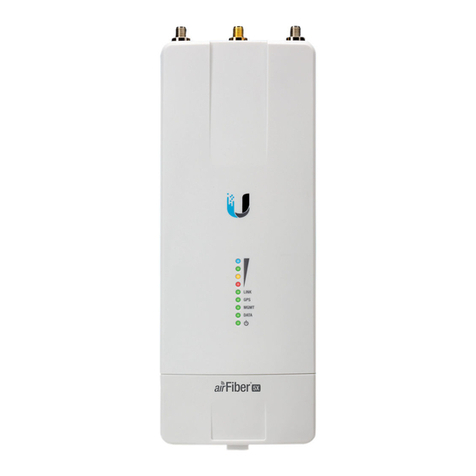
LEDs
Signal LEDs
Signal 4 LED will light blue when on.
Signal 3 LED will light green when on.
Signal 2 LED will light yellow when on.
Signal 1 LED will light red when on.
Bootup to airOS When powering on, the Power, MIMO,
LINK, and Signal 1-4 LEDs light on. Once the CPU code
takes over, the MIMO, LINK, and Signal 1-3 LEDs turn off.
The Signal 4 LED remains lit to indicate the boot sequence
is underway.
Initializing airFiber Software When the airFiber
application begins to boot under airOS, the Signal 4 LED
goes from solidly on to a 2.5 Hz flash. This continues until
the AF-11FX radio is fully booted.
Signal Level Once fully booted, the Signal 1-4 LEDs
act as a bar graph showing how close the AF-11FX is to
ideal aiming. This is auto-scaled based on the link range,
the antenna gains, and the configured TX power of the
remote AF-11FX. Each Signal LED has three possible states:
On, Flashing, and Off. All Signal LEDs would be solidly on
in an ideal link. For example, if the link has a 1 dB loss, the
Signal4 LED will flash; a 2 dB loss and the Signal 4 LED will
turn off. The full bar graph LED states are shown below.
dB
loss 0-1 -2 -3 -4 -5 -6 -7 -8 -9 -10 -11 -12 -13
1F000000000000
111F0000000000
11111FF0000000
1111111111FFF0
0 = Off, 1 = On, F = Flashing