Remote control instructions
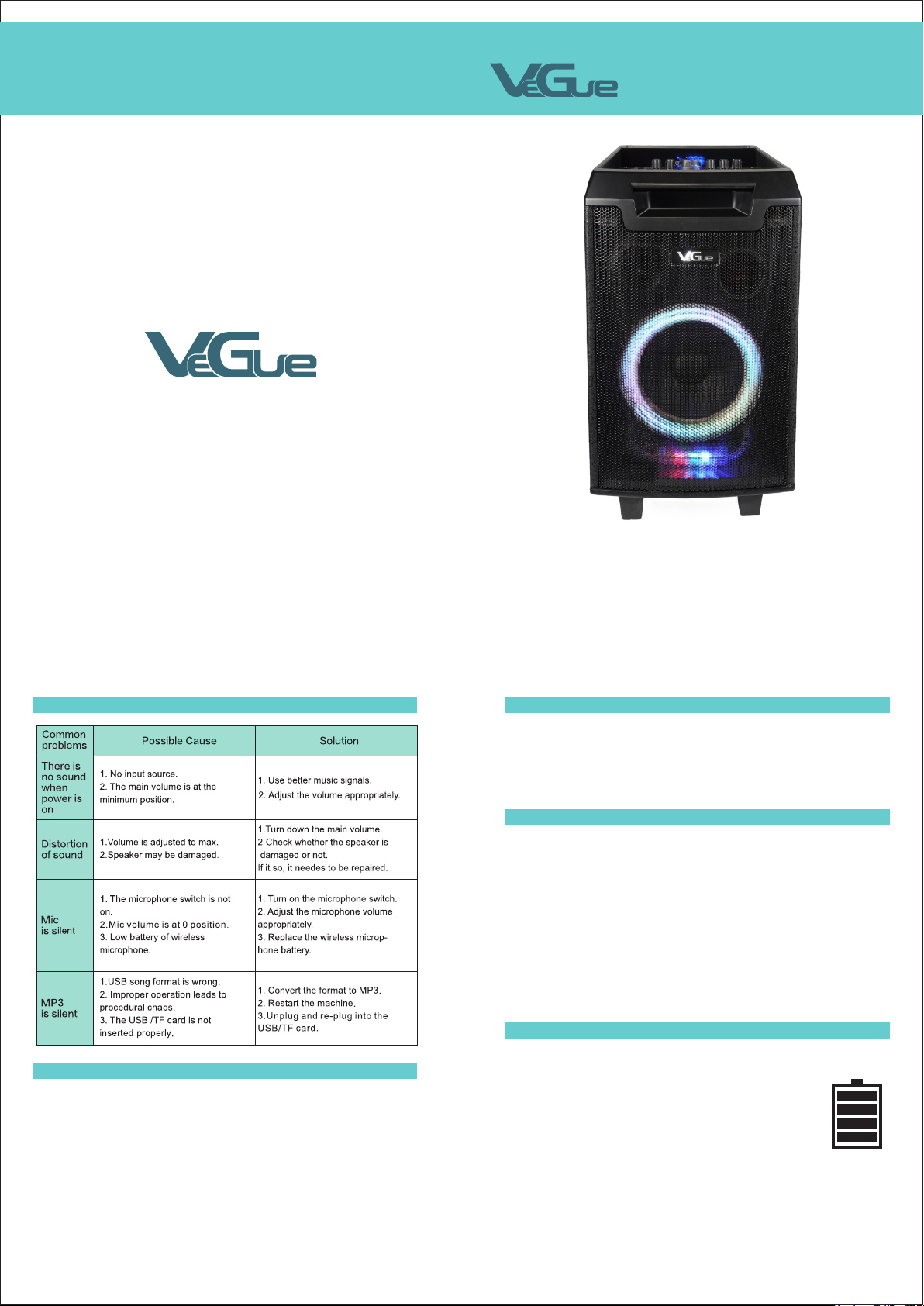
*Image diagram, for reference only *Image diagram, for reference only
1.Under normal circumstances, the remote control
should be used within a range of about 20 feet and 30
degrees from the remote reception window.
2.When operating the remote control, point the
remote control at the receiver window of the machine.
There should be no obstacles between the remote control
and the machine.
3.If the receiving window is in the position of strong
light, the remote control may fail. In this case, please
remove the machine to avoid direct exposure to strong
light.
4.Please don't make both new and old batteries work
together,and regularly check whether the remote control
batteries need to be replaced.
20 feet
Mute
Music number
Input selection
Turn up the volume
Play/Pause
Next
Turn down the volume
USB
Sound field effect
Play the record
Record
Bluetooth
Previous
MIC priority
Repeat one/Random/Repeat all
1.
2.
3.
4.
5.
6.
7.
8.
9.
10.
11.
12.
13.
14.
15.
Description of controls
*Image diagram, for reference only
Guitar
USB/TF
Microphone controls and basic operation
Guitar jack: Connect guitar.
Guitar Volume: Adjust the guitar volume.
Recording funtion
Recording funtion
Recording funtion
Bluetooth operation
FM function
1.Microphone on
2.Microphone off
3.Screen
Music files in USB and TF cards should be formatted as FAT32 on the computer.
The order about music play is based on file name,if the music file names are
as"01,02,03"in sequence.This product will play the file "01"first.
Copy MP3 or WMA music files to USB/TF cards. It is recommended to delete
unnecessary files and folders to speed up card reading and reduce card reading
problems.
1
2
3
Please insert USB or TF card first and then press “●/►” into recording mode. When
recording music at the first time, an new file "RECORD" will be created in the card and all
recordings will be saved into the file. These recording files are automatically named as
REC0001,REC0002,REC0003… in sequence. When recording music, press “●/►” to pause it
and press again to continue. Press INPUT or “●/►” to quit recording mode.
Please press “●/►” into recording-play mode(automatically play the musics recording
before). Usually the machine will play the last recording music first. Press PREV( |◄◄) or
NEXT( ►►|) to select the music. Press Replay on the remote control to replay music. If you
would like to replay single music or all musics, please press Replay repeatedly.
USB port: insert USB and play music.
TF port: insert TF card and play music.
Supports MP3, WMA, and WAV music formats, outstanding sound performance, high fax
stereo design.
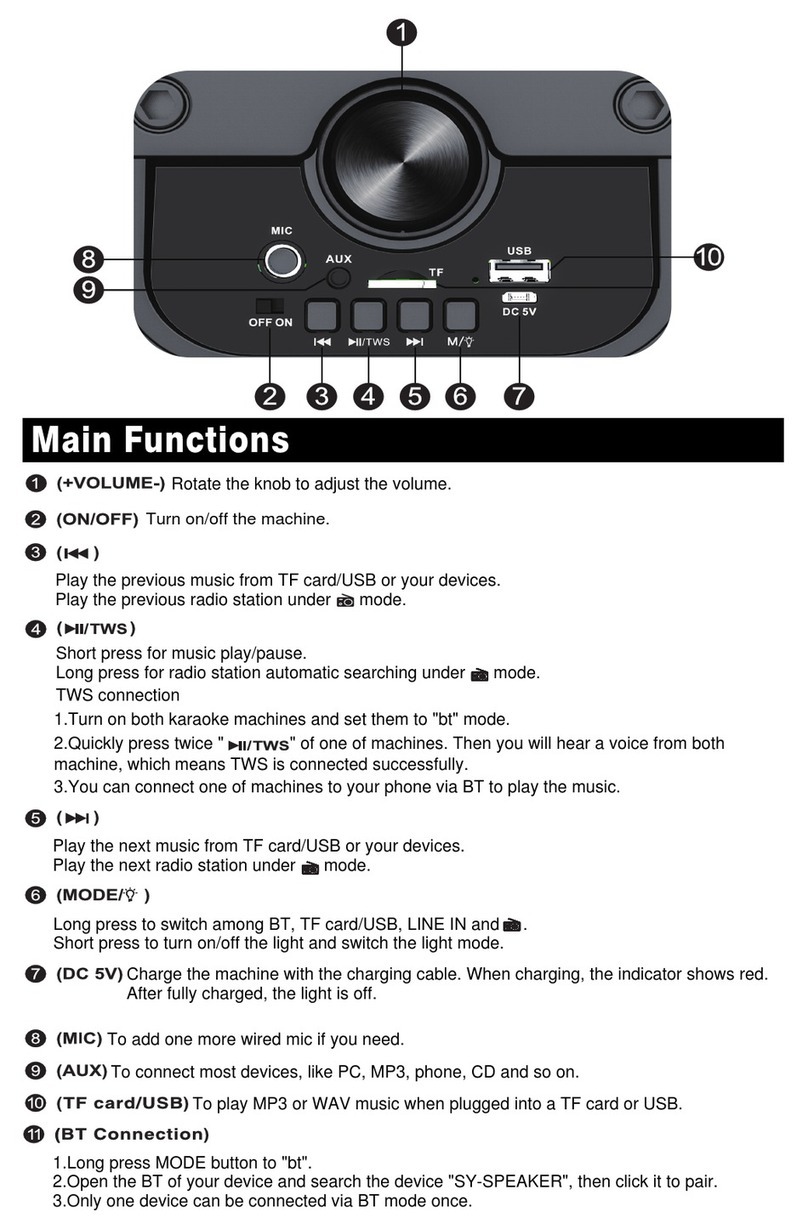
INPUT: to switch external audio, MP3 / Bluetooth functions.
►||: press this key to pause the music, and press again to continue.
|◄◄ / ►►|: when playing, select the PREVIOUS/NEXT music.
Bluetooth connection method:Turn on the speaker,press the‘INPUT’key on the speaker
panel,and the screen will show‘bT’.Use your phone to connect the Bluetooth of the
speaker.The Bluetooth name is VS-0866.
If the connection fails,please restart the device or the phone and try again.
The use range of the Bluetooth is 32ft in the open area.
Bluetooth connection method:Turn on the speaker,press the‘INPUT’key on the speaker
panel,and the screen will show‘bLUE’.Use your phone to connect the Bluetooth of the
speaker.The Bluetooth name is VS-0866.
If the connection fails,please restart the device or the phone and try again.
The use range of the Bluetooth is 32ft in the open area.
Choose “INPUT” to switch to FM radio.
Choose “ ” for automatic searching and saving.
Choose “ ” and “ ” to switch channels.
1 2 3 4 5 6 7 8 9 10 11
14
15 16 17 18 19 20 21 22
13
12
1.
2.
3.
4.
5.
6.
7.
8.
9.
10.
11.
DC 15V IN
Power
Microphone input
Adjust microphone volume
Echo
Volume
Bass volume
The USB interface
Treble volume
The TF interface
Guitar Volume
12.
13.
14.
15.
16.
17.
18.
19.
20.
21.
22.
Audio output
Audio input
Guitar input
Microphone priority
Input selection
Recording/Recording playback
PREV
LED light control
Play/Pause
Play on loop
NEXT