manuals.online logo
Brands
  1. Home
  2. •
  3. Brands
  4. •
  5. Xiaomi
  6. •
  7. Batteries Charger
  8. •
  9. Xiaomi PB400 User manual

Xiaomi PB400 User manual

This manual suits for next models

1

Other Xiaomi Batteries Charger manuals

Xiaomi Mi Wireless Charging Pad User manual

Xiaomi

Xiaomi Mi Wireless Charging Pad User manual

Xiaomi MDY-11-EZ User manual

Xiaomi

Xiaomi MDY-11-EZ User manual

Xiaomi MDY-12-EH User manual

Xiaomi

Xiaomi MDY-12-EH User manual

Xiaomi ZMI HA622 User manual

Xiaomi

Xiaomi ZMI HA622 User manual

Xiaomi Mi Wireless Charging Pad WPC01ZM User manual

Xiaomi

Xiaomi Mi Wireless Charging Pad WPC01ZM User manual

Xiaomi ZI5 User manual

Xiaomi

Xiaomi ZI5 User manual

Xiaomi AD652GEU User manual

Xiaomi

Xiaomi AD652GEU User manual

Popular Batteries Charger manuals by other brands

EVBox BusinessLine manual

EVBox

EVBox BusinessLine manual

Goobay 71808 user manual

Goobay

Goobay 71808 user manual

Kogan KACRDQIS4XA user manual

Kogan

Kogan KACRDQIS4XA user manual

Sealey WCB3 quick start guide

Sealey

Sealey WCB3 quick start guide

Vanner SP00143/181 owner's manual

Vanner

Vanner SP00143/181 owner's manual

KeyOuest KO037515 quick start guide

KeyOuest

KeyOuest KO037515 quick start guide

Enplus Silk Series user manual

Enplus

Enplus Silk Series user manual

Intermec SF51 user guide

Intermec

Intermec SF51 user guide

Colorovo PowerBox 6800 user guide

Colorovo

Colorovo PowerBox 6800 user guide

Smartech WBC-250 Operator's manual

Smartech

Smartech WBC-250 Operator's manual

PIXO C-USB instruction manual

PIXO

PIXO C-USB instruction manual

Gunson G4104 quick start guide

Gunson

Gunson G4104 quick start guide

Dometic NDS SCE320 Short Operating Manual

Dometic

Dometic NDS SCE320 Short Operating Manual

ABB HT572708 Operation manual

ABB

ABB HT572708 Operation manual

EVOline Square80 manual

EVOline

EVOline Square80 manual

Redarc SBC24025 Operating instructions and owner's manual

Redarc

Redarc SBC24025 Operating instructions and owner's manual

Absaar HV04 manual

Absaar

Absaar HV04 manual

DazeTechnology Cover Dazebox Home installation manual

DazeTechnology

DazeTechnology Cover Dazebox Home installation manual

manuals.online logo
manuals.online logoBrands
  • About & Mission
  • Contact us
  • Privacy Policy
  • Terms and Conditions

Copyright 2025 Manuals.Online. All Rights Reserved.

ZI5 Ni-MH Battery Charger
Thank you for your choice! Read the instructions carefully before using the
device.
Precautionary measures
Do not cover the device during charging.
Do not charge incompatible batteries.
For optimum performance, use ZI5 / ZI7 Ni MH batteries or Panasonic
eneloop Ni MH batteries.
Do not touch the device with wet hands.
Do not immerse the device in water, do not spray water or snow, do not
use it in a humid room (for example, in a bathroom).
Disconnect the device from a power supply after use.
In case of hit, falling or damage to the device, do not use it.
Do not disassemble or modify your device.
Do not use the device in direct sunlight.
Specications
Model: РВ400;
Input voltage: 5.0V / 1.0A;
Output voltage: 5.0V / 0.5A;
(AA) 1.5V AA: 550mA x 4;
(AAA) 1.5V AA: 225mA x 4;
Dimensions: 77 x 63 x 24.5mm;
Operating temperature: 0-40 ° С.
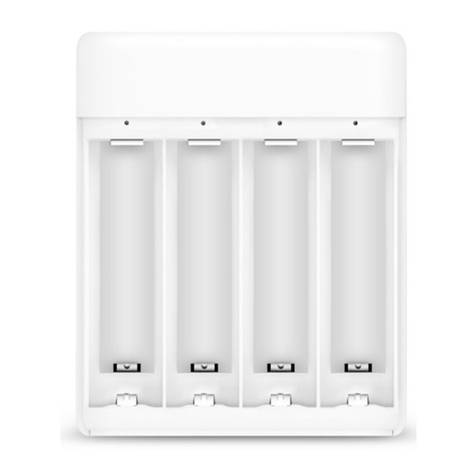
Overview of ZI5 Ni-MH Battery Charger
USB (output)
Micro USB (input)
Charge / discharge switch
Mode switch (Input - for charging the battery, Output - for charging external
portable devices)
LED indicators
Positive pole (anode)
АА Negative pole
(cathode)
ААА Negative pole
(cathode)
Charging
Switching the button to the Input side, charge nickel AA and AAA batteries
(any combination).
1. Ensure that anode and cathode of a battery are in proper contact with
anode and cathode of the device. Insert batteries into the device in the
direction, shown at the picture.
Installing AA battery
Installing AAA battery
2. Recharge batteries by connecting the Micro USB port of the device to a
5V DC power supply.
3. Slowly ashing LEDs indicates a normal charging process; A constantly
lit LEDs indicates that the battery is fully charged.
In the following table you will nd general information about the duration
of recharging. This data can vary depending on temperature and current
state of a battery.
The above-mentioned charging time of a batteries is accounted on the input
voltage of 5V / 1A, from 0% to 100% of charging of batteries. The charging
time depends on a level of remaining charge and an ambient temperature.
If you add another battery to the device (when charging a batteries), a
charging time increases.
It is possible after the battery is completely recharged, if a battery has not
been removed from the device in time, an indicator will light up again and
the device will re-charge it. To determine that a battery is fully charged and
to stop a power supply, the device needs a certain amount of time. This
does not indicate a malfunction of the battery charger or battery.
Status of LED indicators
Charging other devices in an emergency
Use the Output to charge portable external devices.
1. Insert 4 AA batteries (use 4 fully charged batteries for maximum
e󰀩ciency.) Insu󰀩cient battery power can reduce an output power.
2. Alternately ashing indicators indicate the normal charge of the device
(see Table of Device Indicators).
3. This device supports an output current of 5V / 500mA as an emergency
power supply.
The presence of toxic and harmful substances
O: Toxic and harmful substances in all components of this device are
contained in an amount below the limit value, according to SJ / T11363-
2006 «Requirements for limiting the presence of toxic and harmful
substances in goods.»
X: Indicates the presence of toxic and harmful substances in at least one
of the components of this device, in an amount exceeding the limit value,
according to SJ / T11363-2006 «Requirements for limiting the presence of
toxic and harmful substances in goods.»
This product complies with the European RoHS and environmental
standards; International relevant organizations still can not replace or
reduce lead content in the printed circuit and other components of the
device.
In the terms of environmentally safe use it is indicated, that under normal
operating conditions no leakage of harmful substances or elements of
the device and its components is possible. During a use of electronic
information devices by consumers, there is no harmful e󰀨ect on the
environment, on human health, they can not cause any serious injuries.
Warranty
Warranty service is carried out in accordance with the law on «Consumer
Rights» and «Product Quality Law». Warranty service includes:
During the warranty period, you have the right to repair, change or return
the goods. To repair, replace or return a goods, you must have a receipt.
1. In the case of an unreasonable return of a goods within 7 days after the
purchase, the buyer incurs the cost of its transportation;
2. In case of breakdowns from the «Fault List», after checking and
determining a cause of the problem, you can use the following services:

Troubleshooting
Follow the steps, outlined below. Please stop using the device.
List of Faults
Conditions, that are not included in the warranty service
1. Completion of maintenance, fall, negligence, abuse, liquid penetration,
accident, damage to the label and labeling of the device;
2. The warranty has expired;
3. Damage, caused by force majeure;
4. Breakdowns, that do not correspond to the «Fault List» of the Xiaomi
Service Center;
5. Breakage of the device or its components from the «List of Faults», that
have arisen in connection with the human factor and which prevent its
normal operation.
Manufacturer: Jiangsu Zimi Technology LLC.
Address: Jiangyang City, Chengjiang 159, Bldg. A913.
XIAOMI-MI.COM