Gigaset IP Phone Configuration Guide
2/22
Contents
INTRODUCTION.....................................................................................................................................3
FOR N720 DECT IP MULTICELL SYSTEM.......................................................................................4
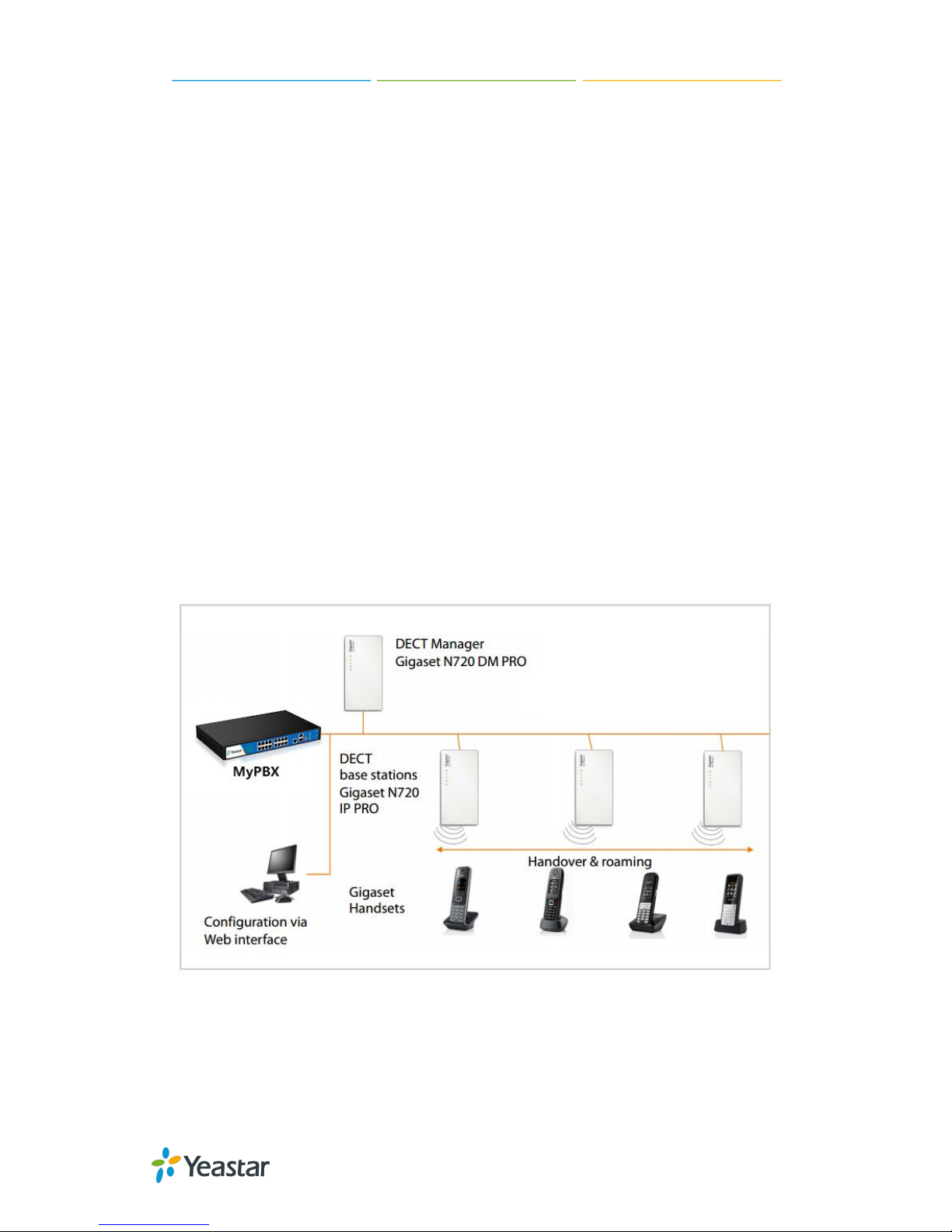
Environment.........................................................................................................................................4
Common Scenario.............................................................................................................................. 4
Configuration Steps............................................................................................................................ 5
1. Connecting the N720 IP PRO base station............................................................................5
2. Configuring VoIP Providers.......................................................................................................5
3. Filling the account information................................................................................................. 6
4. Registering the Gigaset handsets........................................................................................... 8
5. Checking registration and test..................................................................................................9
FOR N510 IP PRO............................................................................................................................... 10
Environment.......................................................................................................................................10
Configuration Steps.......................................................................................................................... 10
1. Connecting the N510 IP PRO base station......................................................................... 10
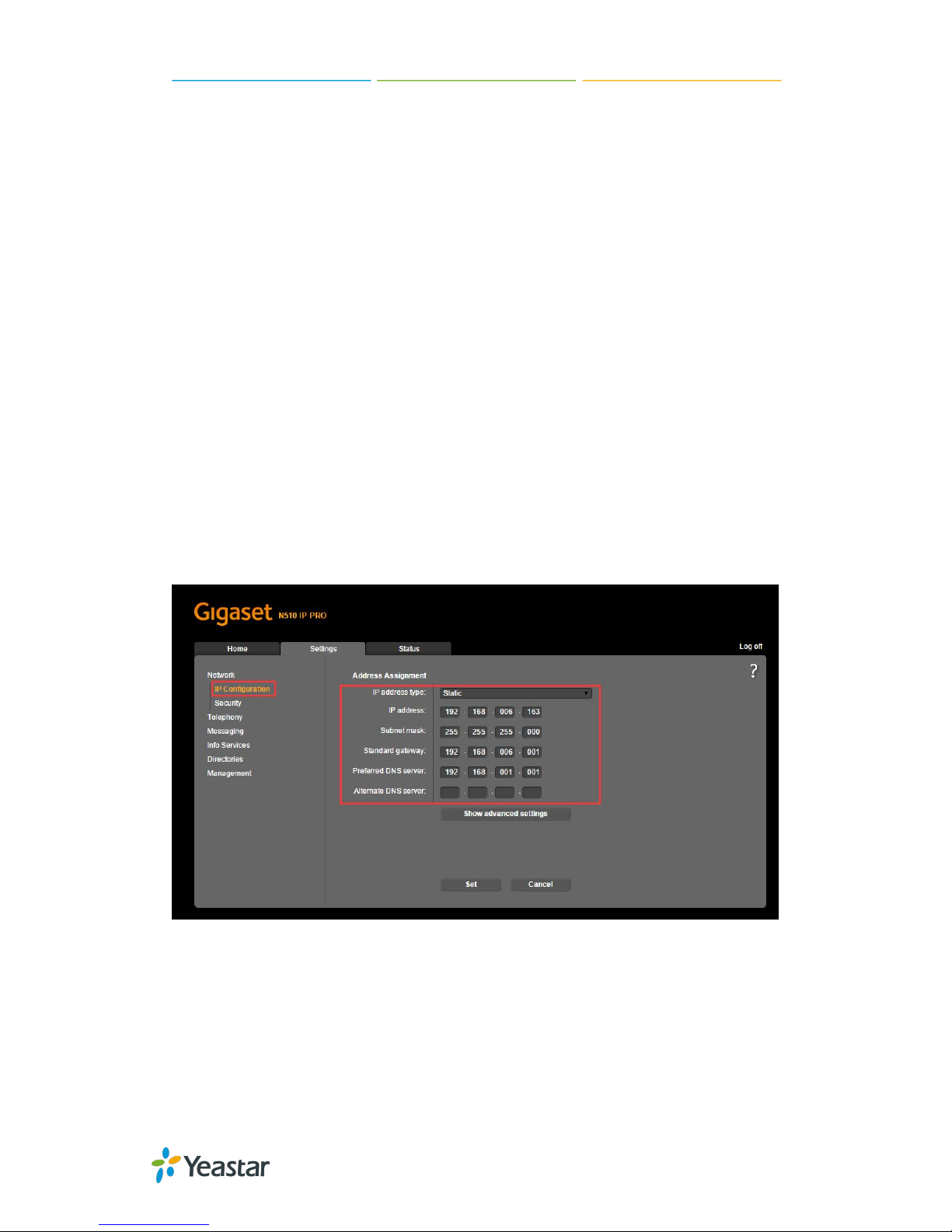
2. Configuring the IP Connection............................................................................................... 10
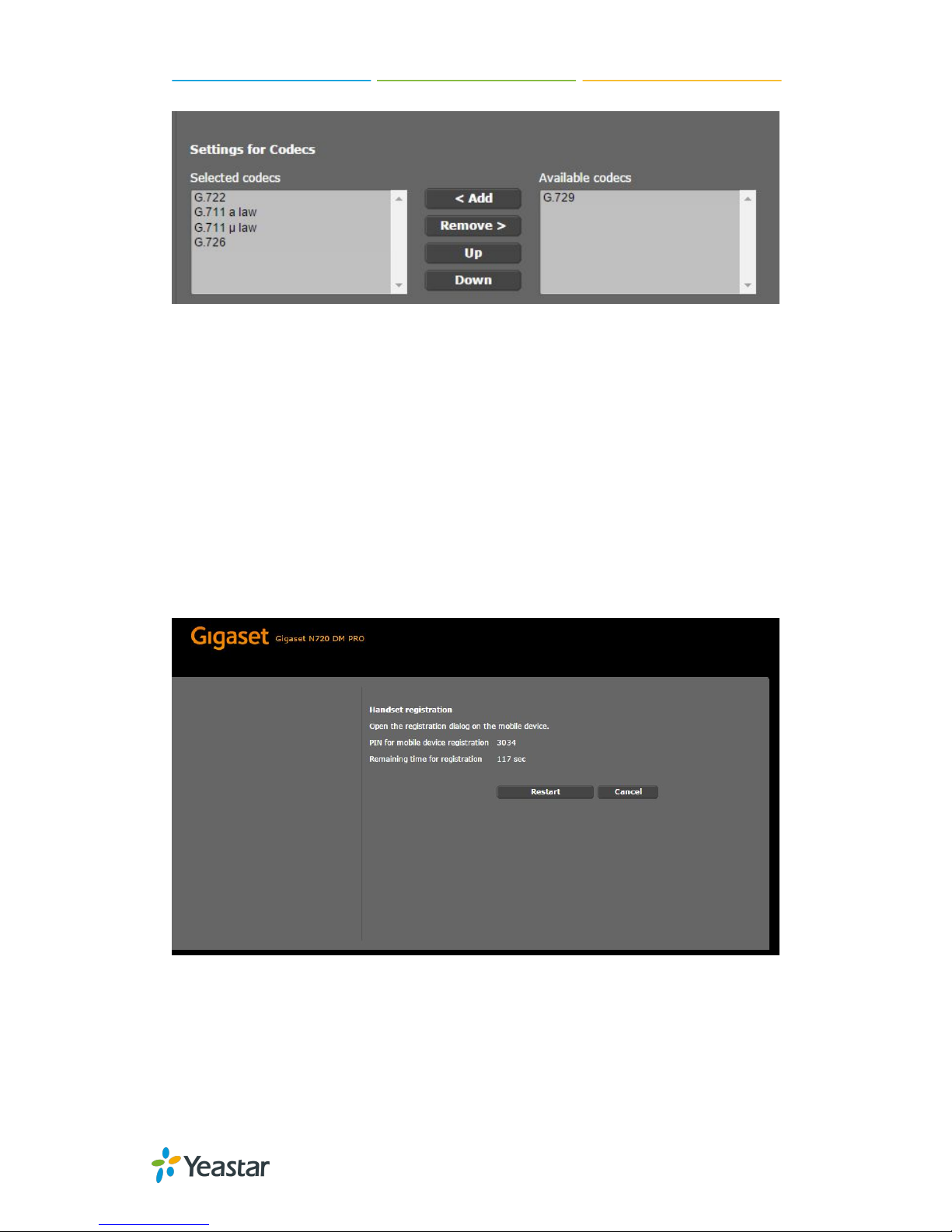
3. Configuring Codecs for the IP connection........................................................................... 12
4. Registering the Gigaset handset........................................................................................... 13
5. Assigning number for the handset.........................................................................................14
6. Configuring mailbox for handset............................................................................................ 15
7. Making a test call with the handset....................................................................................... 16
FOR MAXWELL 10.............................................................................................................................. 17
Environment.......................................................................................................................................17
Configuration Steps.......................................................................................................................... 17
1. Connecting the Maxwell 10.................................................................................................... 17
2. Configuring the call control..................................................................................................... 17
3. Configuring the VoIP Connection.......................................................................................... 18
4. Configuring the Codecs...........................................................................................................20
5. Configuring the mailbox for Maxwell 10............................................................................... 21
6. Making a test call from Maxwell 10....................................................................................... 22