USER GUIDE
LIV 1 v.2021.02.11
Content
FOR YOUR SAFETY .................................................................................................................................... 4
Important ......................................................................................................................................... 5
Safety instructions............................................................................................................................ 5
Rechargeable battery ....................................................................................................................... 5
Memory cards................................................................................................................................... 6
Hearing protection ........................................................................................................................... 6
GET STARTED ............................................................................................................................................ 7
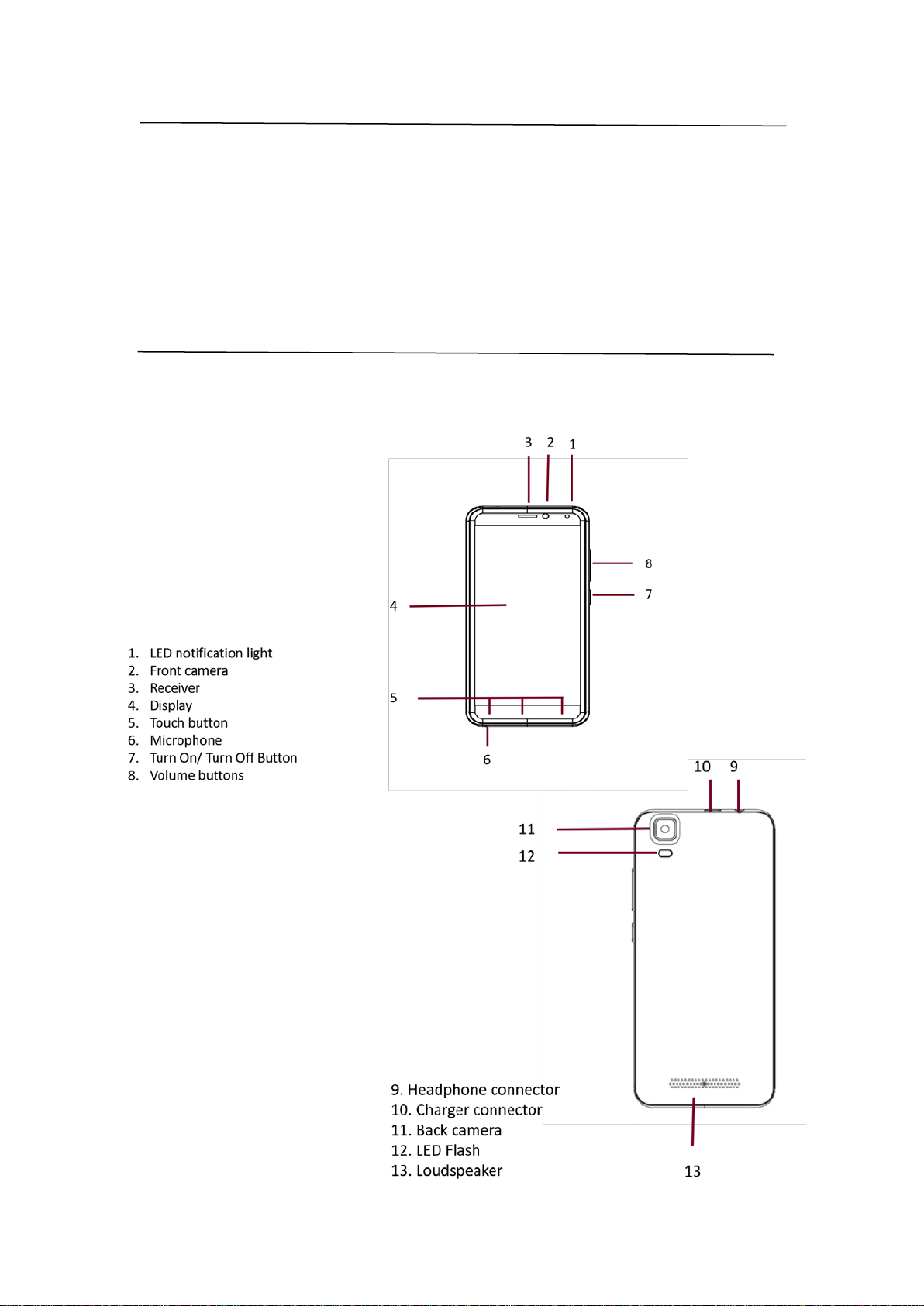
Keys and parts .................................................................................................................................. 7
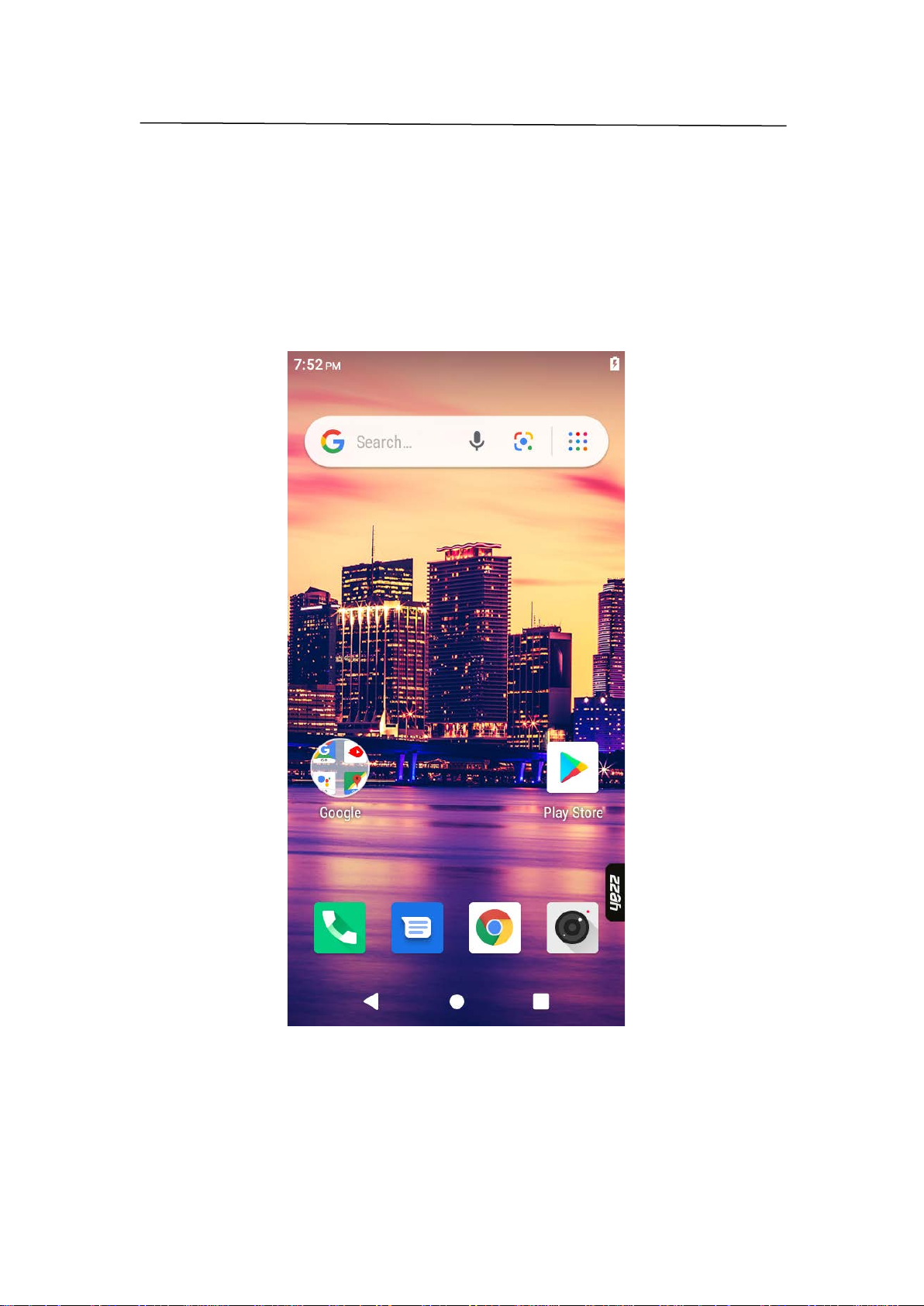
Screen............................................................................................................................................... 9
Icons ............................................................................................................................................... 10
Insert the SIM card ......................................................................................................................... 10
Insert the memory card (optional) ................................................................................................. 11
FIRST START- UP ..................................................................................................................................... 13
Switch the phone on....................................................................................................................... 13
Switch the phone off ...................................................................................................................... 13
Restart the phone........................................................................................................................... 13
Emergency ......................................................................................... ¡Error! Marcador no definido.
Charge your phone ......................................................................................................................... 13
Connect the headset ...................................................................................................................... 13
BASICS..................................................................................................................................................... 14
Get to know your phone................................................................................................................. 14
Check notifications on your phone................................................................................................. 14
Change the volume......................................................................................................................... 14
Personalize your ringtone and other tones.................................................................................... 14
Take a screenshot........................................................................................................................... 14
Clock and calendar ......................................................................................................................... 15
Set an alarm.................................................................................................................................... 15
Add an appointment....................................................................................................................... 15
Delete an appointment .................................................................................................................. 15
CALL ........................................................................................................................................................ 15
Call a contact .................................................................................................................................. 15
Call a phone number ...................................................................................................................... 15
Call the last dallied number............................................................................................................ 16
Silence an incoming call.................................................................................................................. 16
MESSAGES .............................................................................................................................................. 16
CONTACTS .............................................................................................................................................. 16
Create, edit, or delete a contact..................................................................................................... 16
Add a new contact.......................................................................................................................... 16
Edit a contact.................................................................................................................................. 16
Delete a contact ............................................................................................................................. 17
CAMERA.................................................................................................................................................. 17
Camera basics................................................................................................................................. 17
How to quickly open the camera.................................................................................................... 17
Take a photo................................................................................................................................... 17
Camera tips..................................................................................................................................... 17
Record a video................................................................................................................................ 18
GPS & NAVIGATION................................................................................................................................ 18
See your current location ............................................................................................................... 19
Download maps to your phone ...................................................................................................... 19
PHONE MANAGEMENT & CONNECTIVITY .............................................................................................. 19
Use a Wi-Fi connection................................................................................................................... 19
Close the Wi-Fi connection............................................................................................................. 20
Use a mobile data connection........................................................................................................ 20
Manually add a mobile data access point ...................................................................................... 20