manuals.online logo
Brands
  1. Home
  2. •
  3. Brands
  4. •
  5. YOODA
  6. •
  7. Remote Control
  8. •
  9. YOODA UNO Series User manual

YOODA UNO Series User manual

This manual suits for next models

1

Other YOODA Remote Control manuals

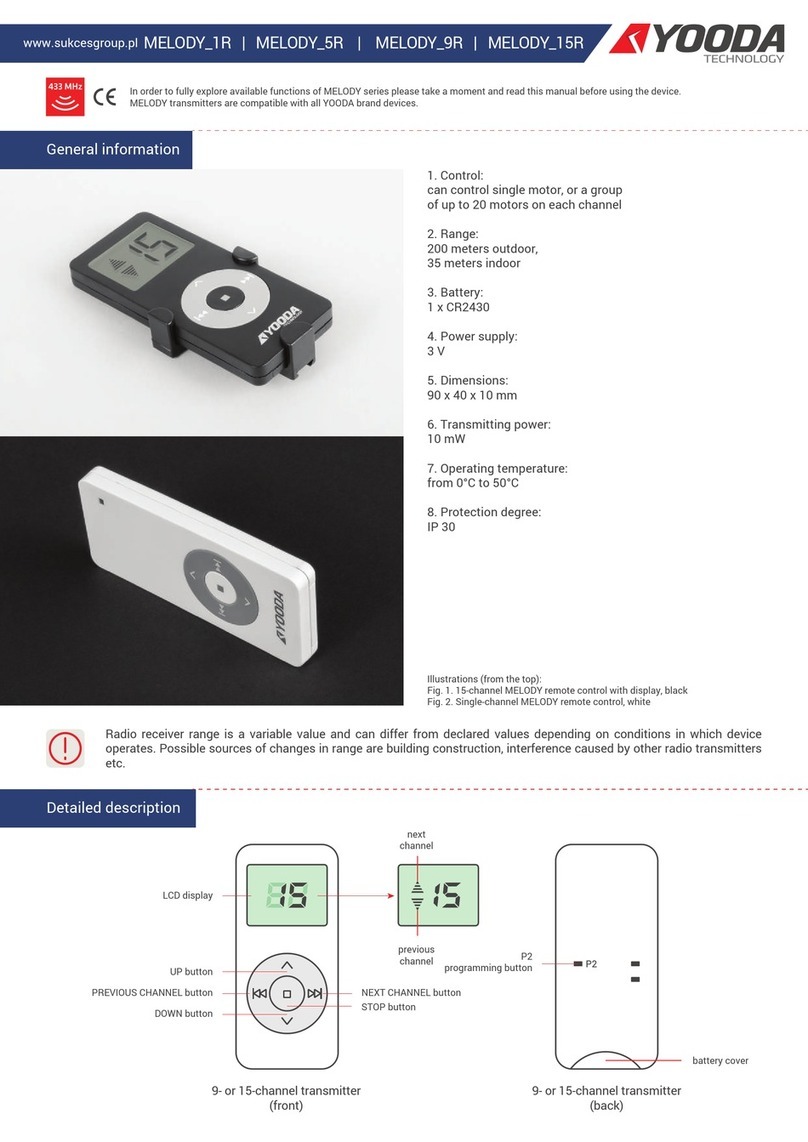
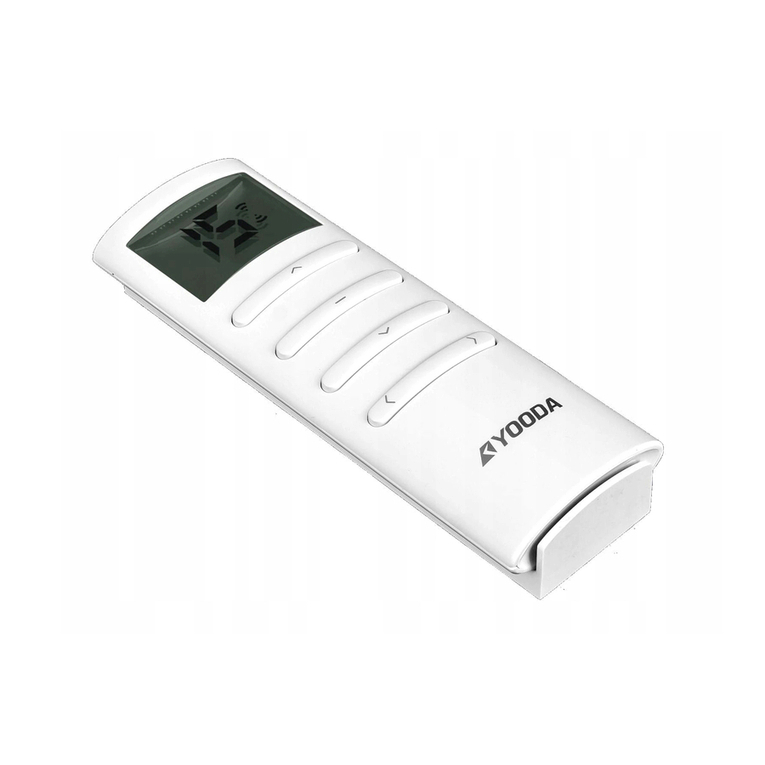
YOODA MELODY Series User manual

YOODA

YOODA MELODY Series User manual

YOODA LINEO Series User manual

YOODA

YOODA LINEO Series User manual

YOODA VETRO 5RT User manual

YOODA

YOODA VETRO 5RT User manual

YOODA ARTISTIC 1R User manual

YOODA

YOODA ARTISTIC 1R User manual

YOODA VITO Series User manual

YOODA

YOODA VITO Series User manual

YOODA SVERO Series User manual

YOODA

YOODA SVERO Series User manual

YOODA MAGNETIC Deluxe Series User manual

YOODA

YOODA MAGNETIC Deluxe Series User manual

YOODA SMART TOUCH 2 User manual

YOODA

YOODA SMART TOUCH 2 User manual

YOODA ARTISTIC 5R User manual

YOODA

YOODA ARTISTIC 5R User manual

YOODA ARTISTIC-1R User manual

YOODA

YOODA ARTISTIC-1R User manual

YOODA MELODY 1R User manual

YOODA

YOODA MELODY 1R User manual

YOODA 28LEQ Series User manual

YOODA

YOODA 28LEQ Series User manual

YOODA NUXO Series User manual

YOODA

YOODA NUXO Series User manual

YOODA MAGNETIC PRO 1RT YSH User manual

YOODA

YOODA MAGNETIC PRO 1RT YSH User manual

YOODA 1711190 User manual

YOODA

YOODA 1711190 User manual

Popular Remote Control manuals by other brands

Bircher Reglomat RC Duo 2 user guide

Bircher Reglomat

Bircher Reglomat RC Duo 2 user guide

Emerson RCBT100 owner's manual

Emerson

Emerson RCBT100 owner's manual

BILDA Element-6 user manual

BILDA

BILDA Element-6 user manual

Absima CR7P manual

Absima

Absima CR7P manual

Mitsubishi Electric PAR-32MAAG Instruction book

Mitsubishi Electric

Mitsubishi Electric PAR-32MAAG Instruction book

RCA RCRTBL08BE1 quick start guide

RCA

RCA RCRTBL08BE1 quick start guide

US Electronics NOVARI user guide

US Electronics

US Electronics NOVARI user guide

Panasonic EUR7622KB0 Operation guide

Panasonic

Panasonic EUR7622KB0 Operation guide

Bang & Olufsen Beo4 user manual

Bang & Olufsen

Bang & Olufsen Beo4 user manual

Marantz RC101 user guide

Marantz

Marantz RC101 user guide

FUTABA 9ZAP - PART2 manual

FUTABA

FUTABA 9ZAP - PART2 manual

HR Matic HR MULTI 3 quick start guide

HR Matic

HR Matic HR MULTI 3 quick start guide

Anritsu MP1777A Operation manual

Anritsu

Anritsu MP1777A Operation manual

Niles WVC100 Installation & operating guide

Niles

Niles WVC100 Installation & operating guide

Bang & Olufsen BEO6 Getting started

Bang & Olufsen

Bang & Olufsen BEO6 Getting started

GE 94901 instruction manual

GE

GE 94901 instruction manual

FUTABA R7108SB Full manual

FUTABA

FUTABA R7108SB Full manual

Invacare G91S user manual

Invacare

Invacare G91S user manual

manuals.online logo
manuals.online logoBrands
  • About & Mission
  • Contact us
  • Privacy Policy
  • Terms and Conditions

Copyright 2025 Manuals.Online. All Rights Reserved.

1-channel UNO remomte control, white (UNO_1R)
1. Control:
Ability to control the on / off device
2. Range:
200 meters outdoor,
35 meters indoor
3. Battery:
1 x CR2430
4. Power supply:
3 V
5. Dimensions:
50 x 31 x 17 mm
6. Transmitting power:
10 mW
7. Operating temperature:
0°C + 50°C
8. Protection degree:
IP 30
Radio receiver range is a variable value and can differ from declared values depending on conditions in which device
operates. Possible sources of changes in range are building construction, interference caused by other radio transmitters
etc.
1. Estimated battery lifespan is 3 year if the device runs 4 commends a day in average.
2. Batteries should be changed when LED diode stops flashing when channel is being changed or receiving device stops
reacting to commands.
3. The transmitter has one button which sequentially sends ON and OFF signals.
Batteries contain substances that may be hazardous to health and may pollute the environment. Used batteries should
be disposed of properly.
battery
In order to fully explore available functions of UNO series please take a moment and read this manual before using the device.
UNO transmitters are compatible with all YOODA brand devices.
UNO_1R
www.sukcesgroup.pl
1. General information
2. Detailed description
1
ON/OFF
button P2
programming button
1-channel transmitter
(front)
1-channel transmitter
(back)

1. Pressing the programming button can not be done by using sharp tools.
Turn on the power. Press once
ON / OFF button.
OK
The transmitter has been saved
In the device memory.
Press and hold the programming button for about 3 seconds
until the LED diode signals, that the receiver entered the
programming mode.
3. Programming the transmitter for use with remote controlled socket.
2