Zennio KCI 4 S0
http://www.zennio.com Technical Support: http://support.zennio.com
6
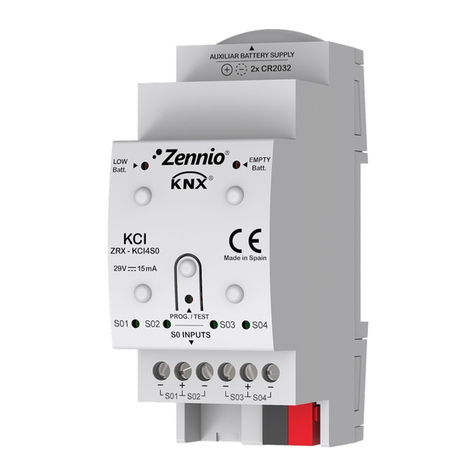
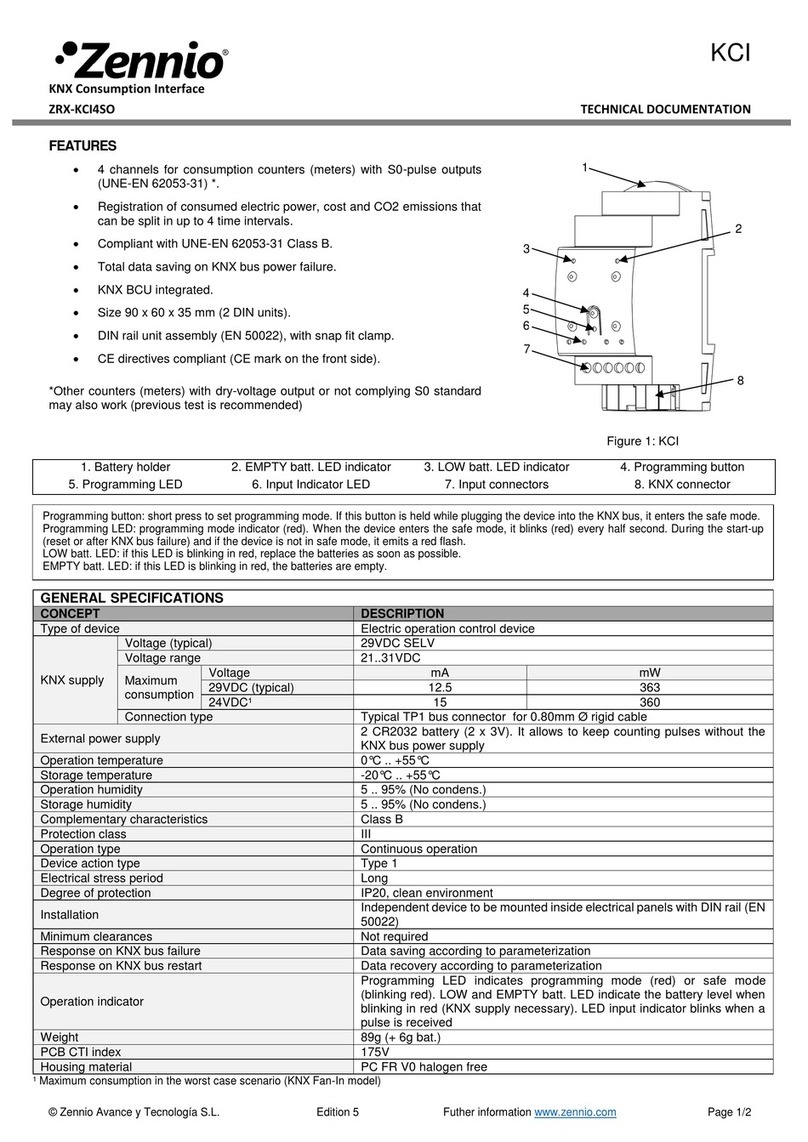
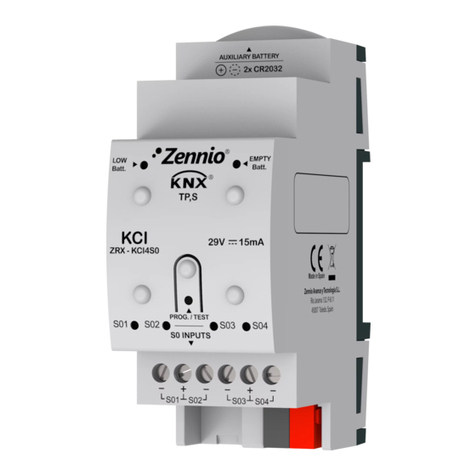
Test/Prog. Pushbutton (4): a short press on this button sets the device into
the programming mode, making the associated LED (5) light in red.
Note: if this button is held while plugging the device into the KNX bus, the
device will enter into safe mode. In such case, the LED will blink in red.
Input Connectors (7): slots for the connection of the input lines from the
pulse generators. Whenever a pulse is received through one of the inputs, the
associated LED (6) will flash briefly.
Battery Holder (1): host for the two CR2032 batteries (2 x 3V) that will
provide power in the absence of the KNX bus.
Low-Battery Indicator (3): LED indicator that will blink in red if the battery
level is weak. It is advisable to change the batteries when this happens.
Empty-Battery Indicator (2): LED indicator that will blink in red if the battery
level is critically low. It is required to change the batteries when this happens.
Notes regarding the low/empty battery indicators:
The two LED indicators are mutually exclusive. Once the empty-battery
indicator turns on, the low-battery indicator will turn off.
In the absence of KNX bus power, the device will keep trying to count pulses
even in the empty-battery state. However, once under the low-battery level,
an accurate behaviour cannot be guaranteed.
To extend the battery life, the empty/low battery indicators only blink in
presence of KNX bus power. In other words, it is once the bus recovers
from the power failure that KCI 4 S0 will resume the battery level check.
To get detailed information about the technical features of the device, as well as on the
installation and security procedures, please refer to the corresponding Datasheet,
bundled with the original package of the device and also available at www.zennio.com.