17
16
About
About Y
Your Phone
our Phone
1. Power on
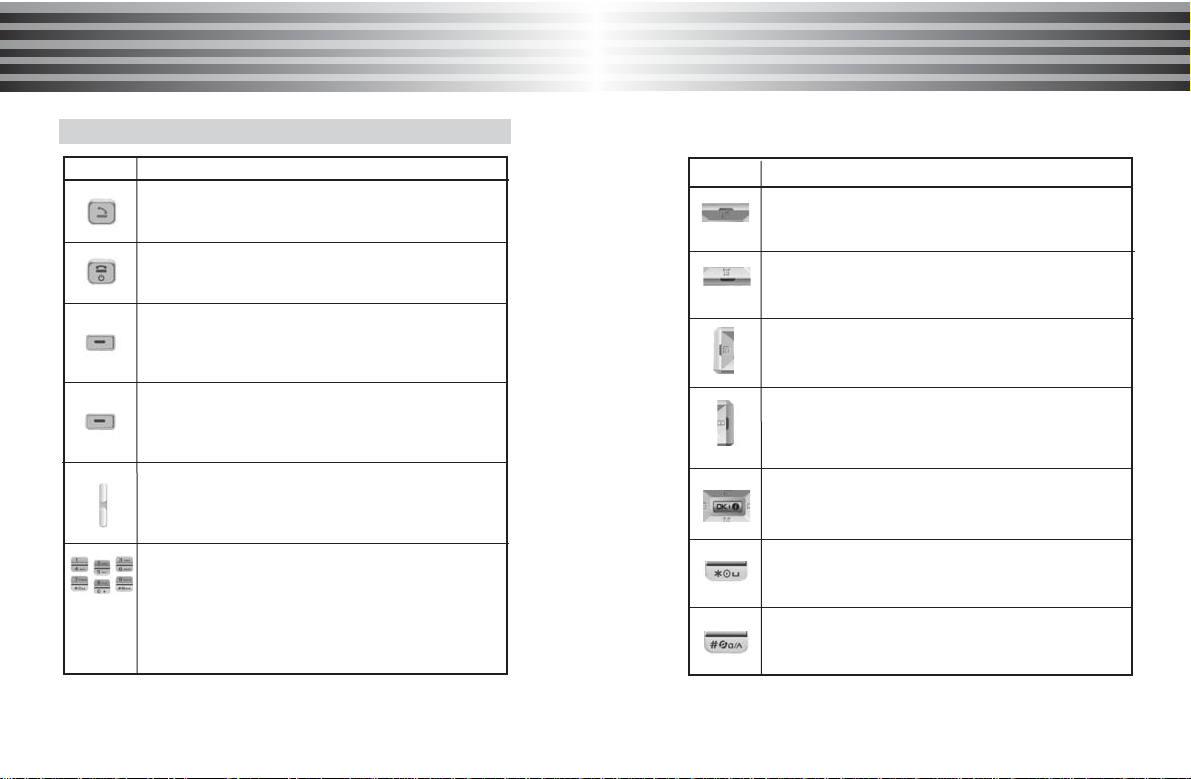
Press [END] key for a while.
* If PIN is activated, please enter 'PIN code'.
If 'Lock' is activated, please enter password.
Initial password is set to '0000'
If security of SIM card is enabled, the phone requests
the PIN code every time when the phone is turned on.
2. Power off
Press and hold [END].
¡Ø Making an emergency call
Your phone supports the international emergency number.
This means that these numbers can normally be used
to make an emergency call in any country with or without a
SIM card inserted, if a GSM network is within range.
(Some network operators may require that a SIM card is
inserted, and in some cases that the PIN has been entered
as well )
* To make an emergency call, proceed as follows.
If the phone is not on, switch it on.
- With SIM card inserted : Dials the emergency call number
- Without SIM card inserted : Press [SOS] or dials the
emergency call number directly.
Power on/off
Basic Function
Basic Function
1. PIN (Personal Identification Number)
It is a personal code (4 to 8 digits) provided by your
network operator in order to prevent other people from
using your SIM card.
It is usually supplied with the SIM card. The PIN is usually
requested each time when the phone is switched on.
If you enter an incorrect PIN three times consecutively,
the SIM card is blocked and cannot be used until you
unblock it by entering the PUK.
2. PIN2
It is a code composed of 4 to 8 digits and is supplied with
some SIM cards to access specific function such as setting
the charge detail display and access other additional
functions.
If you enter an incorrect PIN2 three times consecutively, the
SIM card is blocked and you cannot access the functions
until you unblock it by entering the PUK2.
3. PUK (PIN Unblocking Key)
It is composed of 8 digits and used to unblock a SIM card.
The PUK may be supplied with the SIM card.
If you forget the code, please contact your service provider.
If you enter an incorrect PUK ten times consecutively, the
SIM card becomes invalid.
Please contact your service provider for a new card.
About PIN/PUK