manuals.online logo
Brands
  1. Home
  2. •
  3. Brands
  4. •
  5. 2gig Technologies
  6. •
  7. Security Sensor
  8. •
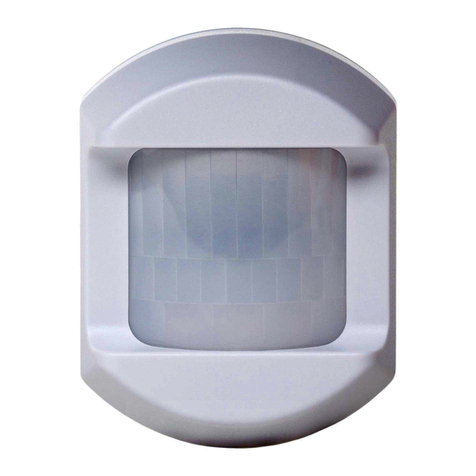
  9. 2gig Technologies 2GIG-PIR1-345 User manual

2gig Technologies 2GIG-PIR1-345 User manual

Other 2gig Technologies Security Sensor manuals

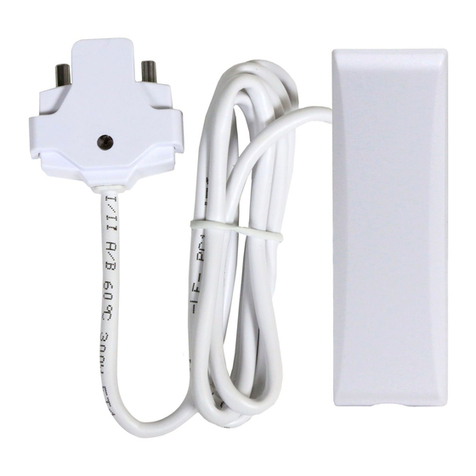
2gig Technologies 2GIG-PIR1E-345 User manual

2gig Technologies

2gig Technologies 2GIG-PIR1E-345 User manual

2gig Technologies pir1-345 User manual

2gig Technologies

2gig Technologies pir1-345 User manual

2gig Technologies 2GIG-FT6-345 User manual

2gig Technologies

2gig Technologies 2GIG-FT6-345 User manual

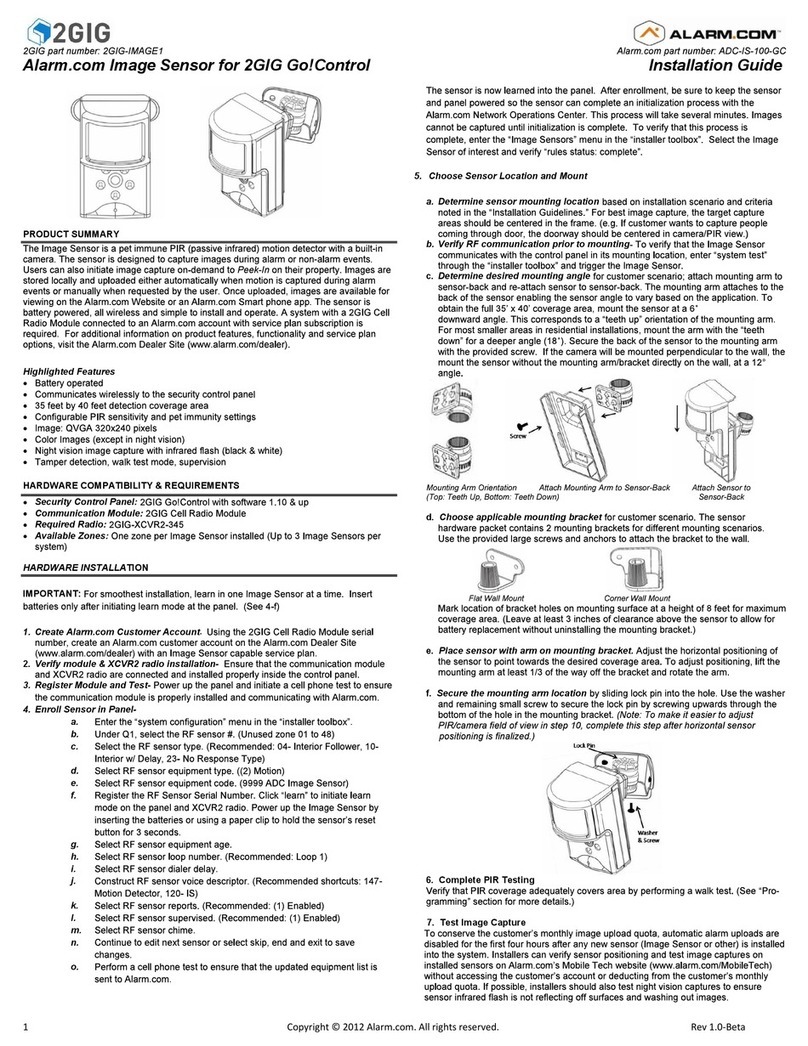
2gig Technologies Alarm.com ADC-IS-100-GC User manual

2gig Technologies

2gig Technologies Alarm.com ADC-IS-100-GC User manual

2gig Technologies 2GIG-FT1-345 User manual

2gig Technologies

2gig Technologies 2GIG-FT1-345 User manual

2gig Technologies 2GIG-FT1-345 User manual

2gig Technologies

2gig Technologies 2GIG-FT1-345 User manual

Popular Security Sensor manuals by other brands

Honeywell Home PROSiXCOCN Installation and setup guide

Honeywell Home

Honeywell Home PROSiXCOCN Installation and setup guide

Duevi SIRPZ-RB-868 Operation

Duevi

Duevi SIRPZ-RB-868 Operation

RKI 65-2483RK Operator's manual

RKI

RKI 65-2483RK Operator's manual

Nortech PD160 Enhanced Series user manual

Nortech

Nortech PD160 Enhanced Series user manual

Omron K8AC-H2 manual

Omron

Omron K8AC-H2 manual

Agilent Technologies G8610 Series Quick reference card

Agilent Technologies

Agilent Technologies G8610 Series Quick reference card

Shinko SE2EA-1-0-0 instruction manual

Shinko

Shinko SE2EA-1-0-0 instruction manual

Det-Tronics X Series instructions

Det-Tronics

Det-Tronics X Series instructions

ACR Electronics COBHAM RCL-300A Product support manual

ACR Electronics

ACR Electronics COBHAM RCL-300A Product support manual

TOOLCRAFT 1712612 operating instructions

TOOLCRAFT

TOOLCRAFT 1712612 operating instructions

Elkron IM600 Installation, programming and functions manual

Elkron

Elkron IM600 Installation, programming and functions manual

Bosch WEU PDO 6 Original instructions

Bosch

Bosch WEU PDO 6 Original instructions

THORLABS PDA10JT user guide

THORLABS

THORLABS PDA10JT user guide

Waeco UV-DETECT operating manual

Waeco

Waeco UV-DETECT operating manual

Intermatic IOS-DSIMF manual

Intermatic

Intermatic IOS-DSIMF manual

Siemens AZL66 Series manual

Siemens

Siemens AZL66 Series manual

BTI Profiline Multi Finder operating instructions

BTI

BTI Profiline Multi Finder operating instructions

Challenger SL01 instruction manual

Challenger

Challenger SL01 instruction manual

manuals.online logo
manuals.online logoBrands
  • About & Mission
  • Contact us
  • Privacy Policy
  • Terms and Conditions

Copyright 2025 Manuals.Online. All Rights Reserved.

Copyright © 2015 Nortek Security & Control LLC 1
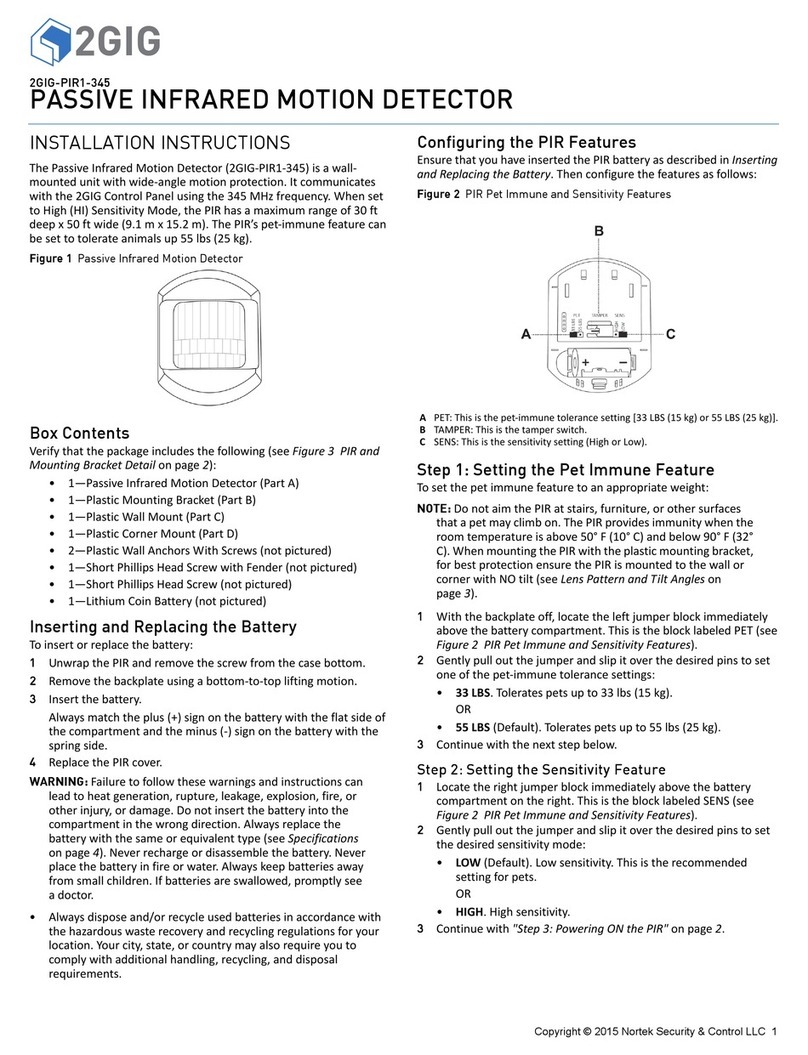
2GIG-PIR1-345
PASSIVE INFRARED MOTION DETECTOR
INSTALLATION INSTRUCTIONS
ThePassiveInfraredMotionDetector(2GIG‐PIR1‐345)isawall‐
mountedunitwithwide‐anglemotionprotection.Itcommunicates
withthe2GIGControlPanelusingthe345MHzfrequency.Whenset
toHigh(HI)SensitivityMode,thePIRhasamaximumrangeof30ft
deepx50ftwide(9.1mx15.2m).ThePIR’spet‐immunefeaturecan
besettotolerateanimalsup55lbs(25kg).
Figure 1 Passive Infrared Motion Detector
Box Contents
Verifythatthepackageincludesthefollowing(seeFigure3PIRand
MountingBracketDetailonpage 2):
• 1—PassiveInfraredMotionDetector(PartA)
• 1—PlasticMountingBracket(PartB)
• 1—PlasticWallMount(PartC)
• 1—PlasticCornerMount(PartD)
• 2—PlasticWallAnchorsWithScrews(notpictured)
•1—ShortPhillipsHeadScrewwithFender(notpictured)
•1—ShortPhillipsHeadScrew(notpictured)
• 1—LithiumCoinBattery(notpictured)
Inserting and Replacing the Battery
Toinsertorreplacethebattery:
1UnwrapthePIRandremovethescrewfromthecasebottom.
2Removethebackplateusingabottom‐to‐topliftingmotion.
3Insertthebattery.
Alwaysmatchtheplus(+)signonthebatterywiththeflatsideof
thecompartmentandtheminus(‐)signonthebatterywiththe
springside.
4ReplacethePIRcover.
WARNING: Failuretofollowthesewarningsandinstructionscan
leadtoheatgeneration,rupture,leakage,explosion,fire,or
otherinjury,ordamage.Donotinsertthebatteryintothe
compartmentinthewrongdirection.Alwaysreplacethe
batterywiththesameorequivalenttype(seeSpecifications
onpage 4).Neverrechargeordisassemblethebattery.Never
placethebatteryinfireorwater.Alwayskeepbatteriesaway
fromsmallchildren.Ifbatteriesareswallowed,promptlysee
adoctor.
•Alwaysdisposeand/orrecycleusedbatteriesinaccordancewith
thehazardouswasterecoveryandrecyclingregulationsforyour
location.Yourcity,state,orcountrymayalsorequireyouto
complywithadditionalhandling,recycling,anddisposal
requirements.
Configuring the PIR Features
EnsurethatyouhaveinsertedthePIRbatteryasdescribedinInserting
andReplacingtheBattery.Thenconfigurethefeaturesasfollows:
Figure 2 PIR Pet Immune and Sensitivity Features
Step 1: Setting the Pet Immune Feature
Tosetthepetimmunefeaturetoanappropriateweight:
NOTE: DonotaimthePIRatstairs,furniture,orothersurfaces
thatapetmayclimbon.ThePIRprovidesimmunitywhenthe
roomtemperatureisabove50°F(10°C)andbelow90°F(32°
C).WhenmountingthePIRwiththeplasticmountingbracket,
forbestprotectionensurethePIRismountedtothewallor
cornerwithNOtilt(seeLensPatternandTiltAngleson
page 3).
1Withthebackplateoff,locatetheleftjumperblockimmediately
abovethebatterycompartment.ThisistheblocklabeledPET(see
Figure2PIRPetImmuneandSensitivityFeatures).
2Gentlypulloutthejumperandslipitoverthedesiredpinstoset
oneofthepet‐immunetolerancesettings:
•33LBS.Toleratespetsupto33lbs(15kg).
OR
•55LBS(Default).Tolerates petsupto55lbs(25kg).
3Continuewiththenextstepbelow.
Step 2: Setting the Sensitivity Feature
1Locatetherightjumperblockimmediatelyabovethebattery
compartmentontheright.ThisistheblocklabeledSENS(see
Figure2PIRPetImmuneandSensitivityFeatures).
2Gentlypulloutthejumperandslipitoverthedesiredpinstoset
thedesiredsensitivitymode:
•LOW(Default).Lowsensitivity.Thisistherecommended
settingforpets.
OR
•HIGH.Highsensitivity.
3Continuewith"Step3:PoweringONthePIR"onpage2.
APET:Thisisthepet‐immunetolerancesetting[33LBS(15kg)or55LBS(25kg)].
BTAMPER:Thisisthetamperswitch.
CSENS:Thisisthesensitivitysetting(HighorLow).
2 Copyright © 2015 Nortek Security & Control LLC
Step 3: Powering ON the PIR
Withthebatteryinserted(see"InsertingandReplacingtheBattery"
onpage1),pressandreleasetheswitchlabeledTAMPER.Ittakes
approximately10secondsforthePIRtopowerON.
Mounting the PIR
TherearetwomethodsformountingthePIR:OptionA:Bracket
MountingorOptionB:Direct‐to‐WallMounting.Forbothmethods,
alwaysmountthePIRataheightof7.5ft(2.3m).
Figure 3 PIR and Mounting Bracket Detail
Option A: Bracket Mounting
SeeFigure3PIRandMountingBracketDetail.Ifyouplantomount
thePIRtoeitherthePlasticWallMountorPlasticCornerMount,you
mustfirstattachthePlasticMountingBrackettothePIRbackplate.
Step 1: Attaching the Plastic Mounting Bracket to the PIR
1RemovethePIRbackplate.
2InsertthetwostubsonthePlasticMountingBracketintothe
correspondingholesontheexteriorsideofthePIRbackplate.
3OntheinteriorofthePIRbackplate(seeFigure4PIRBackplate—
Direct‐to‐WallMountingGuides),usetheShortPhillipsHead
Screw(provided)tosecurethePlasticMountingBrackettothe
backplate
4ReplacethePIRbackplate.
5Reattachthescrewthatwasremovedearliertothebottomofthe
PIR.
6ContinuewitheitherStep2:WallMountingOptionorStep2:
CornerMountingOption.
NOTE: ForoptimumpetimmunitywhenusingthePlastic
MountingBracket,ensurethatthePIRismountedtothewall
orcornerwithNOtilt(see"LensPatternandTiltAngles"on
page3).
Step 2: Wall Mounting Option
SeeFigure3PIRandMountingBracketDetail.IfusingthePlasticWall
Mount(C),dothefollowing:
NOTE: EnsurethatyouhaveattachedthebrackettothePIR
backplate(seeStep1:AttachingthePlasticMountingBracket
tothePIR).
1Ontheintendedwall,usethetwo(2)PlasticWallAnchorstohang
thePlasticWallMountataheightof7.5ft(2.3m).
2LocatethebarrelendofthePlasticMountingBracket.Locatethe
barrelendofthePlasticMountingBracketandcarefullysetitonto
theribbedpinofthePlasticWallMountatthedesiredangle(see
LensPatternandTiltAnglesonpage 3).
3FromthetopsideofthePlasticWallMount,usetheShortPhillips
HeadScrewwithFender(provided)tosecurethemounttothe
barrelendofthebracket.
Step 2: Corner Mounting Option
SeeFigure3PIRandMountingBracketDetail.IfusingPlasticCorner
Mount,dothefollowing:
NOTE: EnsurethatyouhaveattachedthebrackettothePIR
backplate(seeStep1:AttachingthePlasticMountingBracket
tothePIRonpage 2).
1Usethetwo(2)PlasticWallAnchorstohangthePlasticCorner
Mountataheightof7.5ft(2.3m).
2LocatethebarrelendofthePlasticMountingBracketandcarefully
setitontotheribbedpinofthePlasticWallMount.Ensurethat
yousetitatthedesiredangle(see"LensPatternandTiltAngles"
onpage3).
3FromthetopsideofthePlasticWallMount,usetheShortPhillips
HeadScrewwithFender(provided)tosecurethemounttothe
barrelendofthebracket.
Option B: Direct-to-Wall Mounting
IfplanningtomountthePIRdirectlytoawall,usethebuilt‐in
mountingguidesoninteriorofthePIRbackplatetoscrewthe
backplateintothewall.
1RemovethePIRbackplate.
2Usethetwo(2)PlasticWallAnchorstoscrewthePIRbackplate
intothewallataheightof7.5ft(2.3m):
•Wall.Usethewallmountingguides(seeAbelow).
•CornerMount.Usetheleft‐orright‐cornermountingguides
(seeBbelow).
Figure 4 PIR Backplate—Direct-to-Wall Mounting Guides
APIR
BPlasticMountingBracket
CPlasticWallMount
DPlasticCornerMount
AWallMountingGuides(ForOptionB:Direct‐to‐WallMounting)
BCornerMountingGuides(ForOptionB:Direct‐to‐WallMounting)
CWallMountBracketGuide(ForOptionA:BracketMounting)
Copyright © 2015 Nortek Security & Control LLC 3
Environmental and Other Useful Information
WhilethePIRisahighlyreliableintrusiondetectiondevice,itdoes
notguaranteeagainstburglary.Anyintrusiondeviceissubjecttoa
“failuretowarn”foravarietyofreasons.Considerthefollowingwhen
installingandsettingupthePIR:
1ThisPIRhasbuilt‐inprotectiontokeepbugsfromgettingintothe
sensorareaandcausingfalsealarms.Notethatthisprotection
doesnotpreventinsectsfromcrawlingacrossthelensofthePIR,
whichcouldtriggerthePIR.
2Infraredenergycanbereflectedoffanyglossysurfacessuchas
mirrors,windows,floors,orcountertopswithglossyfinish,and
slick‐finishedconcrete.Somesurfacesreflectlessthanothers(e.g.
thePIRcanseeachangeininfraredenergyoffofreflective
surfaceseveniftheheatorcoldsourceisnotwithinthePIR
detectionpattern).
3Windowsreflectinfraredenergy.Theyalsoallowsunlightorlight
fromothersources(e.g.,cars)topassthroughtothePIR.ThePIR
candetectthesechangesininfraredenergy.Forexample,if
sunlightpassingthroughawindowshinesontoahardwoodfloor
andthechangeininfraredenergyisquickenough,thePIRcan
triggeranalarm.ThesameappliesifthePIRareaincludesa
window,eventhoughthepatternofprotectioncannot“see”
throughglass.Lightsfromapassingcarcanalsopassthroughthe
windowatnightandshinedirectlyintothePIR’slens.
4Heatingandairconditioningductsarealsoimportantbecauseif
theyblowairontoanobjectwithinthefieldofthePIR’sview,the
temperatureofthatobjectcouldchangequicklyenoughforthe
PIRto“see”achangeininfraredenergy.PIR’scannotseeair
current,onlythechangeintemperatureofaphysicalobject.
5ThePIRsenseschangeintemperature.However,astheambient
temperatureoftheprotectedareaapproachesthetemperature
rangeof95°to120°F,thedetectionperformanceofthePIR
decreases.
6EnsurethattheareayouwishthePIRtocoverisfreeof
obstructions(forexample,curtains,screens,plants,andsoon.)
thatmayblockthepatternofcoverage.
7Anythingthatcanswayormoveduetoaircurrentcancausea
changeininfraredenergywithinthefieldsofview.Draftsfrom
doorsorwindowscancausethistohappen.Plants,balloons,
curtains,andhangingbasketsshouldneverbeleftinthePIR’sfield
ofview.
8DonotmountthePIRonasurfacethatallowsforanyvibration.
VibrationsnotonlycausethePIRtomovealittle,butitalso
causesthefieldsofviewinaroomtomovewithrespectthePIR.A
littlevibrationcancausehavocwiththePIR’sfieldofview,thus
thePIRmayseeachangeinenergyandtriggerthealarm.
9AninstallationoftenrequiresthatthePIRisaimedatthedoor.
ThePIRmaydetectdoormovementbeforethedoorcontactcan
initiateanentrydelay,causingthealarmtotrigger.Ifyouinstall
thePIRfacingadoor,thenwhileprogrammingthePIR,choosean
appropriatesensor/zonetype.
10 ThePIRONLYdetectsintrusionwithinthepatternofcoverage.
11 ThePIRdoesnotprovidevolumetricareaprotection.
12 ThePIRcreatesmultiplebeamsofprotection.Intrusioncanonly
bedetectedinunobstructedareascoveredbythosebeams.
13 ThePIRcannotdetectmotionorintrusionthatoccursbehind
walls,ceilings,floors,closeddoors,partitions,glassdoors,or
windows.
14 Tamperingwith,masking,painting,orsprayingofanymaterialon
thePIRlensoranypartoftheopticalsystemcanimpairdetection
ability.
15 ThePIR,likeotherelectricaldevices,aresubjecttocomponent
failure.EventhoughthePIRisdesignedtolastaslongas10years,
theelectroniccomponentsaresubjecttofailure.
Lens Pattern and Tilt Angles
ThediagramsbelowshowthelenspatternandtiltanglesforthePIR
inmeters.
Figure 5 Lens Pattern—Top View
Figure 6 Tilt Angle—Side View
‐9° PIRtitleddownoneclick
0° PIRfacingtheoppositewall(Direct‐to‐wallormountingbracketwithno
tiltadjustment.
‐18° PIRtilteddowntwoclicks
+9° PIRtilteduponeclick
4 Copyright © 2015 Nortek Security & Control LLC
SPECIFICATIONS
REGULATORY INFORMATION
FCC Notice
ThisdevicecomplieswithPart15oftheFCC'sRules.Operationis
subjecttothefollowingtwoconditions:
1Thisdevicemaynotcauseharmfulinterference,and
2Thisdevicemustacceptanyinterferencereceived,including
interferencethatmaycauseundesiredoperation.
Thisequipmenthasbeentestedandfoundtocomplywiththelimits
foraClassBdigitaldevice,pursuanttoPart15oftheFCCRules.These
limitsaredesignedtoprovidereasonableprotectionagainstharmful
interferenceinaresidentialinstallation.
Thisequipmentgenerates,usesandcanradiateradiofrequency
energyand,ifnotinstalledandusedinaccordancewiththe
instructions,maycauseharmfulinterferencetoradio
communications.However,thereisnoguaranteethatinterference
willnotoccurinaparticularinstallation.Ifthisequipmentdoescause
harmfulinterferencetoradioortelevisionreception,whichcanbe
determinedbyturningtheequipmentoffandon,theuseris
encouragedtotrytocorrecttheinterferencebyoneormoreofthe
followingmeasures:
• Reorientorrelocatethereceivingantenna.
•Increasetheseparationbetweentheequipmentandreceiver.
• Connecttheequipmentintoanoutletonacircuitdifferent
fromthattowhichthereceiverisconnected.
•Consultthedealeroranexperiencedradio/TVtechnicianfor
help.
ThisproductcomplieswithFCCradiationexposurelimitsforan
uncontrolledenvironment.Avoidoperatingthisproductatadistance
lessthan20cmfromtheuser.
NOTE: Anychangedormodificationsnotexpresslyapprovedby
thepartyresponsibleforcompliancecouldvoidtheuser's
authoritytooperatethisequipment.
Industry Canada (IC) Compliance
ThisdevicecomplieswithIndustryCanadalicense‐exemptRSS
standard(s).Operationissubjecttothefollowingtwoconditions:(1)
thisdevicemaynotcauseinterference,and(2)thisdevicemustaccept
anyinterference,includinginterferencethatmaycauseundesired
operationofthedevice.
Repairstocertifiedequipmentshouldbemadebyanauthorized
Canadianmaintenancefacilitydesignatedbythesupplier.Anyrepairs
oralterationsmadebytheusertothisequipment,orequipment
malfunctions,maygivethetelecommunicationscompanycauseto
requesttheusertodisconnecttheequipment.
Usersshouldensurefortheirownprotectionthattheelectrical
groundconnectionsofthepowerutility,telephonelinesandinternal
metallicwaterpipesystem,ifpresent,areconnectedtogether.This
precautionmaybeparticularlyimportantinruralareas.
Usersshouldnotattempttomakesuchconnectionsthemselves,but
shouldcontacttheappropriateelectricinspectionauthority,or
electrician,asappropriate.
LIMITED WARRANTY
ThisNortekSecurity&Controlproductiswarrantedagainstdefectsin
materialandworkmanshipfortwo(2)years.Thiswarrantyextends
onlytowholesalecustomerswhobuydirectfromNortekSecurity&
ControlLLCorthroughNortekSecurity&ControlLLC’snormal
distributionchannels.NortekSecurity&ControlLLCdoesnotwarrant
thisproducttoconsumers.Consumersshouldinquirefromtheir
sellingdealerastothenatureofthedealer’swarranty,ifany.
TherearenoobligationsorliabilitiesonthepartofNortekSecurity&
ControlLLCforconsequentialdamagesarisingoutoforinconnection
withuseorperformanceofthisproductorotherindirectdamages
withrespecttolossofproperty,revenue,orprofit,orcostofremoval,
installation,orreinstallation.Allimpliedwarrantiesforfunctionality,
arevalidonlyuntilthewarrantyexpires.ThisNortekSecurity&
ControlLLCWarrantyisinlieuofallotherwarrantiesexpressedor
implied.
2GIG
NortekSecurity&ControlLLC
1950CaminoVidaRoble,Suite150
Carlsbad,CA92008‐6517USA
FortechnicalsupportintheUSAandCanada:
Dial:855‐2GIG‐TECH(855‐244‐4832)
Email:2gigtechsupport@nortek.com
Visitwww.2GIG.comordealer.2gig.comtechnicalsupporthoursofoperation
FortechnicalsupportoutsideoftheUSAandCanada:
Contactyourregionaldistributor
Visitwww.nortekcontrol.comforalistofdistributorsinyourregion
10005133Rev.A
ANortekCompany
WirelessSignalRange 350ft(106.7m),openair,withWireless
ControlPanel
CodeOutputs Alarm,AlarmRestore,Tamper,Tamper
Restore,Supervisory,LowBattery
TransmitterFrequency 345.00MHz(crystalcontrolled)
UniqueIDCodes Overone(1)milliondifferentcode
combinations
SupervisoryInterval 70minutes
SensorType Quadelement
PetImmunitySelectable 33lb(15kg)or55lb(25kg;default)
SensitivityJumperSelectable HighorLow(default)
SuggestedMountingHeight 7.5ft(2.3m)
SensorRange 30ft(9.1m)x50ft(15.2m)
MaximumHorizontalSensingAngle 90°
Dimensions(LxWxH) 3.2x2.5x1.9in(8.12x6.35x4.82cm)
Weight(includingbattery&bracket) 3.7oz(104.9g)
HousingMaterial ABSPlastic
Color White
OperatingTe mperature 32°‐120F°(0°‐49°C)
RelativeHumidity 5‐90%Non‐Condensing
Battery(installed) One(1)CR123A3Vorequivalent
Lithiumbattery
Certification Anatel,ETL,FCC,IC,IFETEL,andNOM