7
Note: Due to battery constraints, the charging case is designed to prevent
charging in temperatures below -4°F (-20°C) and above 122°F (50°C).
Note: Only use AA alkaline batteries in the charging case.
EARTIP SELECTION
Three 3M
TM
UltraFit
TM
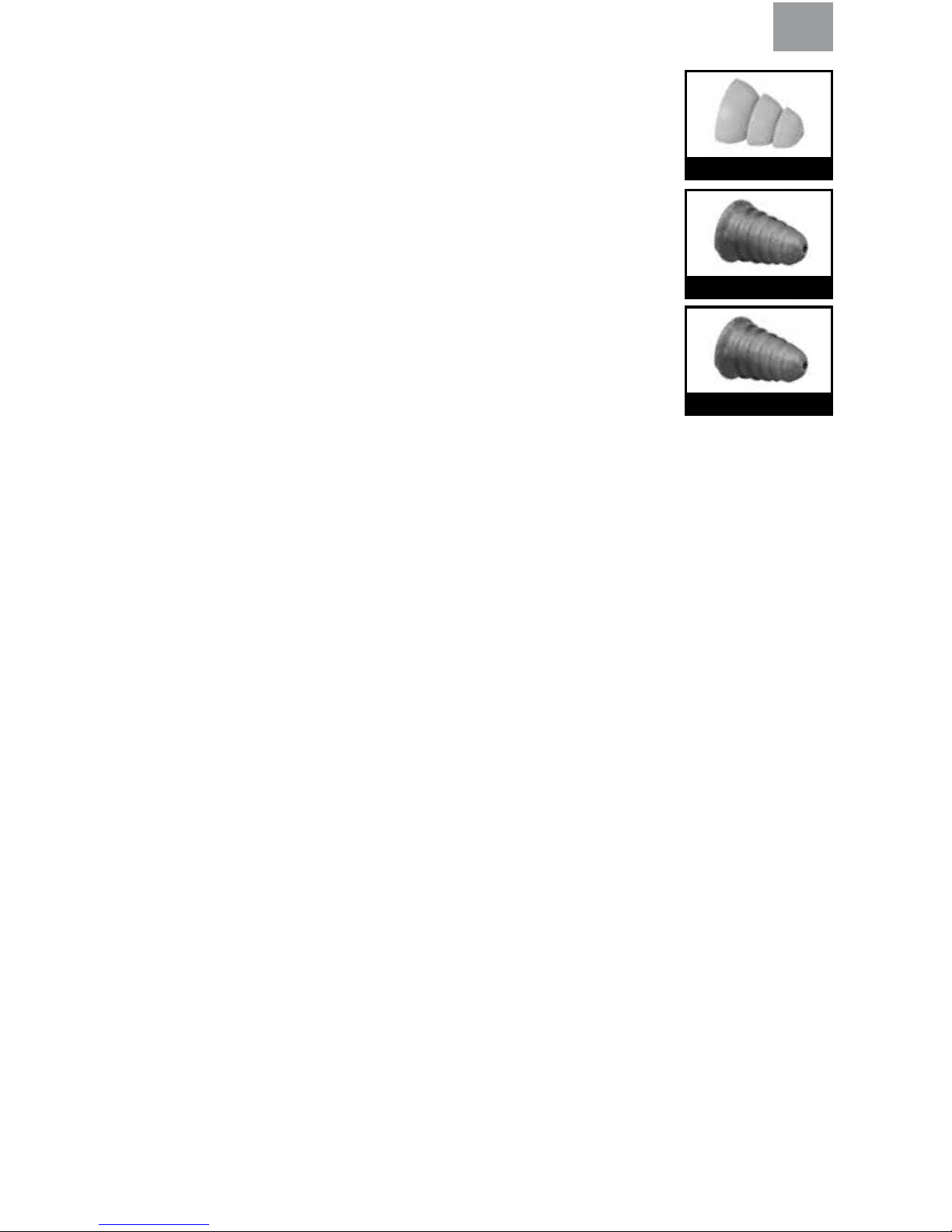
Eartip sizes (small: 7-12mm; medium: 8-13mm; and
large: 9-16mm) are provided as well as a single size of the 3M
TM
Skull Screws
TM
Eartips (8-14mm) or the 3M
TM
Torque
TM
Eartips (8-14mm). To choose the
appropriate 3M UltraFit eartip size, begin with the medium size. Ensure that it
issmallenoughtopenetratetheearcanalandprovideasecuret,butisalso
largeenoughthatatleastoneangesealstheearcanalatthecanalentrance.
Ifthemediumsizedoesnotprovideapropert,proceedwiththesmallor
largesizeeartipsastheseweredesignedtotusersforwhomthemedium
size is not suitable. With the 3M Skull Screw and 3M Torque Eartips, one size
isintendedtotmost.Do not use product if the proper size and t cannot
be obtained.
ATTACHING THE EARTIPS AND OPTIONAL RETENTION CORD
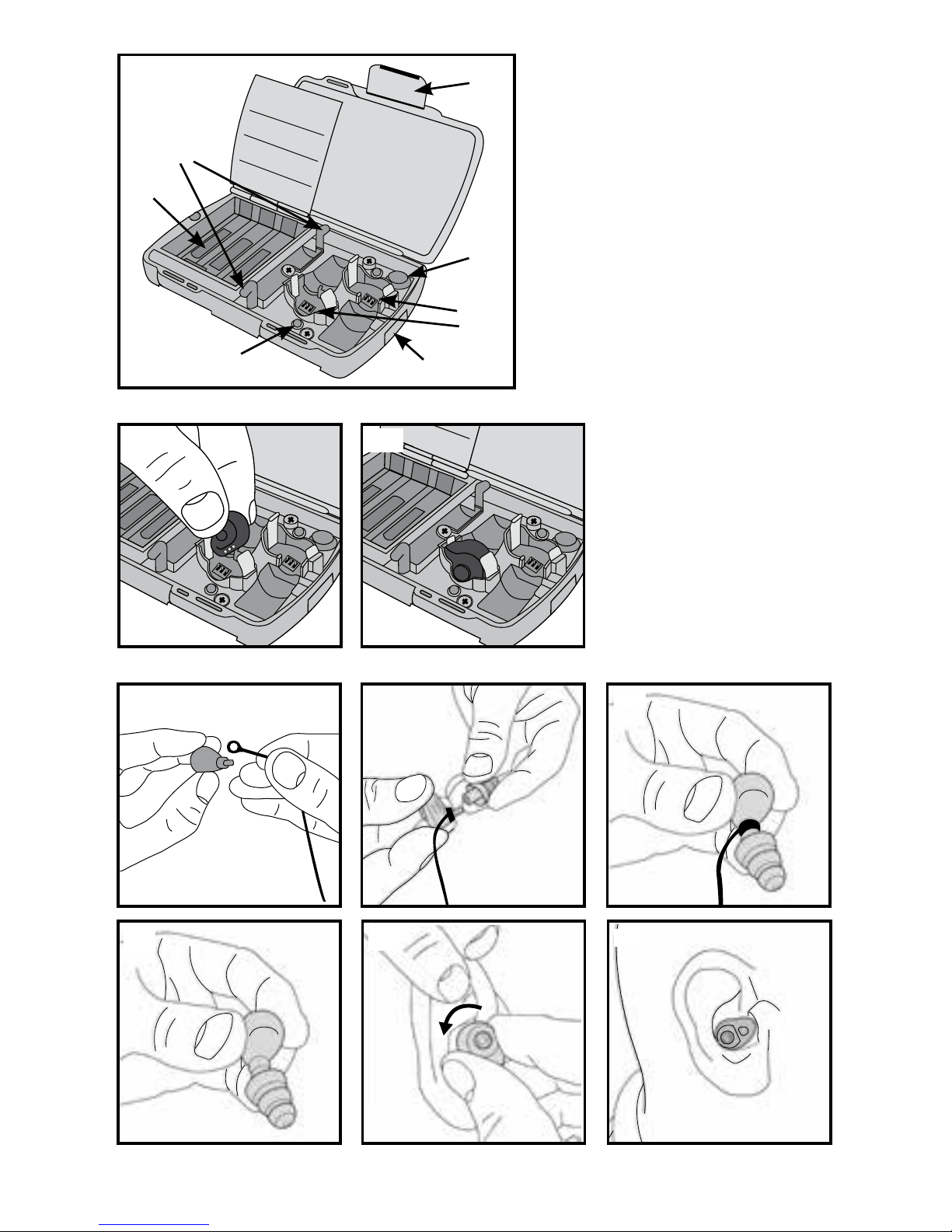
To install the optional retention cord, place one loop of the retention cord onto each eartip stem (7:A).
Push one eartip onto each eartip stem (7:B) until it is fully seated on the retention cord or the base of
the eartip stem (7:C).
FITTING INSTRUCTIONS
The eartips should be clean and in good condition before inserting into the ear canal. The earplugs
should be powered off prior to insertion.
1. Select a proper size for your ear canal.
2. Hold the earplug with the eartip attached (7:D).
3. Insert rounded eartip into ear canal while pulling the ear outward and upward with opposite hand (7:E).
4. Rotate the earplug toward the back of the head (7:F).
5.Withtheearplugpoweredoff,checktoensureyouhaveagoodeartipt.
Whenapropertisobtained,environmentalnoisesshouldsoundsubstantiallyquieteranditshould
remain secure in the ear canal when pulling on it gently. Cover ears with tightly cupped hands.
Noise should sound about the same whether or not ears are covered. If you cannot obtain a
good t, try a different eartip type or size.
Caution:Forgreatercomfortwhenremovingthethreeange3MUltraFiteartips,useaslowtwisting
motion to gradually break the seal.
Tolearnmoreabouttting3M
TM
PELTOR
TM
Communication Eartips, visit www.3M.com/PELTOR
USING THE EARPLUG
Power On
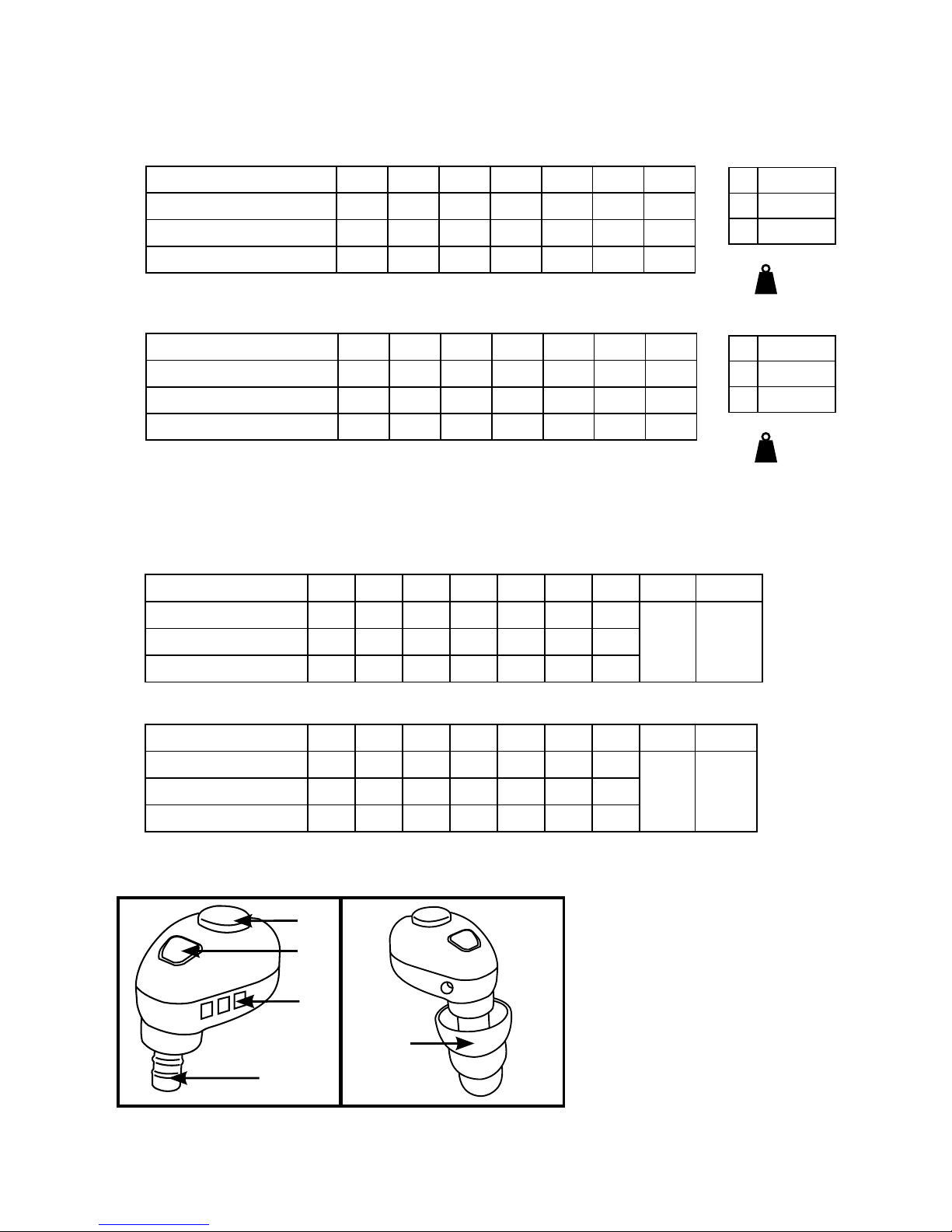
Press and hold the Power/Volume button (3:A) on each earplug for two seconds. Release the button
when you hear a tone.
Environmental Listening
When the earplugs are powered on, there are three environmental listening levels (low, medium and
high) that allow sounds to pass through in quiet environments while restricting the volume level in
loud environments. Upon power on, the earplugs default to the low setting, which reproduces the
environmental sounds at a reduced level and has a maximum output of 66 dB(A). Quickly press and
release the Power/Volume button to toggle through the three settings. The second setting is medium,
which will reproduce the environmental sounds at approximately the same volume as if there were no
3M Skull Screws
3M Torque (EU)
3M UltraFit
GB