manuals.online logo
Brands
  1. Home
  2. •
  3. Brands
  4. •
  5. Altronix
  6. •
  7. Security System
  8. •
  9. Altronix TROVE T3SSK7528 User manual

Altronix TROVE T3SSK7528 User manual

This manual suits for next models

1

Other Altronix Security System manuals

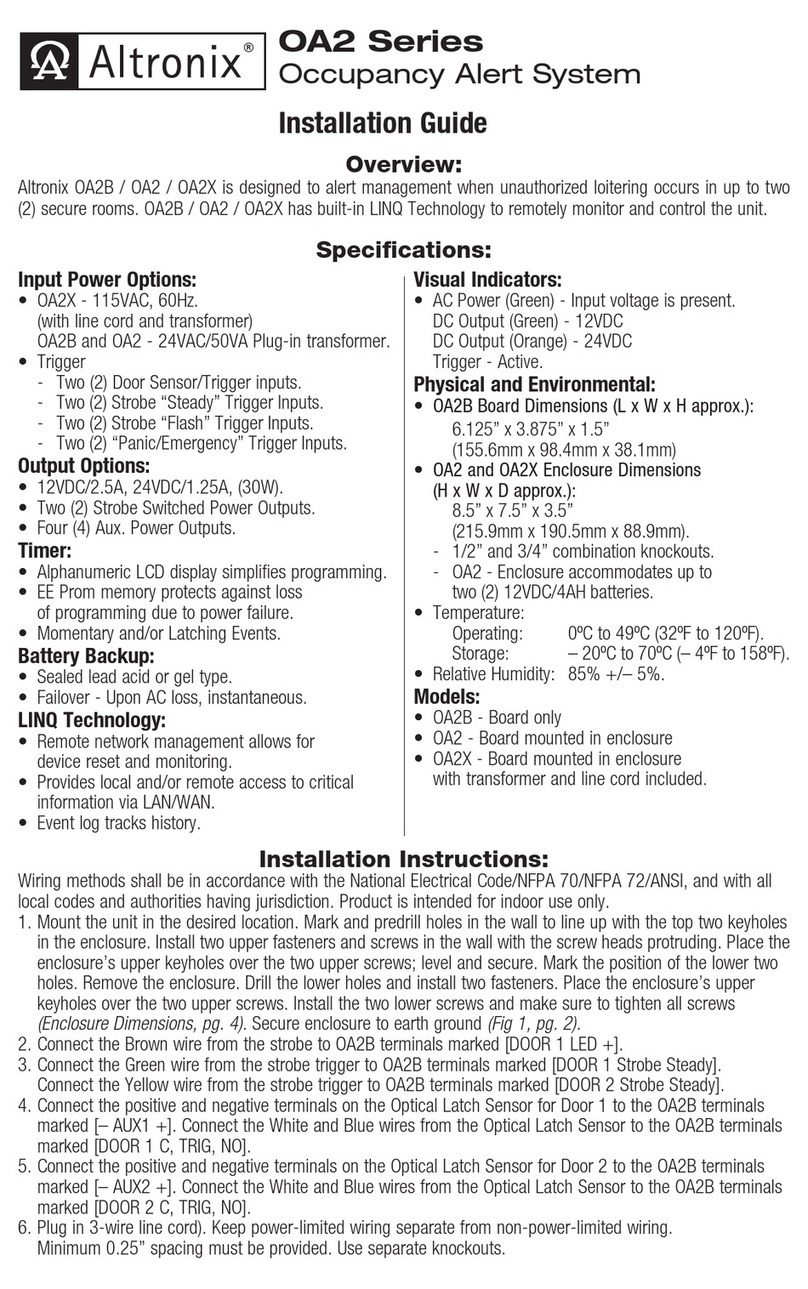
Altronix OA2 Series User manual

Altronix

Altronix OA2 Series User manual

Altronix ANC1BBU User manual

Altronix

Altronix ANC1BBU User manual

Popular Security System manuals by other brands

Polon-Alfa 4000 Installation and maintenance manual

Polon-Alfa

Polon-Alfa 4000 Installation and maintenance manual

Nexcom NViS 14162 Series user manual

Nexcom

Nexcom NViS 14162 Series user manual

Eminent EM8670 Quick install

Eminent

Eminent EM8670 Quick install

urmet domus alpha 1060 INSTALLATION AND USE BOOKLET

urmet domus

urmet domus alpha 1060 INSTALLATION AND USE BOOKLET

SmartPool YardGuard YG03 manual

SmartPool

SmartPool YardGuard YG03 manual

DSC PC5964 Mounting instructions

DSC

DSC PC5964 Mounting instructions

Secure USAB-1 operating instructions

Secure

Secure USAB-1 operating instructions

B&B 480 SERIES Operation & maintenance manual

B&B

B&B 480 SERIES Operation & maintenance manual

ADEMCO VISTA-20P Series Installation and setup guide

ADEMCO

ADEMCO VISTA-20P Series Installation and setup guide

Inner Range Concept 2000 user manual

Inner Range

Inner Range Concept 2000 user manual

Johnson Controls PENN Connected PC10 Install and Commissioning Guide

Johnson Controls

Johnson Controls PENN Connected PC10 Install and Commissioning Guide

Aeotec Siren Gen5 quick start guide

Aeotec

Aeotec Siren Gen5 quick start guide

Swann SW-P-MC2 Specifications

Swann

Swann SW-P-MC2 Specifications

Ecolink Siren+Chime user manual

Ecolink

Ecolink Siren+Chime user manual

EDM Solution 6+6 Wireless-AE installation manual

EDM

EDM Solution 6+6 Wireless-AE installation manual

Siren LED GSM operating manual

Siren

Siren LED GSM operating manual

Detection Systems 7090i Installation and programming manual

Detection Systems

Detection Systems 7090i Installation and programming manual

FRIEDLAND MA10 Installation and operating instructions

FRIEDLAND

FRIEDLAND MA10 Installation and operating instructions

manuals.online logo
manuals.online logoBrands
  • About & Mission
  • Contact us
  • Privacy Policy
  • Terms and Conditions

Copyright 2025 Manuals.Online. All Rights Reserved.

T3SSK7528
28 Door Kit with Fused Outputs
Fully assembled kit includes:
- Trove3 enclosure with
TSS3 Altronix/Lenel-S2 (S2 Security Platform) backplane
- One (1) AL1024ULXB2 - Power Supply/Charger
- One (1) AL1012ULXB - Power Supply/Charger
- Three (3) ACM8 - Fused Access Power Controllers
- One (1) ACM4 - Fused Access Power Controller
- Two (2) PD16W - Fused Power Distribution Module
- One (1) RSB2* - Rocker Switch Bracket with
Two (2) Rocker Switches (Not evaluated by UL)
T3SSK7528D
28 Door Kit with PTC Outputs
Fully assembled kit includes:
- Trove3 enclosure with
TSS3 Altronix/Lenel-S2 (S2 Security Platform) backplane
- One (1) AL1024ULXB2 - Power Supply/Charger
- One (1) AL1012ULXB - Power Supply/Charger
- Three (3) ACM8CB - PTC Access Power Controllers
- One (1) ACM4CB - PTC Access Power Controller
- Two (2) PD16WCB - PTC Power Distribution Module
- One (1) RSB2* - Rocker Switch Bracket with
Two (2) Rocker Switches (Not evaluated by UL)
All components of this Trove kit are UL Listed sub-assemblies.
Please refer to the included corresponding Sub-Assembly Installation Guides for further information.
Rev. T3SSLK_110822
Installing Company: _________________________ Service Rep. Name: __________________________________________
Address: _________________________________________________________ Phone #: _________________________
Installation Guide
Altronix/Lenel-S2 (S2 Security Platform) Kits
Models Include:
Access & Power Integration
All registered trademarks are property of their respective owners. More than just power.™
- 2 - Trove3 S2 ULXB Kits Installation Guide
Overview:
Altronix T3SSK7528 and T3SSK7528D Trove S2 kits are pre-assembled and consist of Trove enclosures/backplanes with factory installed
Altronix power supply/chargers and sub-assemblies. Both kits accommodate Lenel-S2 (S2 Security Platform) S2-INST Installation Kit for S2
Network Node for up to twenty-eight (28) (T2SSK7F8) doors in a single enclosure.
Configuration Chart:
Altronix
Model
Number
115VAC 60Hz
Input Current (A)
Power Supply Board
Input Fuse Rating
Power Supply Board
Battery Fuse Rating
Nominal DC
Output Voltage
Range (DC)
Maximum Supply
Current for Main
Outputs on Power
Supply board and
ACM8(CB) Access
Power Controllers’
outputs
Fail-Safe/
Fail-Secure Outputs
Additional
Fused (PTC) Outputs
ACM8(CB) Board
Input Fuse Rating
ACM8 Board
Output Fuse Rating
ACM8CB Board
Output PTC Rating
ACM4(CB) Board
Input Fuse Rating
ACM4 Board
Output Fuse Rating
ACM4CB Board
Output PTC Rating
PD16W Board
Output Fuse Rating
PD16WCB Board
Output PTC Rating
Power
Supply 1
Power
Supply 2
T3SSK7528
6.8 5A/
250V
15A/
32V
20.17-
26.4
9.7-
13.2
24VDC @ 9.4A
12VDC @ 10A 28 16 10A/
250V
3.5A/
250V –10A/
32V
3A/
32V –3.5A/
250V –
T3SSK7528D – 2.5A – 2.5A – 2.5A
Installation Instructions:
Wiring methods shall be in accordance with the National Electrical Code/NFPA 70/ANSI, and with all local codes and authorities having jurisdiction.
Product is intended for indoor use only.
1. Remove backplane from enclosure. Do not discard hardware.
2. Mark and predrill holes in the wall to line up with the top two/three keyholes in the enclosure. Install two/three upper fasteners and
screws in the wall with the screw heads protruding. Place the enclosure’s upper keyholes over the two/three upper screws;
level and secure. Mark the position of the lower three holes. Remove the enclosure. Drill the lower holes and install the three
fasteners. Place the enclosure’s upper keyholes over the two/three upper screws. Install the three lower screws and make sure to
tighten all screws.
3. Mount included UL Listed tamper switches (Altronix Model TS112 or equivalent) in desired
locations, opposite hinge. Slide the tamper switch bracket onto the edge of the enclosure
approximately 2” from the right side (Fig. 1, pg. 2). Connect tamper switch wiring to the
Access Control Panel input or the appropriate UL Listed reporting device.
To activate alarm signal open the door of the enclosure.
4. Mount S2-INST Installation Kit to backplane, refer to page 3.
5. Refer to the ULXB Power Supply/Charger Installation Guide for AL1024ULXB2 and
AL1012ULXB and corresponding Sub-Assembly Installation Guides for ACM4(CB),
ACM8(CB) and PD16W(CB) for further installation instructions.
Hardware:
Fig. 1
Tamper Switch
(included)
To Access Control Panel or
UL Listed Reporting Device
Edge of
Enclosure
Enclosure

Lock Nut
Trove3 S2 ULXB Kits Installation Guide - 3 -
T3SSK7528(D): Access Controller Position Chart for the S2-INST Installation Kit:
1. Align S2-INST mounting holes with pems on TSS3 (Fig. 2, pg. 3).
2. Attach S2-INST to backplane with lock nuts (provided) (Fig. 2a, pg. 3).
3. Mount backplane to enclosure with hardware.
4. Fasten TSS3 backplane to Trove3 enclosure utilizing hardware (provided).
Fig. 2
Pem
Lock nut
S2-INST Bracket
Backplane
S2-INST
Installation Kit For
S2 Network Node
S2-INST
Installation Kit For
S2 Network Node
Altronix AL1024ULXB2
Altronix AL1012ULXB
OUTPUT 1 OUTPUT 2 OUTPUT 3 OUTPUT 4 OUTPUT 5 OUTPUT 6 OUTPUT 7 OUTPUT 8
NC C NO COM NC C NO COM NC C NO COM NC C NO COM NC C NO COM NC C NO COM NC C NO COM NC C NO COM
IN GND IN GND IN GND IN GNDIN GND IN GND IN GND IN GND
1 2 3 4 5 6 7 8
INPUT
TRIGGER
10A 250V
+INP- T + RET-
NO C NC
FACP INTERFACE
Power Control
- + - +
MAIN
TRG
FACP
1 2 3 4
1 2 3 4
ON
ON
1 2 3 4
1 2 3 4
ON
ON
Altronix
ACM8(CB)
OUTPUT 1 OUTPUT 2 OUTPUT 3 OUTPUT 4 OUTPUT 5 OUTPUT 6 OUTPUT 7 OUTPUT 8
NC C NO COM NC C NO COM NC C NO COM NC C NO COM NC C NO COM NC C NO COM NC C NO COM NC C NO COM
IN GND IN GND IN GND IN GNDIN GND IN GND IN GND IN GND
1 2 3 4 5 6 7 8
INPUT
TRIGGER
10A 250V
+INP- T + RET-
NO C NC
FACP INTERFACE
Power Control
- + - +
MAIN
TRG
FACP
1 2 3 4
1 2 3 4
ON
ON
1 2 3 4
1 2 3 4
ON
ON
OUTPUT 1 OUTPUT 2 OUTPUT 3 OUTPUT 4 OUTPUT 5 OUTPUT 6 OUTPUT 7 OUTPUT 8
NC C NO COM NC C NO COM NC C NO COM NC C NO COM NC C NO COM NC C NO COM NC C NO COM NC C NO COM
IN GND IN GND IN GND IN GNDIN GND IN GND IN GND IN GND
1 2 3 4 5 6 7 8
INPUT
TRIGGER
10A 250V
+INP- T + RET-
NO C NC
FACP INTERFACE
Power Control
- + - +
MAIN
TRG
FACP
1 2 3 4
1 2 3 4
ON
ON
1 2 3 4
1 2 3 4
ON
ON
TRG
TRIGGER
INPUT
ACM4
ACCESS POWER
CONTROLLER
MAIN
OUTPUT 1
NC C NO COM NC C NO COM NC C NO COM NC C NO COM
OUTPUT 2 OUTPUT 3
IN GND
1
IN GND
2
IN GND
3
IN GND
4
OUTPUT 4
-- +
CONTROL
-- +
POWER
+INP- T +RET-
INTERFACE
NO C NC
FACP
Altronix
PD16W(CB)
NPS PN
NPS PN
Altronix
ACM8(CB)
Altronix
ACM8(CB) Altronix
ACM4(CB)
Altronix
PD16W(CB)
L
G
N
BAT FAIL
AC FAIL
NC
C
NO
NC
C
NO
AC
DC
- BAT + + DC -
AC DELAY
+ BAT -
L G N BAT FAIL NC C NO NC C NO AC FAIL
AC DC
- DC +
RSB2
Fig. 2a
- 4 - Trove3 S2 ULXB Kits Installation Guide
Trove3 Enclosure Dimensions (H x W x D approximate):
36.12” x 30.125” x 7.06” (917.5mm x 768.1mm x 179.3mm)
G
G
2”
(50.8mm)
8.75” (222.3mm) 8.75” (222.3mm)
8.62” (219mm)
7.06” (179.3mm)
1.25” (31.8mm)
1.25” (31.8mm)
2.00” (50.8mm) 7.12” (222.3mm) 9.5” (241.3mm) 9.5” (241.3mm)
30.12” (768.1mm)
14.01” (355.9mm) 14.01” (355.9mm)
1.25” (31.8mm) 1.55” (39.4mm)
1.78” (45.2mm)
1.25” (31.8mm)
1.07”
(27.2mm)
1.10” (27.9mm)
2” (50.8mm)
10.75” (273.1mm)10.75” (273.1mm) 10.62” (269.8mm)
2.00” (50.8mm)10.75” (273.1mm)10.75” (273.1mm) 10.62” (269.8mm)
36.12” (917.5mm)
33.63” (854.2mm)
3/4” Conduit
1” Conduit
1.75” Conduit
1.5” Conduit
1.75” Conduit
1.5” Conduit
3/4” Conduit
1” Conduit
3/4” Conduit
1” Conduit
3/4” Conduit
1” Conduit
3/4” Conduit
1” Conduit
2” Conduit
Altronix is not responsible for any typographical errors.
––––––––––––––––––––––––––––––––––––––––––––––––––––––––––––––––––––––––––––––––––––––––––––––––––––––––––––––––––––––––––––––––––––––––––––––––––––––––
140 58th Street, Brooklyn, New York 11220 USA | phone: 718-567-8181 | fax: 718-567-9056
web site: www.altronix.com | e-mail: [email protected] | Lifetime Warranty
IITrove3 SS ULXB Kits K08V
MEMBER