manuals.online logo
Brands
  1. Home
  2. •
  3. Brands
  4. •
  5. AMX
  6. •
  7. Controllers
  8. •
  9. AMX NetLinx Master Card NXC-ME260-64 User manual

AMX NetLinx Master Card NXC-ME260-64 User manual

Other manuals for NetLinx Master Card NXC-ME260-64

3

Other AMX Controllers manuals

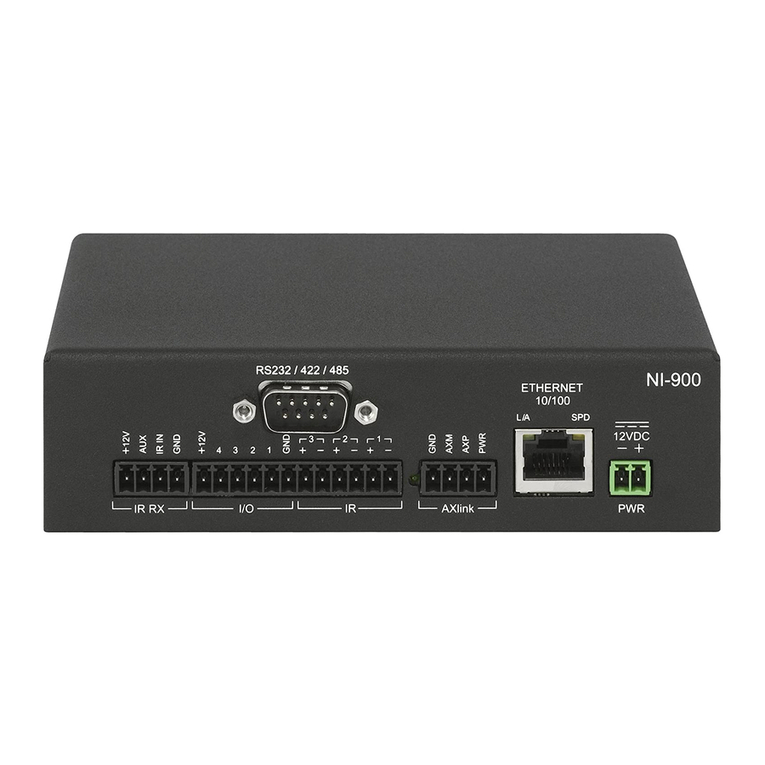
AMX NetLinx Integrated Controllers NI-700/900 Operating and maintenance manual

AMX

AMX NetLinx Integrated Controllers NI-700/900 Operating and maintenance manual

AMX NetLinx NI-3101-SIG Parts list manual

AMX

AMX NetLinx NI-3101-SIG Parts list manual

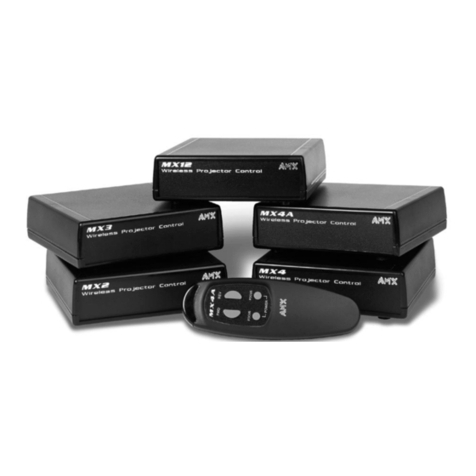
AMX MX Series User manual

AMX

AMX MX Series User manual

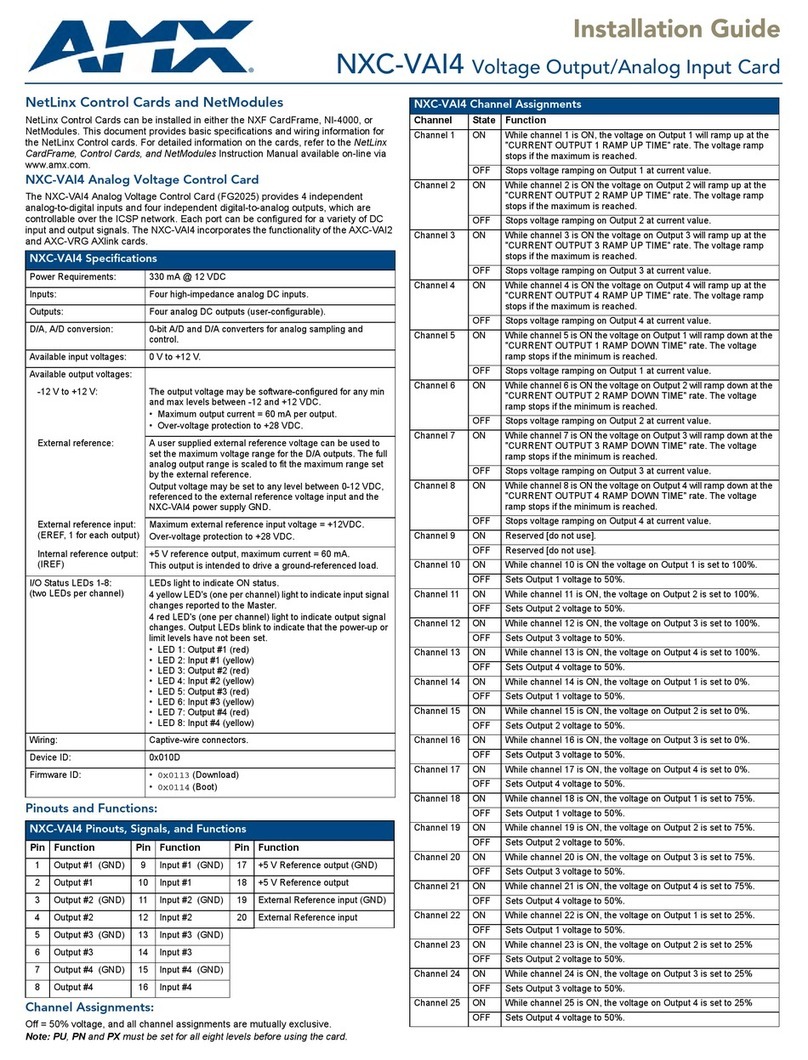
AMX NXC-VAI4 User manual

AMX

AMX NXC-VAI4 User manual

AMX NetLinx NXC-COM2 User manual

AMX

AMX NetLinx NXC-COM2 User manual

AMX PRO-DP16 DECOR PROLINK FLUSH MOUNT KEYPAD... User manual

AMX

AMX PRO-DP16 DECOR PROLINK FLUSH MOUNT KEYPAD... User manual

AMX AXF-MINI User manual

AMX

AMX AXF-MINI User manual

AMX NXC-VAI4 User manual

AMX

AMX NXC-VAI4 User manual

AMX NXI Parts list manual

AMX

AMX NXI Parts list manual

AMX DAS-D-0404 User manual

AMX

AMX DAS-D-0404 User manual

AMX NetLinx NI-4000 User manual

AMX

AMX NetLinx NI-4000 User manual

AMX NX-3200 User manual

AMX

AMX NX-3200 User manual

AMX AXC-232 User manual

AMX

AMX AXC-232 User manual

AMX UPC20 Plus User manual

AMX

AMX UPC20 Plus User manual

AMX NetLinx NI-2000 User instructions

AMX

AMX NetLinx NI-2000 User instructions

AMX AXB-TM5 User manual

AMX

AMX AXB-TM5 User manual

AMX UPC20 Plus Parts list manual

AMX

AMX UPC20 Plus Parts list manual

AMX NetLinx Integrated Controller NI-4100 User manual

AMX

AMX NetLinx Integrated Controller NI-4100 User manual

AMX FG2105-90 User manual

AMX

AMX FG2105-90 User manual

AMX Power Controller PC1 User manual

AMX

AMX Power Controller PC1 User manual

AMX AXC-VAI2 User manual

AMX

AMX AXC-VAI2 User manual

AMX NetLinx Integrated Controller NI-3100 User instructions

AMX

AMX NetLinx Integrated Controller NI-3100 User instructions

AMX NetLinx Integrated Controller NI-3100 User manual

AMX

AMX NetLinx Integrated Controller NI-3100 User manual

AMX AXP-PLV POSITRACK PILOT VIDEO TOUCH PANEL User manual

AMX

AMX AXP-PLV POSITRACK PILOT VIDEO TOUCH PANEL User manual

Popular Controllers manuals by other brands

Digiplex DGP-848 Programming guide

Digiplex

Digiplex DGP-848 Programming guide

YASKAWA SGM series user manual

YASKAWA

YASKAWA SGM series user manual

Sinope Calypso RM3500ZB installation guide

Sinope

Sinope Calypso RM3500ZB installation guide

Isimet DLA Series Style 2 Installation, Operations, Start-up and Maintenance Instructions

Isimet

Isimet DLA Series Style 2 Installation, Operations, Start-up and Maintenance Instructions

LSIS sv-ip5a user manual

LSIS

LSIS sv-ip5a user manual

Airflow Uno hab Installation and operating instructions

Airflow

Airflow Uno hab Installation and operating instructions

ABB ACS580-01 drives Hardware manual

ABB

ABB ACS580-01 drives Hardware manual

Panasonic GM1 Series Reference manual

Panasonic

Panasonic GM1 Series Reference manual

Emerson SW93 owner's manual

Emerson

Emerson SW93 owner's manual

AutoAqua Smart ATO micro SATO-120P manual

AutoAqua

AutoAqua Smart ATO micro SATO-120P manual

Panasonic FP? Positioning Unit RTEX Technical manual

Panasonic

Panasonic FP? Positioning Unit RTEX Technical manual

Alpha IP MIOB 21001 manual

Alpha IP

Alpha IP MIOB 21001 manual

Siemens OpenAir GMA 1 Series Mounting instructions

Siemens

Siemens OpenAir GMA 1 Series Mounting instructions

Surecom SR-629 user manual

Surecom

Surecom SR-629 user manual

Regulus SRS1 T Installation and operation manual

Regulus

Regulus SRS1 T Installation and operation manual

3M MicroTouch EX113 reference guide

3M

3M MicroTouch EX113 reference guide

KUHN TKS user manual

KUHN

KUHN TKS user manual

S&C PMH Instructions for operation

S&C

S&C PMH Instructions for operation

manuals.online logo
manuals.online logoBrands
  • About & Mission
  • Contact us
  • Privacy Policy
  • Terms and Conditions

Copyright 2025 Manuals.Online. All Rights Reserved.

Quick Start Guide
NXC-ME260/64 NetLinx Master Card
NetLinx NXC-ME260/64 Master Card
The NetLinx NXC-ME260/64 Master Card (FIG. 1) and Module is the
controller for NetLinx Control Systems. The NXC-ME260/64 (FG2010-64)
can be installed in the NetLinx CardFrame (NXF), the NetLinx Integrated
Controller (NXI), or in a NetLinx Module (NXS-MHS) enclosure.
ATTENTION!
To utilize the newest firmware features, verify the Master is using the latest
released firmware from www.amx.com.Verify the NetLinx Studio program
being used is Version 1.2 build 200 or higher.
Telnet security configuration access is disabled on this unit.
Modes and LED Blink Patterns
The following table lists the modes and blink patterns for the
NXC-ME260/64 front panel LEDs.
FIG. 1 NXC-ME260/64 Master Card (front view)
NXC-ME260/64 Specifications
Dimensions (HWD) 1.5" x 5.0" x 8.8" (45 mm x 127 mm x 224 mm)
Power consumption 750 mA @ 12 VDC
Memory • Compact Flash: 32 MB standard (upgradeable)
• Volatile: 64 MB
• Non-volatile: 1 MB
Microprocessor Coldfire 5407 (32-bit)
Front Panel Components:
Program port DB9 (male) connector that supports RS-232 communications to
your PC for system programming and diagnostics. You set the
port's communication speed with the Baud Rate DIP switch. There
are Program ports located on the front and rear panels of the
Master Card for easy access. Because these ports share the same
circuitry, you should never use both at the same time; doing so will
result in communication and/or programming errors.
Status LED Green LED blinks to indicate system and communication status.
Output LED Red LED blinks when the Master Card transmits data, sets
channels on and off, sends data strings, etc.
Input LED Yellow LED blinks when the Master Card receives data from
button pushes, strings, commands, channel levels, etc.
Program Port DIP Switch 8-position DIP switch on the front of the card for setting the baud
rate for the Program port.
Rear Panel Components:
PWR connector 2-pin (male) green captive-wire connector for 12 VDC power
supply.
EXPANSION OUT port RJ11 connector connects to an AXB-SPE Slave Port Expander.
Ethernet 10/100 port The (RJ-45) Ethernet Port default setting automatically negotiates
the connection speed (10 Mbps or 100 Mbps) and whether to use
half duplex or full duplex mode.
Ethernet 10/100 LEDs Display communication activity, connections, speeds, and mode
information.
AXlink connector Black 4-pin (male) captive-wire connector that provides data and
power to external control devices.
Power rating = 6 A max; actual load depends on connected power
supply.
Axlink Status LED Green LED blinks to show AXlink and expansion port data
activity.
PROGRAM port 5-pin (male) gray connector for system programming and
diagnostics. There is a Program port located on the front and rear
of the Master Cards for easy access. Because these ports share
the same circuitry, you should never use both ports at the same
time. Doing so will result in communication and/or programming
errors.
ICSNet connectors Two RJ-45 connectors that provide power (500 mA) and data to
external ICSNet devices.
• ICSNet LEDs - Indicate activity on that port.
ICSHub In/Out
connectors
Two RJ-45 connectors that provide data to other Hubs connected to
the Master Card.
• ICSHub IN/OUT LEDs - Indicate activity on that port.
NXC-ME260/64 Specifications (Cont.)
Weight .55 lbs (.25 kg)
Box Contents • NXC-ME260/64
• 5, 4 and 2-pin captive wire connectors
• Front plate with screws and washers
Optional Accessories • AC-RK Accessory Rack Kit (FG515)
•NXFCardFrame(FG2001)
• NXI Integrated Controller (FG2101)
• NXS-MHS Module (FG2009)
• PSN2.8: Power supply (FG423-17)
• PSN4.4: Power supply(FG423-45)
• PSN6.5: Power supply (FG423-41)
Ethernet Ports Used by the NXC-ME260/64
Port type Description Standard Port #
ICSP Peer-to-peer protocol used for both Master-to-Master and
Master-to-device communications.
1319 (UDP/TCP)
Telnet The NetLinx Telnet server provides a mechanism to
configure and diagnose a NetLinx system.
23 (TCP)
HTTP The Master has a built-in web server that complies with
the HTTP 1.0 specification and supports all of the required
features of HTTP v1.1.
80 (TCP)
HTTPS The ME260/64 has a built-in SSL protected web server. 443 (TCP)
FTP The on-board Master has a built-in FTP server that
conforms to RFC959.
21/20 (TCP)
Internet Inside The Internet Inside feature the Master uses, by default, is
port 10500 for the XML based communication protocol.
This port is connected to by the client web browser’s JVM
when Internet Inside control pages are retrieved from the
on-board Master’s web server.
10500 (TCP)
Ethernet 10/100 Rear Panel LED Patterns
Yellow Green
A-activity
Receiving Ethernet data packets.
On Off
L-link
Ethernet cables are connected and terminated correctly
Off On
Speed
• Transmitting at 100 Mbps
• Transmitting at 10 Mbps
Off
Off
On
Off
FD-full duplex
• Full duplex mode
• Half duplex mode
Off
Off
On
Off
Modes and Front Panel LED Blink Patterns
LEDs and Blink Patterns
Mode Description
STATUS
(green)
OUTPUT
(red)
INPUT
(yellow)
OS Start Starting the operating system. On On On
Boot Master is booting. On Off On
Contacting DHCP
server
Master is contacting a DHCP
server for IP configuration
information.
On Off Fast Blink
Unknown DHCP
server
Master could not find the DHCP
server.
Fast Blink Off Off
Downloading Boot
firmware
Downloading Boot firmware to
the Master Card's on-board flash
memory.
Do not cycle power during this
process!
Fast Blink Fast Blink Fast Blink
No program running There is no program loaded, or
the program is disabled.
On Off Off
Normal Master is functioning normally. 1 blink per
second
Lights to
indicate
activity
Lights to
indicate
activity

AMX Corporation reserves the right to alter specifications without notice at any time.
For full warranty information, refer to the AMX Instruction Manual(s) associated with your Product(s).

060-004-2814 08/04 ©2004
AMX Corporation. All rights reserved. The AMX logo is a trademark of AMX Corporation. AMX reserves the right to alter specifications without notice at any time.

3000 RESEARCH DRIVE, RICHARDSON, TX 75082 • 800.222.0193 • 469.624.7153 • fax 469.624.7153 • technical support 800.932.6993 • www.amx.com
93-2010-64 REV: B
Setting the Program Port DIP Switch – Baud Rate Settings
The Program Port DIP switch is located on the front of the Master Cards.
For cards installed in modules, you must remove the front panel to access
the DIP switch.
Use this DIP switch to set the baud rate used by the Program port for
communication. Before programming the Master, make sure the baud rate
you set matches the communication set on either your PC’s COM port or
through your NetLinx Studio 2.2.
The default baud rate is set to 38,400 (bps).
Note: The Program Port DIP Switch is also used to set Program Run
Disable (PRD) mode. The PRD mode prevents the NetLinx program
stored in the Master from running when you power up the NXC-ME260/64.
See the NXC-ME260/64 NetLinx Master-Ethernet Card/Module
Instruction Manual for further details.
Note: DIP switch 2,3 and 4 must remain in the OFF position at all times.
Setting the Program Port DIP switch
1. Disconnect the power supply from the 2-pin PWR (green) connector
on the Master Card.
2. Set DIP switch positions according to the information listed in the
Baud Rate Settings table.
3. Reapply power to card.
Program Port Connections/Wiring
The NXC-ME260/64 is equipped with two Program ports. One is located
on the front panel and the other is on the rear for easy access. The port on
the front panel is an RS232 (male) connector and the rear port is a grey
5-pin (male) connector. Use a Programming cable to connect the Program
port to your PC's COM port to communicate with the Master card. Then,
you can download NetLinx programs to the Master card using the NetLinx
Studio 2.2 software program.
Note: Refer to the NXC-ME260/64 instruction manual for further detail on
programming the card via the Ethernet port.
RS232 Program Port (Front Panel)
The following table shows the front panel RS232 (DB9) Program Port
connector (male), pinouts, and signals.
ICSNet RJ-45 Connections/Wiring
The following table shows the pinouts, signals, and pairing information to
use for ICSNet RJ-45 connections. The ICSNet connections provide
power and data to ICSNet devices. Each port provides up to 500 mA of
current.
ICSHub RJ-45 Connections/Wiring
The two ICSHub RJ-45 connectors on the rear of the Master Card provide
data to other Hubs connected to a downstream system. Hubs allow you to
connect multiple NetLinx Hubs together in a daisy-chain configuration.
Connect the OUT port to the IN port on the second or downstream
NetLinx hub.
• Use CAT5 cables for all ICSHub connections.
•Do not connect the last hub in a daisy-chain configuration into the
first hub.
The following table describes the pinout/signal information.
Ethernet 10/100 Base-T RJ-45 Connections/Wiring
The following table describes the RJ-45 pinouts, signals and pairing for
the Ethernet 10/100 Base-T RJ-45 connector and cable.
Note: It is important that the correct pairing is
observed. Transmit and Receive need to be on
twisted pairs. Splitting pairs (e.g., using a green/white wire with a
blue/white wire for transmit) will result in increased crosstalk, and may
result in bus failure or noise on the intercom.
SPE Port Connection/Wiring
Use an RJ-11 cable to connect the NXC-ME260/64 to an AXB-SPE
(FG714) Slave Port Expander.
The EXPANSION OUT port on the rear panel of the NXC-ME260/64
connects to the EXPANSION IN port on the rear panel of the AXB-SPE.
You can daisy chain multiple AXB-SPE's by connecting the EXPANSION
OUT on the primary AXB-SPE to the EXPANSION IN port on the
secondary. The connecting RJ-11 cable should not exceed 6" in length.
Repeat this process to connect up to nine AXB-SPE's.
Baud Rate Settings
Baud Rate Position 5 Position 6 Position 7 Position 8
9600 bps OFF ON OFF ON
38,400 bps (default) OFF ON ON ON
57,600 bps ON OFF OFF OFF
115,200 bps ON ON ON ON
Program Port Connector Pinouts (RS232)
Pin Signal Function
1N/ANot used
2 RXD Receive data
3 TXD Transmit data
4DTRNot used
5 GND Signal ground
6DSRNot used
7 RTS Request to send
8 CTS Clear to send
9N/ANot used
12345
6789
ICSNet RJ-45 Pinouts/Signals
Pin Signal Connections Pairing Color
1 TX + 1 --------- 1 1 --------- 2 orange-white
2 TX - 2 --------- 2 orange
3 Mic - 3 --------- 3 3 --------- 6 green-white
4 GND 4 --------- 4 blue
5 12 VDC 5 --------- 5 4 --------- 5 blue-white
6 Mic + 6 --------- 6 green
7 RX + 7 --------- 7 7 --------- 8 brown-white
8 RX - 8 --------- 8 brown
ISCHub Pinouts/Signals
IN Port OUT Port
Pin Signal Pin Signal Color
1 TX - 1 RX + orange-white
2 TX + 2 RX - orange
7 RX - 7 TX + brown-white
8RX+8 TX- brown
Ethernet RJ-45 Pinouts and Signals
Pin Signals Connections Pairing Color
1 TX + 1 --------- 1 1 --------- 2 orange-white
2 TX - 2 --------- 2 orange
3 RX + 3 --------- 3 3 --------- 6 green-white
4 no connection 4 --------- 4 blue
5 no connection 5 --------- 5 blue-white
6 RX - 6 --------- 6 green
7 no connection 7 --------- 7 brown-white
8 no connection 8 --------- 8 brown
TIA 568B
12345678
(female)
(male)
1 2 3 4 5 6 7 8
12 3 45 6 78
12 3 45 6 78