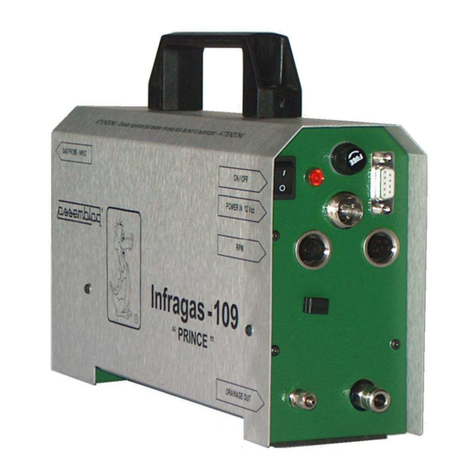
OPA-105 OPA-105.PCB OPA-105.LCD Serve manual
2.3 CALIBRATION OF OIL TEMPERATURE SENSOR
The oil probe of the smoke meter OPA-105 is different to the oil probe of the smoke meter
OPA391.
To make this calibration yo is needed of an acc rate thermometer (max err. 0.5 °C)
Connect the smoke meter to a PC with the program PUMADOCTOR, connect the oil
temperat re sensor and place the thermometer in contact to the end of the sensor, wait
for the stabilization of the temperat re.
Exec te the command SENSORS SETTING.
The system req ired “Insert the press re val e”, confirm the val e with ENTER key.
The system req ired “Insert the oil temperat re val e”, write the val e reported in the
reference thermometer and confirm with ENTER.
Confirm the val es of smoke temperat re and chamber temperat re with ENTER key.
Verify the val es of the 3 temperat re in the centre window.
To have the best reg lation is needed to place the oil temperat re sensor and the
thermometer at a stabilized temperat re of abo t 85 °C, beca se this is the typical work
val e.
2.4 FIRMWARE UPDATE
Attention: An error or a break in this proced re can delete the boot firmware stored into
the microprocessor, if this occ r the instr ment will not work and will be need to ret rn it to
Assemblad to re-program.
To make the pdate se a cable connection, better witho t serial adapters.
Get ready the program file, the name is Opa105_XXXX.s19, with XXXX is the version
n mber.
Connect the instr ment to the PC, t rn on, verify that comm nication is ON.
Verify the instr ment software version reported in the label FW Version.
If it m st be pgraded, in the window men select FIRMWARE UPDATE.
Remove the cover as showed, with reference to pict re in chapter CONNECTION ON
CPU BOARD, select the connector RS232-MCTCnet, take o t it and place in the near
connector RS232service, be caref l to don’t disconnect other connectors, for
OPA105.LCD m st be sed the program cable connected to the RS232service and to the
PC.
Select the arrow key UP. Select the program file, press OK.
Wait for the end of programming, restore the connector in RS232-MCTCnet.
Select the arrow key UP.
Verify that instr ment led is flashing and that comm nication is ON, verify the instr ment
software version.
ASSEMBLAD S.r.l. - Costr zioni Elettroniche - Servizio Assistenza Tecnica Clienti
Via Vittorio Veneto, 40 - 50013 Campi Bisenzio - Firenze - Italia
Tel. 055-890485 - Fax. 055-890496 - E-m
ail: inf
[email protected] –W
eb:
www
.assemblad.
it