– 8– – 9–
SPEAKER IMPEDANCE & POWER WIRE INFO
It is recommended that you follow the optimum speaker / subwoofer impedance suggestions
below.
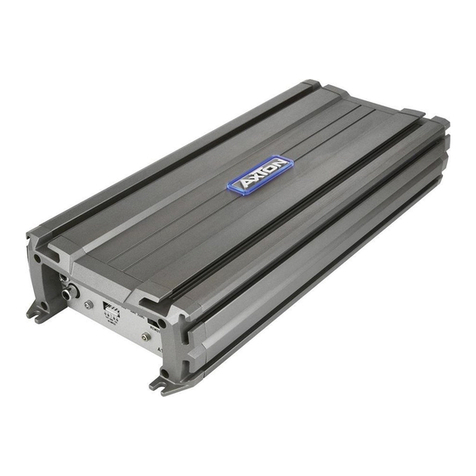
AT401 ➞ 4/2 ohms stereo / 4 ohms 2 CH bridged
AT101 ➞ 4/2 ohms mono
AMPLIFIER MOUNTING
Attention! For your own safety, disconnect the negative battery terminal (GND) before you
start any wiring work!
Before you proceed to install this AXTON amplier, it is recommended to map out the
complete system and the respective wiring required. Consider all additional electrical
requirements and accessories, such as power cables, interconnect cables etc., to complete
the install.
The mounting location should be carefully selected and in the interest of passive driver and
passenger safety, the amplier must be securely mounted. Make sure that there is no wiring
harness, fuel tank etc. behind or below the mounting surface that may be damaged by the
drilling of the holes for the amplier mounting screws. After installation, there should be a
clearance of at least 5cm to all sides including the top of the amplier heatsink. Make sure
the unit is not exposed to direct sunlight, humidity, water, oil or spill of other uids that may
enter the amplier.
Once the location where the amplier will be mounted is determined, use the unit as a
template for the marking of the mounting holes with pencil or felt-tip marker. The mounting
holes should be pilot-drilled, using a 2,5 mm or 3 mm drill bit. Bolt the amp down.
CAUTION! There must not be a direct contact of the amplier heatsink, bottom panel
or any other metal part of the amplier to the truck metal panel! Electrical ground-
loops will cause audible hum!
WIRE ROUTING
MAIN POWER WIRES
We recommend a minimum main power cable cross-section (5m total length) of 16 to
20 mm², for both the positive and the ground wires. Following these recommendations
guarantees a trouble-free operation of your amplier, as well as full power output.
Run the positive main power cable („+24 V“) directly from the positive terminal of the truck
battery to the amplier. For protection of your truck audio system against electrical re
hazards, resulting from a short-circuit of the main power cable to chassis ground a main
fuse holder must be inserted within the rst 30 cm of the positive main power cable. The
applicable fuse value must be matched to the limitations of your main power cable and the
current draw of the amplier – therefore choose an appropriate fuse value.
Attach the ground cable to the amplier. In most cases it will be best to keep the ground
cable (GND) as short as possible, i.e. to nd a chassis contact very close to the amplier.
The ground power wire must have the same cross-section as the positive power cable.
The contact point where the ground wire is attached to, must be solid and clean, i.e. free
from rust or paint!
Tighten both power input terminals of the amplier, and double check for perfect t of both
main cable leads!
RCA & REMOTE WIRES
For best interference free transmission of the music signal, use double or triple shielded
RCA interconnects only. Twisted pair Interconnects offer excellent noise rejection as well.
Route the RCA interconnects away from potential sources of Interference, such as engine
computers, gas pumps, etc.
Carefully run the audio signal interconnects, the remote wire and – if applicable - the
cable of the bass level remote control (AT101 only) from the head unit or dashboard to the
amplier. As mentioned before, the audio signal cables should always be routed completely
separate from the power cables. Connect the remote (turn on/turn off) lead to the respective
input terminal of the amplier and to the remote output of your head-unit. Now you can
connect the RCA interconnects to the respective outputs of your head-unit and to the inputs
of the amplier by using the provided RCA input adapter. Pay attention to connect the stereo
interconnects correspondingly, left is CH1, right is always CH2 a.s.o.
HIGH-LEVEL INPUT
For longer distances from the head unit to the input section, it is best to use 1.0 mm2or
1.5 mm2 speaker cables to avoid a loss of power or risk degradation of the signal quality.
Once the speaker cables have been routed, connect them to the speaker cable input
adapter. Maintain correct polarity (“+” to “+” and “-“ to “-“). When using the high-level input,
you can chose the Auto-Turn-On function “VOX” or “DC” instead of running a separate
remote wire to turn on the amplier. “VOX” turns on the amplier when it recognizes an
audio signal. “DC” is using the DC voltage of the head unit’s internal speaker amplier.
The Axton amp will then turn on/off according to the head unit’s state automatically. We
recommend using the “DC” mode.
LOUDSPEAKER WIRES
For longer distances to the speakers, it is best to use 1.5 mm2 or 2.5 mm2 speaker cables to
avoid a loss of power or risk degradation of the signal quality.
Once the speaker cables have been routed, turn loose the screws of the speaker terminal
binding posts and – after inserting the stripped and bare speaker cable ends – re-tighten the
screws. Maintain correct polarity (“+” to “+” and “-“ to “-“).
Close the electrical circuit by attaching the ground wire to the battery and switch on your
head unit. If the status LED does not illuminate, your installation is wrong! Immediately turn
off your head-unit and carefully recheck all installation and wiring steps!