3
Operang the System
WARNING
・Do not use other baeries than the ones specied in this manual. Do not mix a fresh
baery with a used baery.
・When installing baeries, make sure baery polarity is correct as marked inside the
baery compartment.
・Remove the baeries if the products are not used for a long period of me.
・Do not submerge the products.
Because this is a frequency agile system, the receiver and transmier must be on the same
channel number. To change the channel selecon, use a small , sharp object such as the p of
a pen, and press the “UP” or “DOWN” buon to the desired channel. Make sure both the re-
ceiver and transmier are on the same channel.
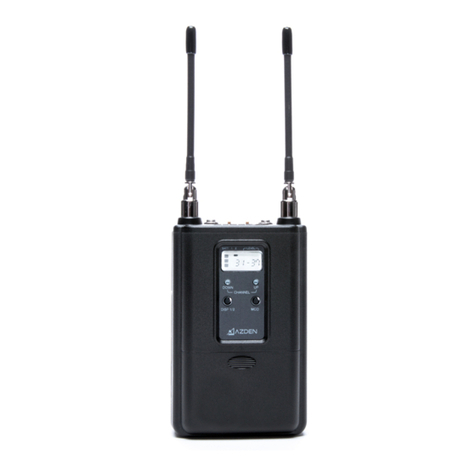
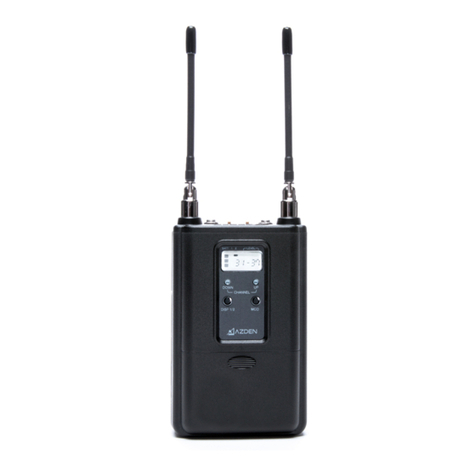
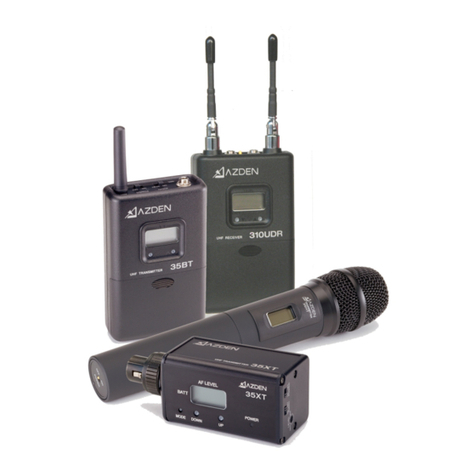
310UDR Diversity Receiver
Aer installing new baeries, mount the receiver to your video camera with supplied
shoe mount or hook & loop fastener. Select one of the supplied cables and connect the
output on the receiver and input on the video camera. Turn the power switch to “ON”
and the baery level indicator on the LCD display should come on. If not, check the
baeries. When the 310UDR receives a signal from the transmier, the recepon level
indicator will come on. If it does not, make sure both the receiver and the transmier
are on matching channels.
35BT Body-Pack Transmier
Plug in the supplied EX-503L Lavalier Microphone and clip it to your subject. The micro-
phones should be placed 4”-12” from the subject’s mouth. Clip the transmier to a
belt by using the supplied belt clip or place it in a pocket. Turn the power switch to
“ON” and the baery level indicator on the LCD display should come on. If not, check
the baery. Have someone speak into the microphone as you monitor the sound
through the 310UDR Receiver’s phone output. If the sound is distorted, lower the MIC
input level on the 35BT Transmier. If there is not enough volume, raise the MIC input
level on the Transmier.
35XT Plug-in Transmier
Aach the 35XT Transmier to any low impedance microphone with a corresponding 3-
pin XLR connector. Turn the power switch on the 35XT Transmier to “ON” posion
and the baery level indicator on the LCD display should come on. Have someone
speak into the microphone as you monitor the sound through the camera’s monitor
output. If the sound is distorted, lower the MIC input level control on the 35XT Trans-
mier. If there is not enough volume, raise the level control on the Transmier.