manuals.online logo
Brands
  1. Home
  2. •
  3. Brands
  4. •
  5. BANKSTON
  6. •
  7. Door Lock
  8. •
  9. BANKSTON Plate Euro Set Configuration guide

BANKSTON Plate Euro Set Configuration guide

Other BANKSTON Door Lock manuals

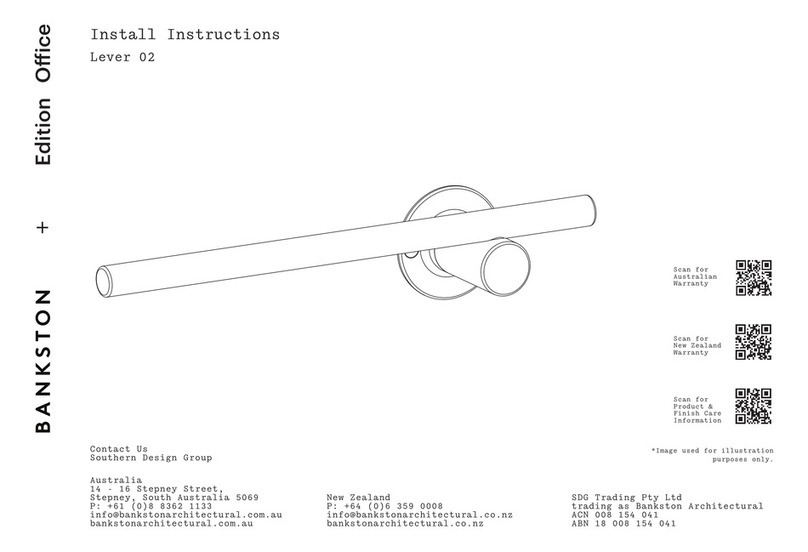
BANKSTON Edition Office Lever 02 User manual

BANKSTON

BANKSTON Edition Office Lever 02 User manual

BANKSTON Edition Office Pull 03 Configuration guide

BANKSTON

BANKSTON Edition Office Pull 03 Configuration guide

BANKSTON Edition Office Hook User manual

BANKSTON

BANKSTON Edition Office Hook User manual

BANKSTON Edition Office Pull 02 User manual

BANKSTON

BANKSTON Edition Office Pull 02 User manual

BANKSTON Associati Configuration guide

BANKSTON

BANKSTON Associati Configuration guide

BANKSTON Escutcheon User manual

BANKSTON

BANKSTON Escutcheon User manual

BANKSTON Edition Office Lever 01 User manual

BANKSTON

BANKSTON Edition Office Lever 01 User manual

BANKSTON Edition Office Pull 04 Configuration guide

BANKSTON

BANKSTON Edition Office Pull 04 Configuration guide

BANKSTON Edition Office Pull 01 User manual

BANKSTON

BANKSTON Edition Office Pull 01 User manual

Popular Door Lock manuals by other brands

Dorma MUNDUS PREMIUM US 10 Mounting instruction

Dorma

Dorma MUNDUS PREMIUM US 10 Mounting instruction

Defiant LG600BRA4BGT Instructions for installation

Defiant

Defiant LG600BRA4BGT Instructions for installation

TRU-BOLT M1740024 manual

TRU-BOLT

TRU-BOLT M1740024 manual

Opera ARCA SLIDE installation instructions

Opera

Opera ARCA SLIDE installation instructions

tell CODELOCK CL5500 Series installation instructions

tell

tell CODELOCK CL5500 Series installation instructions

ABH LR6000 installation instructions

ABH

ABH LR6000 installation instructions

Assa Abloy effeff 827A-IP Mounting instructions

Assa Abloy

Assa Abloy effeff 827A-IP Mounting instructions

Iseo MA1A installation guide

Iseo

Iseo MA1A installation guide

ID Lock 150 user manual

ID Lock

ID Lock 150 user manual

Lockly ACCESS TOUCH PRO user manual

Lockly

Lockly ACCESS TOUCH PRO user manual

iLoq G50S user guide

iLoq

iLoq G50S user guide

SDC Z7835 installation instructions

SDC

SDC Z7835 installation instructions

ilco 452 Installation

ilco

ilco 452 Installation

Samsung shs-h705 user guide

Samsung

Samsung shs-h705 user guide

TRU-BOLT 08102017 user manual

TRU-BOLT

TRU-BOLT 08102017 user manual

CDVI 500-LADJ quick start guide

CDVI

CDVI 500-LADJ quick start guide

Igloohome Deadbolt 2S Metal Grey Installer/user guide

Igloohome

Igloohome Deadbolt 2S Metal Grey Installer/user guide

eSSL FL-300 user manual

eSSL

eSSL FL-300 user manual

manuals.online logo
manuals.online logoBrands
  • About & Mission
  • Contact us
  • Privacy Policy
  • Terms and Conditions

Copyright 2025 Manuals.Online. All Rights Reserved.

Install
Instructions
Plate Euro Set
Australia
14 - 16 Stepney Street,
Stepney, South Australia 5069
P: +61 (0)8 8362 1133
info@bankstonarchitectural.com.au
bankstonarchitectural.com.au
New Zealand
P: +64 (0)6 359 0008
info@bankstonarchitectural.co.nz
bankstonarchitectural.co.nz
SDG Trading Pty Ltd
trading as Bankston Architectural
ACN 008 154 041 | ABN 18 008 154 041
Contact Us
Southern Design Group
*Image used for illustration purposes only.
Scan for
Product &
Finish Care
Information
Scan for NZ
Warranty
Scan for AU
Warranty
*Image used for illustration purposes only.
Install
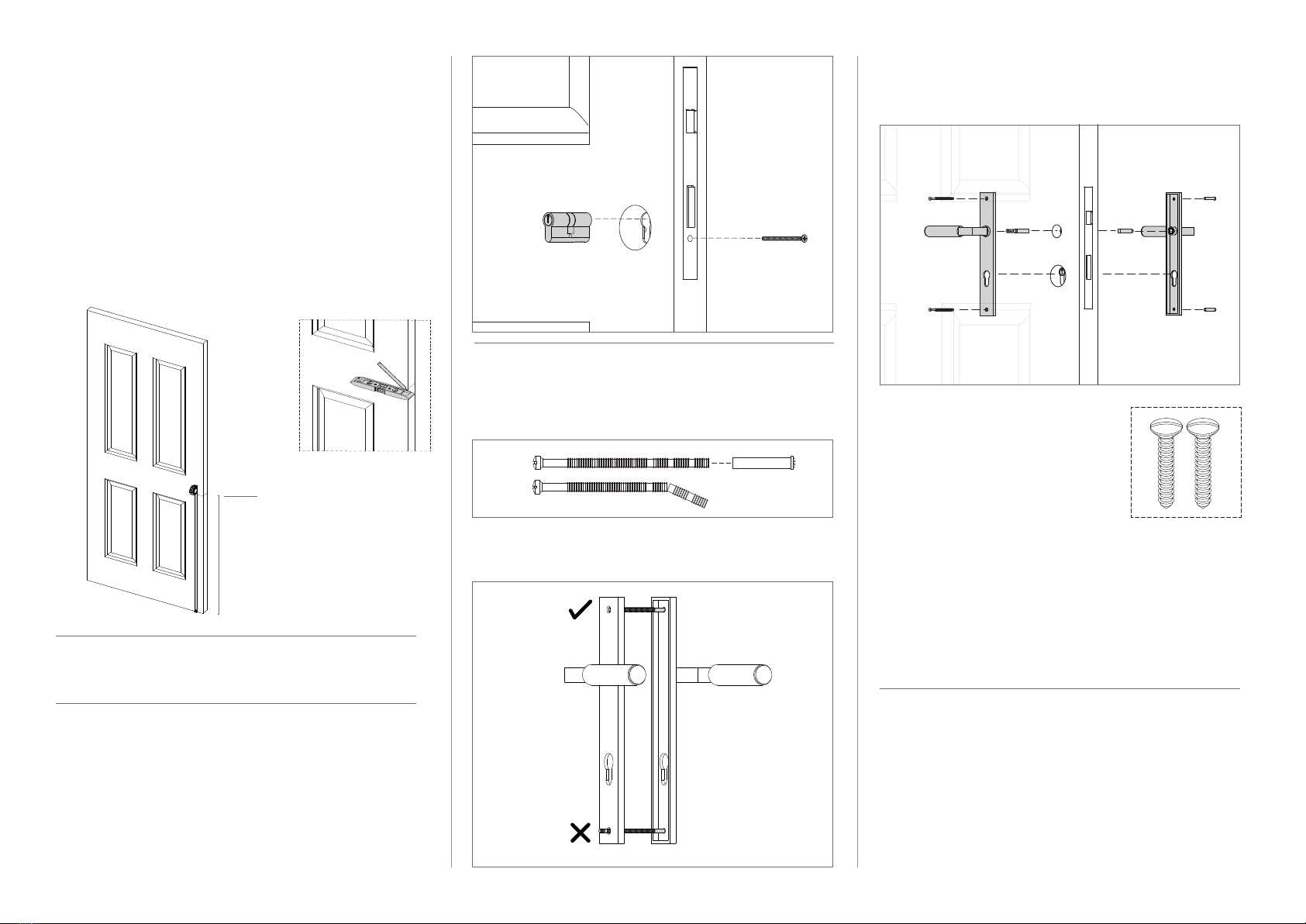
Instructions 1.1. Mark the edge of your door at the desired height
of your handle.
1.2. We recommend around 900mm – 1100mm from
floor level, or at the centre of a lock rail on a
panel door. (Figure 1)
1.3. Using a spirit level, mark the door at the desired
lever height, continuing the line from the front of
the door, around the edge and onto the back of
the door. (Figure 2)
1.4. We recommend extending the line 100mm
onto each face of the door.
1. Marking the Door
3.1. If required, shorten tie bolts to suit door
thickness.
3.2. Ensure to cut so that the screw does not protrude
from the opposite rose once installed.
3. Prepare Tie Bolts
— if using face fix timber screws, proceed to step 4
4.1. Place the split spindles into the lock body from
either side of the door*.
4.2. Install the halves on either side of the door,
ensuring the levers function in the correct direction.
4.3. Insert male tie bolts through top and bottom of
back plate, OR
4.4. Affix wood screws at all fixing points.
4.5. Place the female sections in the opposite holes,
lining them up with the male thread.
4.6. Secure loosely by hand, then use a screwdriver
to hold the female section while tightening the
male section with a second screwdriver.
—
* Regular spindle also provided
4. Install Levers
Plate Passage Set
Standard
2. Install Latch & Striker Plate
As per supplier instructions.
Preferred product height
Wood Screws
Figure 2.
Figure 1.
(1)
(2)
(2)
(4)
(3)
1.1. Mark the edge of your door at the
desired height of your handle.
1.2. We recommend around 900mm –1100mm from floor
level, or at the centre of a lock rail on a panel door.
(Figure 1)
1.3. Using a spirit level, mark the door at the desired lever
height, continuing the line from the front of the door,
around the edge and onto the back of the door.
(Figure 2)
1.4. We recommend extending the line 100mm onto each
face of the door.
1. Marking the Door
Figure 1.
Figure 2.
Preferred
product
height
2. Install Mortice Lock & Striker Plate
As per supplier instructions.
3.1. Insert key/ key euro cylinder through the lock
body and fix with the appropriately sized cylinder
screw provided. (Figure 3.)
—
*If you are installing a cylinder with thumb turn, please skip this
step and proceed to step 4.
**If required, refer to suppliers instructions.
3. Install Euro Cylinder (key/key only*)
Figure 3.
4. Prepare Cut-o Screws
— if using face fix timber screws, proceed to step 5
4.1. If required, shorten cut-o screws to suit door
thickness. (Figure 4.)
4.2. Ensure to cut so that the screw does not protrude
from the opposite rose once installed. (Figure 5.)
(1)
(4)
(5) Figure 4.
Figure 5.
5.1. Place the split spindles into the lock body from
either side of the door*.
5. Install Levers
5.2. Install the halves on either
side of the door, ensuring
the levers function in the
correct direction.
5.3. Insert male tie bolts through
top and bottom of back plate,
OR
5.4. Ax wood screws at all
fixing points.
Wood Screws
5.5. Place the female sections in the opposite holes,
lining them up with the male thread. (Figure 6.)
5.6. Secure loosely by hand, then use a screwdriver
to hold the female section while tightening the
male section with a second screwdriver.
—
* Regular spindle also provided
(1)
(4)
(2)
(3)
Figure 6.

PLEASE NOTE:
The screws provided with Bankston products are made from solid brass. This allows
finishes to be matched as closely as possible and prevents the possibility of screws
rusting in coastal areas.
Please note that screws require pre-drilling.
Please take extra care when fitting.
IMPORTANT:
Please install this door hardware in the
following order to ensure its warranty is
not voided.
1. Install the door hardware on
raw/ unfinished door using the
instructions provided.
2. Remove door hardware and store
safely. Do not place painters tape
or masking tape over the product.
The tape will damage the finish.
3. Paint/ finish door.
4. Reinstall hardware.
Please recycle
me after use
Included:
Not Included:
1. Euro Plate Handle Set
4. Tie Bolts
3. Wood Screws
2. Split Spindle
5. Standard Spindle
Plate Euro Set
Standard
1.
4. (or 3.)
2.
6.1. Insert thumb turn euro cylinder through the lock
body and fix with the appropriately sized cylinder
screw provided.
—
*If required, refer to suppliers instructions.
6. Install Euro Cylinder (Thumb turn)