manuals.online logo
Brands
  1. Home
  2. •
  3. Brands
  4. •
  5. Bulova
  6. •
  7. Watch
  8. •
  9. Bulova CHRONO G10 Service manual

Bulova CHRONO G10 Service manual

Other Bulova Watch manuals

Bulova BVA-SERIES 100 Operating and maintenance manual

Bulova

Bulova BVA-SERIES 100 Operating and maintenance manual

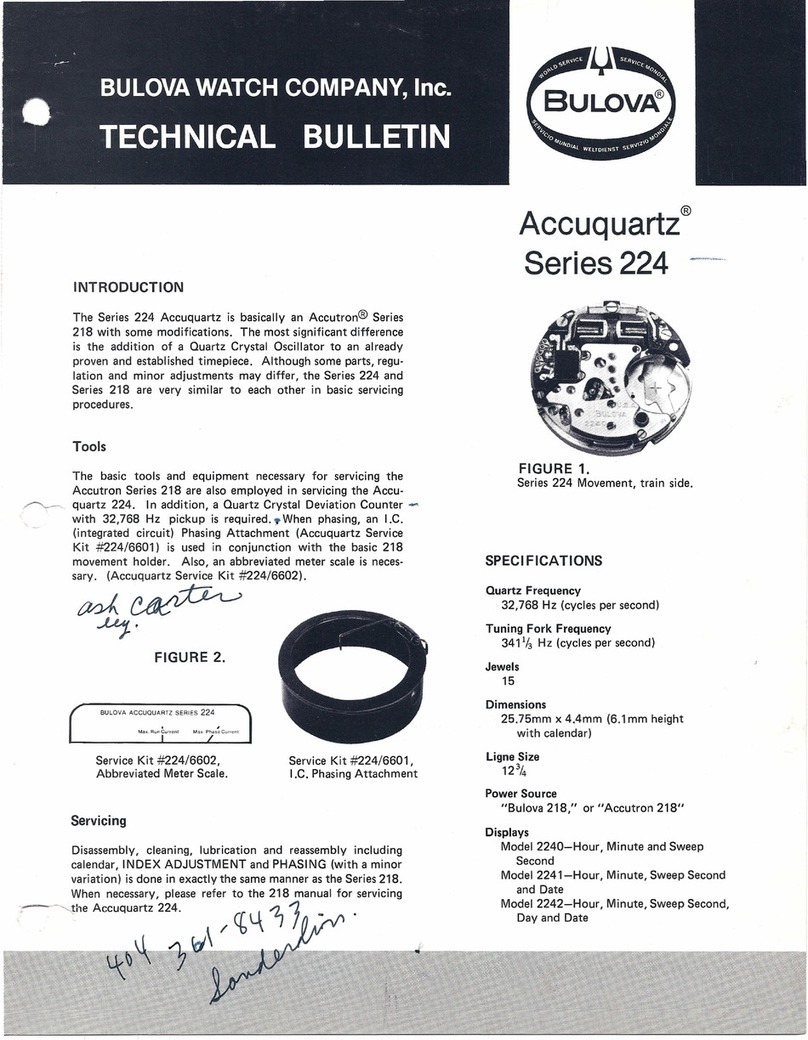
Bulova Accuquartz 224 Series Service manual

Bulova

Bulova Accuquartz 224 Series Service manual

Bulova PRECISIONIST CHRONO Service manual

Bulova

Bulova PRECISIONIST CHRONO Service manual

Bulova 96B358 User manual

Bulova

Bulova 96B358 User manual

Bulova 540S Service manual

Bulova

Bulova 540S Service manual

Bulova Time Zone Service manual

Bulova

Bulova Time Zone Service manual

Bulova Accu-Swiss series User manual

Bulova

Bulova Accu-Swiss series User manual

Bulova Chronograph Service manual

Bulova

Bulova Chronograph Service manual

Bulova Maquina 98A177 User manual

Bulova

Bulova Maquina 98A177 User manual

Bulova ANALOG T200 Service manual

Bulova

Bulova ANALOG T200 Service manual

Bulova COMPUTRON 96C139 User manual

Bulova

Bulova COMPUTRON 96C139 User manual

Bulova OS20 Series Service manual

Bulova

Bulova OS20 Series Service manual

Bulova 0S20 series Service manual

Bulova

Bulova 0S20 series Service manual

Bulova 11 ANAC Service manual

Bulova

Bulova 11 ANAC Service manual

Bulova 98B118 Service manual

Bulova

Bulova 98B118 Service manual

Bulova 98B267 User manual

Bulova

Bulova 98B267 User manual

Bulova 43C32 Service manual

Bulova

Bulova 43C32 Service manual

Bulova MARINE STAR Series User manual

Bulova

Bulova MARINE STAR Series User manual

Bulova MARINE STAR Series User manual

Bulova

Bulova MARINE STAR Series User manual

Bulova VD53 Instruction manual

Bulova

Bulova VD53 Instruction manual

Bulova 98A179 User manual

Bulova

Bulova 98A179 User manual

Bulova 45C20 Service manual

Bulova

Bulova 45C20 Service manual

Bulova Chrono FS00 Service manual

Bulova

Bulova Chrono FS00 Service manual

Bulova VD53 Service manual

Bulova

Bulova VD53 Service manual

Popular Watch manuals by other brands

Casio QW 5513 Operation guide

Casio

Casio QW 5513 Operation guide

Piaget 560P Instructions for use

Piaget

Piaget 560P Instructions for use

Armitron pro sport MD0346 instruction manual

Armitron

Armitron pro sport MD0346 instruction manual

West Marine BlackTip 13411293 Instruction Booklet and Care Guide

West Marine

West Marine BlackTip 13411293 Instruction Booklet and Care Guide

Jaeger-leCoultre HYBRIS MECHANICA CALIBRE 184 manual

Jaeger-leCoultre

Jaeger-leCoultre HYBRIS MECHANICA CALIBRE 184 manual

FOREVER iGO PRO JW-200 user manual

FOREVER

FOREVER iGO PRO JW-200 user manual

Relic OS10 quick start guide

Relic

Relic OS10 quick start guide

MyKronoz ZeClock manual

MyKronoz

MyKronoz ZeClock manual

Casio QW-782 General guide

Casio

Casio QW-782 General guide

Strikes and Spares SASM80 E-manual

Strikes and Spares

Strikes and Spares SASM80 E-manual

Christopher Ward C1000 Owner's handbook

Christopher Ward

Christopher Ward C1000 Owner's handbook

Lotus ILMFS01 instruction manual

Lotus

Lotus ILMFS01 instruction manual

Chronos Manufactures Chrono Diamond Thyrso 10400 instruction manual

Chronos Manufactures

Chronos Manufactures Chrono Diamond Thyrso 10400 instruction manual

Pandora WATCH2 quick guide

Pandora

Pandora WATCH2 quick guide

Suunto X6 user guide

Suunto

Suunto X6 user guide

Seiko N830 instruction manual

Seiko

Seiko N830 instruction manual

MotionX 365 user guide

MotionX

MotionX 365 user guide

Aplus GV18 user guide

Aplus

Aplus GV18 user guide

manuals.online logo
manuals.online logoBrands
  • About & Mission
  • Contact us
  • Privacy Policy
  • Terms and Conditions

Copyright 2025 Manuals.Online. All Rights Reserved.

Watch Setting Guide
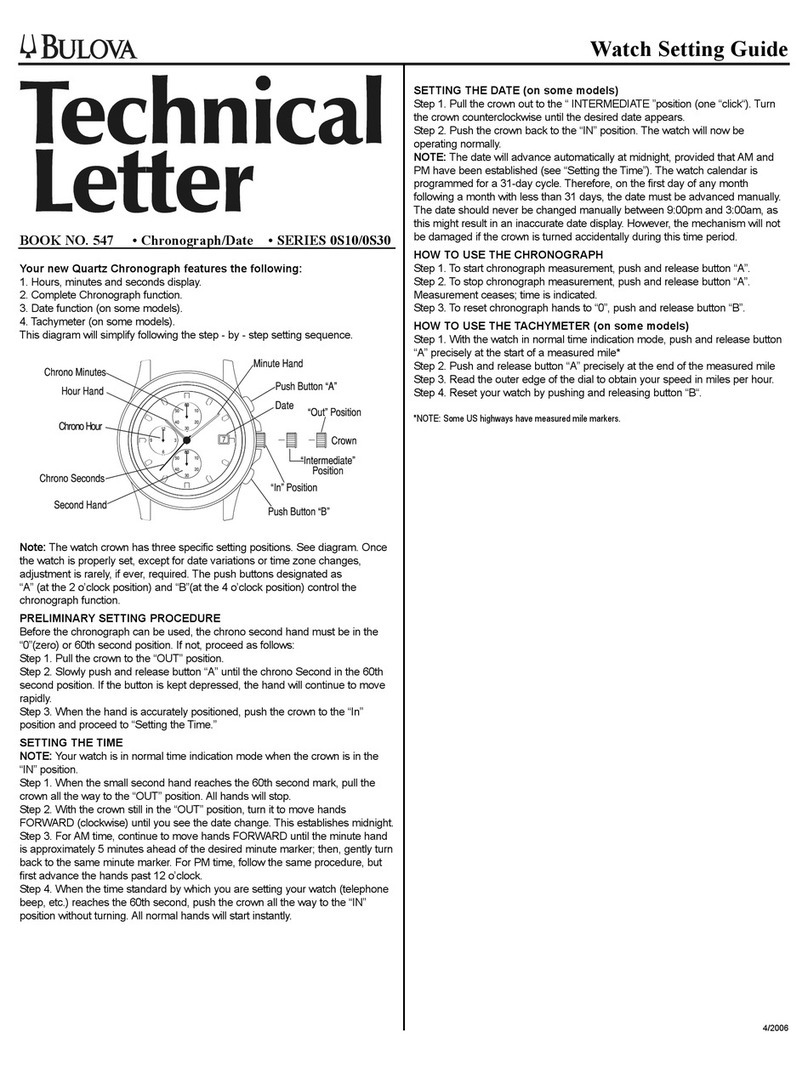
FEATURES
1. Hours minutes and seconds display.
2. Chronograph (CHRONO) with minutes, seconds and 1/10
second display. Maximum reading is 30 minutes.
3. Split time chronograph function.
4. Date display.
Note: The Second hand for the time display is the small hand
in the bottom dial.
A. SETTING THE TIME
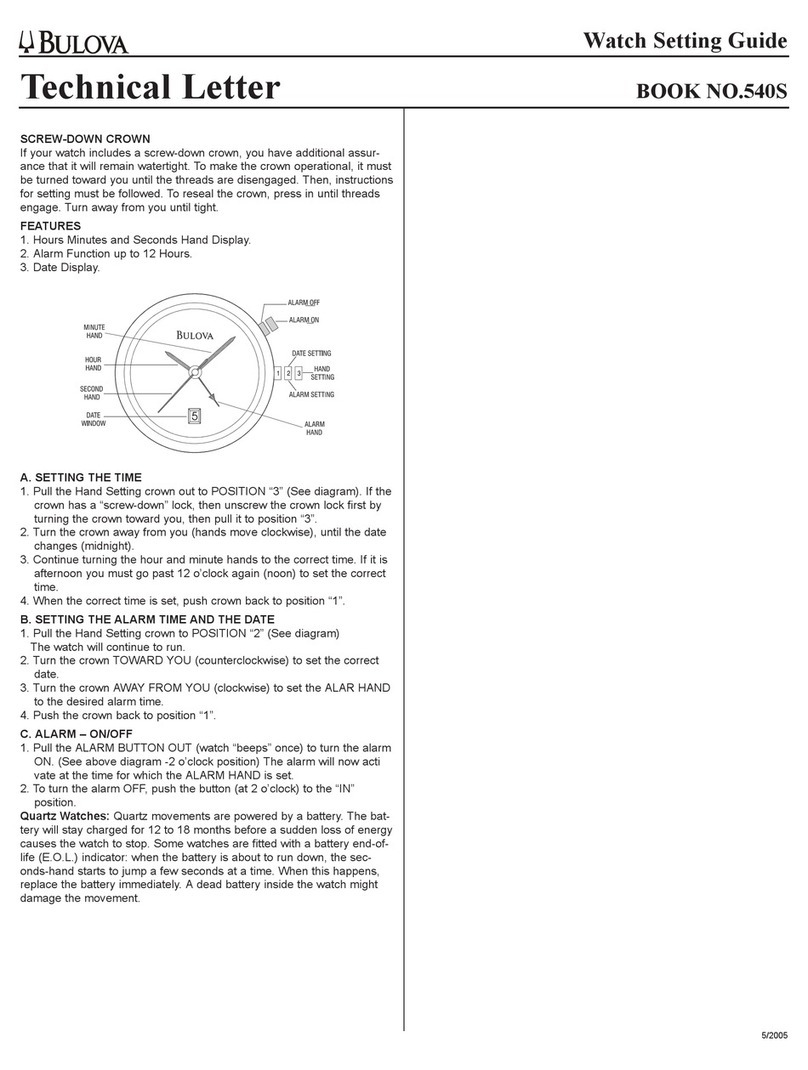
1. Pull the crown out to position “3” (See diagram). If the crown
has a “screw-down” lock, then unscrew the crown lock first
by turning the crown towards you, then pull it to position “3”.
2.Turn the crown towards you (hands moves clockwise), until
the date changes (midnight).
3. Continue turning the hour and minute hands to the correct
time. If it is afternoon you must go past 12 o’clock again
(noon) to set the correct time.
4.When the correct time is set, push crown back to position “1”.
B. SETTING THE DATE
1. Pull the crown to position “2” (See above diagram).The watch
will continue to run.Turn the crown towards you to advance
to the current date.
2. Once the date is set, push the crown back to position “1”.
Note: Do Not set the date as above between the hours of
7:00 PM and 1:00 AM.This may cause the date to be incorrect
and the date will have to be reset later.
C. CHRONOGRAPH (CHRONO) ADJUSTMENT
This must be done before using the chrono the first time. It
does not need to be repeated unless the watch receives an
impact sufficient to move the hand out of position, or the
Battery has been changed.
Note: When using the buttons for these adjustments,
each button push will move the hand one step – but holding
the button down will advance the hand rapidly.
1. Pull crown out to position “2”.
2. Push button “A” to move the 1/10 second hand
(small dial at 2 o’clock) to the “0’ position.
3. Push button “B” to move the Chrono second hand (long
hand) to the “0” or 12 o’clock position.
4. Move crown to position “3”. Push button “A” to move the
30 minute chrono hand (small dial at 10 o’clock) to the “0”
or 12 o’clock position.
5. Push crown back to position “1”.
D. USING THE CHRONOGRAPH (CHRONO)
Note: The maximum chrono reading is 30 minutes, However
the chrono will continue running once 30 minutes has passed.
The resulting half hour periods may be added together mentally
to keep track of longer periods.
For example – If you know that approximately one hour has
passed since you started the chronograph, and the chrono reads
25 minutes, then you know that the chrono has been running
30 minutes plus 25 minutes, which is 55 minutes.
1. Push Button “A” to start the chronograph. Push button “A”
again to stop the chronograph.
(Note: the 1/10 second hand does not move until the chrono
is stopped.Then it shows the elapsed 1/10 seconds).
2. Push button “B” to return the chronograph to the
“Zero” or starting point.
3. Chronograph can be stopped and started again
(Button “A”), repeatedly, to “Add” times together.
4.To “Split” times, with the chrono running, push button “B”.
Chrono hands will stop.Then push “B” again and the hands
will catch up to actual elapsed time and continue running.
Te c hnical
Letter
BOOK NO. 562 CHRONO G10
CHRONO
30-minute timer
Pushbutton
START STOP
Setting
Crown
Hour
Hand
Minute Hand
Pushbutton
Split Time
Reset to zero
Second Hand
Date Window
CHRONO
60-second timer CHRONO
1/10 second timer
5/2003