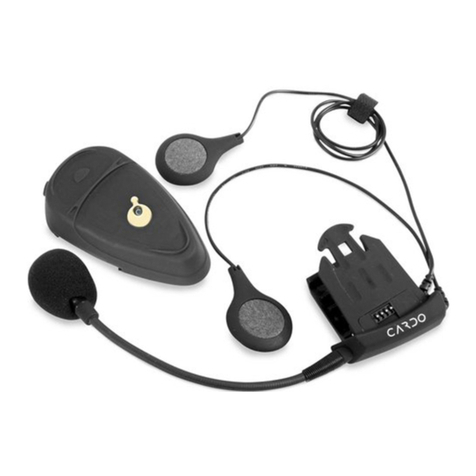
scala-500
5. Getting Started with the
scala-500™ Headset
5.1 On/Off
To turn ON, press and hold the Multi-Function
Wheel (MFW) for at least 3seconds until an
ascending alert tone is heard (FIG 1).
Release the button. If you have not completed
pairing, and this is the first time you have
turned ON the headset, the red and blue LED
will flash rapidly alternately, indicating that
the device has entered the pairing mode. If
the headset is already paired, the blue LED
will start flashing slowly (one flash every 3
seconds), indicating that the device is in
standby mode (during acall, the blue LED
will flash twice every 3seconds).
To turn OFF the headset, press and hold
the MFW for at least 3seconds until the red
LED flashes three times and an alert tone is
heard. Quickly release the button.
5.2 Pairing
Pairing is arequired process in which
the scala-500'"' headset and your
Bluetooth enabled mobile phone
become acquainted with each other
for the first time. At the end of this
process both devices retain information
about each other, so that every time
you turn one of them on, it will look
for the other device and will be able to
operate automatically with it. Pairing is
required only the first time for aspecific
scala-500"' headset and aspecific mobile
phone. Please refer to the Pairing section
of your mobile phone's manual prior to
initiating the process.
NOTE: If, after your devices are paired,
you wish to use your headset with a
different phone, you must pair the
headset to the new phone.
How to pair:
•Turn on the phone and make sure its
Bluetooth function is activated.
•Make sure the headset is turned off.
•Press and hold the MFW. When the blue
LED flashes, do not release the MFW button
yet until the red and blue LEDs start flashing
rapidly alternately.
•On your Bluetooth phone, search for
Bluetooth devices by following your phone's
instructions. Usually this is done by selecting
the Search or Discover option in the Bluetooth
or Connection menu. Refer to your phone's
manual for detailed instructions on how to
pair your specific phone.
•After afew seconds of searching, your
phone will list the "scala-500" as a discovered
device. Select it, and when asked, follow your
phone's instructions to select the device.
•When prompted by your phone, enter
0000 (4 zeros) as your PIN or passkey.
•Your phone will confirm successful pairing.
NOTE: Ifpairing is not completed within two
minutes, the headset will return to standby
mode (flashing blue every 3seconds). To pair,
re-start the process from the beginning.
81scala-500 manual