manuals.online logo
Brands
  1. Home
  2. •
  3. Brands
  4. •
  5. Casio
  6. •
  7. Cash Register
  8. •
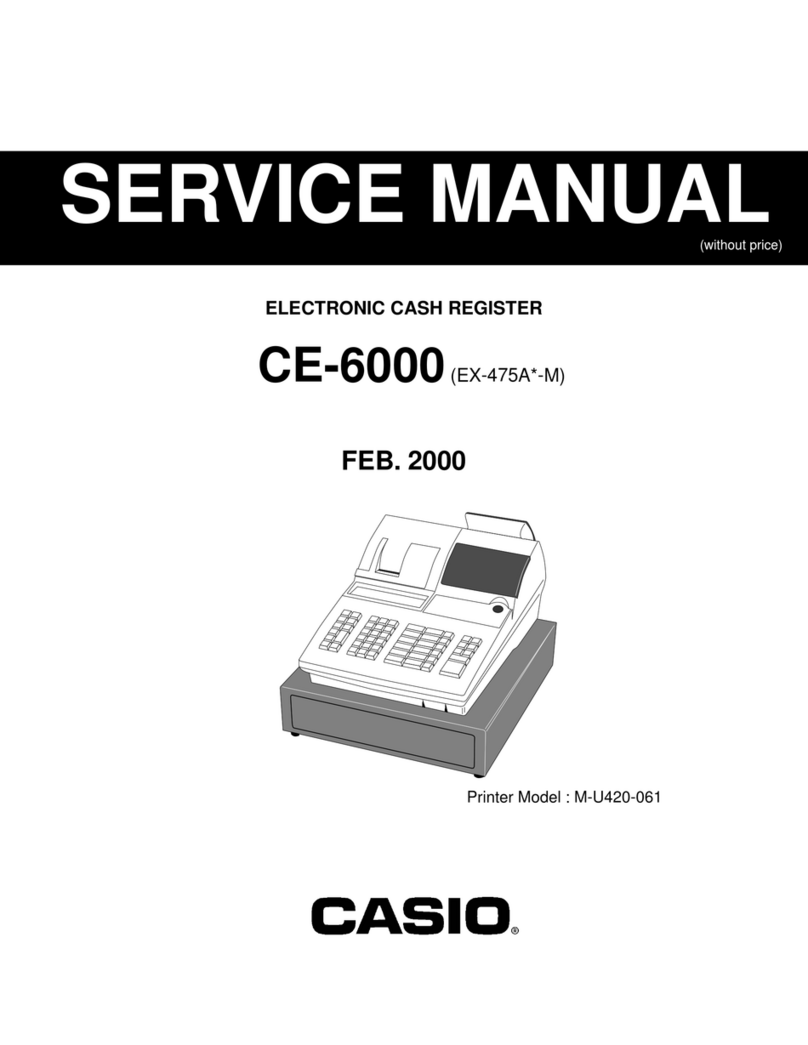
  9. Casio CE-6000 Owner's manual

Casio CE-6000 Owner's manual

Other manuals for CE-6000

3

Other Casio Cash Register manuals

Casio TE-8000F Series User manual

Casio

Casio TE-8000F Series User manual

Casio PCR-260B User manual

Casio

Casio PCR-260B User manual

Casio TE-2200 User manual

Casio

Casio TE-2200 User manual

Casio TE-100 User manual

Casio

Casio TE-100 User manual

Casio 120CR-B User manual

Casio

Casio 120CR-B User manual

Casio 240CR Assembly instructions

Casio

Casio 240CR Assembly instructions

Casio CE-4700 User manual

Casio

Casio CE-4700 User manual

Casio TE-7000S User manual

Casio

Casio TE-7000S User manual

Casio PCR-460 Assembly instructions

Casio

Casio PCR-460 Assembly instructions

Casio SR-C4500 User manual

Casio

Casio SR-C4500 User manual

Casio CE-T300 User manual

Casio

Casio CE-T300 User manual

Casio SE-G1 User manual

Casio

Casio SE-G1 User manual

Casio PCR-T285 User manual

Casio

Casio PCR-T285 User manual

Casio TK-950 User manual

Casio

Casio TK-950 User manual

Casio QT-2100 User manual

Casio

Casio QT-2100 User manual

Casio CE-285 Assembly instructions

Casio

Casio CE-285 Assembly instructions

Casio PCR-204 Assembly instructions

Casio

Casio PCR-204 Assembly instructions

Casio 130CR User manual

Casio

Casio 130CR User manual

Casio 110CR User manual

Casio

Casio 110CR User manual

Casio SE-C300 User manual

Casio

Casio SE-C300 User manual

Casio 200cR Assembly instructions

Casio

Casio 200cR Assembly instructions

Casio QT-6600 User manual

Casio

Casio QT-6600 User manual

Casio PCR 272 - Cabinet Design Cash Register User manual

Casio

Casio PCR 272 - Cabinet Design Cash Register User manual

Casio SE-C3500 User manual

Casio

Casio SE-C3500 User manual

Popular Cash Register manuals by other brands

Royal 480nt operating manual

Royal

Royal 480nt operating manual

Olivetti ECR 8200 S user guide

Olivetti

Olivetti ECR 8200 S user guide

TEC TEC FS-3600 owner's manual

TEC

TEC TEC FS-3600 owner's manual

Integrated System Laboratory ISL 4006 user manual

Integrated System Laboratory

Integrated System Laboratory ISL 4006 user manual

Sam4s ER-380 Operation and program manual

Sam4s

Sam4s ER-380 Operation and program manual

Sharp XE-A206 Guía de inicio Rápido

Sharp

Sharp XE-A206 Guía de inicio Rápido

Samsung ER 5215 Operator's manual

Samsung

Samsung ER 5215 Operator's manual

Toast Toast Quick setup guide

Toast

Toast Toast Quick setup guide

Sharp XE-A130 Bedienungsanleitung

Sharp

Sharp XE-A130 Bedienungsanleitung

TEC MA-600-1 series owner's manual

TEC

TEC MA-600-1 series owner's manual

QUORION CR 1200 user manual

QUORION

QUORION CR 1200 user manual

Olivetti ECR 7700 LD eco Plus user guide

Olivetti

Olivetti ECR 7700 LD eco Plus user guide

Sharp XE-A137-WH Operation Basic user manual

Sharp

Sharp XE-A137-WH Operation Basic user manual

Sharp XE-A203 - Cash Register Thermal Printing Graphic Logo... instruction manual

Sharp

Sharp XE-A203 - Cash Register Thermal Printing Graphic Logo... instruction manual

TEC TEC MA-1060 owner's manual

TEC

TEC TEC MA-1060 owner's manual

ELCOM Euro-2100TE user manual

ELCOM

ELCOM Euro-2100TE user manual

American Changer CLASSIC Series Operation manual

American Changer

American Changer CLASSIC Series Operation manual

Sam4s ER-180 Operation manual

Sam4s

Sam4s ER-180 Operation manual

manuals.online logo
manuals.online logoBrands
  • About & Mission
  • Contact us
  • Privacy Policy
  • Terms and Conditions

Copyright 2025 Manuals.Online. All Rights Reserved.

6~00
GROCERY
DAIRY
H.B.A.
ELECTRONIC CASH REGISTER
CE-6000
USER'S MANUAL
CI Canada
FROZEN
FOOD
DELICATESSEN
Casio CE-6000 users and programming ManualCasio CE-6000 users and programming Manual
4
Introduction & Contents
Introduction & Contents ............................................................................................................ 2
Getting Started ........................................................................................................................... 8
Remove the cash register from its box...................................................................................................8
Remove the tape holding parts of the cash register in place.................................................................8
Plug the cash register into a wall outlet..................................................................................................8
Insert the mode key marked “PGM” into the mode switch. ....................................................................8
Install receipt/journal paper. ...................................................................................................................9
Set the date. .........................................................................................................................................11
Set the time...........................................................................................................................................11
Tax table programming .........................................................................................................................11
Introducing CE-6000 ................................................................................................................ 16
General guide .......................................................................................................................................16
Display ..................................................................................................................................................18
Keyboard ..............................................................................................................................................20
Basic Operations and Setups ................................................................................................. 22
How to read the printouts ............................................................................................................... 22
How to use your cash register........................................................................................................ 23
Assigning a clerk ..................................................................................................................................24
Clerk secret number key ............................................................................................................. 24
Displaying the time and date ................................................................................................................25
To display and clear the time....................................................................................................... 25
To display and clear the date....................................................................................................... 25
Preparing coins for change ..................................................................................................................25
Preparing and using department keys ........................................................................................... 26
Registering department keys................................................................................................................26
Programming department keys ............................................................................................................27
To program a unit price for each department .............................................................................. 27
To program the tax calculation status for each department ........................................................ 27
To program high amount limit for each department .................................................................... 28
Registering department keys by programming data ............................................................................29
Preset price ................................................................................................................................. 29
Preset tax status.......................................................................................................................... 29
Locking out high amount limitation..............................................................................................29
Preparing and using PLUs ............................................................................................................. 30
Programming PLUs ..............................................................................................................................30
To program a unit price for each PLU ......................................................................................... 30
To program tax calculation status for each PLU ......................................................................... 30
Registering PLUs..................................................................................................................................31
Shifting the taxable status of an item ............................................................................................. 32
Calculation merchandise subtotal ........................................................................................................32
Preparing and using discounts....................................................................................................... 33
Programming discounts........................................................................................................................33
Registering discounts ...........................................................................................................................33
Discount for items and subtotals ................................................................................................. 33
Preparing and using reductions ..................................................................................................... 34
Programming for reductions .................................................................................................................34
Registering reductions..........................................................................................................................34
Reduction for items...................................................................................................................... 34
5
Introduction & Contents
CE-6000 User's Manual
Registering credit and check payments ......................................................................................... 35
Check........................................................................................................................................... 35
Credit ........................................................................................................................................... 35
Mixed tender (cash, credit and check) ........................................................................................ 36
Validation printing ........................................................................................................................... 36
Registering returned goods in the REG mode ............................................................................... 37
Registering returned goods in the RF mode .................................................................................. 38
Normal refund transaction ....................................................................................................................38
Reduction of amounts paid on refund ..................................................................................................38
Registering money received on account ........................................................................................ 39
Registering money paid out ........................................................................................................... 39
Making corrections in a registration ............................................................................................... 40
To correct an item you input but not yet registered ..............................................................................40
To correct an item you input and registered .........................................................................................41
To cancel all items in a transaction.......................................................................................................42
No sale registration ........................................................................................................................ 42
Printing the daily sales reset report................................................................................................ 43
Advanced Operations and Setups.......................................................................................... 44
Clerk interrupt function ................................................................................................................... 44
Single item cash sales.................................................................................................................... 45
Addition .......................................................................................................................................... 46
Addition (plus).......................................................................................................................................46
Premium (%+).......................................................................................................................................46
Coupon transactions ...................................................................................................................... 47
Coupon registration using <COUPON> (coupon key) .........................................................................47
Coupon registration using <COUPON2> (coupon 2 key) ....................................................................47
Arrangement key registrations ....................................................................................................... 48
Arrangement programming...................................................................................................................48
Currency exchange function .......................................................................................................... 49
Registering foreign currency ................................................................................................................49
Full amount tender in foreign currency........................................................................................ 49
Partial tender in a foreign currency ............................................................................................. 50
Currency exchange programming ........................................................................................................50
Food stamp function....................................................................................................................... 51
Food stamp key programming..............................................................................................................51
Food stamp registration........................................................................................................................51
No change due ............................................................................................................................ 51
Mixed food stamp/cash change................................................................................................... 52
Food stamp registration (Illinois rule) ...................................................................................................54
No change due ............................................................................................................................ 54
Mixed food stamp/cash change................................................................................................... 56
Electronic benefits transfer...................................................................................................................60
About mixed EBT card tenders ................................................................................................... 60
Temporarily releasing compulsion.................................................................................................. 62
6
Introduction & Contents
Programming to clerk ..................................................................................................................... 63
Programming clerk number ..................................................................................................................63
Programming trainee status .................................................................................................................63
Programming commission rate.............................................................................................................63
Programming machine features ..................................................................................................... 64
Programming to general control file .....................................................................................................64
Programming department/PLU ......................................................................................................71
Batch feature programming to department/PLU ..................................................................................71
Individual feature programming to department/PLU ............................................................................72
Programming to transaction keys................................................................................................... 73
<CASH>, <CHARGE>, <CHECK> ....................................................................................................................73
<CREDIT> .........................................................................................................................................................74
<RECEIVED ON ACCOUNT>, <PAID OUT>....................................................................................................74
<FOOD STAMP TENDER>, <EBT> ..................................................................................................................75
<#/NO SALE> ....................................................................................................................................................75
<%+>, <%–> ......................................................................................................................................................76
<+>, <–>, <COUPON> ......................................................................................................................................77
<ARRANGEMENT>...........................................................................................................................................78
<CURRENCY EXCHANGE> .............................................................................................................................78
<POST RECEIPT> ............................................................................................................................................79
<MULTIPLICATION>, <QUANTITY/FOR>, <SQUARE>, <CUBE>..................................................................79
Programming descriptors and messages....................................................................................... 80
Programming clerk name and messages............................................................................................80
Programming department/transaction key descriptor ..........................................................................84
Programming PLU descriptor ...............................................................................................................85
Entering characters ........................................................................................................................ 86
Using character keyboard.....................................................................................................................86
Entering characters by code.................................................................................................................87
Character code list....................................................................................................................... 87
Keyboard layout change................................................................................................................. 88
Configuration of the physical key layout...............................................................................................88
Programming procedure.............................................................................................................. 88
The outline of functions ........................................................................................................................89
Printing read/reset reports.............................................................................................................. 90
To print the individual department, PLU read report ............................................................................90
To print the financial read report...........................................................................................................91
To print the individual clerk read/reset report .......................................................................................91
To print the daily sales read/reset report ..............................................................................................92
To print the PLU read/reset report ........................................................................................................93
To print the hourly sales read/reset report............................................................................................93
To print the monthly sales read/reset report.........................................................................................94
To print the group read/reset report......................................................................................................94
To print the periodic 1/2 sales read/reset reports .................................................................................95
Reading the cash register's program .............................................................................................96
To print unit price/rate program (except PLU) ......................................................................................96
To print key descriptor, name, message program (except PLU)..........................................................97
To print the general control program, compulsory and key program ...................................................98
To print the keyboard layout program...................................................................................................99

To print the PLU program .....................................................................................................................99
7
Introduction & Contents
CE-6000 User's Manual
Troubleshooting ..................................................................................................................... 100
When an error occurs................................................................................................................... 100
When the register does not operate at all .................................................................................... 101
Clearing a machine lock up.......................................................................................................... 102
In case of power failure ................................................................................................................ 102
User Maintenance and Options ............................................................................................ 103
To replace the ink ribbon .............................................................................................................. 103
To replace journal paper............................................................................................................... 104
To replace receipt paper............................................................................................................... 105
Options ......................................................................................................................................... 105
Specifications......................................................................................................................... 106
Index........................................................................................................................................ 107
Click here to download the full manual at THE-CHECKOUT-TECH.COM