-6-
Digital in (STAGE PRO only)
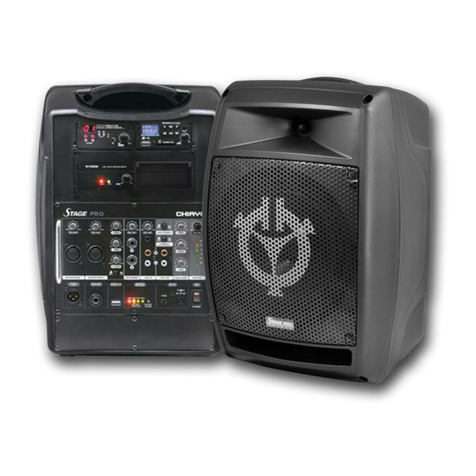
The Digital-in is for audio connection with the PC/Notebook. Just use a USB cable to connect
the unit and your PC/Notebook to make STAGE PRO the speaker of your device. Its volume is
controlled by the master adjusting knob.
Operating Voice Priority (STAGE PRO only)
Voice Priority operation is only necessary when CD/USB/MP3 is playing.
When the Voice Priority switch is ON, the ducking function will be activated. While the music is
playing, a voice input from either a Wired or Wireless Microphone will temporarily override and
lower the volume of the background music and voice could be heard more clearly.
Background music will return to its original setting when no audio input is entering the
microphone for a certain time. However, if the microphone is not switch off, the reentering of
music into the microphone will also activate the voice priority function.
Operating Loudness (STAGE PRO only)
When the amplifier’s sound is at low level, the tone might not be heard clearly and activating
the Loudness function can raise the tone level to make it clearer.
Limiter Function
There’s an interior anti-overload circuit to protect the amplifier from being damaged due to
over volume output, this design will automatically lower the output when it goes over the limit.
Various audio outputs
Active out: STAGE PRO could be operated as the MASTER unit in an audio link (wired)
configuration. The Master is capable of daisy chain manner wire connecting of up to about 20
active speakers (Stage Slave).
To install the link, connect the output jack of the Master to the Active IN of the 1st
STAGESLAVE. Its Output jack should be connected to the Active-in of the 2nd Stage Slave
and so forth.
Aux out: This 6.3mm jack is used as audio output connection to another active amplifier.
Charging the battery
STAGE PRO/ STAGE MAN uses either two lead-acid batteries or one lithium battery. The
battery power is leveled from 40%, 60%, 80% and FULL. If the LED stays at 40%, the battery
might not be sustainable for long operation. During recharging the indicator LED will flash RED
until the battery power is full, at which the LED changes to GREEN. However, if there is no
battery inside or the battery has problem, the charging LED will stays YELLOW.
Operating the wireless microphone
To operate the wireless system, please switch on the power/volume control on the receiver
module panel and the matching transmitter. Then set the channel on both the transmitter and
receiver module to the same before operation. Please also make sure that master volume
control is set to minimum level before turning on the amplifier, especially working on a wireless
version! Position the Master volume to the middle. Then adjust the receiver volume to a desired
level and the operation is ready.