5
ADJUSTMENT
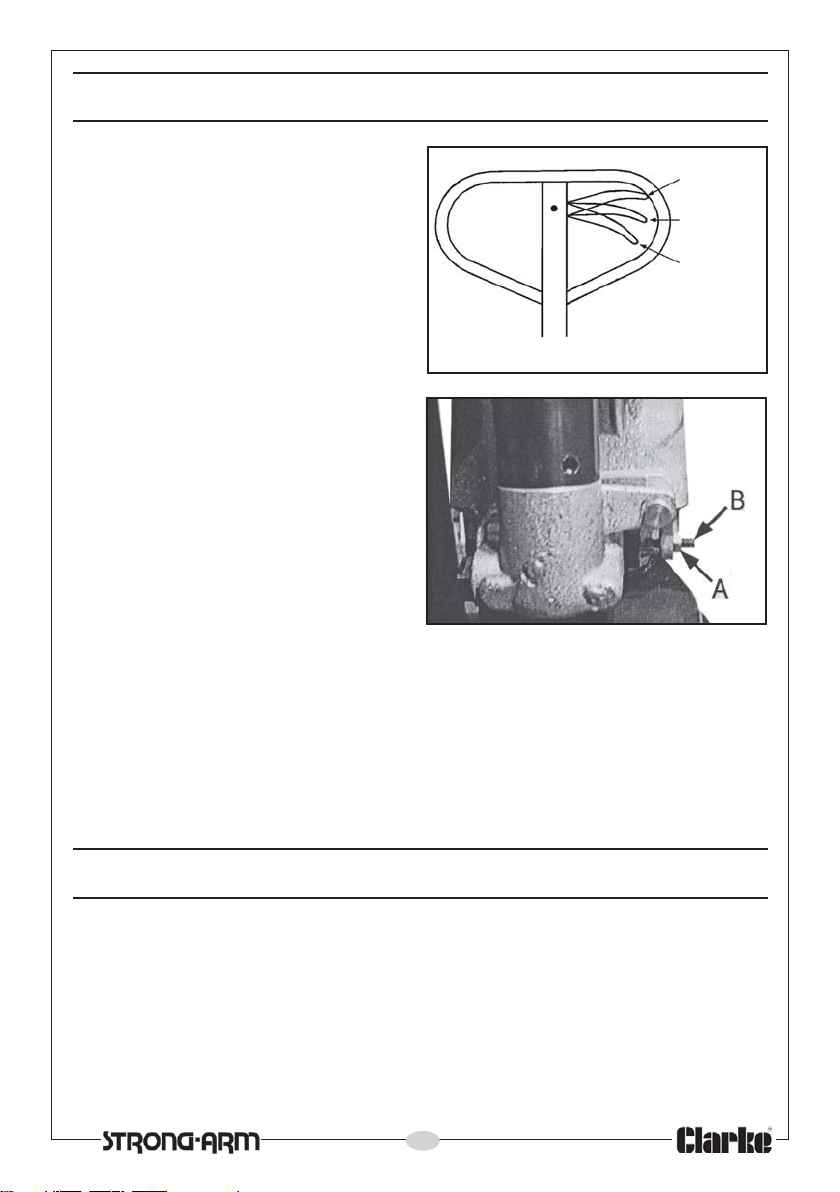
The control lever has three positions
shown in Fig 4 and indicated by the
label on the handle.
With the lever pulled to the upper
position, the forks will lower.
The middle position allows the load
to be transported.
The lower position will cause the forks
to lift when the handle is pumped.
1. Set the control lever to its lowest
position (i.e. Lever in its LIFT
position).
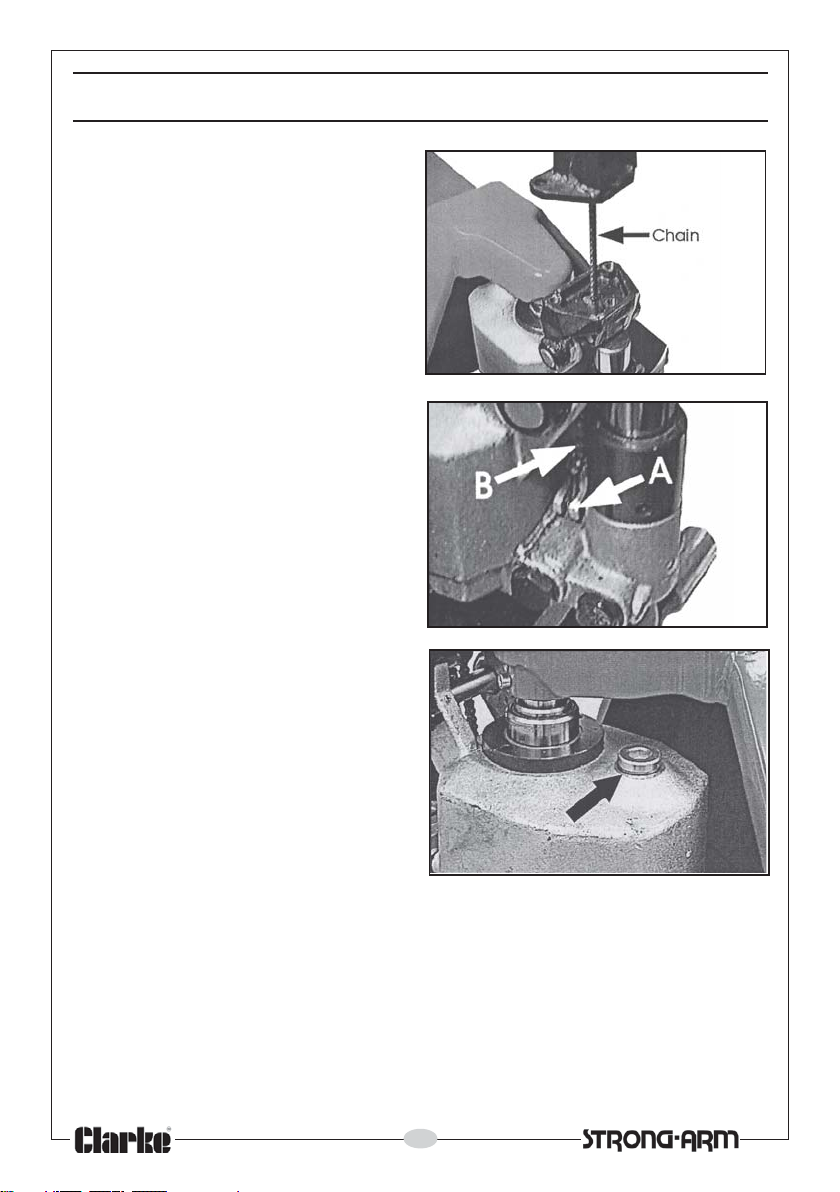
2. Check to ensure there is no
tension on the chain. If necessary,
adjust the locknut on the
threaded rod attached to the
end of the chain, until the free
movement on the end of the
control lever, when in its lowest
position, is approx 1/4”.
3. Pump the handle and then lower to test its operation.
4 If the forks rise but lower immediately you stop pumping or only lift slowly,
slacken the locknut ‘A’ and screw the adjuster ‘B’ anticlockwise half a turn
as shown in Fig 5 and try again.
5. If the forks do not lower when the control handle is in the LOWER
position, turn the adjusting screw (A) in clockwise until the handle lowers
the forks. Tighten locknut ‘B’. Check it’s operation in the TRANSPORT
position.
OPERATION
Before using the pallet truck always read the safety instructions in this manual
and the labelling on the product. The rated capacity of the truck assumes an
evenly distributed load with it’s centre being at the halfway point along the
length of the forks.
With the forks in the lowest position, manoeuvre the truck so that it is adjacent
to the pallet. Ensure the length of the forks match the length of the pallet.
Always position the pallet truck carefully, ensuring the load is centred about
Fig. 4
Fig. 5
To Lower
Transport
position
To Lift