5
English
Getting started
Turning thedevice on
1. Connect themains lead to awall socket.
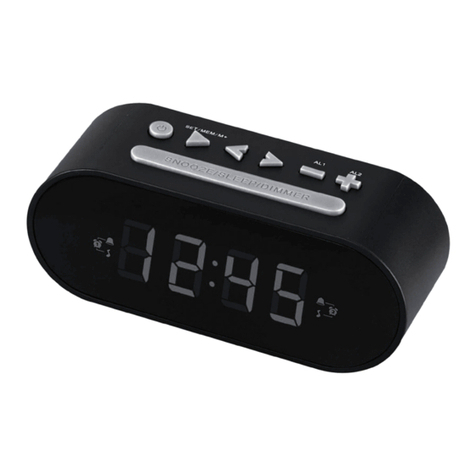
2. Press [STB] to turn thedevice on.
Setting thetime
1. Press [MODE] until thetime display appears.
2. Press [TIME] for approx 2 seconds until thehours display begins toflash.
3. Press [PREV] or [NEXT] to change thehours.
4. Press [TIME] again to advance to theminutes setting.
5. Press[PREV] or [NEXT] to change theminutes.
6. Press [TIME] for approx 2 seconds to confirm your settings andexit.
Setting the alarm time
1. Press [MODE] until the time appears.
2. Press [ALARM] for approx 2 seconds until the hours display begins to flash.
3. Press the [PREV] or [NEXT] buttons to change the hours.
4. Press [ALARM] again to advance to the minutes setting.
5. Press the [PREV] or [NEXT] buttons to change the minutes.
6. Press [ALARM] for approx 2 seconds to confirm.
Turning the alarm on/off
1. Press [ALARM] for approx 2 seconds until the hours display begins to flash.
2. Press [ALARM] twice until “OFF” appears.
3. Press the [PREV] or [NEXT] buttons to select either ON or OFF.
4. Press [ALARM] for approx 2 seconds to confirm.
Selecting alarm type
1. Press [ALARM] for approx 2 seconds until the hours display begins to flash.
2. Press [ALARM] three times until “U” appears.
3. Press the [PREV] or [NEXT] to select between “U” (USB), “bb” (buzzer) or “R” (radio).
4. Press [ALARM] for approx 2 seconds to confirm.
Note:
• Pressing [SNOOZE] once the alarm sounds will pause it for 9 minutes.
Pressingany other button will turn off the alarm until the next day.
• If no button is pressed when the alarm sounds, it will sound for 1 minute and
pause for 5 minutes. This cycle will repeat three times if no button is pressed
during this time. After three cycles the alarm will turn off until the next day.
• The alarm will not be activated if thedevice is turned off.