manuals.online logo
Brands
  1. Home
  2. •
  3. Brands
  4. •
  5. Comelit
  6. •
  7. Intercom System
  8. •
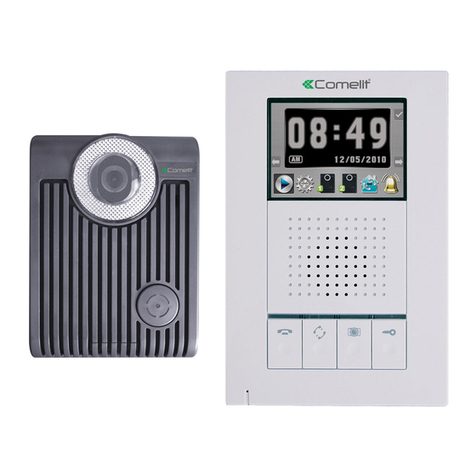
  9. Comelit 6302S User manual

Comelit 6302S User manual

This manual suits for next models

1

Other Comelit Intercom System manuals

Comelit Venice User manual

Comelit

Comelit Venice User manual

Comelit 4879KC User manual

Comelit

Comelit 4879KC User manual

Comelit Mini 6750W User manual

Comelit

Comelit Mini 6750W User manual

Comelit FT KIT 06 User manual

Comelit

Comelit FT KIT 06 User manual

Comelit Diva series Instruction Manual

Comelit

Comelit Diva series Instruction Manual

Comelit PAC GDX Series User manual

Comelit

Comelit PAC GDX Series User manual

Comelit Mini 6701W/BM User manual

Comelit

Comelit Mini 6701W/BM User manual

Comelit Simplebus2 Mini 2738W/A User manual

Comelit

Comelit Simplebus2 Mini 2738W/A User manual

Comelit 8171IPL User manual

Comelit

Comelit 8171IPL User manual

Comelit 49DPQO06 User manual

Comelit

Comelit 49DPQO06 User manual

Comelit 6602W User manual

Comelit

Comelit 6602W User manual

Comelit Adam Series User manual

Comelit

Comelit Adam Series User manual

Comelit People PL8461M User manual

Comelit

Comelit People PL8461M User manual

Comelit Logicom User manual

Comelit

Comelit Logicom User manual

Comelit Ciao Series User manual

Comelit

Comelit Ciao Series User manual

Comelit MAESTRO Series Instruction Manual

Comelit

Comelit MAESTRO Series Instruction Manual

Comelit KAE5064 User manual

Comelit

Comelit KAE5064 User manual

Comelit 1998NV User manual

Comelit

Comelit 1998NV User manual

Comelit KAE5061 Owner's manual

Comelit

Comelit KAE5061 Owner's manual

Comelit 3360 User manual

Comelit

Comelit 3360 User manual

Comelit IX9170 User manual

Comelit

Comelit IX9170 User manual

Comelit Mini 6721W User manual

Comelit

Comelit Mini 6721W User manual

Comelit Quadra Series User manual

Comelit

Comelit Quadra Series User manual

Comelit 4680C User manual

Comelit

Comelit 4680C User manual

Popular Intercom System manuals by other brands

Videx VRDK1 (25H) Technical manual

Videx

Videx VRDK1 (25H) Technical manual

Auta COMPACT VISUALTECH manual

Auta

Auta COMPACT VISUALTECH manual

Aiphone LC-10S instructions

Aiphone

Aiphone LC-10S instructions

Aiphone PD-1 instructions

Aiphone

Aiphone PD-1 instructions

Aiphone JF-DVF-HID-I instructions

Aiphone

Aiphone JF-DVF-HID-I instructions

MGL Avionics V16 manual

MGL Avionics

MGL Avionics V16 manual

SSS Siedle BVI 750-0 Installation & programming

SSS Siedle

SSS Siedle BVI 750-0 Installation & programming

urmet domus AIKO 1716/1 quick start guide

urmet domus

urmet domus AIKO 1716/1 quick start guide

urmet domus IPerVoice 1039 Installation

urmet domus

urmet domus IPerVoice 1039 Installation

Alpha Communications STR QwikBus TT33-2 Installation, programming, and  user's manual

Alpha Communications

Alpha Communications STR QwikBus TT33-2 Installation, programming, and user's manual

Monacor ICM-20H instruction manual

Monacor

Monacor ICM-20H instruction manual

Logenex A202CR Installation & programming

Logenex

Logenex A202CR Installation & programming

Quantum QR5 Installation and programming manual

Quantum

Quantum QR5 Installation and programming manual

EVGA XR1 quick guide

EVGA

EVGA XR1 quick guide

CyberData 011211 series Installation quick reference

CyberData

CyberData 011211 series Installation quick reference

Vidos duo M1021 user manual

Vidos

Vidos duo M1021 user manual

Savant DOR-SMS-00 Deployment guide

Savant

Savant DOR-SMS-00 Deployment guide

SSS Siedle BTSV 850-03 operating instructions

SSS Siedle

SSS Siedle BTSV 850-03 operating instructions

manuals.online logo
manuals.online logoBrands
  • About & Mission
  • Contact us
  • Privacy Policy
  • Terms and Conditions

Copyright 2025 Manuals.Online. All Rights Reserved.

PT
MANUAL
TÉCNICO
IT
MANUALE
TECNICO
EN
TECHNICAL
MANUAL
FR
MANUEL
TECHNIQUE
NL
TECHNISCHE
HANDLEIDING
DE
TECHNISCHES
HANDBUCH
ES
MANUAL
TÉCNICO
www.comelitgroup.com
12
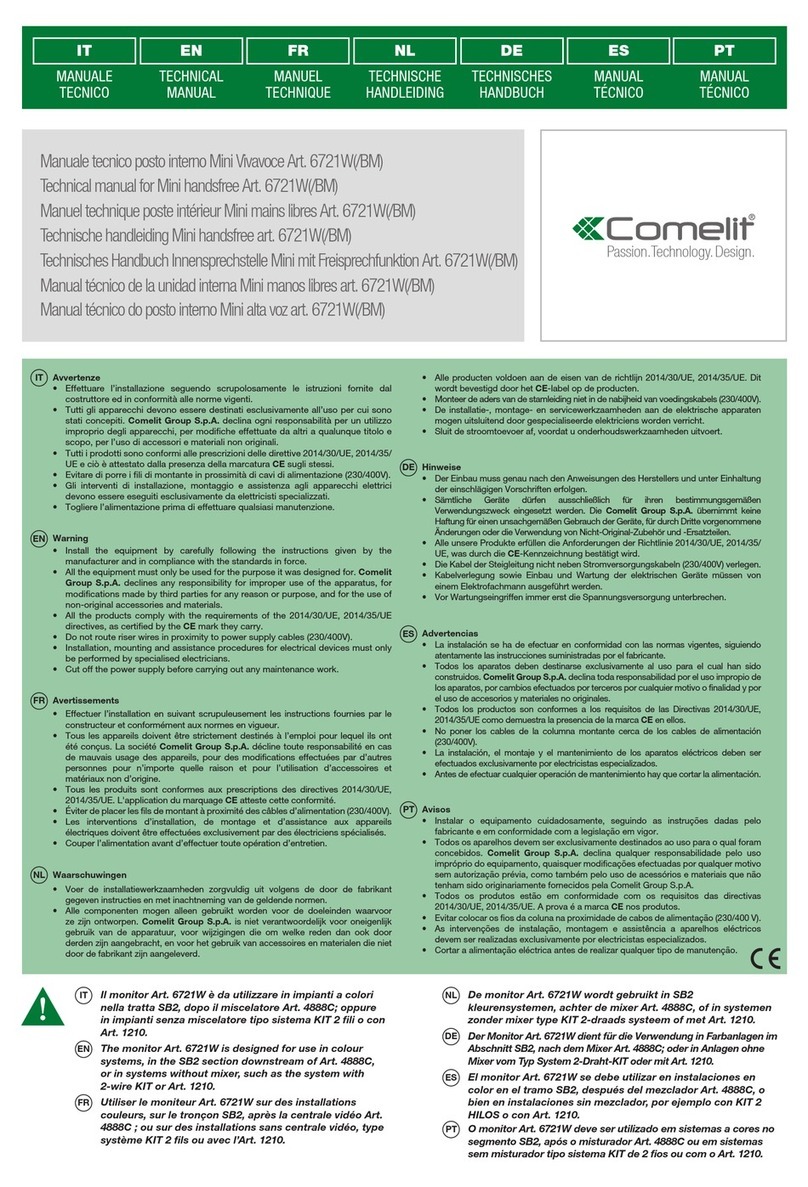
Manuale tecnico posto interno Smart Art. 6302S, 6302S/BM
Technical manual for Smart internal unit Art. 6302S, 6302S/BM
Manuel technique poste intérieur Smart Art. 6302S, 6302S/BM
Technische handleiding Smart-binnentoestel Art. 6302S, 6302S/BM
Technische Anleitung Innensprechstelle Smart Art. 6302S, 6302S/BM
Manual técnico de la unidad interna Smart Art. 6302S, 6302S/BM
Manual técnico posto interno Smart Art. 6302S, 6302S/BM
2
EN
IT
PT
ES
NL
DE
FR
IT
EN
FR
NL
DE
ES
PT
IT
Avvertenze
• Effettuare l’installazione seguendo scrupolosamente le istruzioni fornite dal costruttore ed in conformità alle norme vigenti.
• Tutti gli apparecchi devono essere destinati esclusivamente all’uso per cui sono stati concepiti. Comelit Group S.p.A. declina ogni responsabilità per un utilizzo improprio degli
apparecchi, per modifiche effettuate da altri a qualunque titolo e scopo, per l’uso di accessori e materiali non originali.
• Tutti i prodotti sono conformi alle prescrizioni delle direttive 2006/95/CE (che sostituisce la direttiva 73/23/CEE e successivi emendamenti) e ciò è attestato dalla presenza della
marcatura CE sugli stessi.
• Evitare di porre i fili di montante in prossimità di cavi di alimentazione (230/400V).
• Gli interventi di installazione, montaggio e assistenza agli apparecchi elettrici devono essere eseguiti esclusivamente da elettricisti specializzati.
• Togliere l’alimentazione prima di effettuare qualsiasi manutenzione.
Monitor Smart Art. 6302S Art. 6302S/BM
Descrizione monitor:
1Led di segnalazione privacy attiva/impianto occupato/funzione dottore
attiva.
2Led di segnalazione apriporta attivato/porta aperta.
3 Led di segnalazione fonica attiva.
Il led lampeggia ad indicare una chiamata ricevuta.
Il led si accende ad indicare una conversazione in corso.
4 Altoparlante.
5 Display LCD a colori.
6 Microfono.
Regolazioni:
Manopola regolazione volume suoneria/attivazione servizio privacy.
}Per aumentare il volume suoneria ruotare in senso orario.
}Per attivare la funzione privacy ruotare completamente in senso
antiorario.
» il led di segnalazione privacy attiva si accende.
Manopola regolazione volume fonica.
}Per aumentare il valore ruotare in senso orario.
Manopola regolazione luminosità.
}Per aumentare il valore ruotare in senso orario.
Descrizione pulsanti:
1Tasto 1 chiamata a centralino (programmabile).
2Tasto 2 autoaccensione (programmabile).
APulsante apriporta.
Tasto fonica.
Warning
• Install the equipment by carefully following the instructions given by the manufacturer and in compliance with the standards in force.
• All the equipment must only be used for the purpose it was designed for. Comelit Group S.p.A. declines any responsibility for improper use of the apparatus, for modifications made
by third parties for any reason or purpose, and for the use of non-original accessories and materials.
• All the products comply with the requirements of the 2006/95/CE directives (which replace directive 73/23/CEE and subsequent amendments), as certified by the CE mark on the
products.
• Do not route riser wires in proximity to power supply cables (230/400V).
• Installation, mounting and assistance procedures for electrical devices must only be performed by specialised electricians.
• Cut off the power supply before carrying out any maintenance work.
Smart monitor Art. 6302S Art. 6302S/BM
Avertissements
• Effectuer l’installation en suivant scrupuleusement les instructions fournies par le constructeur et conformément aux normes en vigueur.
• Tous les appareils doivent être strictement destinés à l’emploi pour lequel ils ont été conçus. La société Comelit Group S.p.A. décline toute responsabilité en cas de mauvais usage
des appareils, pour des modifications effectuées par d’autres personnes pour n’importe quelle raison et pour l’utilisation d’accessoires et matériaux non d’origine.
• Tous les produits sont conformes aux prescriptions de la directive 2006/95/CE (qui remplace la directive 73/23/CEE et amendements successifs). Cela est attesté par la présence
du marquage CE sur les produits.
• Éviter de placer les fils de montant à proximité des câbles d’alimentation (230/400V).
• Les interventions d’installation, de montage et d’assistance aux appareils électriques doivent être effectuées exclusivement par des électriciens spécialisés.
• Couper l’alimentation avant d’effectuer toute opération d’entretien.
Moniteur Smart Art. 6302S Art. 6302S/BM
Waarschuwingen
• Voer de installatiewerkzaamheden zorgvuldig uit volgens de door de fabrikant gegeven instructies en met inachtneming van de geldende normen.
• Alle componenten mogen alleen gebruikt worden voor de doeleinden waarvoor ze zijn ontworpen. Comelit Group S.p.A. is niet verantwoordelijk voor oneigenlijk gebruik van de
apparatuur, voor wijzigingen die om welke reden dan ook door derden zijn aangebracht, en voor het gebruik van accessoires en materialen die niet door de fabrikant zijn aangeleverd.
• Alle producten voldoen aan de eisen van de richtlijn 2006/95/EG (die de richtlijn 73/23/EEG en latere wijzigingen vervangt). Dit wordt bevestigd door het CE-label op de producten.
• Monteer de aders van de stamleiding niet in de nabijheid van voedingskabels (230/400V).
• De installatie-, montage- en servicewerkzaamheden aan de elektrische apparaten mogen uitsluitend door gespecialiseerde elektriciens worden verricht.
• Sluit de stroomtoevoer af, voordat u onderhoudswerkzaamheden uitvoert.
Smart-monitor Art. 6302S, Art. 6302S/BM
Hinweise
• Der Einbau muss genau nach den Anweisungen des Herstellers und unter Einhaltung der einschlägigen Vorschriften erfolgen.
• Sämtliche Geräte dürfen ausschließlich für ihren bestimmungsgemäßen Verwendungszweck eingesetzt werden. Die Comelit Group S.p.A. übernimmt keine Haftung für einen
unsachgemäßen Gebrauch der Geräte, für durch Dritte vorgenommene Änderungen oder die Verwendung von Nicht-Original-Zubehör und -Ersatzteilen.
• Alle Geräte erfüllen die Vorgaben der EU-Richtlinie 2006/95/EG (ersetzt EU-Richtlinie 73/23/EWG und nachfolgende Änderungen), wie durch ihre CE-Kennzeichnung bescheinigt
wird.
• Die Kabel der Steigleitung nicht neben Stromversorgungskabeln (230/400V) verlegen.
• Kabelverlegung sowie Einbau und Wartung der elektrischen Geräte müssen von einem Elektrofachmann ausgeführt werden.
• Vor Wartungseingriffen immer erst die Spannungsversorgung unterbrechen.
Monitor Smart Art. 6302S, Art. 6302S/BM
Advertencias
• La instalación se ha de efectuar en conformidad con las normas vigentes, siguiendo atentamente las instrucciones suministradas por el fabricante.
• Todos los aparatos deben destinarse exclusivamente al uso para el cual han sido construidos. Comelit Group S.p.A. declina toda responsabilidad por el uso impropio de los
aparatos, por cambios efectuados por terceros por cualquier motivo o finalidad y por el uso de accesorios y materiales no originales.
• Todos los productos son conformes a los requisitos de las Directivas 2006/95/CE (que sustituye la Directiva 73/23/CEE y sucesivas enmiendas) como demuestra la presencia de
la marca CE en ellos.
• No poner los cables de la columna montante cerca de los cables de alimentación (230/400V).
• La instalación, el montaje y el mantenimiento de los aparatos eléctricos deben ser efectuados exclusivamente por electricistas especializados.
• Antes de efectuar cualquier operación de mantenimiento hay que cortar la alimentación.
Monitor Smart Art. 6302S, Art. 6302S/BM
Avisos
• Instalar o equipamento cuidadosamente, seguindo as instruções dadas pelo fabricante e em conformidade com a legislação em vigor.
• Todos os aparelhos devem ser exclusivamente destinados ao uso para o qual foram concebidos. Comelit Group S.p.A. declina qualquer responsabilidade pelo uso impróprio
do equipamento, quaisquer modificações efectuadas por qualquer motivo sem autorização prévia, como também pelo uso de acessórios e materiais que não tenham sido
originariamente fornecidos pela Comelit Group S.p.A.
• Todos os produtos estão em conformidade com os requisitos das directivas 2006/95/CE (que substituem as directivas 73/23/CEE e as alterações subsequentes). A prova é a marca
CE nos produtos.
• Evitar colocar os fios da coluna na proximidade de cabos de alimentação (230/400 V).
• As intervenções de instalação, montagem e assistência a aparelhos eléctricos devem ser realizadas exclusivamente por electricistas especializados.
• Cortar a alimentação eléctrica antes de realizar qualquer tipo de manutenção.
Monitor Smart Art. 6302S, Art. 6302S/BM
3
12
1
2
3
6
5
4
EN
FR
NL
DE
ES
PT
Monitor description:
1Privacy service active/system busy/Doctor function active indicator
LED.
2Lock-release activation/door open indicator LED.
3 Audio active indicator LED:
The LED flashes to indicate that a call has been received.
The LED lights up to indicate that a conversation is in progress.
4 Loudspeaker.
5 LCD colour display.
6Microphone.
Settings:
Knob for ringtone volume adjustment/Privacy service activation.
}To increase the ringtone volume, turn clockwise.
}To activate the Privacy function, turn fully anticlockwise.
» the Privacy active LED will come on.
Audio volume adjustment knob.
}To increase the value, turn clockwise.
Brightness control knob.
}To increase the value, turn clockwise.
Description of buttons:
1Key 1 switchboard call (programmable).
2Key 2 self-ignition (programmable).
AKey button.
Audio key.
Description moniteur :
1Led de signalisation privacy active/installation occupée/docteur activée.
2Led de signalisation ouvre-porte activé/porte ouverte.
3 Led de signalisation phonie activée.
La led clignote pour indiquer un appel reçu.
La led s'allume pour indiquer une conversation en cours.
4 Haut-parleur.
5 Afficheur LCD couleurs.
6 Micro.
Réglages :
Manette de réglage du volume de la sonnerie et activation service
Privacy.
}Pour augmenter le volume de la sonnerie tourner dans le sens des
aiguilles d'une montre.
}Pour activer la fonction privacy tourner complètement en sens inverse
des aiguilles d'une montre.
» la led de signalisation privacy active s'allume.
Manette de réglage volume phonie.
}Pour augmenter le volume tourner dans le sens des aiguilles d'une
montre.
Manette de réglage de la luminosité.
}Pour augmenter la luminosité tourner dans le sens des aiguilles d'une
montre.
Description boutons :
1Touche 1 appel au standard (programmable).
2Touche 2 auto-allumage (programmable).
ABouton ouvre-porte.
Touche phonie.
Beschrijving van de monitor:
1Signaalled privacy aan/systeem bezet/artsfunctie aan.
2Signaalled deuropener geactiveerd/deur open.
3 Signaalled spreektoets aan.
De led knippert om aan te geven dat een oproep is ontvangen.
De led gaat branden om aan te geven dat er een gesprek gaande is.
4 Luidspreker.
5 Lcd-kleurendisplay.
6 Microfoon.
Instellingen:
Volumeregelknop beltoon en inschakeling privacyfunctie.
}Naar rechts draaien om het volume van de beltoon te verhogen.
}Volledig naar links draaien om de privacy-functie in te schakelen.
» de signaalled privacy aan gaat branden.
Regelknop gespreksvolume.
}Naar rechts draaien om de waarde te verhogen.
Regelknop lichtsterkte.
}Naar rechts draaien om de waarde te verhogen.
Beschrijving van de drukknoppen:
1Toets 1 bellen naar portierscentrale (programmeerbaar).
2Toets 2 beeldoproep (programmeerbaar).
ADeuropenknop.
Spreektoets.
Monitorbeschreibung:
1LED-Anzeige Privacy-Funktion aktiv/Anlage besetzt/Arztruffunktion
aktiv.
2LED-Anzeige Türöffner betätigt.
3 LED-Anzeige Sprechverbindung aktiv/Tür offen.
Die LED zeigt durch Blinken einen eingehenden Ruf an.
Durch Dauerleuchten zeigt die LED an, dass ein Gespräch geführt wird.
4 Lautsprecher.
5 LCD-Farbdisplay.
6 Mikrofon.
Einstellungen:
Drehregler für die Lautstärkeregelung des Läutewerks/Aktivierung der
Privacy-Funktion.
}Zum Erhöhen der Lautstärke des Läutewerks im Uhrzeigersinn drehen.
}Zur Aktivierung der Privacy-Funktion den Drehregler bis zum Anschlag
gegen den Uhrzeigersinn drehen.
» Die LED-Anzeige Privacy-Funktion aktiv leuchtet auf.
Drehregler für die Lautstärkeregelung der Sprechverbindung.
}Zum Erhöhen der Lautstärke im Uhrzeigersinn drehen.
Helligkeits-Drehregler.
}Zum Erhöhen der Helligkeit im Uhrzeigersinn drehen.
Beschreibung der Tasten:
1Taste 1 Ruf an Pförtnerzentrale (programmierbar).
2Taste 2 Selbsteinschaltung (programmierbar).
ATüröffnertaste.
Sprechtaste.
Descripción del monitor
1Led de privacidad activada/sistema ocupado/función doctor activada.
2Led de abrepuertas activado/puerta abierta.
3 Led de audio activado.
El led parpadea para indicar que se ha recibido una llamada.
El led se enciende de manera fija para indicar que hay una conversación en curso.
4 Altavoz.
5 Pantalla de cristal líquido en color.
6 Micrófono.
Regulaciones:
Mando de regulación del volumen del tono de llamada y de activación
de la función de privacidad.
}Girar el mando hacia la derecha para aumentar el volumen del tono
de llamada.
}Girar el mando completamente a la izquierda para activar la función de
privacidad.
» el led de privacidad activada se enciende .
Mando de regulación del volumen audio.
}Girar el mando hacia la derecha para aumentar el valor.
Mando de regulación del brillo.
}Girar el mando hacia la derecha para aumentar el valor.
Descripción de los pulsadores:
1Tecla 1 de llamada a la centralita (programable).
2Tecla 2 de autoencendido (programable).
APulsador abrepuertas.
Tecla de audio.
Descrição monitor:
1Luz indicadora privacidade activada/equipamento ocupado/função
médico activada.
2Luz indicadora abertura da porta activada/porta aberta.
3 Luz indicadora áudio activado.
A luz indicadora pisca perante uma chamada recebida.
A luz indicadora acende-se perante uma comunicação em curso.
4 Altifalante.
5 Visor LCD a cores.
6 Microfone.
Regulações:
Manípulo de regulação do volume da campainha/activação do serviço
privacidade.
}Rodar para a direita para aumentar o volume da campainha.
}Rodar totalmente para a esquerda para activar a função privacidade.
» a luz indicadora de função privacidade activada acende-se.
Manípulo de regulação do volume do altifalante.
}Rodar para a direita para aumentar o valor.
Botão para a regulação da luminosidade.
}Rodar para a direita para aumentar o valor.
Descrição dos botões:
1Tecla 1 chamada à central (programável).
2Tecla 2 acendimento automático (programável).
ABotão de abertura da porta.
Tecla áudio.
4
13,8 cm
13,8 cm
12
2C
12
1
2
1
2
5
1
160 cm
130 cm
2B
2
Lmax = 7 cm
Lmin = 6,5 cm
3
1
2
4
2A
IT
EN
FR
NL
DE
ES
PT
Montaggio posto interno Smart
Mounting Smart internal unit
Montage poste intérieur Smart
Montage Smart-binnentoestel
Montage der Innensprechstelle Smart
Montaje de la unidad interna Smart
Montagem do posto interno Smart
12
2
1
2
1
IT
EN
FR
NL
DE
ES
PT
Sgancio del monitor
Removing the monitor
Retrait du moniteur
Verwijderen van de monitor
Abnahme des Monitors
Desenganche del monitor
Remover o monitor
5
IT
EN
FR
NL
DE
ES
PT
1
2
3
4
IT
EN
FR
NL
DE
ES
PT
Descrizione monitor
1Morsettiera per connessione impianto:
L L Morsetti di connessione linea Bus.
CFP1 CFP2 Ingresso chiamata da piano.
2 CV5 Jumper chiusura video.
3 S1 Micro-interruttori per programmazione codice utente.
4 S2 Micro-interruttori per programmazione pulsanti e funzioni:
DIP 1-2-3-4 per programmazione funzioni pulsanti.
DIP 5-6 accesso programmazioni.
DIP 7 per gestione tensione di alimentazione (vedere schemi e
varianti da pag. 17) default = OFF.
DIP 8:
ON staffa secondaria.
OFF staffa principale (default).
1Bateria de bornes para a ligação do equipamento:
L L Bornes para a ligação à linha bus.
CFP1 CFP2 Entrada para chamada de andar local.
2 CV5 Comutador de derivação fecho vídeo.
3S1 Microinterruptores para programar o código de utilizador.
4S2 Microinterruptores para programar os botões e as funções:
DIP 1-2-3-4 para programar as funções dos botões.
DIP 5-6 acesso às programações.
DIP 7 para gerir a alimentação eléctrica (consultar esquemas e
variantes da pág. 17) predefinição = OFF.
DIP 8:
ON suporte secundário.
OFF suporte principal (predefinido).
Description of monitor
1Terminal block for system connection:
L L Bus line connection terminals.
CFP1 CFP2 Floor door call input.
2 CV5 Jumper for video closure.
3S1 User code programming microswitches.
4S2 Microswitches for programming buttons and functions:
DIP 1-2-3-4 for button function programming.
DIP 5-6 access to programming.
DIP 7 for power supply voltage management (see diagrams and
variants on page 17) default = OFF.
DIP 8:
ON secondary bracket.
OFF main bracket (default).
Description moniteur
1Bornier pour le raccordement de l'installation :
L L Bornes de connexion ligne Bus.
CFP1 CFP2 Entrée de l'appel palier.
2 CV5 Cavalier de débranchement vidéo.
3S1 DIP switches pour la programmation du code utilisateur.
4S2 DIP switches de programmation des boutons et fonctions :
DIP 1-2-3-4 de programmation des fonctions des boutons.
DIP 5-6 accès à la programmation.
DIP 7 de gestion de la tension d'alimentation (voir schémas et
variantes page 17) défaut = OFF.
DIP 8 :
ON étrier secondaire.
OFF étrier principal (défaut).
Beschrijving van de monitor
1Aansluitblok voor de installatie:
L L Klemmen voor aansluiting buslijn.
CFP1 CFP2 Ingang voor etagebel.
2 CV5 Jumper voor afsluiten van het videosignaal.
3S1 Microschakelaars voor het programmeren van de gebruikerscode
4S2 Microschakelaars voor de programmering van drukknoppen en
functies:
DIP 1-2-3-4 voor de programmering van de functies van de drukknoppen.
DIP 5-6 toegang tot de programmeringen.
DIP 7 voor beheer voedingsspanning (zie schema's en varianten
vanaf pag. 17) default = OFF.
DIP 8:
ON secundaire grondplaat.
OFF hoofdgrondplaat (default).
Beschreibung des Monitors
1Klemmleiste für den Anschluss an die Anlage:
L L Anschlussklemmen Busleitung.
CFP1 CFP2 Eingang Etagenruf.
2 CV5 Jumper zum Schließen des Videosignals.
3S1 Mikroschalter für die Programmierung des Benutzercodes.
4S2 Mikroschalter für die Programmierung der Tasten und Funktionen:
DIP 1-2-3-4 für die Programmierung der Tastenfunktionen.
DIP 5-6 Öffnen der Programmierungen.
DIP 7 für die Einstellung der Versorgungsspannung (siehe
Schaltpläne und Varianten ab Seite 17) Default = OFF.
DIP 8:
ON Zusatz-Grundplatte.
OFF Haupt-Grundplatte (Default).
Descripción del monitor
1Regleta de conexiones para la instalación:
L L Bornes de conexión de la línea Bus.
CFP1 CFP2 Entrada para llamada desde el timbre de planta.
2 CV5 Puente para el cierre del vídeo.
3S1 Microinterruptores para programar el código de usuario.
4S2 Microinterruptores para programar los pulsadores y las funciones:
DIP 1-2-3-4 para programar las funciones de los pulsadores.
DIP 5-6 para acceder a la programación.
DIP 7 para controlar la tensión de alimentación (véanse los esquemas
y las variantes de la pág. 17) Predefinido = OFF.
DIP 8:
ON soporte secundario.
OFF soporte principal (predefinido).
Descrição do monitor
6
IT
EN
FR
NL
DE
ES
PT
DIP S2
DIP 1 DIP 2 DIP 3 DIP 4 P1 P2 A
0000 CCS AI
A
1000 ACT AI
0100 INT AI
1100 ACT CCS
0010 ACT ACT ACT
1010 INT ACT
A
0110 AI D
1110 INT INT
0001 CCS PAN
1001 K CCS
0101 CCP K
1101 PAN CCP
0011 D INT
1011 INT INT
0111 NULL NULL NULL NULL
1111 PROG
AApriporta Lock- release Ouvre-porte Deuropener Turöffnertaste Abrepuertas Abertura da porta
Fonica Speech Phonie Audioverbinding
Sprechverbindung
Audio Áudio
ACT Attuatore Actuator Actionneur Relais Relais Actuador Actuador
AI Autoaccensione Self-ignition Auto-allumage Beeldoproep Selbsteinschaltung Autoencendido Acendimento
automático
CCP
Chiamata a
centralino
principale
Main switchboard
call
Appel standard
principal
Bellen naar
hoofcentrale
Ruf an Haupt-
Pförtnerzentrale
Llamada a
la centralita
principal
Chamada à
central
principal
CCS Chiamata a
centralino
Switchboard call Appel standard Bellen naar
portierscentrale
Ruf an
Pförtnerzentrale
Llamada a la
centralita
Chamada
à central
K
Chiamata
citofono
guardiano
Guardian door-
entry phone call
Appel combiné
parlophonique
gardien
Oproep
deurtelefoon
bewaker
Ruf an
echselsprechgerät
des Wachmanns
Llamada al
telefonillo del
vigilante
Chamada
ao telefone
intercomunicador
do vigilante
DDottore Doctor Docteur Arts Arztruf Doctor Médico
PAN Panico Panic Panique Paniek Notruf Pánico Pânico
INT
Intercomunicante
programmabile
generale o
selettivo
- di serie chiamata
generale interna
Programmable
intercom, general
or selective
- general internal
call as standard
Intercommunicant
programmable,
général ou
sélecteur
-de série, appel
général interne
Programmeerbaar
intercomsysteem,
algemeen of
selectief
- standaard
algemene interne
oproep
Intercom
programmierbar
allgemein oder
selektiv
-
Allgemeiner
Internruf
serienmäßig
Intercomunicante
programable gene-
ral o selectivo
-
llamada general
interna de serie
Intercomunicação
programável
geral ou selectiva
- de série chamada
geral interna
NULL Nessuna funzione No function Aucune fonction Geen functie
Keine Funktion
Ninguna función
Nenhuma função
PROG
Funzioni
programmate,
vedi pag. 7-11
In questa
impostazione
dei dip i pulsanti
gestiscono
le funzioni
programmate;
i pulsanti NON
programmati
gestiscono le
funzioni riferite alla
riga 0000
Programmed
functions,
see pages 7-11
In this Dip switch
setting, the
buttons control
the programmed
functions; the
NON-programmed
buttons control
functions referred
to on line 0000
Fonctions
programmées,
voir pages 7-11
Dans cette modalité
des dip switches
les boutons gèrent
les fonctions
programmées ;
les boutons NON
programmés
commandent les
fonctions signalées
à la ligne 0000
Geprogrammeerde
functies,
zie pag.
7-11
Bij deze instelling
van de dip beheren
de drukknoppen de
geprogrammeerde
functies;
De NIET-
geprogrammeerde
drukknoppen
bedienen de
functies vermeld op
regel 0000
Programmier-
te Funktionen
beschrieben, siehe
Seiten
7-11
In dieser Stellung
der DIP-Schalter
betätigen die
Tasten die program-
mierten Funktio-
nen; Die NICHT
programmierten
Tasten betätigen
die Funktionen der
Zeile 0000
Funciones pro-
gramadas, véanse
págs.
7-11
Con esta configura-
ción de DIP switchs,
los pulsadores
controlan las funcio-
nes programadas;
los pulsadores NO
programados ges-
tionan las funciones
relativas a la línea
0000
Funções
programadas,
consultar a pág.
7-11
Nesta programação
dos dips, os botões
gerem as funções
programadas ;
os botões NÃO
programados
gerem as funções
indicadas na linha
0000
DE ESNLIT FREN PT
Configurazioni pulsanti di default
Legenda
Default button settings
Legend
Configuration des boutons par défaut
Légende
Standaardconfiguratie
Legenda
Default-Tastenkonfiguration
Legende
Configuración predefinida de los pulsadores
Leyenda
Configurações dos botões predefinidos
Legenda
7
IT
EN
FR
NL
DE
ES
PT
IT
EN
FR
NL
DE
ES
PT
IT
EN
FR
NL
DE
ES
PT
DIP S2 DIP S1
DIP 1 DIP 2 DIP 3 DIP 4 P1 P2 A
INDIRIZZO
ADDRESS
ADRESSE
ADRES
ADRESSE
DIRECCIÓN
ENDEREÇO
0000
A
1000 ACT
0100
1100 ACT
0010 ACT ACT ACT
1010 ACT
A
0110
1110
0001
1001
0101
1101
0011
1011
0111
1111 PROG
⇒LED1
2
LED 2
Avvertenze generali programmazione pulsanti
Nel caso le configurazioni di default (vedi tabella pag. 6) non rispecchiano
le necessità è possibile programmare diversamente i pulsanti secondo le
procedure descritte di seguito.
Al termine posizionare i DIP 1-2-3-4 di S2 in combinazione 1111
(settaggio PROG nelle tabelle di configurazione pag. 7, 10). In questa
impostazione dei dip i pulsanti gestiscono le funzioni programmate; i
pulsanti NON programmati gestiscono le funzioni riferite alla riga 0000
(vedi tabella pag. 6). Ripristinare su S1 l'impostazione del codice utente,
vedi tabella A pag. 12.
Programmazioni pulsanti per attuatore generico o indirizzato
General button programming warnings
If the default settings (see table on page 6) do not reflect requirements,
the buttons can be programmed differently by carrying out the steps below.
At the end, set S2 DIP switches 1-2-3-4 to the combination 1111
(PROG setting in the configuration tables on pages 7, 10). In this dip
switch setting, the buttons control the programmed functions; the
NON-programmed buttons control functions referred to on line 0000
(see table on page 6). Restore the user code setting on S1, see table
A on page 12.
Programming buttons for generic or coded actuator
Recommandations générales pour la programmation des boutons
Au cas où les configurations par défaut (voir tableau page 6) ne
répondraient pas à vos besoins, vous pouvez modifier la programmation
des boutons en suivant les procédures décrites ci-après.
Une fois la procédure terminée, placer les DIP 1-2-3-4 de S2 en
combinaison 1111 (réglage PROG dans les tableaux de configuration
page 7, 10). Lorsque les dip sont ainsi configurés, les boutons
gouvernent les fonctions programmées ; les boutons NON
programmés commandent les fonctions signalées à la ligne 0000
(voir tableau page 6). Rétablir sur S1 la configuration du code
usager, voir tableau A page 12.
Programmation des boutons pour actionneur générique ou particulier
Algemene waarschuwingen voor de programmering van de drukknoppen
Indien de standaardconfiguratie (zie tabel pag. 6) niet voldoet aan de
vereisten, kunnen de drukknoppen anders worden geprogrammeerd
volgens de hieronder beschreven procedure.
Aan het eind plaatst u de dipswitches 1-2-3-4 van S2 op 1111 (setting
PROG in de configuratietabellen pag. 7, 10). Met deze instelling van
de dipswitches bedienen de drukknoppen de geprogrammeerde
functies, de NIET-geprogrammeerde drukknoppen bedienen de
functies vermeld op regel 0000 (zie tabel pag. 6). Stel de instelling
van de gebruikerscode opnieuw in op S1, zie tabel A op pag. 12.
Programmering drukknoppen voor algemene of geadresseerde relaissturing
Allgemeine Hinweise zur Tastenprogrammierung
Falls die Default-Konfigurationen (siehe Tabelle auf Seite 6) nicht den
Anforderungen entsprechen, können die Tasten wie nachstehend
beschrieben umprogrammiert werden.
Am Schluss die DIP-Schalter 1-2-3-4 von S2 auf Kombination 1111
stellen (Einstellung PROG in den Konfigurations-Tabellen Seite 7,
10). Wenn die DIP-Schalter so eingestellt sind, betätigen die Tasten
die programmierten Funktionen; die NICHT programmierten Tasten
betätigen die Funktionen der Zeile 0000 (siehe Tabelle Seite 6). Die
Einstellung des Benutzercodes auf S1 wieder herstellen, siehe
Tabelle A auf Seite 12.
Tastenprogrammierung für allgemeine oder codierte Relaissteuerung
Advertencias generales para la programación de los pulsadores
Si la configuración predefinida de los pulsadores (véase tabla de pág. 6)
no responde a las necesidades del usuario, es posible configurarlos de
otra manera según se describe a continuación.
Al término, poner los DIP switches 1-2-3-4 de S2 en 1111 (configuración
PROG en las tablas de las págs. 7, 10). Configurando los DIP switches
de esta manera, los pulsadores gestionan las funciones programadas;
los pulsadores NO programados gestionan las funciones relativas a
la línea 0000 (véase tabla de pág. 6). Restablecer la configuración del
código de usuario en S1, véase tabla A de pág. 12.
Programación de los pulsadores para actuador genérico o asignado a una dirección
Avisos gerais sobre a programação dos botões
Caso as configurações predefinidas (consultar a tabela da pág. 6) não
reflictam as necessidades, é possível programar de modo diferente os
botões segundo os procedimentos a seguir descritos.
No fim, colocar os DIPs 1-2-3-4 de S2 na combinação 1111
(programação PROG nas tabelas de configuração, pág. 7, 10). Nesta
configuração dos DIPs, os botões gerem as funções programadas;
os botões NÃO programados gerem as funções indicadas na linha
0000 (consultar a tabela da pág. 6). Repor em S1 a configuração do
código de utilizador, consultar a tabela A da pág. 12.
Programações dos botões para o actuador geral ou com endereço
8
IT
EN
FR
NL
DE
ES
PT
Esempio:
su monitor con codice utente 5 programmazione P1= attuatore generico,
P2= attuatore indirizzato a codice 125
1. Posizionare DIP 5-6 di S2 in combinazione 01
»il led 1 (rosso) lampeggia
2. Consultare la tabella pag. 7 e scegliere una combinazione in cui compare
la funzione attuatore (ACT) per i pulsanti che si intendono programmare.
ES: per P1= attuatore generico impostare DIP 1-2-3-4 di S2 in combinazione
1000 o 1100 o 0010 (P1=ACT), impostare DIP di S1 in combinazione
11111111, passare al punto 3
ES: per P2= attuatore indirizzato a codice 125 impostare DIP 1-2-3-4 di S2
in combinazione 0010 o 1010 (P2=ACT), impostare S1 con indirizzo 125
secondo tabella A pag. 12, passare al punto 3
3. Premere e rilasciare il pulsante a cui si vuole associare la funzione
» il led 2 (blu) lampeggia x 4 volte
» tono di conferma
4. Per uscire dalla programmazione posizionare i DIP 5-6 di S2 in
combinazione 00
» il led 1 (rosso) si spegne
5. Al termine della programmazione posizionare i DIP 1-2-3-4 di S2
in combinazione 1111. Ripristinare su S1 l'impostazione del codice
utente, vedi tabella A pag. 12.
Example:
on a monitor with user code 5, P1 programming = generic actuator, P2 =
coded actuator (code 125)
1. Set S2 DIP switch 5-6 to the combination 01
» LED 1 (red) flashes
2. Refer to the table on page 7 and select a combination in which the
actuator function (ACT) is listed for the buttons you wish to program.
E.g.: for P1= generic actuator, set S2 DIP switches 1-2-3-4 to the
combination 1000 or 1100 or 0010 (P1=ACT), set S1 DIP switches to the
combination 11111111, go to point 3
E.g.: for P2= coded actuator (code 125), set S2 DIP switches 1-2-3-4
to the combination 0010 or 1010 (P2=ACT), set S1 with address 125 in
accordance with table A on page 12, go to point 3
3. Press and release the button to be associated with the function
» LED 2 (blue) flashes 4 times
» confirmation tone
4. To exit programming mode, set S2 DIP switches 5-6 to the combination
00
» LED 1 (red) switches off
5. When programming is complete, set S2 DIP switches 1-2-3-4 to the
combination 1111. Restore the user code setting on S1, see table A
on page 12.
Exemple :
sur moniteur avec code usager 5 programmation P1= actionneur
générique, P2= actionneur particulier avec code 125
1. Placer DIP 5-6 de S2 en combinaison 01
» la Led 1 (rouge) clignote
2. Consulter le tableau page 7 et choisir une combinaison qui affiche la
fonction actionneur (ACT) pour les boutons qui doivent être programmés.
ex : pour P1= actionneur générique, programmer DIP 1-2-3-4 de S2 en
combinaison 1000 ou 1100 ou 0010 (P1=ACT), programmer DIP de S1 en
combinaison 11111111, passer au point 3
ex : pour P2= actionneur particulier avec code 125, programmer DIP 1-2-3-4
de S2 en combinaison 0010 ou 1010 (P2=ACT), programmer S1 avec adresse
125 conformément au tableau A page 12, passer au point 3
3. Appuyer sur le bouton puis le relâcher pour associer la fonction
» la Led 2 (bleue) clignote 4 fois
» tonalité de confirmation
4. Pour quitter la programmation, mettre les DIP 5-6 de S2 en combinaison
00
» la Led 1 (rouge) s'éteint
5. Au terme de la programmation, mettre les DIP 1-2-3-4 de S2 en
combinaison 1111. Rétablir sur S1 la configuration du code usager,
voir tableau A page 12.
Voorbeeld:
op monitor met gebruikerscode 5 is programmering P1 = algemene
relaissturing, P2 = geadresseerde relaissturing met code 125
1. Plaats dipswitches 5-6 van S2 in de combinatie 01
» led 1 (rood) knippert
2. Raadpleeg de tabel op pag. 7 en kies een combinatie waarin de
relaisfunctie (ACT) verschijnt voor de drukknoppen die u wenst te
programmeren.
Voorbeeld: voor P1 = algemene relaissturing stelt u de dipswitches
1-2-3-4 van S2 in op de combinatie 1000 of 1100 of 0010 (P1=ACT),
en stelt u de dipswitch van S1 in op de combinatie 11111111, ga naar
punt 3
Voorbeeld: voor P2 = relaissturing geadresseerd op code 125 stelt
u de dipswitches 1-2-3-4 van S2 in op de combinatie 0010 of 1010
(P2=ACT), en stelt u S1 in met adres 125 volgens tabel A op pag.
12, ga naar punt 3
3. Duw op de drukknop waaraan u de functie wil toewijzen en laat
weer los
» led 2 (blauw) knippert 4 maal
» bevestigingstoon
4. Om de programmering te verlaten stelt u dipswitches 5-6 van S2 in
op de combinatie 00
» led 1 (rood) gaat uit
5. Aan het eind van de programmering stelt u de dipswitches 1-2
3-4 van S2 in op de combinatie 1111. Stel de instelling van de
gebruikerscode opnieuw in op S1, zie tabel A op pag. 12.
Beispiel:
Am Monitor mit Benutzercode 5 Programmierung P1= allgemeine
Relaissteuerung, P2= codierte Relaissteuerung mit Code 125
1. DIP-Schalter 5-6 von S2 auf die Kombination 01 stellen
» Die (rote) LED 1 blinkt
2. In der Tabelle auf Seite 7 eine Kombination wählen, in der für die Tasten,
die programmiert werden sollen, die Funktion Relais (ACT) erscheint.
BEISPIEL: Für P1= allgemeine Relaissteuerung die DIP-Schalter 1-2-
3-4 von S2 auf die Kombination 1000 oder 1100 oder 0010 (P1=ACT)
stellen, DIP-Schalter von S1 auf die Kombination 11111111 stellen, weiter
mit Punkt 3
BEISPIEL: Für P2= Codierte Relaissteuerung mit Code 125 die DIP-
Schalter 1-2-3-4 von S2 auf die Kombination 0010 oder 1010 (P2=ACT)
stellen, S1 gemäß Tabelle A auf Seite 12 mit Adresse 125 einstellen,
weiter mit Punkt 3
3. Die Taste, der die Funktion zugewiesen werden soll, drücken und
gedrückt halten
» Die (blaue) LED 2 blinkt 4 Mal
» Bestätigungston
4. Zum Beenden der Programmierung die DIP-Schalter 5-6 von S2 auf die
Kombination 00 stellen
» Die (rote) LED 1 erlischt
5. Am Ende der Programmierung die DIP-Schalter 1-2-3-4 von S2 auf
die Kombination 1111 stellen. Die Einstellung des Benutzercodes
auf S1 wieder herstellen, siehe Tabelle A auf Seite 12.
Ejemplo:
En el monitor con código de usuario 5 se desea programar P1= actuador
genérico y P2= actuador asignado a código 125
1. Programar los DIP switches 5-6 de S2 en 01
» El led 1 (rojo) parpadea
2. Consultar la tabla de pág. 7 y elegir una combinación en la que aparezca
la función actuador (ACT) para los pulsadores que se desea programar.
ES: para P1= actuador genérico, programar los DIP switches 1-2-3-4 de
S2 en 1000, 1100 o 0010 (P1=ACT) y los DIP switches de S1 en 11111111,
pasar al punto 3
ES: para P2= actuador asignado a código 125, programar los DIP switches
1-2-3-4 de S2 en 0010 o 1010 (P2=ACT) y S1 con la dirección 125 según
se ilustra en la tabla A de pág. 12, pasar al punto 3
3. Presionar y soltar el pulsador al que se desea asociar la función
» El led 2 (azul) parpadea por 4 veces
» Tono de confirmación
4. Para salir de la programación, programar los DIP switches 5-6 de S2
en 00
» El led 1 (rojo) se apaga
5. Terminada la programación, poner los DIP switches 1-2-3-4 de S2
en 1111. Restablecer la configuración del código de usuario en S1,
véase tabla A de pág. 12.
Exemplo:
num monitor com código de utilizador 5 programação P1 = actuador geral,
P2 = actuador com endereço com o código 125
1. Colocar os DIPs 5-6 de S2 na combinação 01
» a luz indicadora (vermelha) pisca
2. Consultar a tabela da pág. 7 e escolher uma combinação onde surja
a função de actuador (ACT) para os botões que se pretende programar.
EX.: para P1 = actuador geral configurar os DIPs 1-2-3-4 de S2 na
combinação 1000 ou 1100 ou 0010 (P1 = ACT), configurar o dip de S1 na
combinação 11111111, passar ao ponto 3
EX.: para P2 = actuador com endereço com código 125, configurar os
DIPs 1-2-3-4 de S2 na combinação 0010 ou 1010 (P2 = ACT), configurar
S1 com o endereço 125 segundo a tabela A da pág. 12, passar ao ponto 3
3. Premir e libertar o botão ao qual se pretende associar a função
» a luz indicadora 2 (azul) pisca 4 vezes
» som de confirmação
4. Para sair da programação, colocar os DIPs 5-6 de S2 na combinação 00
» a luz indicadora (vermelha) desliga-se
5. No final da programação, colocar os DIPs 1-2-3-4 de S2 na
combinação 1111. Repor em S1 a configuração do código de
utilizador, consultar a tabela A da pág. 12.

9
TAB. B Indirizzi intercomunicante selettivo Selective intercom addresses Adresses intercommunicant sélecteur Adressen voor selectieve intercom
Adressen für selektive Intercom-Verbindung Direcciones intercomunicante selectivo Endereços de intercomunicação selectiva
IT
EN
FR
NL
DE
ES
PT
NL
EN
FR
DE
PT
ES
IT
NL
IT
EN
FR
DE
PT
ES
1) 2) 3)
S1 DIP
1
DIP
2
DIP
3
DIP
4
DIP
5
DIP
6S2
000111
111111 1
KO Prog.
2
OK Prog.
DIP ON
A
⇒
⇒
1
⇒
IT
EN NL
FR DE
ES
PT
Codice /
Code
Dip switch
ON S1
11
22
33
44
55
66
77
88
PT
EN
FR
IT
NL
DE
ES
Programmazioni per chiamata intercomunicante
Intercomunicante generale e selettivo NON sono
compatibili sullo stesso montante.
Programmazione/cancellazione indirizzo intecomunicante (solo
per intercomunicante selettivo)
Programmazione; impostare codice, TAB. B pag. 9
Prendere nota
dell'impostazione di
S2, S1 e ripristinarla
al termine della
programmazione
È necessario impostare l'indirizzo intercomunicante a tutti i posti interni del montante.
È possibile associare lo stesso indirizzo intercomunicante a un max di 3 posti interni.
Per la chiamata di gruppo selezionare contemporaneamente i codici intercomunicanti desiderati (max 3).
Cancellazione
Programming for intercom call
General and selective intercoms CANNOT be used together on the
same riser.
Programming/deleting intercom address (selective intercom
only)
Programming; set code, TAB. B on page 9
Cancellation
Take note of the S2,
S1 setting and restore
it when programming
is complete
You must set the intercom address on all the riser’s internal units.
You can assign the same intercom address to a maximum of 3 internal units.
For group calls, select the desired intercom codes simultaneously (max. 3).
Programmation pour appel intercommunicant
Appel intercommunicant général et sélecteur NE SONT PAS
compatibles sur le même montant.
Programmation/effacement adresse intercommunicant (uniquement
pour l'appel intercommunicant sélecteur)
Programmation; programmer code, TAB. B page 9
Effacement
Prendre note de la
configuration de S2,
S1 et la rétablir à la fin
de la programmation
Il est nécessaire de programmer l'adresse intercommunicante sur tous les postes intérieurs de la colonne montante.
Il est possible d'associer la même adresse intercommunicante à 3 postes intérieurs maximum.
Pour un appel de groupe sélectionner simultanément les codes intercommunicants voulus(max 3).
Programmeringen voor intercomoproep
De algemene en selectieve intercom zijn NIET compatibel op dezelfde
stamleiding.
Programmeren/wissen van een intercomadres (enkel voor
selectieve intercom)
Programmering; code invoeren, TAB. B op pag. 9
Wissen
Noteer de instelling
van S2, S1 en herstel
deze aan het einde
van de programmering
Het intercomadres moet bij alle binnentoestellen van de stamleiding worden ingesteld.
Het is mogelijk om hetzelfde intercomadres aan max. 3 binnentoestellen te koppelen.
Voor de groepsoproep moeten de gewenste intercomcodes tegelijkertijd worden geselecteerd (max. 3).
Programmierungen für Interngespräch
Allgemeine und selektive Intercom-Verbindungen sind NICHT an
derselben Steigleitung möglich.
Programmierung/Löschung der Intercom-Adresse (nur für
selektive Intercom-Verbindung)
Programmierung; eingabe des Codes, TAB. B seite 9
Löschen
Die Einstellung von
S2, S1 notieren und
nach Abschluss der
Programmierung
wieder herstellen
Die Intercom-Adresse muss an allen Innensprechstellen der Steigleitung eingerichtet werden.
Dieselbe Intercom-Adresse kann maximal 3 Innensprechstellen zugeordnet werden.
Für den Gruppenruf die gewünschten Intercom-Codes gleichzeitig wählen (max. 3).
Programación para llamada intercomunicante
Intercomunicante general y selectivo NO son compatibles en la
misma columna montante.
Programación/borrado de la dirección intercomunicante (solo
para intercomunicante selectivo)
Programación; programar código, TABLA B de pág. 9
Borrado
Anotar la posición de
S2, S1 y restablecerla
una vez efectuada la
programación
Es necesario configurar la dirección intercomunicante en todas las unidades internas de la columna montante.
Es posible asociar la misma dirección intercomunicante a un máximo de tres unidades internas.
Para la llamadaa de grupo, seleccionar simultáneamente los códigos intercomunicantes deseados (máximo 3).
Programação para a chamada de intercomunicação
Chamada de intercomunicação geral e selectiva NÃO são compatíveis
na mesma coluna.
Programação/cancelamento do endereço de intercomunicação
(apenas para intercomunicação selectiva)
Programação; configurar o código, TAB. B pág. 9
Cancelar
Tomar nota da con-
figuração de S2, S1 e
repor no final da pro-
gramação
É necessário configurar o endereço de intercomunicação em todos os postos internos da coluna.
É possível associar o mesmo endereço de intercomunicação a um máx. de 3 postos internos.
Para a chamada de grupo, seleccionar em simultâneo os códigos de intercomunicação desejados (máx. 3).
10
IT
⇒LED1
2
LED 2
DIP S2 DIP S1
DIP 1 DIP 2 DIP 3 DIP 4 P1 P2 A
INDIRIZZO
ADDRESS
ADRESSE
ADRES
ADRESSE
DIRECCIÓN
ENDEREÇO
0000
A
1000
0100 INT
1100
0010
1010 INT
0110
1110 INT INT
0001
1001
0101
1101
0011 INT
1011 INT INT
0111
1111 PROG
IT
EN
FR
NL
DE
ES
PT
EN
FR
NL
Programmazioni pulsanti per chiamata intercomunicante
Esempio 1 Intercomunicante generale su monitor con codice utente 5
programmazione P1= chiamata generale interna, P2= intercomunicante
generale a indirizzo 9.
Esempio 2 - Intercomunicante selettivo su monitor con codice utente
1 e indirizzo intercomunicante 1 programmazione P1= intercomunicante
selettivo a indirizzo 2, P2= intercomunicante selettivo a indirizzo 3.
1. Posizionare DIP 5-6 di S2 in combinazione 01
» il led 1 (rosso) lampeggia
2. Consultare la tabella pag. 10 e scegliere una combinazione in cui
compare la funzione intercomunicante (INT) per i pulsanti che si
intendono programmare.
ES1: per P1= chiamata generale interna impostare DIP 1-2-3-4 di S2 in
combinazione 0100 o 1010 o 1110 o 1011 (P1=INT), impostare S1 con
indirizzo 5 secondo tabella A pag. 12, passare al punto 3.
ES1: per P2= intercomunicante generale impostare DIP 1-2-3-4 di S2 in
combinazione 1110 o 0011 o 1011 (P2=INT), impostare S1 con indirizzo 9
secondo tabella A pag. 12, passare al punto 3.
ES2: per P1= intercomunicante selettivo impostare DIP 1-2-3-4 di S2 in
combinazione 0100 o 1010 o 1110 o 1011 (P1=INT), impostare S1 con
indirizzo 2 secondo tabella B pag. 9, passare al punto 3.
ES2: per P2= intercomunicante selettivo impostare DIP 1-2-3-4 di S2 in
combinazione 1110 o 0011 o 1011 (P2=INT), impostare S1 con indirizzo 3
secondo tabella B pag. 9, passare al punto 3.
3. Premere e rilasciare il pulsante a cui si vuole associare la funzione
» il led 2 (blu) lampeggia x 4 volte
» tono di conferma
4. Per uscire dalla programmazione posizionare i DIP 5-6 di S2 in
combinazione 00
» il led 1 (rosso) si spegne
5. Al termine della programmazione posizionare i DIP 1-2-3-4 di S2 in
combinazione 1111. Ripristinare su S1 l'impostazione del codice
utente, vedi tabella A pag. 12.

Programming buttons for intercom call
Example 1 - General intercom on a monitor with user code 5, P1
programming = general internal call, P2= general intercom with address 9.
Example 2 - Selective intercom
on a monitor with user code 1 and intercom address 1, P1 programming =
selective intercom with address 2, P2 = selective intercom with address 3.
1. Set S2 DIP switch 5-6 to the combination 01
» LED 1 (red) flashes
2. Refer to the table on page 10 and select a combination in which the
intercom function (INT) is listed for the buttons you wish to program.
E.g. 1: for P1= general internal call, set S2 DIP switches 1-2-3-4 to the
combination 0100 or 1010 or 1110 or 1011 (P1=INT), set S1 with address
5 in accordance with table A on page 12, go to point 3
E.g. 1: for P2= general intercom, set S2 DIP switches 1-2-3-4 to the
combination 1110 or 0011 or 1011 (P2=INT), set S1 with address 9 in
accordance with table A on page 12, go to point 3
E.g. 2: for P1= single-family intercom, set S2 DIP switches 1-2-3-4 to the
combination 0100 or 1010 or 1110 or 1011 (P1=INT), set S1 with address
2 in accordance with table B on page 9, go to point 3
E.g. 2: for P2= selective intercom, set S2 DIP switches 1-2-3-4 to the
combination 1110 or 0011 or 1011 (P2=INT), set S1 with address 3 in
accordance with table B on page 9, go to point 3
3. Press and release the button to be associated with the function
» LED 2 (blue) flashes 4 times
» confirmation tone
4. To exit programming mode, set S2 DIP switches 5-6 to the combination
00
» LED 1 (red) switches off
5. When programming is complete, set S2 DIP switches 1-2-3-4 to
the combination 1111. Restore the user code setting on S1, see
table A on page 12.

Programmation des boutons pour appel intercommunicant
Exemple 1 - Intercommunicant général sur moniteur avec code usager
5 programmation P1= appel général interne, P2= intercommunicant
général avec adresse 9
Exemple 2 - Intercommunicant sélecteur
sur moniteur avec code usager 1 et adresse intercommunicant 1
programmation P1= intercommunicant sélecteur avec adresse 2, P2=
intercommunicant sélecteur avec adresse 3
1. Placer DIP 5-6
de S2 en combinaison 01
» la Led 1 (rouge) clignote
2. Consulter le tableau page 10 et choisir une combinaison qui affiche
la fonction appel intercommunicant (INT) pour les boutons qui doivent
être programmés.
ex 1 : pour P1=
appel général interne
, programmer DIP 1-2-3-4 de S2 en
combinaison
0100 ou 1010 ou 1110 ou 1011
(P1=INT), programmer S1 avec
adresse 5 conformément au tableau A page 12
, passer au point 3
ex 1 : pour P2= intercommunicant général, programmer DIP 1-2-3-4 de S2 en
combinaison
1110 ou 0011 ou 1011
(P2=INT), programmer S1 avec adresse
9 conformément au tableau A page 12
, passer au point 3
ex 2 : pour P1= intercommunicant sélecteur, programmer DIP 1-2-3-4 de S2 en
combinaison
0100 ou 1010 ou 1110 ou 1011
(P1=INT), programmer S1 avec
adresse 2 conformément au tableau B page 9
, passer au point 3
ex 2 : pour P2= intercommunicant sélecteur, programmer DIP 1-2-3-4 de S2 en
combinaison
1110 ou 0011 ou 1011
(P2=INT), programmer S1 avec adresse
3 conformément au tableau B page 9
, passer au point 3
3. Appuyer sur le bouton puis le relâcher pour associer la fonction
» la Led 2 (bleue) clignote 4 fois
» tonalité de confirmation
4. Pour quitter la programmation, mettre les DIP 5-6 de S2 en combinaison
00
» la Led 1 (rouge) s'éteint
5. Au terme de la programmation, mettre les DIP 1-2-3-4 de S2 en
combinaison 1111. Rétablir sur S1 la configuration du code
usager, voir tableau A page 12.

Programmeringen drukknoppen voor intercomoproep
Voorbeeld 1 - Algemene intercom
op monitor met gebruikerscode 5 is programmering P1 = interne algemene
oproep, P2 = algemene intercom op adres 9
Voorbeeld 2 - Selectieve intercom
op monitor met gebruikerscode 1 en intercomadres 1 is programmering P1 =
selectieve intercom op adres 2, P2 = selectieve intercom op adres 3
1. Stel de dipswitches 5-6 van S2 in op de combinatie 01
» led 1 (rood) knippert
2. Raadpleeg de tabel op pag. 10 en kies een combinatie waarin de

Tastenprogrammierung für Interngespräch
Programación de los pulsadores para llamada intercomunicante
Programaçãodos botõespara achamada deintercomunicação