EnglishDeutsch
 logo
Brands
  1. Home
  2. •
  3. Brands
  4. •
  5. Creative
  6. •
  7. MP3 Player
  8. •
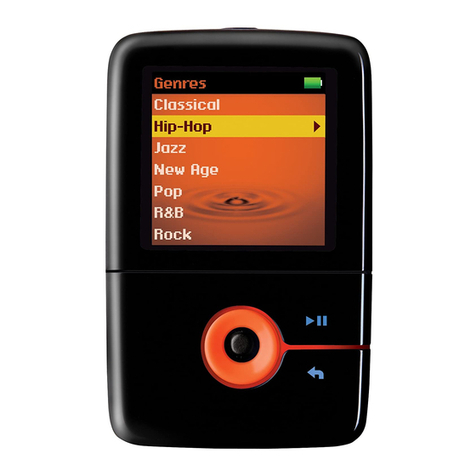
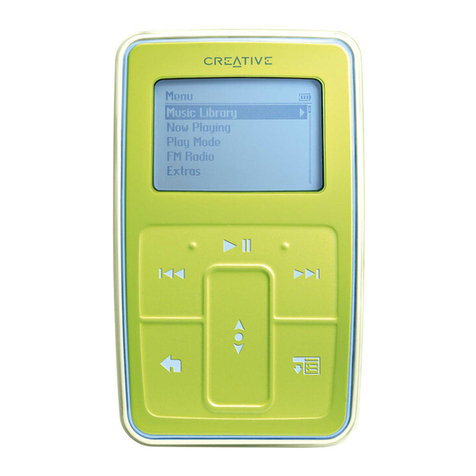
  9. Creative ZEN MOZAIC EZ User manual

Creative ZEN MOZAIC EZ User manual

This manual suits for next models

1

Other Creative MP3 Player manuals
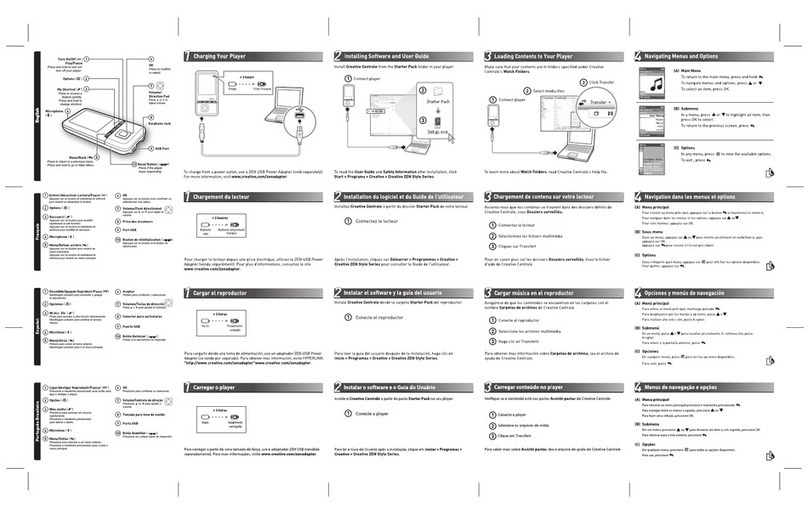
Creative ZEN Mozaic User manual

Creative

Creative ZEN Mozaic User manual

Creative Nomad Muvo2 User manual

Creative

Creative Nomad Muvo2 User manual

Creative MuVo None User manual

Creative

Creative MuVo None User manual

Creative Muvo V200 QSG User manual

Creative

Creative Muvo V200 QSG User manual

Creative ZENstyle User manual

Creative

Creative ZENstyle User manual

Creative ZEN Zen V 1GB User manual

Creative

Creative ZEN Zen V 1GB User manual

Creative ZEN VISION-M - User manual

Creative

Creative ZEN VISION-M - User manual

Creative ZEN Style 100 User manual

Creative

Creative ZEN Style 100 User manual

Creative ZEN X-Fi2 User manual

Creative

Creative ZEN X-Fi2 User manual

Creative ZEN MICRO SE User manual

Creative

Creative ZEN MICRO SE User manual

Creative ZEN ZEN Touch 20GB User manual

Creative

Creative ZEN ZEN Touch 20GB User manual

Creative NOMAD Jukebox ZEN NX 20GB User manual

Creative

Creative NOMAD Jukebox ZEN NX 20GB User manual

Creative ZEN Zen X-Fi 16GB User manual

Creative

Creative ZEN Zen X-Fi 16GB User manual

Creative Sound Blaster Audigy 2 Platinum eX User manual

Creative

Creative Sound Blaster Audigy 2 Platinum eX User manual

Creative Muvo Muvo NX 128MB User manual

Creative

Creative Muvo Muvo NX 128MB User manual

Creative NOMAD II User manual

Creative

Creative NOMAD II User manual

Creative MuVo V100 User manual

Creative

Creative MuVo V100 User manual

Creative ZEN Zen Vision User manual

Creative

Creative ZEN Zen Vision User manual

Creative MuVo V100 User manual

Creative

Creative MuVo V100 User manual

Creative ZEN User manual

Creative

Creative ZEN User manual

Creative TRAVELSOUND I85 User manual

Creative

Creative TRAVELSOUND I85 User manual

Creative Muvo Micro N200 User manual

Creative

Creative Muvo Micro N200 User manual

Creative Rhomba 256MB User manual

Creative

Creative Rhomba 256MB User manual
Creative Rhomba NX User manual

Creative

Creative Rhomba NX User manual

Popular MP3 Player manuals by other brands

Blaupunkt Compact Drive MP3 operating instructions

Blaupunkt

Blaupunkt Compact Drive MP3 operating instructions

Memorex MMP9008 - 8GB USB 2.0 user guide

Memorex

Memorex MMP9008 - 8GB USB 2.0 user guide

Meizu Electronic Technology E5 user manual

Meizu Electronic Technology

Meizu Electronic Technology E5 user manual

Naxa NMV-173NX user manual

Naxa

Naxa NMV-173NX user manual

Philips PSA250 Specifications

Philips

Philips PSA250 Specifications

Zipy go! Waving user guide

Zipy

Zipy go! Waving user guide

Sylvania SMPK4068 manual

Sylvania

Sylvania SMPK4068 manual

Sony NW-MS7 - Memory Stick Walkman Service manual

Sony

Sony NW-MS7 - Memory Stick Walkman Service manual

Irradio RF-42UC user manual

Irradio

Irradio RF-42UC user manual

NABAIJI SWIM MUSIC 100 user guide

NABAIJI

NABAIJI SWIM MUSIC 100 user guide

Laser MP3-A9-4GB user manual

Laser

Laser MP3-A9-4GB user manual

Samsung YP-T7F Service manual

Samsung

Samsung YP-T7F Service manual

Savant SMS-1001-00 Deployment guide

Savant

Savant SMS-1001-00 Deployment guide

Trevi XP 71 BT user guide

Trevi

Trevi XP 71 BT user guide

MobiBlu DAH-1500i user manual

MobiBlu

MobiBlu DAH-1500i user manual

Denver MPS-201 user manual

Denver

Denver MPS-201 user manual

Steren MP3-002 instruction manual

Steren

Steren MP3-002 instruction manual

Kenwood M1GD50 instruction manual

Kenwood

Kenwood M1GD50 instruction manual

https://manuals.online logo
https://manuals.online logoBrands
  • About & Mission
  • Contact us
  • Privacy Policy
  • Terms and Conditions

Copyright 2026 Manuals.Online. All Rights Reserved.

PN 03PF244100001RevB
Creative Centrale
DO NOT disconnect your player when this icon
animates during file transfer.
Select media
files
2
Click Transfer
3
6
Loading Music to Your Player
1. On the main menu,
select System →Language.
2. Select the language you want,
and press OK.
1. On the main menu,
select Extras →Date & Time.
2. Press and select Set Time
or Set Date.
3. Use the Direction Pad to
select a time or date field.
4. Press or to change the value
of the field, and press OK.
Set Menu
Language
To Steps
Set Date and
Time
To Steps
1. Press .
2. Select Turn on Speaker or
Turn off Speaker.
Turn On/Off
the Speaker
1. Connect the earphones
to your player.
2. On the main menu,
select FM Radio.
3. Press and select Autoscan.
4. When prompted to start
the autoscan, select Yes.
Set FM Radio
Channels
Setting Basic Functions More Information
7
Connect player
1
To receive FM radio signals when you listen to the
radio through the speaker, connect your
earphones to the player.
The FM radio and speaker options are available
on selected models only.
NOTE
EZ Series
EnglishEnglish
Nederlands
Français
Italiano
Deutsch Español
Quick Start
Démarrage rapideDémarrage rapide
SchnellstartSchnellstart
Guida Quick StartGuida Quick Start
Guía rápidaGuía rápida
Snel aan de slagSnel aan de slag
To download the latest software, firmware, and User’s Guide, visit
www.creative.com/zenmozaic-ez/GetStarted.
For information on resolving issues with your player, visit
www.creative.com/mp3playerrecoverytool.
To register your player, visit www.creative.com/registration.
Please note that warranty rights are not dependent on product registration.
For Creative’s Customer Support services, visit
www.creative.com/support.
Take good care of your hearing. Avoid listening to music at very
loud volume. To learn more on listening safely, read the User’s
Guide and the Safety information.
5