manuals.online logo
Brands
  1. Home
  2. •
  3. Brands
  4. •
  5. Datalogic
  6. •
  7. Scanner Accessories
  8. •
  9. Datalogic GFC-2 00 Series User manual

Datalogic GFC-2 00 Series User manual

This manual suits for next models

2

Other Datalogic Scanner Accessories manuals

Datalogic PowerScan BC9620 User manual

Datalogic

Datalogic PowerScan BC9620 User manual

Datalogic AUTOSENSE FLEX STAND Technical manual

Datalogic

Datalogic AUTOSENSE FLEX STAND Technical manual

Popular Scanner Accessories manuals by other brands

Epson B813112 Use guide

Epson

Epson B813112 Use guide

Epson B813152 Use guide

Epson

Epson B813152 Use guide

THORLABS MLS203-1 user guide

THORLABS

THORLABS MLS203-1 user guide

Hasselblad Flextight 848 user guide

Hasselblad

Hasselblad Flextight 848 user guide

Hasselblad Flextight 949 user guide

Hasselblad

Hasselblad Flextight 949 user guide

HP Scanjet 5370C Series Instructions for installing and using

HP

HP Scanjet 5370C Series Instructions for installing and using

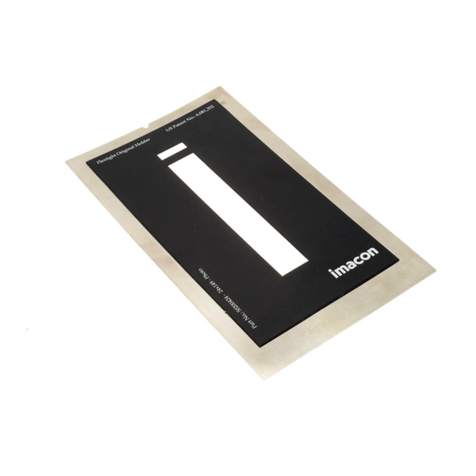
imacon Flextight Damaged Original Kit instructions

imacon

imacon Flextight Damaged Original Kit instructions

Opticon MDI-2300 Integration guide

Opticon

Opticon MDI-2300 Integration guide

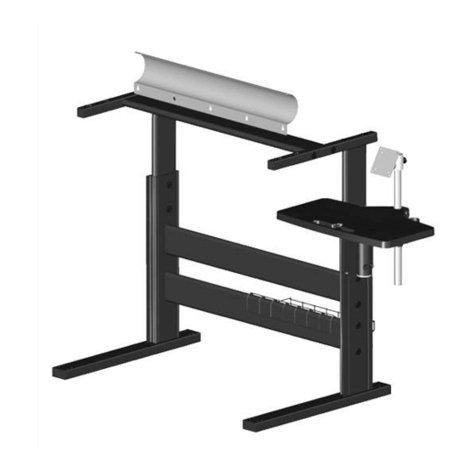
Colortrac MK4 UNIVERSAL REPRO STAND Assembly instructions

Colortrac

Colortrac MK4 UNIVERSAL REPRO STAND Assembly instructions

Epson 1640XL - Expression Graphic Arts user manual

Epson

Epson 1640XL - Expression Graphic Arts user manual

Epson ES-1200C Pro PC user manual

Epson

Epson ES-1200C Pro PC user manual

Newland EM3080-W Integration guide

Newland

Newland EM3080-W Integration guide

HP Pro Scanner Output Tray user guide

HP

HP Pro Scanner Output Tray user guide

Colortrac P004243 Technical manual

Colortrac

Colortrac P004243 Technical manual

Symbol TRG 8800 manual

Symbol

Symbol TRG 8800 manual

Unitech RG760 quick start guide

Unitech

Unitech RG760 quick start guide

BASETech 53 05 30 operating instructions

BASETech

BASETech 53 05 30 operating instructions

Leica LMT260 XY user manual

Leica

Leica LMT260 XY user manual

manuals.online logo
manuals.online logoBrands
  • About & Mission
  • Contact us
  • Privacy Policy
  • Terms and Conditions

Copyright 2025 Manuals.Online. All Rights Reserved.

GFC-2x00 Mounting Instructions
to 2KN Scanners produced before August 2009
When mounting GFC-2x00 to a 2KN family
scanner produced before August 2009 (see
product label), only the following items are
used for mounting:
Deflection Mirror bag 1
Fixing Screws in bag 1
For this mounting procedure the parts in
bag 2 (90°/105° scanning window and
fixing screws) are not used
1) Remove the 2KN 0° scanning window
from the scanner by unscrewing the two
cover screws.
CAUTION
Avoid any contact with the
deflection mirror, mirrored rotor,
the lenses or other optical
components; otherwise the
performance of the reader will
be reduced.
2) Fix the mirror (from bag 1) to the device
by means of the two fixing screws (from
bag 1).
3) Clean the mirror surface and reading
window with a clean soft cloth and
alcohol before closing the scanner.
4) Remount the 0° scanning window so
that the opening face is now at 90° with
respect to the scanner body. Tighten the
two cover screws.
Cover Screws
2KN Scanner Without Deflection Mirror
Fixing Screws
Deflection Mirror
Mounting Deflection Mirror
2KN Scanner With Deflection Mirror
The reading position with respect to the
scanner is shown for each mirror.
Laser Beam
GFC-2000
105° ± 2°
90° ± 2° GFC-2100
Laser Beam Output Position

821001610
GFC-2x00 Mounting Instructions
to 2KN Scanners produced before August 2009
When mounting GFC-2x00 to a 2KN family
scanner produced before August 2009 (see
product label), only the following items are
used for mounting:
Deflection Mirror bag 1
Fixing Screws in bag 1
For this mounting procedure the parts in
bag 2 (90°/105° scanning window and
fixing screws) are not used
1) Remove the 2KN 0° scanning window
from the scanner by unscrewing the two
cover screws.
CAUTION
Avoid any contact with the
deflection mirror, mirrored rotor,
the lenses or other optical
components; otherwise the
performance of the reader will
be reduced.
2) Fix the mirror (from bag 1) to the device
by means of the two fixing screws (from
bag 1).
3) Clean the mirror surface and reading
window with a clean soft cloth and
alcohol before closing the scanner.
4) Remount the 0° scanning window so
that the opening face is now at 90° with
respect to the scanner body. Tighten the
two cover screws.
Cover Screws
2KN Scanner Without Deflection Mirror
Fixing Screws
Deflection Mirror
Mounting Deflection Mirror
2KN Scanner With Deflection Mirror
The reading position with respect to the
scanner is shown for each mirror.
Laser Beam
GFC-2000
105° ± 2°
90° ± 2° GFC-2100
Laser Beam Output Position

821001610
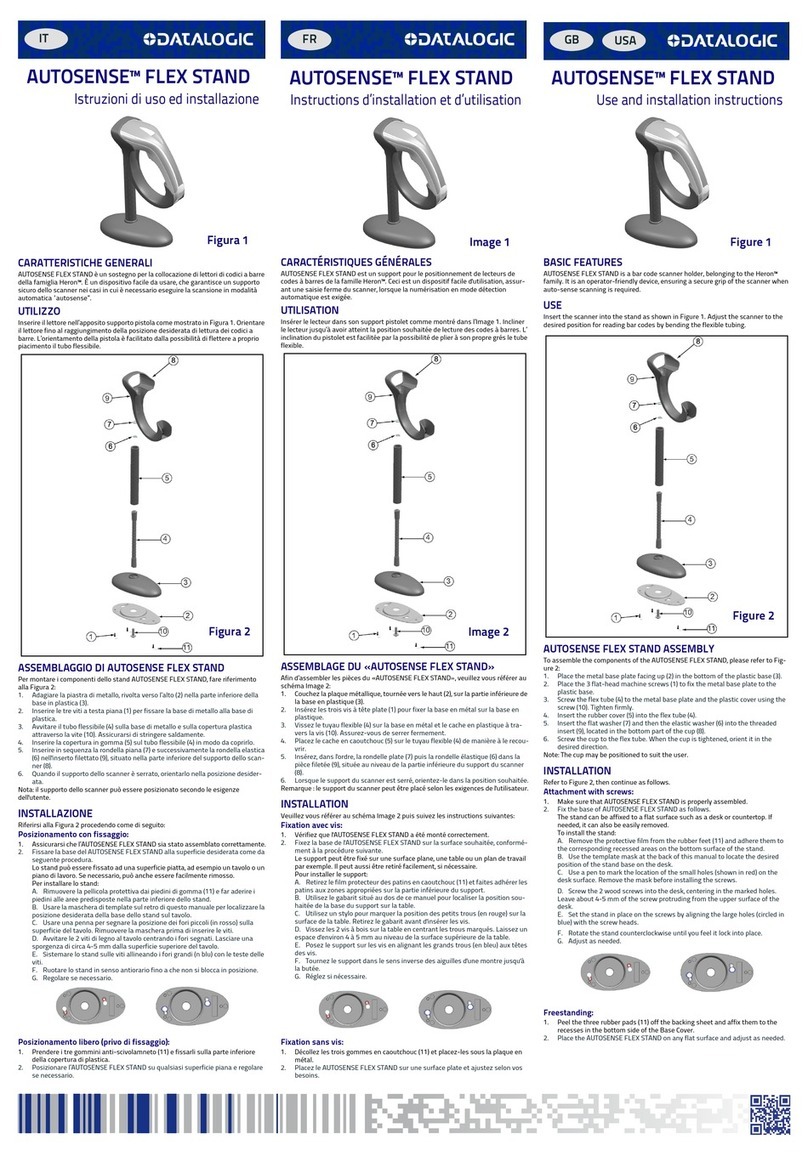
GFC-2x00 Mounting Instructions
to 2KN Scanners produced in or after August 2009
When mounting GFC-2x00 to a 2KN family
scanner produced in or after August 2009
(see product label), only the following items
are used for mounting:
Deflection Mirror bag 1
Fixing Screws in bag 2
90°/105° Scanning Window in bag 2
0° Scanning Window 90°/105°Scanning Window
(original scanner part)
1) Remove the 2KN 0° scanning window
from the scanner by unscrewing the two
cover screws.
CAUTION
Avoid any contact with the
deflection mirror, mirrored rotor,
the lenses or other optical
components; otherwise the
performance of the reader will
be reduced.
2) Fix the mirror (from bag 1) to the device
by means of the two fixing screws (from
bag 2).
3) Clean the mirror surface and reading
window with a clean soft cloth and
alcohol before closing the scanner.
4) Mount the 90°/105° scanning window
(from bag 2) so that the opening face is
now at 90° with respect to the scanner
body. Tighten the two cover screws.
Cover Screws
2KN Scanner Without Deflection Mirror
Fixing Screws
Deflection Mirror
Mounting Deflection Mirror
2KN Scanner With Deflection Mirror
The reading position with respect to the
scanner is shown for each mirror.
Laser Beam
GFC-2000
105° ± 2°
90° ± 2° GFC-2100
Laser Beam Output Position
GFC-2x00 Mounting Instructions
to 2KN Scanners produced in or after August 2009
When mounting GFC-2x00 to a 2KN family
scanner produced in or after August 2009
(see product label), only the following items
are used for mounting:
Deflection Mirror bag 1
Fixing Screws in bag 2
90°/105° Scanning Window in bag 2
0° Scanning Window 90°/105°Scanning Window
(original scanner part)
1) Remove the 2KN 0° scanning window
from the scanner by unscrewing the two
cover screws.
CAUTION
Avoid any contact with the
deflection mirror, mirrored rotor,
the lenses or other optical
components; otherwise the
performance of the reader will
be reduced.
2) Fix the mirror (from bag 1) to the device
by means of the two fixing screws (from
bag 2).
3) Clean the mirror surface and reading
window with a clean soft cloth and
alcohol before closing the scanner.
4) Mount the 90°/105° scanning window
(from bag 2) so that the opening face is
now at 90° with respect to the scanner
body. Tighten the two cover screws.
Cover Screws
2KN Scanner Without Deflection Mirror
Fixing Screws
Deflection Mirror
Mounting Deflection Mirror
2KN Scanner With Deflection Mirror
The reading position with respect to the
scanner is shown for each mirror.
Laser Beam
GFC-2000
105° ± 2°
90° ± 2° GFC-2100
Laser Beam Output Position