10
Selecting functions
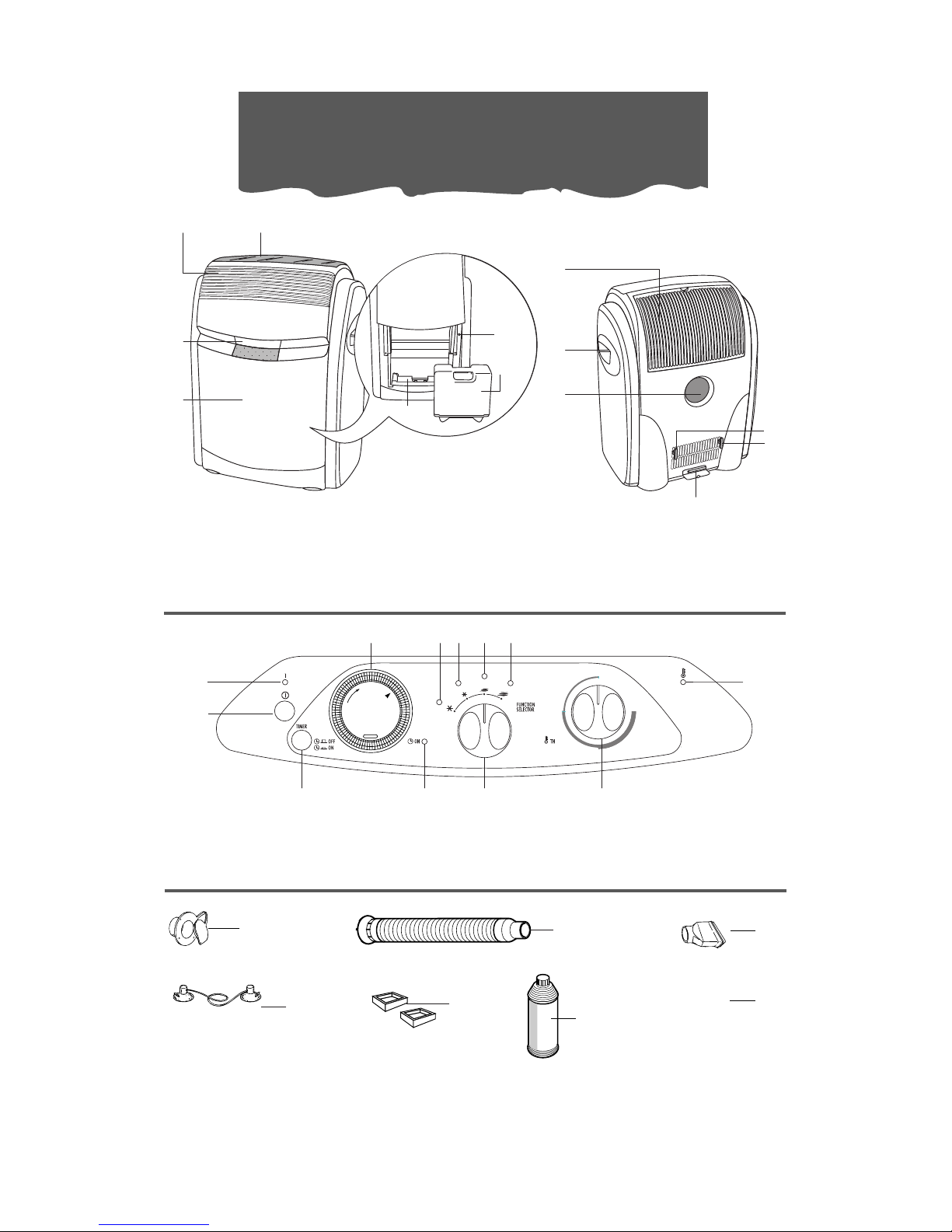
AIR CONDITIONING FUNCTIONS
To turn the unit on in air conditioning mode,
proceed as follows:
1. Press the button (the signal light “I”
will come on).
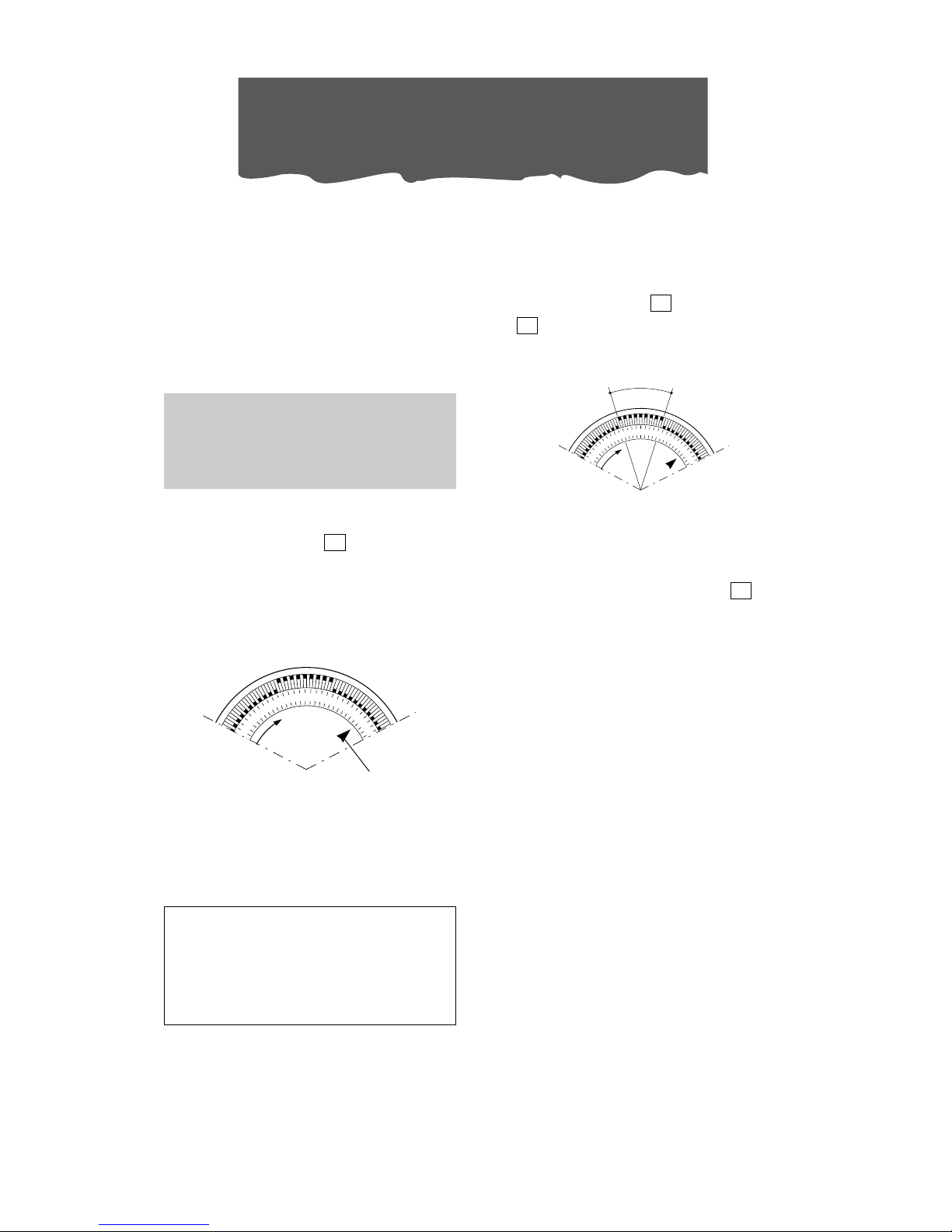
2. Rotate the function selector dial anti-
clockwise:
•Place the large star symbol in line with
the reference mark to operate the unit in
air conditioning mode at maximum fan
speed (the signal light will come on,
and then, after 3 minutes the signal light
will come on ).
•Place the small star symbol in line with
the reference mark to operate the unit in
air conditioning mode at minimum fan
speed (the signal light will come on,
and then, after 3 minutes the signal light
will come on ).
3. Now set the required temperature by rota-
ting the room thermostat dial .
Note
The temperature is not expressed in degrees.
We recommend that you turn the thermostat
dial to the maximum position. When the desi-
red room temperature has been reached,
slowly turn the thermostat in a clockwise
direction until it arrives at the position where a
click can be heard. The signal lights and
(or ) will turn off.
The temperature selected in this way will
automatically be regulated and maintained,
and save energy. When regulating the ther-
mostat, the air conditioning function is tem-
porarily interrupted and the unit continues to
operate in fan only mode. In this way, the
appliance keeps the air temperature within
the room even.
Delay on Start Up
1. A special safety device will delay the start
of air conditionig by approximately 3 to 5
minutes when switching between func-
tions or on initial start up.
2. You may also experience a slight delay
between changing from one function to
another.
1918
24
23
19
24
18
24
22
13
14
VENTILATION/FILTRATION
Rotate the function selector clockwise.
•Press the button (the signal light “I”
will come on).
•Place the large symbol in line with the
reference mark to operate the unit at maxi-
mum fan speed. (the signal light will come
on).
• Place the small symbol in line with the
reference mark to operate the unit at
minimum fan speed. (the signal light
will come on).
PURIFICATION FILTER
In addition to dust, this purification filter is able
to capture even the smallest sized particles
and impurities (up to 0.003 millimetres), such
as cigarette smoke.
The purification filter should never be used
with the dust filter, which is also included with
the appliance. Therefore:
A. If you wish to use the purification filter:
Remove the purification filter from the filter
housing;
Remove the aspiration grill (fig. G on page
12) and the dust filter which is attached to this.
Remove the purification filter from its packaging.
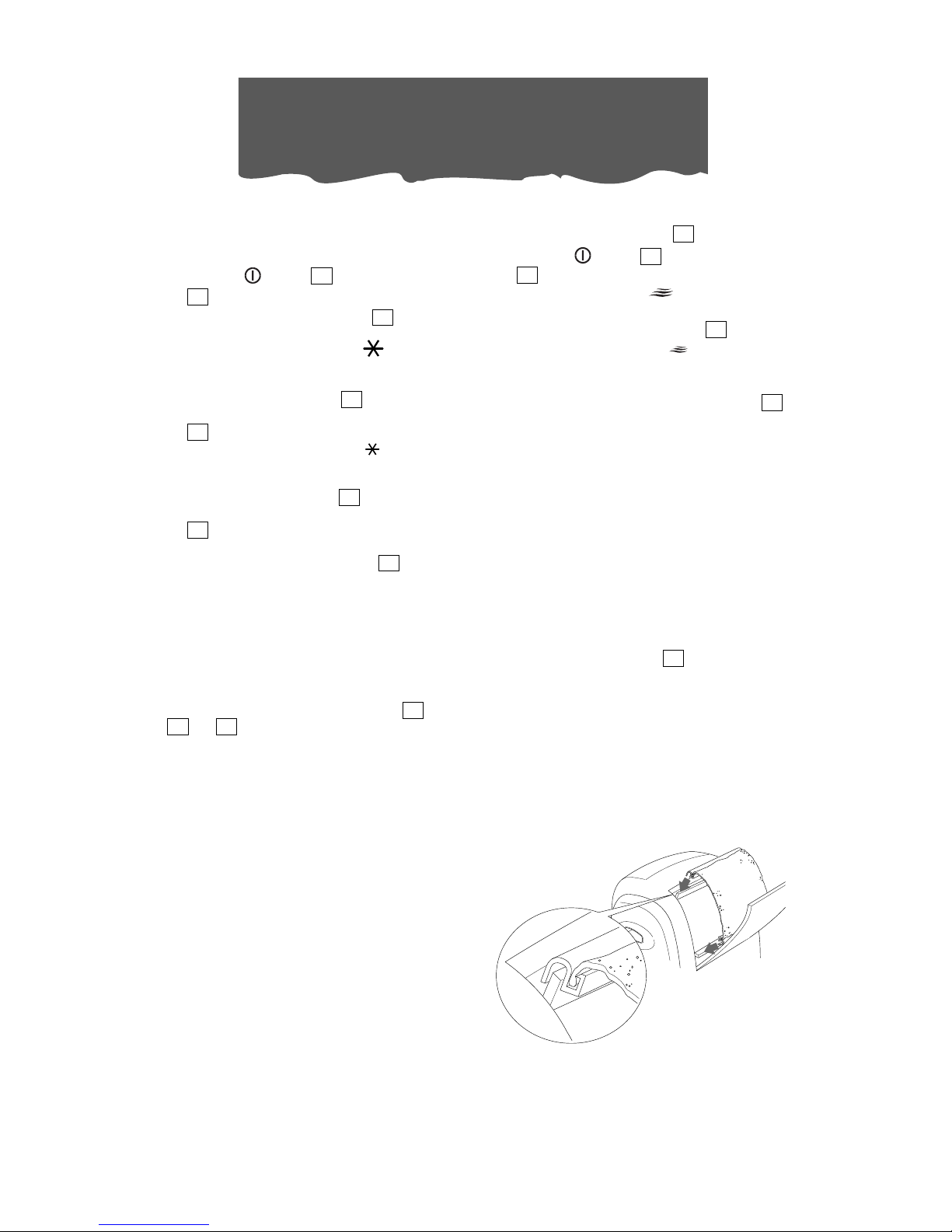
Anchor the filter to the appliance by atta-
ching the two plastic pieces on the filter to
the special supports on the air conditioner
(see the illustration below).
Set the dust filter aside.
B. If the dust filter is sufficient:
Remove the purification filter from the filter
8
20
21
13
14
22