dji SPARK REMOTE CONTROLLER C2 User manual

SPARK
Remote Controller C2
2017.04V1.0
User Guide
使用说明
使用說明
ユーザーガイド
사용자 가이드
Bedienungsanleitung
Guía de usuario
Guide de l'utilisateur
Guida dell'utente
Gebruiksaanwijzing
Manual do utilizador
Руководство пользователя

2
EN
Disclaimer
Congratulations on purchasing your new DJITM product. The information in this
document affects your safety and legal rights and responsibilities. Read this entire
document carefully to ensure proper configuration before use. Failure to read and
follow instructions and warnings in this document may result in serious injury to yourself
or others, damage to your DJI product, or damage to other objects in the vicinity.
This document and all other collateral documents are subject to change at the sole
discretion of DJI. For the latest product information, please go to http://www.dji.com
and visit the ofcial page for this product.
By using this product, you hereby signify that you have read this disclaimer and warning
carefully and that you understand and agree to abide by the terms and conditions herein.
You agree that you are solely responsible for your own conduct while using this product,
and for any consequences thereof. You agree to use this product only for purposes
that are proper and in accordance with all applicable laws, rules, and regulations, and
all terms, precautions, practices, policies and guidelines DJI has made and may make
available. Users shall observe safe and lawful practices including, but not limited to,
those set forth in this document.
Notwithstanding above, your statutory rights under applicable national legislation are not
affected by this disclaimer.
DJI is a trademark of SZ DJI TECHNOLOGY CO., LTD. (abbreviated as “DJI”) and its
affiliated companies. Names of products, brands, etc. appearing in this document are
trademarks or registered trademarks of their respective owner companies. This product
and document are copyrighted by DJI with all rights reserved. No part of this product or
document shall be reproduced in any form without the prior written consent or authorization
of DJI.
Warning
1. Always ensure the remote controller is fully charged before each ight.
2. If the remote controller is powered on and has NOT been used for 5 minutes, it will
sound an alert. After 6 minutes it will automatically power off. Move the sticks or
perform some other action to cancel the alert.
3. Adjust the mobile device clamp to allow a rm grip on your mobile device.
4. Ensure the antennas of the remote controller are unfolded and adjusted to the proper
position to achieve optimal transmission quality.
5. Repair or replace the remote controller if damaged. A damaged remote controller
antenna will greatly decrease performance.
6. Fully charge the battery at least once every three months to maintain battery health.
Introduction
SPARK™’s remote controller features a brand new, amplied Wi-Fi signal transmission
system, capable of controlling the aircraft* and the gimbal camera at a maximum
transmission range of 1.2 mi (2 km)**. The remote controller can connect to a mobile
device wirelessly and display a live video feed via the DJI GO™ 4 app. The folding
mobile device clamp allows you to secure your mobile device. Maximum remote
controller battery life is approximately 2.5 hours**.

3
EN
1. Sport Mode Switch
2. Function Button
3. Control Sticks
4. Antennas
5. Power Button
6. Mobile Device Clamp
7. Power Port (Micro USB)
8. Flight Pause Button
9. RTH Button
10. Status LED
11. Battery Level LEDs
1
23
4
5
6
7
9
14
8
12 13
10
11
15
12. Gimbal Dial
13. Customizable Button
14. Record Button
15. Shutter Button
1
23
4
5
6
7
9
14
8
12 13
10
11
15
* Spark's remote controller is currently only compatible with Spark aircraft.
**The remote controller can reach its maximum transmission distance (FCC) in a wide open area
with no Electro-Magnetic interference and at an altitude of about 120 meters. Maximum ight time
was tested in windless conditions ying at a constant speed of 12.4 mph (20 kph). This value
should be taken for reference only.
1. Checking Battery Level and Charging
Checking Battery Level
Low High
Press the Power Button once to check the current battery level. Press once, then again
and hold to turn on/off the remote controller.
Charging the Battery
It takes approximately 2 hours to fully charge the remote controller.
Micro USB Port USB Charger Power Outlet 100~240V

4
EN
2. Linking
The aircraft and the remote controller are linked before shipment if you purchase the
Spark Combo (with the remote controller included). To link a remote controller to Spark,
follow the instructions below:
1
2
Unfold the antennas and the mobile device clamps Attach a mobile device
1
2
Connect the mobile device to the remote controller Wi-Fi network
DJI GO 4
App
Spark_RC-xxxx
Power on the
aircraft and the
remote controller
Connect to
the Wi-Fi
Launch the DJI
GO 4 app
Tap GO FLY to enter
the main page
Power on the aircraft and the remote controller. Wait until aircraft status
indicators blink yellow.
Press and hold the power button of the Intelligent Flight Battery for 3 sec.
Release the button by hearing a single beep. Then the front LEDs blink red.
Ensure the remote controller is within 16.4 ft (5 m) of the aircraft during linking.
Apart from using the remote controller to y, you may also control the aircraft
using Virtual Joysticks with just your mobile device. However, while the remote
controller is linked to the aircraft, Virtual Joystick control will be disabled. You
may enable Virtual Joysticks by pressing and holding the power button of the
Intelligent Flight Battery for 6 sec until hearing a double beep to disconnect
the remote controller and the aircraft. Please refer to the Spark User Manual for
detailed information.
3. Preparing the Remote Controller
Press and hold the Flight Pause Button, the Function Button and the
Customizable Button simultaneously. When the alarm turns to a quick
single beep after an alternating single and double beep, linking has
begun.
Then the front LEDs turn solid red after blinking green. When the status
LED on the remote controller turns solid green, linking is complete.

EN
4. Flight
The default Stick Mode is Mode 2. In Mode 2, the left stick controls the aircraft's
altitude and heading, while the right stick controls forward, backward, and left and right
movements.
Specications
Operating Frequencies 2.412-2.462 GHz; 5.745-5.825 GHz
Max Transmission Distance
(unobstructed, free of interference)
2.4 GHz: 1.2 mi (2 km, FCC); 0.31 mi (0.5 km, CE);
0.31 mi (0.5 km, SRCC)
5.8 GHz: 1.2 mi (2 km, FCC); 0.19 mi (0.3 km, CE);
0.75 mi (1.2 km, SRCC)
Operating Temperature Range 32° - 104℉ (0° - 40℃)
Built-in Battery 2970mAh
Operating Voltage 950 mA @3.7 V
Supported Mobile Device Size Thickness supported: 6.5mm-8.5mm;
Max length: 160mm
Left Stick Right Stick
Up
Forward
Down
Turn Left Turn Right
Backward
Left Right
The Combination Stick Command
(CSC) can be used to start or stop the
motors.
Takeoff
Push the left stick up slowly to
takeoff.
Landing
Pull the left stick down slowly until you
touch the ground. Hold the left stick down
for a few seconds to stop the motors.

6
CHS
免责声明
感谢您购买 DJI™ 产品。本文所提及的内容关系到您的安全以及合法权益与责任。使用本
产品之前,请仔细阅读本文以确保已对产品进行正确的设置。不遵循和不按照本文的说明
与警告来操作可能会给您和周围的人带来伤害,损坏本产品或其它周围的物品。本文档及
本产品所有相关的文档最终解释权归大疆 ™创新(DJI)所有。如有更新,恕不另行通知。
请访问 www.dji.com 官方网站以获取最新的产品信息。
一旦使用本产品,即视为您已经仔细阅读本免责声明与警告,理解、认可和接受本声明全
部条款和内容。您承诺对使用本产品以及可能带来的后果负全部责任。您承诺仅出于正当
目的使用本产品,并且同意本条款以及大疆创新(DJI)制定的任何相关条例、政策和指引。
大疆创新(DJI)对于直接或间接使用本产品而造成的损坏、伤害以及任何法律责任不予
负责。用户应遵循包括但不限于本文提及的所有安全指引。
即使存在上述规定,消费者权益依然受当地法律法规所保障,并不受本免责声明影响。
DJI 是深圳市大疆创新科技有限公司及其关联公司的商标。本文出现的产品名称、品牌等,
均为其所属公司的商标或注册商标。本产品及手册为大疆创新版权所有。未经许可,不得
以任何形式复制翻印。
产品注意事项
1. 每次飞行前,确保遥控器电量充满。
2. 遥控器闲置 5分钟后将发出报警,闲置超过 6分钟将自动关机。拨动摇杆可让遥控器
回复为正常工作状态。
3. 使用遥控器上的手柄时,务必压紧避免移动设备滑落。
4. 确保遥控器天线展开并调整到合适的位置,以获得最佳的通信效果。
5. 遥控器天线如有损坏将影响使用性能,请及时返修。
6. 每隔 3个月左右重新充电一次以保持电池活性。
认识您的遥控器
SPARK™ 遥控器使用全新增强型 Wi-Fi 技术,配合完备的功能按键,可在最大 2千米 *
通信距离内完成飞行器 ** 与相机的各种操作与设置。遥控器通过无线方式连接移动设备,
并可通过 DJI GO™ 4 App 在移动设备实时显示高清画面。折叠式手柄可稳定放置移动设
备。遥控器最长可工作时间约为 2.5 小时 *。
1. 运动模式开关
2. 功能按键
3. 摇杆
4. 天线
5. 电源按键
6. 手柄
7. 充电接口(Micro USB)
8. 急停按键
9. 智能返航按键
10. 状态指示灯
11. 电量指示灯
1
23
4
5
6
7
9
14
8
12 13
10
11
15

7
CHS
* 在开阔无遮挡、电磁干扰的环境飞行,并且飞行高度为 120 米左右,在 FCC 标准下遥控器可以达
到最大通信距离。最长工作时间为实验环境下测得,仅供参考。
** Spark 遥控器目前仅支持配合 Spark 飞行器使用。
12. 云台俯仰控制拨轮
13. 自定义功能按键
14. 录影按键
15. 拍照按键
1
23
4
5
6
7
9
14
8
12 13
10
11
15
1. 检查电量及充电
检查电量
短按一次电源按键,查看电量。短按一次电源按键,再长按 2秒以开启、关闭遥控器。
充 电
完全充满约需 2小时
2. 对频
Spark 飞行器(含遥控器)套装在出厂时已完成飞行器和遥控器对频。其他情况,请按照
以下步骤连接遥控器和飞行器。
低 高
Micro USB 接口 电源适配器(自备) 交流电源 100~240V
开启飞行器及遥控器,等待飞行器状态指示灯呈黄灯闪烁。
长按飞行器电池开关约 3秒,听到“嘀”一声后松开。此时机头指示灯呈
红灯闪烁。
同时按下急停按键、功能按键和自定义功能按键,等待遥控器提示音变为
B.B.B.B.B... 对频开始。
机头指示灯绿灯闪烁,然后呈红灯常亮,且遥控器状态指示灯绿灯常亮,
对频成功。

8
CHS
展开天线、手柄 安装移动设备
使用移动设备 Wi-Fi 连接遥控器和移动设备
DJI GO 4
App
Spark_RC-xxxx
4. 飞行
遥控器出厂默认操控方式为“美国手”。左摇杆控制飞行高度与方向,右摇杆控制飞行器
的前进,后退以及左右飞行方向。
1
2
开启飞行器
和遥控器
移动设备连接
遥控器 Wi-Fi
运行 DJI GO 4 App 点击开始飞行
进入操控界面
左摇杆 右摇杆
上升
左转 右转 左 右
前
后
下降
对频过程中,请保持遥控器与飞行器距离在 5米内。
若飞行器与遥控器成功对频,则移动设备无法连接飞行器,其虚拟摇杆功能将不
能使用。如需使用移动设备虚拟摇杆功能控制飞行器,请长按智能飞行电池开关
约6秒直到听到“嘀嘀”声断开飞行器与遥控器的连接。更多方法,请参见《Spark
用户手册》。
3. 准备遥控器

CHS
掰杆动作:
电机启动 /停止
起飞
缓慢向上推动油门杆
(默认左摇杆)飞行器起飞。
降落
向下拉动油门杆至飞行器落地,
在最低位置保持 2 秒,电机停止。
技术规格
工作频率 2.412-2.462 GHz;5.745-5.825 GHz
信号有效距离
(无干扰、无遮挡 )
2.4 GHz: 2000 m (FCC); 500 m (CE); 500 m(SRCC)
5.8 GHz: 2000 m (FCC); 300 m (CE); 1200 m (SRCC)
工作环境温度 0℃至40℃
电池2970 mAh
工作电流 /电压 950 mA @3.7 V
支持移动设备 厚度 6.5-8.5 mm,最大长度 160 mm

10
CHT
免責聲明
感謝您購買 DJI™ 產品。本文所提及的內容關係到您的安全及合法權益與責任。使用本產
品之前,請仔細閱讀本文以確保已對產品進行正確的設定。若未遵循及未按照本文的說明
與警告來操作,可能會對您和周圍的人造成傷害,損壞本產品或其它鄰近的物品。本文件
及本產品所有相關文件的最終解釋權歸大疆 ™ 創新 (DJI) 所有。如有更新,恕不另行通知。
請前往 www.dji.com 官方網站以獲取最新的產品資訊。
一旦使用本產品,即視為您已經仔細閱讀本免責聲明與警告,理解、認可和接受本聲明全
部條款和內容。您承諾對使用本產品及可能帶來的後果負全部責任。您承諾僅出於正當目
的使用本產品,並且同意本條款以及大疆創新 (DJI) 制定的任何相關條例、政策和指南。
大疆創新 (DJI) 對於直接或間接使用本產品而造成的損壞、傷害及任何法律責任概不負責。
使用者應遵循包括但不限於本文提及的所有安全指南。
即使存在上述規定,消費者權益依然受當地法律法規所保障,並不受本免責聲明影響。
DJI 是深圳市大疆創新科技有限公司及其附屬公司的商標。本文出現的產品名稱、品牌等,
均為其所屬公司的商標或註冊商標。本產品及手冊之版權為大疆創新所有。未經許可,不
得以任何形式複製翻印。
產品注意事項
1. 每次飛行前,確定遙控器電池已充飽電。
2. 遙控器閒置 5 分鐘後將發出警告,閒置超過 6 分鐘將自動關機。撥動搖桿可讓遙控器
回復為正常運作狀態。
3. 使用遙控器上的把手時務必壓緊,以免行動裝置滑落。
4. 確定遙控器天線已展開並調整到合適位置,以取得最佳通訊效果。
5. 遙控器天線如有損壞將影響使用性能,請及時送修。
6. 請每 3 個月左右重新充電一次,以保持電池活性。
認識您的遙控器
SPARK™ 遙控器使用全新加強型 Wi-Fi 技術,配合完備的功能按鈕,可在最大 2 千公尺 *
通訊距離內,完成航拍機 ** 與相機的各種操作與設定。遙控器透過無線方式連接行動裝置,
並可透過 DJI GO™ 4 應用程式在行動裝置上即時顯示高畫質畫面。折疊式把手可穩定放
置行動裝置。遙控器最長可運作時間約為 2.5 小時 *。
1. 運動模式開關
2. 功能按鈕
3. 搖桿
4. 天線
5. 電源按鈕
6. 把手
7. 充電連接埠 (Micro USB)
8. 急停按鈕
9. 智能返航按鈕
10. 狀態指示燈
11. 電量指示燈
1
23
4
5
6
7
9
14
8
12 13
10
11
15
Other manuals for SPARK REMOTE CONTROLLER C2
1
Table of contents
Languages:
Other dji Remote Control manuals
dji
dji RC Pro User manual
dji
dji RC Motion 2 User manual

dji
dji RC Plus User manual
dji
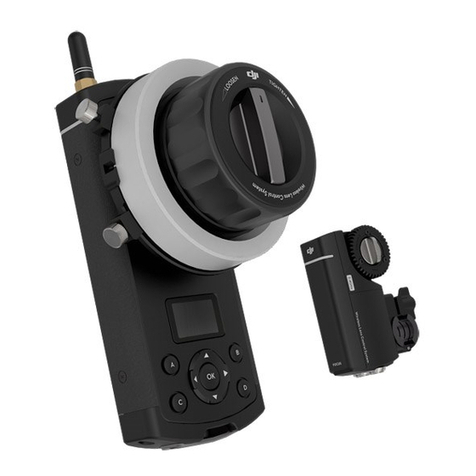
dji Focus User manual
dji
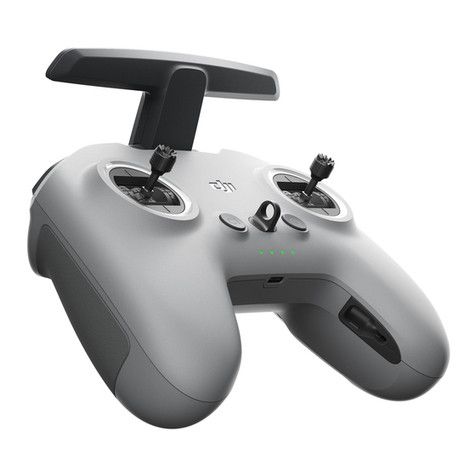
dji FPV Remote Controller 2 User manual
dji
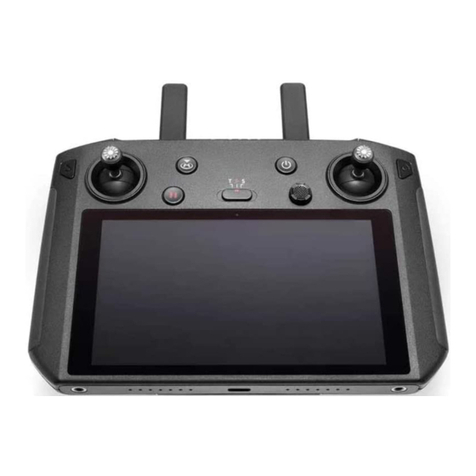
dji Smart Controller User manual

dji
dji Cendence User manual
dji
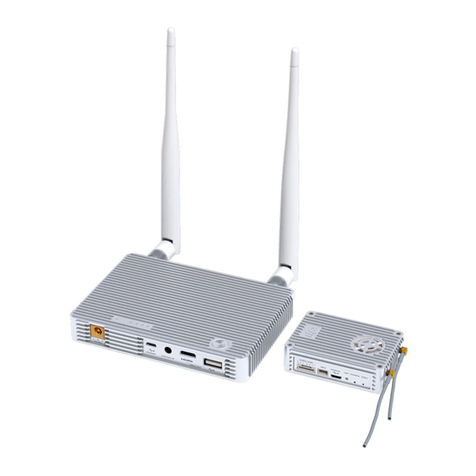
dji LIGHTBRIDGE User manual
dji
dji FOCUS CP.ZM.000238.02 User manual
dji
dji Matrice600 Series User manual