7
TO DELETE A MEMORY
Simply program a new station into that memory.
CHARGING CELL PHONES
The Raptor provides 5Volts DC out put at 500 mA for cell phone charging from
the USB socket on the unit. With the Raptor on or off, plug in your cell phone
and press and hold the button labeled CELL until CELL will appear on the left
center of the display. To stop charging, press and hold CELL for 4 seconds.
USING AND SETTING THE CLOCK,
THERMOMETER, ALTIMETER, DIGITAL
COMPASS, BAROMETER, CHRONOGRAPH,
ALTIMETER LOG AND ALARM
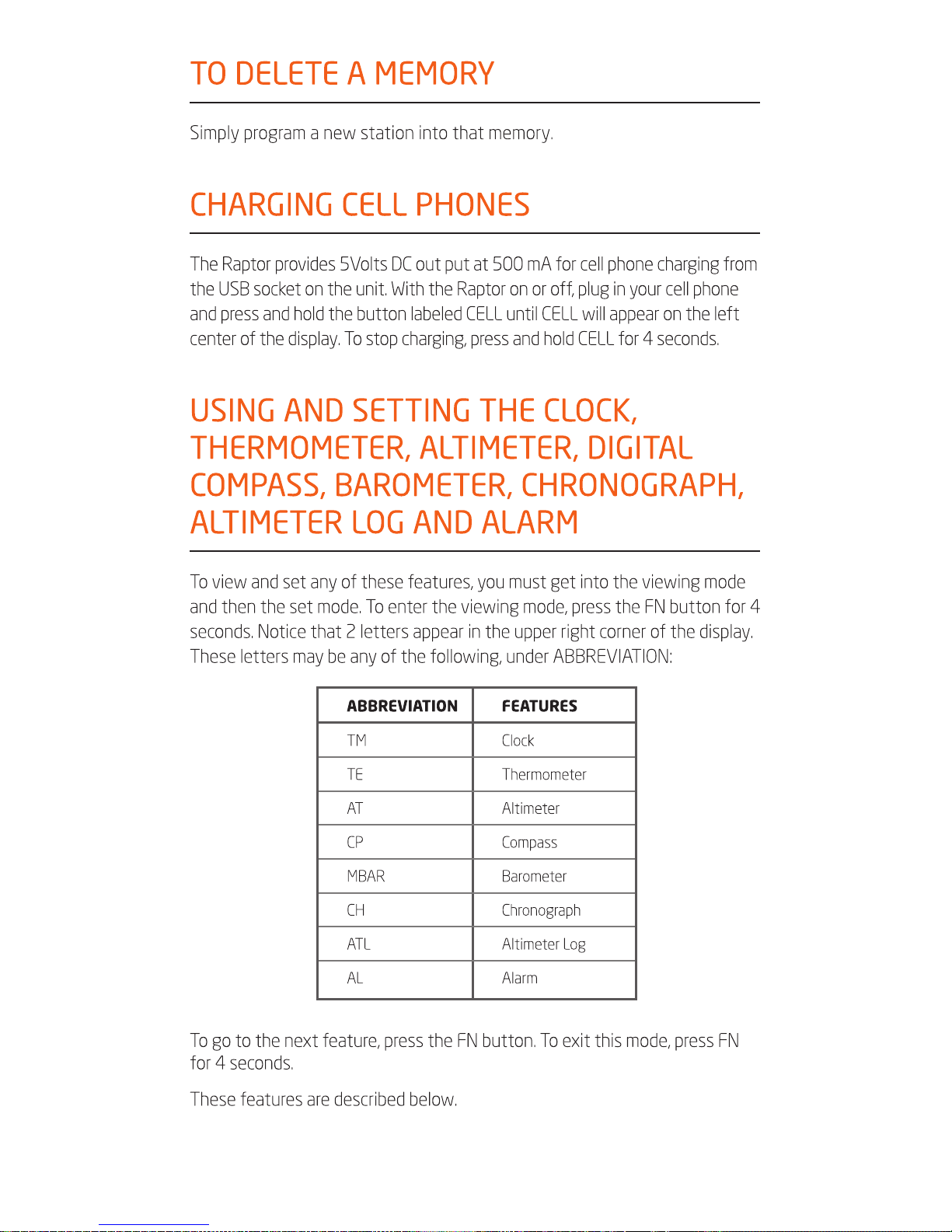
To view and set any of these features, you must get into the viewing mode
and then the set mode. To enter the viewing mode, press the FN button for 4
seconds. Notice that 2 letters appear in the upper right corner of the display.
These letters may be any of the following, under ABBREVIATION:
ABBREVIATION FEATURES
TM Clock
TE Thermometer
AT Altimeter
CP Compass
MBAR Barometer
CH Chronograph
ATL Altimeter Log
AL Alarm
To go to the next feature, press the FN button. To exit this mode, press FN
for 4 seconds.
These features are described below.