3
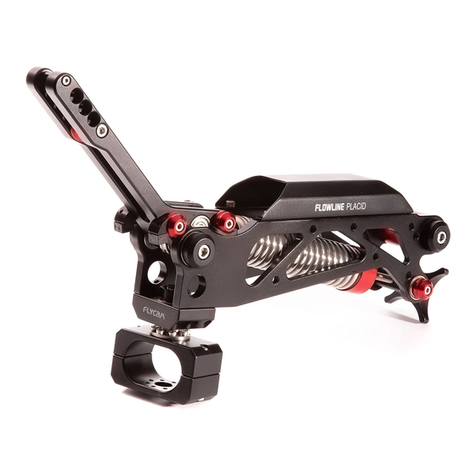
The arm tension is adjusted for the heaviest camcorder it can hold, so it does not bottom-out when you
put the camcorder and sled on it for the first time.
Now adjust Arm for the weight of your camcorder:
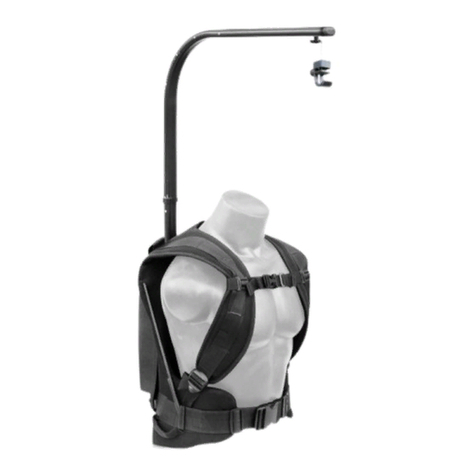
With the Vest On, attach Arm & unlock the rig.
Move Arm to the middle of its booming (up and down) range and let go (If it stays where it is, you are
probably close to the right adjustment).
Keep making small adjustments until the camcorder does not rise or fall when you let go of it in the
middle of its booming range.
Arm Adjustment
Posion arm
Move the camcorder to your left so the arm crosses your body.
Adjust the arc of your arm so the rig feels comfortable to you.
Keep the camcorder close to your body.
Bearing Maintenance
If aer some period of me the bearings stop running smoothly as when new, you can oil it with light
lubricang oil. We recommend using only a few drops, anything more than a lile will end up dripping
from bearing and onto the rest of your Arm. Be sure to keep the oil away from your Camera, and clean up
any over-spill when done.
Cleaning
Do not use solvents or harsh cleaners of any kind on Vista-II Arm & Vest. If the unit becomes dirty, use
only a cloth or sponge with water and a very mild detergent to gently rub the unit clean. Rinse well.
Storage
If you are going to store Flycam Vista-II Arm & Vest for a long period of me, then we recommend storing
it up-right in a dry or low-to-normal humidity area.
If you are unable to nd an environment like this, then we suggest you store the unit in an airght plasc
container or bag. Keeping the unit upright helps to lessen stress on the system.
Maintenance
For Interchanging the spring, Follow this video
hps://bit.ly/2SkeXP9