EnglishDeutsch
 logo
Brands
  1. Home
  2. •
  3. Brands
  4. •
  5. Flycam
  6. •
  7. Camera Accessories
  8. •
  9. Flycam FLCM-FLN-PA User manual

Flycam FLCM-FLN-PA User manual

Other manuals for FLCM-FLN-PA

1

Other Flycam Camera Accessories manuals

Flycam Vista-II Stabilizing Arm& Vest User manual

Flycam

Flycam Vista-II Stabilizing Arm& Vest User manual

Flycam FLCM-FLN-MSTR-FM User manual

Flycam

Flycam FLCM-FLN-MSTR-FM User manual

Flycam FLCM-GA User manual

Flycam

Flycam FLCM-GA User manual

Flycam FLCM-FLN-SM User manual

Flycam

Flycam FLCM-FLN-SM User manual

Flycam FLCM-FLN-MSTR-PLA User manual

Flycam

Flycam FLCM-FLN-MSTR-PLA User manual

Flycam FLCM-AB User manual

Flycam

Flycam FLCM-AB User manual

Flycam FLCM-FLN-PLA User manual

Flycam

Flycam FLCM-FLN-PLA User manual

Flycam Flowline Series User manual

Flycam

Flycam Flowline Series User manual

Flycam 5000 PRO User manual

Flycam

Flycam 5000 PRO User manual

Flycam Vista-II User manual

Flycam

Flycam Vista-II User manual

Flycam HD-5000 User manual

Flycam

Flycam HD-5000 User manual

Flycam GL-020-00 User manual

Flycam

Flycam GL-020-00 User manual

Flycam CMFT-AV User manual

Flycam

Flycam CMFT-AV User manual

Flycam FLCM-PLA-EA User manual

Flycam

Flycam FLCM-PLA-EA User manual

Flycam Vista-II User manual

Flycam

Flycam Vista-II User manual

Flycam buddy flcm-bdy User manual

Flycam

Flycam buddy flcm-bdy User manual

Flycam FLCM-RK User manual

Flycam

Flycam FLCM-RK User manual

Flycam FLCM-QR User manual

Flycam

Flycam FLCM-QR User manual

Flycam FLCM-FLN-UMH-01 User manual

Flycam

Flycam FLCM-FLN-UMH-01 User manual

Flycam Galaxy User manual

Flycam

Flycam Galaxy User manual

Flycam VSTA-ZEST User manual

Flycam

Flycam VSTA-ZEST User manual

Flycam Vista-I User manual

Flycam

Flycam Vista-I User manual
Flycam Swivel User manual

Flycam

Flycam Swivel User manual
Flycam FLCM-NANO-QR User manual

Flycam

Flycam FLCM-NANO-QR User manual

Popular Camera Accessories manuals by other brands

Bowens Camera Bag 125 null

Bowens

Bowens Camera Bag 125 null

Viltrox EF-NEX Mount instructions

Viltrox

Viltrox EF-NEX Mount instructions

Calumet 7100 Series CK7114 operating instructions

Calumet

Calumet 7100 Series CK7114 operating instructions

Ropox 4Single Series User manual and installation instructions

Ropox

Ropox 4Single Series User manual and installation instructions

Cambo Wide DS Digital Series Main operating instructions

Cambo

Cambo Wide DS Digital Series Main operating instructions

Samsung SHG-120 Specification sheet

Samsung

Samsung SHG-120 Specification sheet

Ryobi BPL-1820 Owner's operating manual

Ryobi

Ryobi BPL-1820 Owner's operating manual

Aegis ABL-36020P user manual

Aegis

Aegis ABL-36020P user manual

Fantasea EyeGrabber F Series instruction manual

Fantasea

Fantasea EyeGrabber F Series instruction manual

Honeywell HDZ20HD user manual

Honeywell

Honeywell HDZ20HD user manual

EGO BA1400T Operator's manual

EGO

EGO BA1400T Operator's manual

Sima SRW-62 user guide

Sima

Sima SRW-62 user guide

Shape A7SSMKIT Assembly manual

Shape

Shape A7SSMKIT Assembly manual

Slide Kamera HST-2 user manual

Slide Kamera

Slide Kamera HST-2 user manual

Power works 2902613 Original instructions

Power works

Power works 2902613 Original instructions

SES SE-2047-2 user manual

SES

SES SE-2047-2 user manual

Starlite OctoDome nxt instructions

Starlite

Starlite OctoDome nxt instructions

Custom Brackets Digital PRO-M Instructions for use

Custom Brackets

Custom Brackets Digital PRO-M Instructions for use

https://manuals.online logo
https://manuals.online logoBrands
  • About & Mission
  • Contact us
  • Privacy Policy
  • Terms and Conditions

Copyright 2026 Manuals.Online. All Rights Reserved.

Instruction Manual
Flowline Camera Support With
2-Axis Arm (FLCM-FLN-PA)
2
Subject Page
Foreword 3
Introducon 4
Assembling 4-10
Warranty 11
At Flycam, our goal is to ensure 100% Customer Sasfacon in all that we do.
We back our sales with a 1 year warranty from the date of purchase and work hard
to resolve any problems in the unlikely event one should arise.
With our commitment to connuous improvement and your Feedback, building on
our reputaon of providing aordable, quality products is
PRIORITY #1.
Table of Contents
3
Dear Client,
On behalf of all the people that work so hard to provide you with the most
up-to-date, exible and cost-ecient producon gear, we would like to welcome
you into the Flycam family.
By purchasing your Flowline Steady Camera Support with Stabilizing Arm, you have
just joined a host of designers, engineers, machinists, assembly, customer service
and oce sta that take great pride in all that they do. Our mantra of connuous
improvement has been the guiding principle of how we conduct our business since
day one.
Once you have the opportunity to experience your new Flowline Steady Camera
Support with Stabilizing Arm, we hope you will agree that we cra quality products
at a compeve price. Products designed to meet and exceed the standards of
today’s real producon world.
Standards set by our valued clients and standards we strive to maintain.
With Best Wishes,
Flycam Team
Welcome To Flycam!
4
Introducon
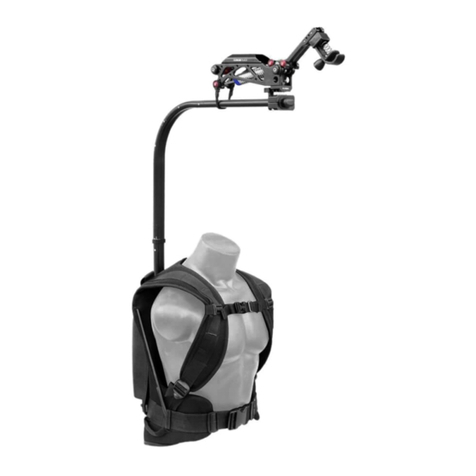
With the grand popularity of Flycam Flowline series, Flycam launches an
unbeatable combinaon of owline with a stabilizing arm for an unforgeable
lming experience. Ergonomically designed owline ensures comfort by reducing
the stac load on the neck and shoulder muscles, distribung it to other parts of
the body. Flycam Placid, a two axis spring arm ensures stability and smoothness by
controlling the vibraons. It works great with the gimbal rigs like Free y Mövi or
most other gimbal rigs.
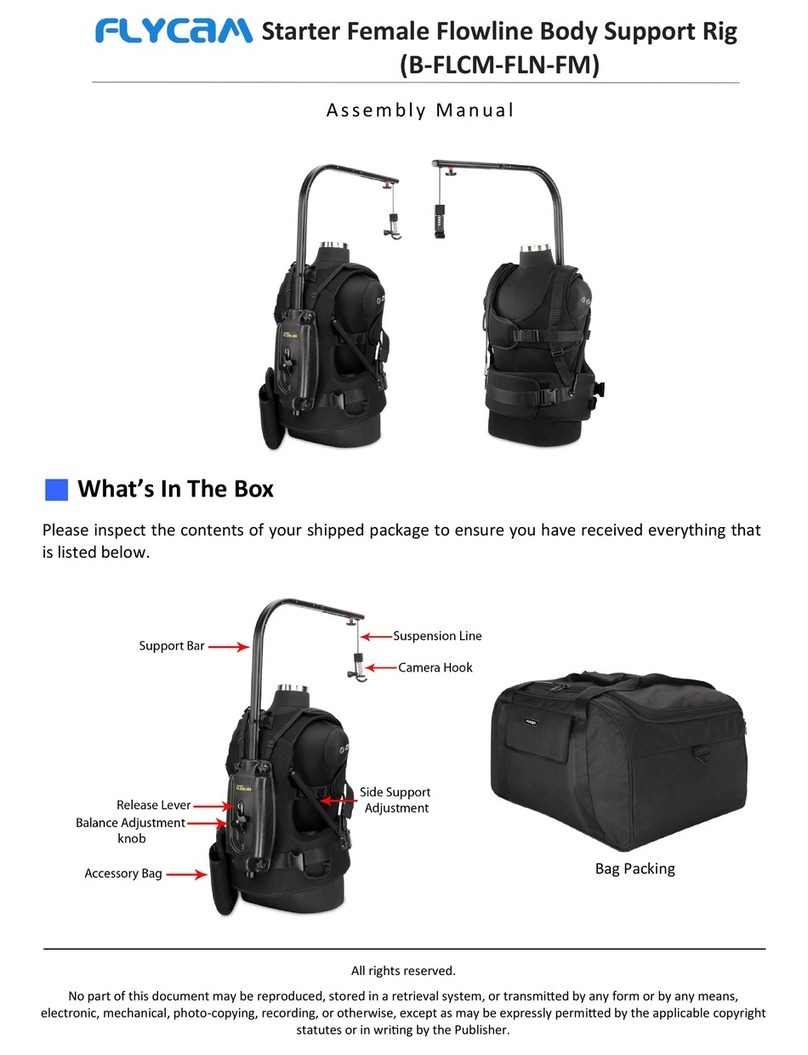
Please inspect the contents of your shipped package to ensure you have received
everything that is listed below.
What’s In The Box
Assembling
Tensioner Spring
Safety Shock Cord
Flowline Placid
Steady Camera Suppport Storage Bag
 Join secon 1 of support bar to secon 2 with simple push-t technique, similarly, join
secon 2 with secon 3 as shown below.
5
NOTE: The four knobs provided on the back
of support jacket allows height adjustment
of support bar.
 Wear support jacket and ghten the buckles provided at the waist and at the chest and
adjust as per your convenience.
 Use spring at back of support jacket to adjust height of rope as required.
6
 Aach camera to hook and ghten with provided knob to ensure slip free connecon.
 Loosen knob at support bar to adjust the posion of camera according to eye-level, if
required.
 Rotate the knob to release the spring
tension.
7
 Loosen the knob of Hook and remove the spring of Hook.
For using Flowline Placid Arm with Flycam Flowline, follow these steps:
 Now loosen the knot of rope in order to
remove the rope from hook.
 Remove the extension arm of Flowline. Re-aach the arm upside down and ghten the knob
properly.
8
 Loosen the Allen bolt of Placid Arm with
the help of Allen Key.
 Now pass the rope through Placid adapter as shown in the image. Mount the Placid on
Flowline arm and ghten the Allen bolt with help of Allen key.
 Align the rope with the pulley of Placid Arm.
9
 Then insert the rope into Hook and e the knot of Rope properly.
 Aach the spring to Hook and ghten the knob to secure it properly.
 Secure the Placid on Flowline Arm with
provided e to ensure slip free
connecon.
10
 Now mount your camera setup on hook of Flowline and ghten the knob to secure it
properly.
YOUR FLOWLINE STEADY CAMERA SUPPORT WITH STABILIZING ARM
ALL DRESSED UP AND READY TO GO!