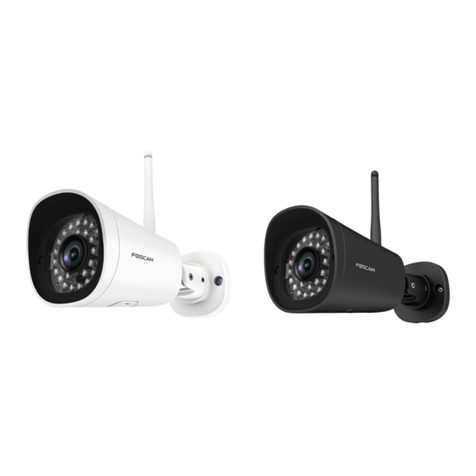
Foscam HD Wireless IP Camera User manual

V1.1 User Manual for Andriod APP
Shenzhen Foscam Intelligent Technology Co., Limited
Tel: 86 755 2674 5668 Fax: 86 755 2674 5168
User Manual for Andriod APP
Shenzhen Foscam Intelligent Techonology Co.,Ltd.

V1.1 User Manual for Andriod APP
Shenzhen Foscam Intelligent Technology Co., Limited
Tel: 86 755 2674 5668 Fax: 86 755 2674 5168
1
1. According to the Quick Installation Guide, ensure you can connect your ip
camera to the Internet.
2.Search and install Foscam Viewer on Google Play. Note that the publisher is
Foscam.
3. Run the APP, at the first time, you will see this guidance page. You can slide left
to glance these guidance, and you can see these info in More - Help page later.

V1.0 User Manual for Andriod APP
Shenzhen Foscam Intelligent Technology Co., Limited
Tel: 86 755 2674 5668 Fax: 86 755 2674 5168
2
4. Click "Enjoy" to enter APP, there are four way to add camera in "IPC" tab.
( 1 ) Scan LAN camera.Tap the magnifying glass icon to scan the cameras in the same LAN,
you can choose the camera you want to add and click "ok" , the camera can be added to the
IPC list.
( 2 ) Scan the QR code.Only P2P camerassupport this way.
①Tap the scan QR code icon,your phone will gointo QR code scanning mode. Scan the
QR code on the bottom of the camera.

V1.0 User Manual for Andriod APP
Shenzhen Foscam Intelligent Technology Co., Limited
Tel: 86 755 2674 5668 Fax: 86 755 2674 5168
3
②When you finish the QR code scanning, the APP will popup device information page
automatically, you can input the Device Name (used to distinguish the camera on your phone),
the User name and Password (the default user name: admin, no password by default)
and tap the "OK"to add the camera.
Note:
If the QR code scanning is failed, please input the UID on the bottom label of the
camera manually.
(3)Add the camera manually, the camera can be added by IP Address, DDNS URL and
P2P UID.
①IP Address
Select Device Type, input the Device Name, IP Address, choose the main stream or sub
stream, input Http port, media port,User name and Password (the default Username:
admin, no password by default). After the setup, click “OK” .

V1.0 User Manual for Andriod APP
Shenzhen Foscam Intelligent Technology Co., Limited
Tel: 86 755 2674 5668 Fax: 86 755 2674 5168
4
②DDNS URL
Make sure you can access your camera through Internet by DDNS, you can follow the QIG to setup
DDNS and port forwarding. Select Device Type, input the Device Name, DDNS URL, choose the
main stream or sub stream, input Http port (88 by default), media port, Username and Password (the
default Username: admin, no password by default). After the setup, click “OK” .
③P2P UID
Select Device Type, input the Device Name, P2P UID on the bottom label of your camera, choose
the main stream or sub stream, input Http port (88 by default), media port, Username and Password
(the default Username: admin, no password by default). After the setup, click “OK” .

V1.0 User Manual for Andriod APP
Shenzhen Foscam Intelligent Technology Co., Limited
Tel: 86 755 2674 5668 Fax: 86 755 2674 5168
5
Note:
①The High Definition and Standard Definition models use different coding, you should select one
first.
②If your bandwidth is sufficient, you can choose main stream to view clearer video, if your
bandwidth is limited, such as on 3G or LTE, you can choose sub stream to view more smooth video.
③The Device Name here is just used to distinguish the camera on your phone, won’t modify the
camera name of your IPC.
④Foscam SD cameras and new HD cameras just have HTTP port, only FI9801W, FI9802W,
FI9818W V1 and FI9821W V1 have Media port.
(4)Foscam Demo.You can add the Foscam Demo to IPC list directly, and check the live
video on your phone, you don’t need to input username or password.

V1.0 User Manual for Andriod APP
Shenzhen Foscam Intelligent Technology Co., Limited
Tel: 86 755 2674 5668 Fax: 86 755 2674 5168
6
(5)Edit Device.Press the camera in the list for more than one second, it will popup several
options as "Connect/Disconnect", "Edit", "Delete". You can connect the device have been
added, or disconnect the device. If you need to modify the device,tap "Edit", renew setup
info, then save. If you need to modify the user or password, tap "Settings",renew setup info, then
save. You can also tap "Delete" to remove the device.
5.View and Operate the camera.
(1) Tap the camera in the list to connect, red point means disconnected, yellow point means
connecting , and green point means connected.
(2)Tap the "Video" icon on the bottom,you can goto live video page.Tap the icon on the
upper-right corner, you can switch single and four-channel display. Tap the "+" button, you
can add camera which have been added.

V1.0 User Manual for Andriod APP
Shenzhen Foscam Intelligent Technology Co., Limited
Tel: 86 755 2674 5668 Fax: 86 755 2674 5168
7
(3)In four-channel mode, double tap the video can switch to single channel mode, double tap
again, you can enter the full screen mode. In video page, place your phone in landscape
mode,you can enter full screen mode, place your phone in portrait mode to exit full screen
mode.

V1.0 User Manual for Andriod APP
Shenzhen Foscam Intelligent Technology Co., Limited
Tel: 86 755 2674 5668 Fax: 86 755 2674 5168
8
(4)Tap the live video and the operation button will popup, from left to right, the icons are
open/close the speaker,open/close the microphone, screenshot, begin/end video recording.
(5)You can make digital zoom by pinch-to-zoom.
(6)Some models support optical zoom, tap the "magnifying glass +" button on the right
to magnify image, tap the "magnifying glass -" button on the left to magnify the view.
(7)Some products support Pan/Tilt function, you can slipe the screen to Pan/Tilt as you

V1.0 User Manual for Andriod APP
Shenzhen Foscam Intelligent Technology Co., Limited
Tel: 86 755 2674 5668 Fax: 86 755 2674 5168
9
want.
6. Check the snapshots and video files.
(1)Tap the "Media"on the bottom to enter file browsing page.Tap the "Modify Path" ,
you can modify the image and video storage directory. Snapshot store the captured
pictures, in jpg format. Video Record store video recording files, in avi format.
(2)Tap the stored image to preview it, and tap the stored video to play it.
7. Settings, Help and More
(1)Tap "More"on the bottom to get more information about the APP.Tap "Settings", you
can enable/disable "Only connect in Wi-Finetwork". It is enabled by default to avoid too much
Table of contents
Other Foscam Security Camera manuals
Foscam
Foscam FI9828W User manual
Foscam
Foscam E1 User manual
Foscam
Foscam G2EP User manual
Foscam
Foscam V8EP User manual
Foscam
Foscam FI8918W User manual
Foscam
Foscam FI9821P User manual
Foscam
Foscam FI9803W User manual
Foscam
Foscam FI9853EP User manual
Foscam
Foscam FI8905E User manual
Foscam
Foscam FI9816P User manual

Foscam
Foscam FI8910W User manual
Foscam
Foscam SD2 User manual
Foscam
Foscam V5EP User manual
Foscam
Foscam FI9826P V2 User manual
Foscam
Foscam FN3108XE-B4-1T User manual

Foscam
Foscam FI8910W User manual

Foscam
Foscam QJ4 G2EP G4EP FI9912EP User manual
Foscam
Foscam B4 User manual
Foscam
Foscam FI9902P User manual
Foscam
Foscam SD4 User manual