EnglishDeutsch
 logo
Brands
  1. Home
  2. •
  3. Brands
  4. •
  5. Franklin Electric
  6. •
  7. Controllers
  8. •
  9. Franklin Electric BAS-1P Original operating instructions

Franklin Electric BAS-1P Original operating instructions

Other Franklin Electric Controllers manuals

Franklin Electric SubTronic3P User manual

Franklin Electric

Franklin Electric SubTronic3P User manual

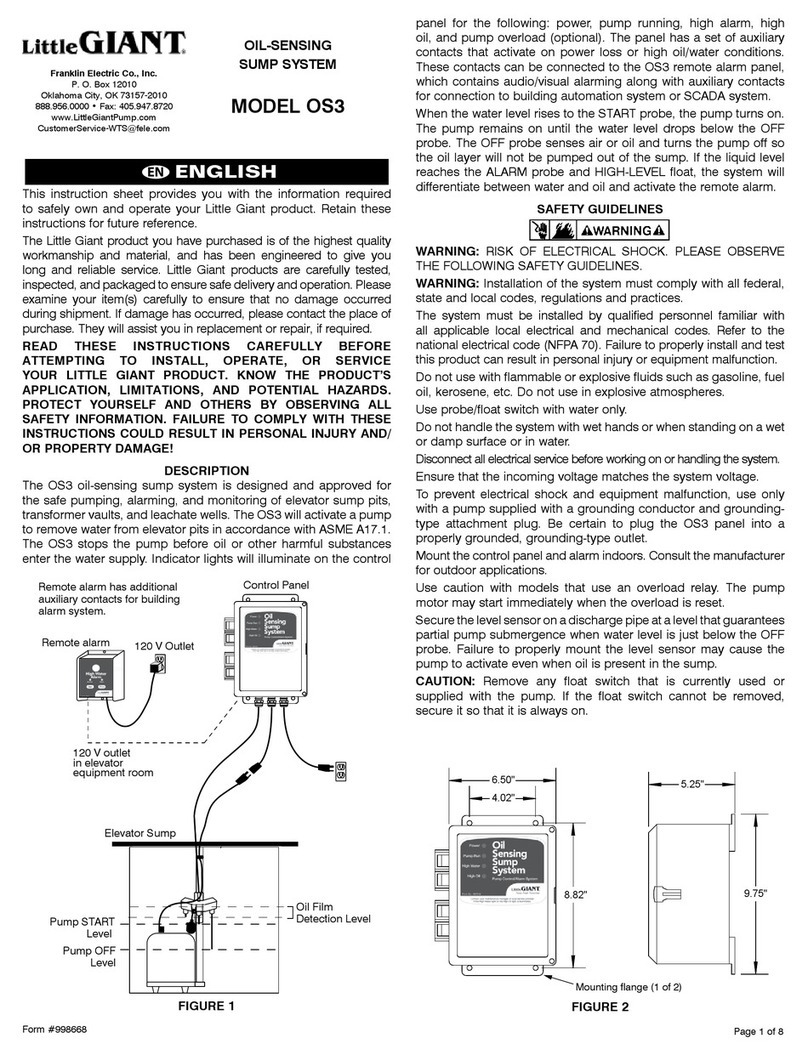
Franklin Electric Little Giant OS3 User manual

Franklin Electric

Franklin Electric Little Giant OS3 User manual

Franklin Electric GUARDIAN Series User manual

Franklin Electric

Franklin Electric GUARDIAN Series User manual

Franklin Electric SubDrive15 Connect N3R User manual

Franklin Electric

Franklin Electric SubDrive15 Connect N3R User manual

Franklin Electric SubDrive1100 Connect IP 23 User manual

Franklin Electric

Franklin Electric SubDrive1100 Connect IP 23 User manual

Franklin Electric SubDrive75 User manual

Franklin Electric

Franklin Electric SubDrive75 User manual

Franklin Electric SubDrive75 User manual

Franklin Electric

Franklin Electric SubDrive75 User manual

Franklin Electric BAS 9-P-40 Series User manual

Franklin Electric

Franklin Electric BAS 9-P-40 Series User manual

Franklin Electric GUARDIAN Series User manual

Franklin Electric

Franklin Electric GUARDIAN Series User manual

Franklin Electric SubDrive15 Connect N3R User manual

Franklin Electric

Franklin Electric SubDrive15 Connect N3R User manual

Franklin Electric SmartStart SSP3E-30S User manual

Franklin Electric

Franklin Electric SmartStart SSP3E-30S User manual

Franklin Electric SubStart SC Parts list manual

Franklin Electric

Franklin Electric SubStart SC Parts list manual

Franklin Electric SmartStart SSP1E-30S User manual

Franklin Electric

Franklin Electric SmartStart SSP1E-30S User manual

Franklin Electric SubTronicSC ST025PSC User manual

Franklin Electric

Franklin Electric SubTronicSC ST025PSC User manual

Franklin Electric SubDrive75 User manual

Franklin Electric

Franklin Electric SubDrive75 User manual

Franklin Electric InlineSWC User manual

Franklin Electric

Franklin Electric InlineSWC User manual

Popular Controllers manuals by other brands

Digiplex DGP-848 Programming guide

Digiplex

Digiplex DGP-848 Programming guide

YASKAWA SGM series user manual

YASKAWA

YASKAWA SGM series user manual

Sinope Calypso RM3500ZB installation guide

Sinope

Sinope Calypso RM3500ZB installation guide

Isimet DLA Series Style 2 Installation, Operations, Start-up and Maintenance Instructions

Isimet

Isimet DLA Series Style 2 Installation, Operations, Start-up and Maintenance Instructions

LSIS sv-ip5a user manual

LSIS

LSIS sv-ip5a user manual

Airflow Uno hab Installation and operating instructions

Airflow

Airflow Uno hab Installation and operating instructions

ABB ACS580-01 drives Hardware manual

ABB

ABB ACS580-01 drives Hardware manual

Panasonic GM1 Series Reference manual

Panasonic

Panasonic GM1 Series Reference manual

Emerson SW93 owner's manual

Emerson

Emerson SW93 owner's manual

AutoAqua Smart ATO micro SATO-120P manual

AutoAqua

AutoAqua Smart ATO micro SATO-120P manual

Panasonic FP? Positioning Unit RTEX Technical manual

Panasonic

Panasonic FP? Positioning Unit RTEX Technical manual

Alpha IP MIOB 21001 manual

Alpha IP

Alpha IP MIOB 21001 manual

Siemens OpenAir GMA 1 Series Mounting instructions

Siemens

Siemens OpenAir GMA 1 Series Mounting instructions

Surecom SR-629 user manual

Surecom

Surecom SR-629 user manual

Regulus SRS1 T Installation and operation manual

Regulus

Regulus SRS1 T Installation and operation manual

3M MicroTouch EX113 reference guide

3M

3M MicroTouch EX113 reference guide

KUHN TKS user manual

KUHN

KUHN TKS user manual

S&C PMH Instructions for operation

S&C

S&C PMH Instructions for operation

https://manuals.online logo
https://manuals.online logoBrands
  • About & Mission
  • Contact us
  • Privacy Policy
  • Terms and Conditions

Copyright 2026 Manuals.Online. All Rights Reserved.

Updated 6.11.2020 © Copyright 2020 Franklin Electricwww.franklin-controls.com |800.962.3787 | 310 Sequoia Parkway, Canby, Oregon 97013
indicates an imminently hazardous situation which, if not avoided, will
result in death or serious injury. This signal word is to be limited to the
most extreme situations.
indicates a potentially hazardous situation which, if not avoided, could
result in death or serious injury.
indicates a potentially hazardous situation which, if not avoided, may
result in minor or moderate injury. It may also be used to alert against
unsafe practices.
This is the safety alert symbol. Read and follow instructions carefully to
avoid a dangerous situation.
This symbol alerts the user to the presence of “dangerous voltage”
inside the product that might cause harm or electrical shock.
DANGER
WARNING
CAUTION
Safety Instructions
Equipment starts automatically. Lockout/tagout before servicing.
As with all electrical products, read manual thoroughly. Only qualified,
expert personnel should perform maintenance and installation. Contact the
nearest authorized service facility for examination, repair, or adjustment.
Do not disassemble or repair unit unless described in this manual; death
or injury to electrical shock or fire hazard may result. Specifications and
manual data subject to change. Consult factory for additional information.
DANGER
CAUTION
1Ø AC Input 50/60 Hz
L1 L2/N
T1 T2
M
Voltage Input
Auto Run
Fault
Output
Status
Output
Dry Input
Auto Run
Normally Open
Input
12-120V
AC/DC
Input
Main Power Wiring
Wire main power input and output to the appropriate 12AWG wire leads utilizing
properly sized wire nuts. Use only copper conductors rated at least 60°C.
Maintain proper clearances and verify that no possibility of an electrical short
exists between the power conductors or enclosure. Ensure that wires are not
under stress and all insulation is intact.
Low Voltage Wiring
Automation system control wiring should be run in a separate conduit. The
control terminals accept 26~14AWG wire torqued to 3.5 in-lb.
Installation
FAILURE TO FOLLOW THESE INSTRUCTIONS MAY RESULT IN DEATH OR
SERIOUS INJURY
Mounting
Mount the starter on a minimum 14 cu-in single gang junction box. To access
mounting holes, slide upper and lower covers to the open position.
(See Figure 1)
Using provided mounting screws (6-32 x 7/8”), attach starter housing to junction
box (once appropriate wiring has been completed).
•
materials. Contact arcing can induce explosion or fire.
gnitnuomefaS.ylnosnoitacoletairporppa)1AMEN(1epyTLUniretratsllatsnI•
requires a dry, protected environment.
• The BAS-1P is rated for maximum ambient temperature of 40°C
.erusolcneretneotnoitallatsnimorfsirbedrosgnivahslatemynawollatonoD•
WARNING
Figure 1
HAZARDOUS VOLTAGE
.tnempiuqegnicivresrognillatsnierofebrewopllatuokcoldnatcennocsiD•
ecivresotroirpsecruosrewopelpitlumtuognikcoleriuqeryamtnempiuqesihT•
dnalacirtcelelanoitan&lacolelbacilppallahtiwecnadroccanieriwdnallatsnI•
construction codes
Installation & Operation Guide
LIT-12013012
Thank you for purchasing the Franklin Electric
Single Phase Building Automation Starter!
Please read this manual thoroughly to ensure
safe installation and proper operation.
Precautions
To prevent injury and property damage, follow these instructions.
Failure to adhere to installation/operation procedures and all applicable
codes may result in hazards as indicated by warning
codes outlined below:

QSTART-BAS1P-V3 © Copyright 2020 Franklin Electricwww.franklin-controls.com |800.962.3787 |310 Sequoia Parkway, Canby, Oregon 97013
3.288
4.984
2.808
1.427
2.147
HAND
RESET
AUTO
All dimensions in inches
Dimensions
Operation
Overload Adjustment
Confirm nameplate Full Load Amperage (FLA) to ensure proper overload
protection. Using a flathead screwdriver, turn the adjustment dial to the desired
amperage setting. The starter is not rated to protect loads exceeding 16 amps
@120VAC, and 8.8A @230VAC.
LED Status Indicators
POWER (PWR)
Illuminates when voltage is applied to the input terminals and
main power switch is in the ON (I) position.
RUN
Under a RUN condition, the RUN LED will remain illuminated if
the BAS-1P senses current providing status. The LED will flash
when the unit does not sense current.
FAULT (FLT) - Overload Trip
The BAS-1P indicates a fault condition by flashing the red FAULT
LED which will remain constant in the event of a fault trip. The LED
will also flash if a RESET attempt is made during the 180 second
overload cool down period.
Operation Modes
RESET
To reset the starter to normal operation following a Fault
condition, slide the 3-position switch to RESET and hold for
a minimum of 5 seconds (after 180 second cool down period
has elapsed). Once starter has been reset, return switch to the
desired mode.
MANUAL (HAND MODE)
In Manual or HAND mode, the BAS-1P will function as a
manual motor controller. Select the ON (I)
position on the main
power switch to engage motor.
AUTOMATIC (AUTO MODE)
When utilizing the starter in the AUTO mode, a signal sent via
the terminal inputs (located on rear of unit) determine motor
operation (ON or OFF).
Lockout Options
To lockout, slide the lower cover upward to reveal concealed locking grasp.
Insert a standard padlock to prevent unauthorized access or tampering. If
multiple padlocks are required, an optional padlocking attachment can be utilized
(not included). See Figure 2B.
Figure 2A Figure 2B
HAND
RESET
AUTO
PWR
RUN
FLT
Product Ratings
1
2
3
4
5
6
Overload Adjustment
Operation Mode Selector
Main Power Switch*
PWR Power Status LED
RUN Run Status LED
FLT Fault / Overload LED
UL 508 Horsepower
Short Circuit Protection Interrupt
Current Max Current Overload Reset
115VAC 230VAC
BAS-1P 1HP
Suitable for use on a circuit capable of delivering not more
than 1kA RMS Symmetrical Amperes, 230 Volts maximum
when protected by Class RK5 fuses (30 Amp max) or
inverse time circuit breaker (40 Amp max)
Ik ≤ 1kA RMS
Symmetrical
16A @ 120VAC
I2t Class 10 Manual
1
2
3
4
5
6
*This device meets NFPA-70 (NEC) motor disconnect requirements per
paragraph 430.109 (C)(2) Stationary Motors of 2HP or Less.
8.8A @230VAC