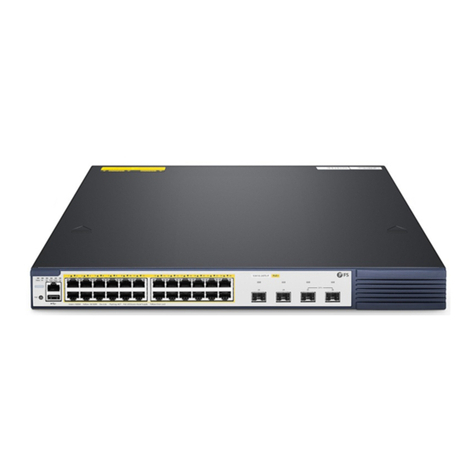
S5900-24S4T2Q SWITCH OSPFV3 CONFIGURATION
ipv6 ospf hello-interval seconds
Sets the interval for the OSPFv3 interface to transmit the Hello
packets.
ipv6 ospf dead-interval seconds
Means that in a regulated interval if the OSPFv3 packets are not
received from a neighboring router, this neighboring router is
viewed to be shut down.
1.3.3 Setting OSPFv3 on Different Physical Networks
OSPFv3 divides physical network media into the following three kinds:
•Broadcast networks (Ethernet, Token Ring, FDDI)
•Non-broadcast and multi-access networks (SMDS, Frame Relay, X.25)
•Point-to-point networks (HDLC, PPP)
1.3.4 Setting the OSPF Network Type
No matter what physical media type the network is, you can configure your network to be a broadcast network, a non-broadcast
network or a multi-access network. So you can set your network flexibly and your network can be set to be a non-broadcast and
multi-access one, or a broadcast network such as the X.25, Frame Relay or SMDS network. Also the neighbor’s settings will be
simplified.
To set an un-broadcast and multi-access network is to suppose that every two routers have a virtual link or suppose a full-mesh
network. It is unrealistic due to unbearable cost. But you set this network to be a point-to-multipoint one. Between those routers
which are not adjacent the routing information can be switched through the virtual link.
The OSPFv3 point-to-multipoint interface can be set to be multipoint-to-point interface, through which multiple routes of a host can
be established. The OSPFv3 point-to-multipoint network, comparing with the non-broadcast and multi-access network or the point-
to-point network, has the following advantages:
• The point-to-multipoint network is easy to be set without generating DR.
• This kind of network do not require the full-mesh topology, so the construction cost is relatively low.
• This kind of networks are more reliable. Even if its virtual link fails, the connection can be maintained.
The network type of the routers is the broadcast type.
1.3.5 Setting the Parameters of the OSPFv3 Domain
The configurable domain parameters include: authentication, designating a stub area and specifying a weight for a default summary
route. Its authentication is based on password protection.
The stub area means that external routes cannot be distributed to this area. Instead, ABR generates a default external route that
enters the stub area, enabling the stub area to communicate with external networks of an autonomous area. In order to make use of
the attributes supported by the OSPF stub, the default route must be used in the stub area. To further reduce LSAs that are
forwarded to the stub area, you can forbid the summary function on ABR.
Run the following command in router configuration mode to set the domain’s parameters:
area area-id stub [no-summary]
area area-id default-cost cost
Sets the weight of the default route of the stub area.
As to those areas that are not backbone areas and do not connect the backbone areas directly or as to those discontinuous areas, the
OSPFv3 virtual link can be used to establish a logic connectivity. In order to create a virtual link, you have to perform configuration at
the two terminals of the virtual link. If only one terminal is configured, the virtual link cannot work.
Run the following command in router configuration mode to set the domain’s parameters: