4
1. Purge air from the meter and system
by dispensing fluid into a container
until a full flow occurs. Close the
nozzle.
2. Reset the meter counter to zero by
turning the reset knob counterclock-
wise.
3. Fill a graduated calibration container
to a specified quantity. For the great-
est accuracy, be sure the container
is placed on a level surface and a
consistent flowrate is used. When
topping off the calibration container,
use a quick-open and quick-close
method until the mark is reached.
NOTE: Your GPI dealer can supply a
calibration container designed for
this purpose.
4. Compare the meter display to the
quantity in the container. If the dis-
play does not register the quantity
on the container, adjust the meter
by performing the following:
a. Gain access to the recessed cali-
bration screw by removing the
calibration screw cover.
b. If the meter registered less than
the quantity in the container, turn
the calibrationscrewclockwise. If
the meter display read more than
the amount in the container, turn
the screw counterclockwise.
5. Empty the calibration container and
repeat steps 2 to 4 until the meter re-
gisters the quantity in the container.
6. Reinstall the calibration screw cover
and seal.
Replace Counter Assembly
or Nutator Kit
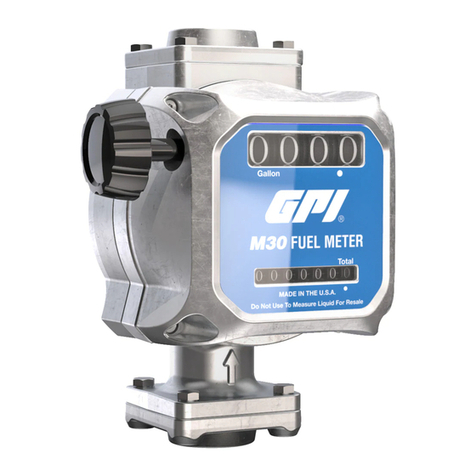
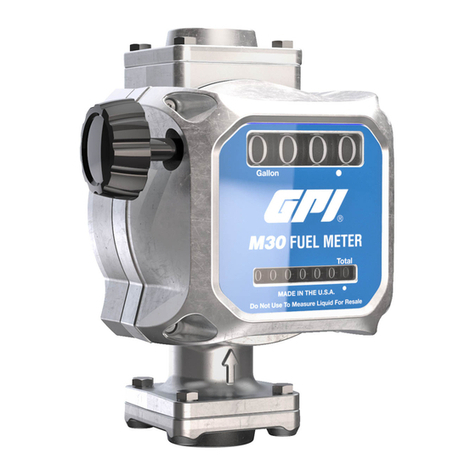
1. Pull out on the reset knob to remove.
2. Remove the two screws connecting
the counter cover to the counter as-
sembly. Remove the counter cover.
3. Remove the four screws securing the
counter assembly and gently pull the
assembly free. Replace the counter
assembly and O-ring, as required.
4. To remove the nutator disc, loosen
the two screws holding the disc in the
meter housing and lift the disc and O-
ring from the main meter housing.
NOTE: It may be necessary to place a
screwdriver under the edge of the
nutator and gently pry free.
5. Replace the nutator disc, as neces-
sary. Make sure the nutator disc pin
is secure in the back of the counter
assembly before assembling again.
6. To assemble, reverse the above
procedure. Make sure that all O-rings
are in place and lubricated with oil or
light grease.
Replace Calibration Screw
and/or O-Ring
1. Remove the calibration screw cover
and seal by turning counterclockwise.
2. Remove the calibration screw and
O-ring by turning the screw coun-
terclockwise. While removing, count
the number of revolutions required to
free the screw.
3. Install the new calibration screw and
O-ring, using the same number of
rotations needed to remove the old
screw. EnsuretheO-ringis lubricated
and seated properly.
4. Adjust the meter calibration, using
the Calibration procedures.
CALIBRATION REPAIR