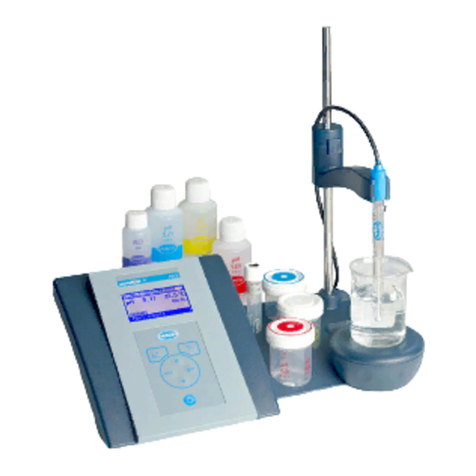
Hach sensION+ User manual

DOC022.97.80143
sensION™+ Portable Meter
04/2011, Edition 1
User Manual
Manuel d'utilisation
Manual del usuario
Manual do usuário
用户手册
取扱説明書
사용 설명서
คูมือผูใช

English..................................................................................................................................................................................................3
Français.............................................................................................................................................................................................17
Español..............................................................................................................................................................................................32
Português..........................................................................................................................................................................................47
中文......................................................................................................................................................................................................61
日本語.................................................................................................................................................................................................74
한글......................................................................................................................................................................................................88
ไทย.......................................................................................................................................................................................................101
2

Specifications
Specifications are subject to change without notice.
Specification Details
Dimensions 18.6 x 7.3 x 3.8 cm (7.32 x 2.87 x 1.5 in.)
Weight 300 g (0.66 lb)
Meter enclosure IP67
Power requirements
(internal)
AA Alkaline or rechargeable Nickel Metal Hydride
(NiMH) batteries (3); battery life: over 500 hours
Input connectors MP-5 or MP-8 connector for sensION+ probes
Meter protection class Class III
Storage temperature –15 to +65 °C (5 to +149 °F)
Operating temperature 0 to 50 °C (32 to 122 °F)
Operating humidity 80% (non-condensing)
Instrument range pH: –2.00 to 19.99; ORP: ±1999 mV
Conductivity: 0.01 to 500 mS/cm; TDS: 0 to 500 g/
L; Salinity: 0.0 to 1999 mg/L, 2.0 to 50.0 g/L
DO: 0.00 to 19.99 mg/L and 20.0 to 22.0 mg/L
(25°C), 0.0 to 199.9% and 200 to 250% (25°C)
Resolution pH: 0.01 pH; ORP: 1 mV (0.1 mV from –199.9 to
199.9 mV)
DO: 0.1% (1% if ≥ 200%); 0.01 mg/L (0.1 mg/L if ≥
20 mg/L)
Conductivity: changes with range (auto-ranging)
Temperature: 0.1 °C (0.1°F)
Specification Details
Measuring error (± 1 digit) pH: ≤ 0.01 pH; ORP: ≤ 1 mV
DO: ≤ 0.5 of the measured value
Conductivity/Salinity/TDS: ≤ 0.5 %
Temperature: ≤ 0.2 °C (≤ 0.4 °F)
Reproducibility (± 1 digit) pH: ± 0.01 pH; ORP ± 1 mV
DO: ≤ 0.2 of the measured value
Conductivity/Salinity/TDS: ± 0.1 %
Temperature ± 0.1 °C (± 0.1 °F)
Reference temperature
(RT)
Conductivity: 20 or 25 °C (68 or 77 °F) (factory
settings: 25 °C (77 °F))
Temperature coefficient
(TC)
Conductivity: 0.00 to 5.00%/°C (factory settings:
2%/ °C)
TDS conversion factor Conductivity: 0.00 to 4.44 (factory settings: 0.64)
Energy management Automatic power off after 5 minutes of inactivity
Certification CE
General information
Revised editions are found on the manufacturer’s website.
Safety information
Please read this entire manual before unpacking, setting up or operating
this equipment. Pay attention to all danger and caution statements. Failure
to do so could result in serious injury to the operator or damage to the
equipment.
Make sure that the protection provided by this equipment is not impaired,
do not use or install this equipment in any manner other than that specified
in this manual.
Use of hazard information
English 3

D A N G E R
Indicates a potentially or imminently hazardous situation which, if not avoided, will
result in death or serious injury.
WARNING
Indicates a potentially or imminently hazardous situation which, if not avoided,
could result in death or serious injury.
C A U T I O N
Indicates a potentially hazardous situation that may result in minor or moderate
injury.
N O T I C E
Indicates a situation which, if not avoided, may cause damage to the instrument.
Information that requires special emphasis.
Precautionary labels
Read all labels and tags attached to the instrument. Personal injury or
damage to the instrument could occur if not observed. A symbol, if noted
on the instrument, will be included with a danger or caution statement in
the manual.
This symbol, if noted on the instrument, references the instruction
manual for operation and/or safety information.
Electrical equipment marked with this symbol may not be disposed of
in European public disposal systems after 12 August of 2005. In
conformity with European local and national regulations (EU Directive
2002/98/EC), European electrical equipment users must now return old
or end-of-life equipment to the Producer for disposal at no charge to
the user.
Note: For return for recycling, please contact the equipment producer or supplier
for instructions on how to return end-of-life equipment, producer-supplied electrical
accessories, and all auxillary items for proper disposal.
Product overview
The sensION™+ series meters are used with sensION+ probes to
measure various parameters in water. Primarily for field use, the portable
meter operates on three AA batteries.
The sensION™+ series meters are available in 5 models:
•sensION™+ EC5—conductivity, TDS, salinity and temperature meter
• sensION™+ MM150—pH, ORP (Redox), conductivity, TDS and
temperature meter
• sensION™+ MM110—pH, ORP (Redox) and temperature meter
• sensION™+ pH1—pH meter
• sensION™+ DO6—dissolved oxygen (concentration and % saturation)
and temperature meter
Installation
C A U T I O N
Personal injury hazard. Only qualified personnel should conduct the tasks
described in this section of the manual.
Install the batteries
WARNING
Explosion hazard. Incorrect battery installation can cause the release of explosive
gases. Be sure that the batteries are of the same approved chemical type and are
inserted in the correct orientation. Do not mix new and used batteries.
N O T I C E
The battery compartment is not waterproof. If the battery compartment becomes
wet, remove and dry the batteries and dry the interior of the compartment. Check
the battery contacts for corrosion and clean them if necessary.
N O T I C E
When using nickel metal hydride (NiMH) batteries, the battery icon will not indicate
a full charge after freshly charged batteries have been inserted (NiMH batteries
are 1.2 V versus 1.5 V for alkaline batteries). Even though the icon does not indicate
complete charge, 2300 mAH NiMH batteries will achieve 90% of instrument
operation lifetime (before recharge) versus new alkaline batteries.
N O T I C E
To avoid potential damage to the meter from battery leakage, remove the meter
batteries prior to extended periods of non-use.
4 English

The meter can be powered with AA alkaline or rechargeable NiMH
batteries. To conserve battery life, the meter will power off after 5 minutes
of inactivity. This time can be changed in the Display Options menu.
For battery installation refer to Figure 1.
1. Pull the release tab on the battery cover and the remove the cover.
2. Install 3 AA alkaline or 3 AA nickel metal hydride (NiMH) batteries.
Make sure that the batteries are installed in the correct polarity.
3. Replace the battery cover.
Figure 1 Battery installation
1Batteries 2Release tab 3Battery cover
Connect a probe
1. Plug the probe into the meter (Figure 2).
2. Push the connector so that the alignment pin goes into the groove on
the female connector.
Note: Do not turn the connector.
Figure 2 Probe connection
User interface and navigation
User interface
Figure 3 Keypad description
1CALIBRATION key 4DOWN key: scroll to other options,
change a value
2UP key: scroll to other options,
change a value
5ON/OFF: turn on or turn off the
meter, DISPLAY LIGHT: turn on and
off the display light
3MEASUREMENT key
English 5

Display description
The display shows 3 types of screens:
•Measure—the most recent parameter measurement is shown with the
temperature and stabilization time.
• Calibration—the calibration standard values and temperature are
shown during a calibration.
• Standby—the screen is empty except for the measurement timer at the
bottom.
Figure 4 pH1 screen display
1Main measurement value (pH or
ORP)
4Measurement time (hh:mm:ss)
2Main measurement units 5Temperature
3Battery indicator
Figure 5 DO6 screen display
1Main measurement value (DO) 4Measurement time (hh:mm:ss)
2Main measurement units 5Temperature
3Battery indicator
6 English

Figure 6 MM110 screen display
1Main measurement value (pH) 4Main measurement time (hh:mm:ss)
2Measurement units 5Temperature
3Battery indicator 6Main measurement value (ORP)
Figure 7 MM150 screen display
1Main measurement value
(conductivity)
5Measurement time (hh:mm:ss)
2Main measurement value (pH) 6Temperature
3Main measurement units 7Main measurement value (TDS,
ORP)
4Battery indicator 8Reference temperature
English 7

Figure 8 EC5 screen display
1Reference temperature 4Battery indicator
2Main measurement units 5Measurement time (hh:mm:ss)
3Temperature 6Main measurement value
(conductivity, salinity, TDS)
Navigation
Use the calibrate key to calibrate the probe. Use the measure key to
take a sample measurement. Use the arrow keys to scroll to other
options or to change a value.
Some options require that a key be pushed and held or that multiple keys
be pushed at the same time. Be sure to look at the display during tasks as
the screens change quickly. Refer to each task for specific instructions.
Start-up
Turn the meter on and off
N O T I C E
Make sure that the probe is connected to the meter before the meter is turned on.
Push and hold to turn on or turn off the meter. If the meter does not turn
on, make sure that the batteries are properly installed.
Note: The meter is set to automatically power off after 5 minutes of inactivity to
maximize the battery life.
Operation
WARNING
Chemical exposure hazard. Obey laboratory safety procedures and wear all of the
the personal protective equipment appropriate to the chemicals that are handled.
Refer to the current material safety data sheets (MSDS) for safety protocols.
Setup for pH
The meter is ready for pH or ORP calibration without additional setup.
Setup for dissolved oxygen
Before calibration or measurement for dissolved oxygen, the probe must
be polarized and the settings for atmospheric pressure and salinity must
be entered.
Polarize the electrode
If the probe or batteries are disconnected, connect the probe or install the
batteries and wait for polarization:
Disconnect time Polarization time
< 5 minutes 10 minutes
5 to 15 minutes 45 minutes
> 15 minutes 6 hours
8 English

Change the settings
The settings for dissolved oxygen measurements can be changed when
a dissolved oxygen probe is used. Push to view the current settings.
1. Push . The first setting is shown.
2. Quickly use the arrow keys to change the value. Wait for the next
setting to be shown and change any additional values:
Option Description
nb Atmospheric pressure in mbar (default: 1013 mbar)
SAL Salinity in g/L NaCl (default: 0 g/L)
Note: The salinity value can be found from a conductivity measurement. Refer
to Table 3 on page 16.
Setup for conductivity
The settings for conductivity measurements can be changed when a
conductivity probe is used. Push to view the current settings.
1. Push . The first setting is shown.
2. Quickly use the arrow keys to change the value. Wait for the next
setting to be shown and change any additional values:
Option Description
CEL Electrode type: platinum (default) or titanium.
Note: This option is not available on all meters.
tC Temperature compensation: 0 to 9.99%/°C (default: 2%/°C)
tr Reference temperature: 20 or 25 °C (default: 25 °C)
FTDS calculation factor: 0.01 to 4.44 (default: 0.64)
The new settings are automatically stored in the meter.
Calibration
Calibration procedure
This procedure is for general use with liquid calibration solutions. Refer to
the documents that are included with each probe for additional information.
1. Pour the buffers or calibration solutions into the labeled calibration
tubes.
2. Rinse the probe with deionized water and put the probe into the first
calibration tube. Be sure that there are no air bubbles under the probe
tip.
3. Push . The parameter flashes.
4. Use the arrow keys to change the parameter, if applicable.
5. Push to select the parameter.
6. Push to measure the first calibration solution.
The next calibration solution is shown.
7. Rinse the probe with deionized water and put the probe into the second
calibration tube. Be sure that there are no air bubbles under the probe
tip.
8. Push to measure the second calibration solution.
The next calibration solution is shown.
9. Rinse the probe with deionized water and put the probe into the third
calibration tube. Be sure that there are no air bubbles under the probe
tip.
10. Push to measure the third calibration solution.
When the calibration is good, the display briefly shows OK and then
goes to the standby mode.
Note: To calibrate with only 1 or 2 standards when additional standards are
supplied, push after the first or second standard is measured.
View the calibration data
Data from the most recent calibration can be shown for pH, ORP and
conductivity.
1. Push .
English 9

2. Use the arrow keys to change the parameter, if necessary, and push
.
3. Push and at the same time. The calibration data is shown:
•pH—the slope and offset values are shown alternating with the
deviation (in %) and calibration temperature.
• ORP—the measured mV value and calibration temperature are
shown.
• Conductivity—the cell constant and calibration temperature for each
standard are shown.
Restore the factory calibration
The user calibration can be erased and the factory calibration restored for
pH, ORP and conductivity.
1. Push . The parameter flashes.
2. Use the arrow keys to change the parameter, if necessary.
3. Push and hold until OFF is shown.
The factory calibration for the selected parameter is restored.
Adjust the calibration
The instrument can be adjusted to read a specified solution value for pH,
ORP and conductivity.
1. Rinse the probe. Put the probe in the solution.
2. Push to read the value of the solution.
3. Push . The parameter flashes.
4. Use the arrow keys to select the parameter, if necessary.
5. Push and hold and then push .
The measured value flashes.
6. Use the arrow keys to change the value.
7. Push . The display shows OK.
Adjust the temperature
The temperature measurement can be adjusted at 25 °C (77 °F) and/or
85 °C (185 °F) to increase accuracy for pH, ORP and conductivity.
Note: Refer to the probe documentation to find the temperature limits for the probe
that is used.
1. Put the probe and a reference thermometer in a container of water at
approximately 25 °C and allow the temperature to stabilize.
2. Compare the temperature read by the meter with that of the reference
thermometer. The difference is the adjustment value for the meter.
Example: reference thermometer: 24.5 °C; meter: 24.3 °C. Adjustment
value: 0.2 °C.
3. Enter the adjustment value for the 25 °C reading:
a. Push . The parameter flashes.
b. Use the arrow keys to select tEn.
c. Push . 25 °C is shown.
d. Push and then use the arrow keys to enter the adjustment value
for 25 °C. Push . 85 °C is shown.
4. Put the probe and a reference thermometer in a container of water at
approximately 85 °C and allow the temperature to stabilize.
5. Compare the temperature from the meter with that of the reference
thermometer. The difference is the adjustment value for the meter.
6. Push and then use the arrow keys to enter the adjustment value for
the 85 °C reading. Push .
About sample measurements
Each probe has specific preparation steps and procedures for taking
sample measurements. For step-by-step instructions, refer to the
documents that are included with the probe.
Push to take a sample measurement. During measurements, the
parameter flashes and the timer shows the stabilization time. To change
the measurement parameter (if applicable), push and hold .
To measure the sample continuously, push 2 times. The parameter
flashes to indicate the continuous measurement mode.
Change the temperature units
The temperature units can be changed when the measurement screen is
shown.
10 English

1. Make sure that a stable measurement reading is shown.
2. Push and at the same time. The temperature units change to °C
or °F.
Disable the auto-shutoff option
The meter is set to automatically power off after 5 minutes of inactivity to
maximize the battery life. This option can be temporarily disabled.
1. Make sure that the meter is powered off.
2. Push and hold until the display shows OFF and no. The power
remains on indefinitely.
3. To power off the meter, push and hold until the display shows
OFF.
Note: The auto-shutoff option is enabled again when the meter is powered on
normally.
Set the backlight time
The display is illuminated when is pushed. The user can set the length
of time that the backlight stays on.
Note: The battery life is decreased when the backlight time is increased.
1. Make sure that the instrument is powered on.
2. Push and immediately push 2 times. The backlight time flashes.
3. Push or to change the backlight time (range: 3 seconds to 2
minutes).
Maintenance
WARNING
Multiple hazards. Do not disassemble the instrument for maintenance. If the
internal components must be cleaned or repaired, contact the manufacturer.
C A U T I O N
Personal injury hazard. Only qualified personnel should conduct the tasks
described in this section of the manual.
Clean the instrument
N O T I C E
Never use cleaning agents such as turpentine, acetone or similar products to clean
the instrument including the display and accessories.
Clean the exterior of the instrument with a moist cloth and a mild soap
solution.
Store the meter
N O T I C E
To avoid potential damage to the meter from battery leakage, remove the meter
batteries prior to extended periods of non-use.
Replace the batteries
WARNING
Explosion hazard. Incorrect battery installation can cause the release of explosive
gases. Be sure that the batteries are of the same approved chemical type and are
inserted in the correct orientation. Do not mix new and used batteries.
N O T I C E
Make sure that all meter connectors stay dry. Use a dry towel to remove liquid from
the connectors.
For battery installation refer to Figure 9.
1. Pull the release tab on the battery cover and the remove the cover.
2. Remove the batteries.
3. Install 3 AA alkaline or 3 AA nickel metal hydride (NiMH) batteries.
Make sure that the batteries are installed in the correct polarity.
4. Replace the battery cover.
English 11

Figure 9 Battery replacement
1Batteries 2Release tab 3Battery cover
Troubleshooting
Refer to the following table for common problem messages or symptoms,
possible causes and corrective actions.
Error/
Warning
Description Solution
Measurement out
of range.
Insert the probe into the appropriate standard
and read again.
Examine the probe:
•Clean the probe and the membrane.
• Make sure that there are no air bubbles in
the membrane.
• Disconnect the probe and then connect
the probe again.
• Connect a different probe to verify if
problem is with probe or meter.
Battery is low. Insert new batteries.
E1 Unstable reading
during a stability
measurement or
during calibration.
Make sure that the probe is properly
immersed in the sample.
12 English

Error/
Warning
Description Solution
E2 Probe current:
exceeded upper
limit during
measurement ≥
250 nA.
Examine the probe:
•Clean the probe and the membrane.
• Make sure that there are no air bubbles in
the membrane.
• Disconnect the probe and then connect
the probe again.
• Connect a different probe to verify if
problem is with probe or meter.
pH probes
sensitivity out of
range (accepted
values 70–105%).
Make sure that the correct probe is connected
to the meter.
Connect a new probe.
During calibration,
the difference
between the
constants gets >
30%.
Insert the probe into the appropriate standard
and read again.
Examine the probe:
• Clean the probe and the membrane.
• Make sure that there are no air bubbles in
the membrane.
• Disconnect the probe and then connect
the probe again.
• Connect a different probe to verify if
problem is with probe or meter.
Connect a new probe.
Error/
Warning
Description Solution
E3 During calibration,
the cell constant
gets < 0.05 cm-1.
Insert the probe into the appropriate standard
and read again.
Examine the probe:
•Clean the probe and the membrane.
• Make sure that there are no air bubbles in
the membrane.
• Disconnect the probe and then connect
the probe again.
• Connect a different probe to verify if
problem is with probe or meter.
Slope out of range
(accepted values ±
58 mV).
Connect a new probe.
E4 Buffer solution not
recognized.
Examine the probe:
• Clean the probe and the membrane.
• Make sure that there are no air bubbles in
the membrane.
• Disconnect the probe and then connect
the probe again.
• Connect a different probe to verify if
problem is with probe or meter.
Examine the buffer solution:
• Make sure that the buffer used matches
the buffer specified in configuration.
• Replace the buffer solution.
• Make sure of the temperature
specification in configuration.
Salinity cannot be
calculated TC=0
Modify TC
English 13

Error/
Warning
Description Solution
E5 Same buffer
solutions.
Examine the probe:
•Clean the probe and the membrane.
• Make sure that there are no air bubbles in
the membrane.
• Disconnect the probe and then connect
the probe again.
• Connect a different probe to verify if
problem is with probe or meter.
Examine the buffer solution:
• Make sure that the buffer used matches
the buffer specified in configuration.
• Replace the buffer solution.
• Make sure of the temperature
specification in configuration.
E6 The calibration
solutions have
different
temperatures.
Make sure that the calibration solutions have
the same temperature.
Replacement parts and accessories
Note: Product and Article numbers may vary for some selling regions. Contact the
appropriate distributor or refer to the company website for contact information.
Replacement parts
Description Item no.
Batteries, Alkaline AA 1938004
Carrying case LZW9990.99
Accessories
Description Item no.
Electrolyte for DO probe 51 20, 25 mL LZW9811.99
Tube for DO probe calibration, 51 20 LZW5123.99
90-mL bottle for sample and probe cleaning LZW9314.99
Replacement DO membrane for DO probe 51 20 LZW5125.99
147 μS/cm standard solution (at 25 °C, 77 °F), 125 mL bottle LZW9701.99
1413 μS/cm standard solution (at 25 °C, 77 °F), 125 mL bottle LZW9711.99
12.88 mS/cm standard solution (at 25 °C, 77 °F), 125 mL bottle LZW9721.99
Set of calibration tubes, 147 μS/cm, 1413 μS/cm and 12.88 mS/
cm LZW9138.99
220 mV standard solution, 125 mL LZW9402.99
Buffer solution pH 4.01, 125 mL LZW9460.99
Buffer solution pH 7.00, 125 mL LZW9461.97
Buffer solution pH 10.00, 125 mL LZW9470.99
Electrolyte solution, KCI 3M, 50 mL LZW9509.99
Calibration tubes pH 4.01, pH 7.00 and pH 10.00 LZW9137.97
Tube for ORP standard calibration 220 mV LZW9136.99
Work protector for electrodes 50 51 T and 50 52 T LZW9162.99
Standard solutions
Technical buffer solutions (DIN 19267)
Refer to Table 1 pH and ORP (mV) values of specific buffer sets at varying
temperatures.
14 English

Table 1 pH, ORP (mV) and temperature values
Temperature pH mV
°C °F
0 32 2.01 4.01 7.12 9.52 10.30 –
10 50 2.01 4.00 7.06 9.38 10.17 245
20 68 2.00 4.00 7.02 9.26 10.06 228
25 77 2.00 4.01 7.00 9.21 10.01 220
30 86 2.00 4.01 6.99 9.16 9.96 212
40 104 2.00 4.03 6.97 9.06 9.88 195
50 122 2.00 4.06 6.97 8.99 9.82 178
60 140 2.00 4.10 6.98 8.93 9.76 160
70 158 2.01 4.16 7.00 8.88 – –
80 176 2.01 4.22 7.04 8.83 – –
90 194 2.01 4.30 7.09 8.79 – –
Conductivity standard solutions
Refer to Table 2 for conductivity values of standard solutions at varying
temperatures.
Table 2 Conductivity and temperature values
Temperature Conductivity (EC)
°C °F µS/cm µS/cm mS/cm mS/cm
15.0 59 119 1147 10.48 92.5
16.0 60.8 122 1173 10.72 94.4
17.0 62.6 125 1199 10.95 96.3
18.0 64.4 127 1225 11.19 98.2
19.0 66.2 130 1251 11.43 100.1
Table 2 Conductivity and temperature values (continued)
Temperature Conductivity (EC)
20.0 68 133 1278 11.67 102.1
21.0 69.8 136 1305 11.91 104.0
22.0 71.6 139 1332 12.15 105.4
23.0 73.4 142 1359 12.39 107.9
24.0 75.2 145 1386 12.64 109.8
25.0 77 147 1413 12.88 111.8
26.0 78.8 150 1440 13.13 113.8
27.0 80.6 153 1467 13.37 115.7
28.0 82.4 156 1494 13.62 –
29.0 84.2 159 1522 13.87 –
30.0 86 162 1549 14.12 –
31.0 87.8 165 1581 14.37 –
32.0 89.6 168 1609 14.62 –
33.0 91.4 171 1638 14.88 –
34.0 93.2 174 1667 15.13 –
35.0 95 177 1696 15.39 –
Salinity values for dissolved oxygen meters
Table 3 can be used to convert conductivity values to salinity for dissolved
oxygen meters.
English 15

Table 3 Conversion from conductivity to salinity
Conductivity (mS/cm) Salinity (g/L NaCl)
1.9 1.0
3.7 2.0
7.3 4.0
10.9 6.0
17.8 10.1
25.8 15.1
33.6 20.2
41.2 25.4
48.9 30.6
56.3 35.8
62.2 40.0
69.4 45.3
75.7 50.0
16 English

Caractéristiques techniques
Les caractéristiques techniques peuvent être modifiées sans préavis.
Caractéristiques Détails
Dimensions 18,6 x 7,3 x 3,8 cm (7,32 x 2,87 x 1,5 pouces)
Poids 300 g (0,66 lb)
Boîtier de l'appareil IP67
Alimentation (interne) (3) piles alcalines AA ou rechargeables Nickel
Métal hybride (NiMH) ; durée de vie des piles : plus
de 500 heures
Connecteurs d'entrée Connecteur MP-5 ou MP-8 pour les sondes
sensION+
Classe de protection de
l'instrument
Classe III
Température de stockage –15 à +65 °C (5 à +149 °F)
Températures de
fonctionnement
0 à 50 °C (32 à 122 °F)
Humidité de fonctionnement max. 80% (sans condensation)
Plage de l'appareil de
mesure
pH : –2,00 à 19,99 ; Eh : ±1 999 mV

Conductivité : 0,01 à 500 mS/cm ; TDS : 0 à 500 g/
l ; salinité : 0,0 à 1 999 mg/l, 2,0 à 50,0 g/l
DO : 0,00 à 19,99 mg/l et 20,0 à 22,0 mg/l (25 °C),
0,0 à 199,9 % et 200 à 250 % (25 °C)
Résolution pH : 0,01 pH ; Eh : 1 mV (0,1 mV de –199,9 à
199,9 mV)
DO : 0,1 % (1 % si ≥ 200 %) ; 0,01 mg/l (0,1 mg/l si
≥ 20 mg/l)
Conductivité : varie avec la plage (plage auto)
Température : 0,1 °C (0,1 °F)
Caractéristiques Détails
Erreur de mesure (± 1 chiffre) pH : ≤ 0,01 pH ; Eh : ≤ 1 mV
DO : ≤ 0,5 de la valeur mesurée
Conductivité/Salinité/TDS : ≤ 0,5 %
Température : ≤ 0,2 °C (≤ 0,4 °F)
Reproductibilité (± 1 chiffre) pH : ± 0,01 pH ; Eh : ± 1 mV
DO : ≤ 0,2 de la valeur mesurée
Conductivité/Salinité/TDS : ± 0,1 %
Température : ± 0,1 °C (± 0,1 °F)
Température de référence
(RT)
Conductivité : 20 ou 25 °C (68 ou 77 °F) (réglages
d'usine : 25 °C (77 °F))
Coefficient de température
(TC)
Conductivité : 0,00 à 5,00 %/°C (réglages d'usine :
2 %/°C)
Facteur de conversion TDS Conductivité : 0,00 à 4,44 (réglages d'usine : 0,64)
Gestion de l'énergie Arrêt automatique au bout de 5 minutes d'inactivité
Certification CE
Généralités
Les éditions révisées se trouvent sur le site Internet du fabricant.
Consignes de sécurité
Veuillez lire l'ensemble du manuel avant le déballage, la configuration ou
la mise en fonctionnement de cet appareil. Respectez toutes les
déclarations de prudence et d'attention. Le non-respect de cette
procédure peut conduire à des blessures graves de l'opérateur ou à des
dégâts sur le matériel.
Assurez-vous que la protection fournie avec cet appareil ne soit pas
compromise, n'utilisez pas ou n'installez pas cet appareil d'une autre façon
que celle décrite dans ce manuel.
Interprétation des indications de risques
Français 17

D A N G E R
Indique une situation de danger potentiel ou imminent qui, si elle n'est pas évitée,
entraîne des blessures graves, voire mortelles.
AVERTISSEMENT
Indique une situation de danger potentiel ou imminent qui, si elle n'est pas évitée,
peut entraîner des blessures graves, voire mortelles.
ATTENTION
Indique une situation de danger potentiel qui peut entraîner des blessures
mineures ou légères.
A V I S
Indique une situation qui, si elle n'est pas évitée, peut occasionner
l'endommagement du matériel. Informations nécessitant une mise en avant
particulière.
Etiquettes de mise en garde
Lire toutes les informations et toutes les étiquettes apposées sur l’appareil.
Des personnes peuvent se blesser et le matériel peut être endommagé si
ces instructions ne sont pas respectées. Si un symbole ‘danger’ ou
‘attention’ se trouve sur l’instrument, une explication est indiquée dans le
manuel.
Lorsque ce symbole est présent sur l’instrument, reportez-vous au
manuel d’instructions pour obtenir des informations relatives au
fonctionnement et/ou à la sécurité.
L’équipement électrique portant ce symbole ne peut être mis au rebut
dans les systèmes de mise au rebut publics européens après le 12 août
2005. Conformément aux règlements nationaux et européens
(Directive 2002/98/EC), les appareils électriques doivent, depuis le 12
août 2005, ne pas être mis au rebut dans les décharges traditionnelles,
mais être, à la fin de leur service, renvoyés par les utilisateurs
européens au fabricant, qui se chargera de les éliminer à ses frais.
Remarque : Pour le retour à des fins de recyclage, veuillez contactez le fabricant
ou le fournisseur d'équipement pour obtenir les instructions sur la façon de
renvoyer l'équipement usé, les accessoires électriques fournis par le fabricant, et
tous les articles auxiliaires pour mise au rebut appropriée.
Présentation du produit
Les appareils de mesure portables de la série sensION™+ s'utilisent avec
des sondes numériques sensION™+ pour mesurer différents paramètres
dans l'eau. Essentiellement destinés à l'utilisation sur le terrain, ces
appareils de mesure portables fonctionnent avec trois piles AA.
Les appareils de mesure de la série sensION™+ sont disponibles en
5 modèles :
• sensION™+ EC5 - appareil de mesure de conductivité, TDS, salinité et
température
• sensION™+ MM150 - appareil de mesure de pH, Eh (Redox),
conductivité, TDS et température
• sensION™+ MM110 - appareil de mesure de pH, Eh (Redox) et
température
• sensION™+ pH1 - appareil de mesure de pH
• sensION™+ DO6 - appareil de mesure d'oxygène dissous
(concentration et % saturation) et de température
Installation
ATTENTION
Risque de blessures corporelles Seul le personnel qualifié est autorisé à
entreprendre les opérations décrites dans cette section du manuel.
Installation des piles
AVERTISSEMENT
Risque d'explosion. Une installation incorrecte des piles peut libérer des gaz
explosifs. Veillez à ce que les piles soient du même type chimique homologué et
qu'elles soient insérées dans le bon sens. Ne mélangez pas des piles neuves et
des piles usagées.
A V I S
Le compartiment des piles n'est pas étanche à l'eau. Si le compartiment des piles
est humide, retirez et séchez les piles et séchez l'intérieur du compartiment.
Recherchez des traces de corrosion sur les contacts des piles et les nettoyer si
nécessaire.
18 Français

A V I S
En cas d'utilisation de piles nickel métal hybride (NiMH), l'icône d'état des piles
n'indique pas une charge complète après mise en place de piles venant d'être
rechargées (les piles NiMH ont une tension de 1,2 V, les piles alcalines de 1,5 V).
Même si l'icône n'indique pas une charge complète, les piles NiMH de 2300 mAH
atteignent 90 % de la durée de fonctionnement de l'appareil (avant recharge)
comparée à des piles alcalines neuves
A V I S
Pour éviter des dégâts potentiels à l'appareil suite à une fuite des piles, retirer les
piles de l'appareil de mesure s'il ne doit pas être utilisé pendant une durée
prolongée.
L'appareil peut être alimenté par des piles alcalines AA ou rechargeables
NiMH. Pour optimiser la durée de vie des piles, l'appareil s'éteint après 5
minutes d'inactivité. Cette durée est modifiable dans le menu des Options
d'affichage.
Pour l'installation de la pile, consulter Figure 1.
1. Tirez sur la languette d'ouverture du capot des piles et déposez le
capot.
2. Installez 3 piles alcalines AA ou 3 piles rechargeables nickel métal
hybride (NiMH) AA. Veillez à installer les piles en respectant leur
polarité.
3. Reposer le capot des piles.
Figure 1 Installation des piles
1Piles 2Languette d'ouverture 3Capot des piles
Branchement d'une sonde
1. Reliez la sonde à l'instrument (Figure 2).
2. Insérez le connecteur de sorte que la tige d'alignement entre dans la
rainure du connecteur femelle.
Remarque : Ne tournez pas le connecteur.
Français 19

Figure 2 Connexion de la sonde
Interface utilisateur et navigation
Interface utilisateur
Figure 3 Description du clavier
1Touche d'ETALONNAGE 4Touche BAS : défiler vers d'autres
options, modifier une valeur
2Touche HAUT : défiler vers d'autres
options, modifier une valeur
5MARCHE/ARRET : allumage ou
extinction de l'appareil, ECLAIRAGE
DE L'ECRAN : activer ou désactiver
l'éclairage de l'écran
3Touche de MESURE
Description de l'affichage
L'affichage présente trois types d'écran :
•Measure (Mesure) - la mesure la plus récente s'affiche avec la
température et le temps de stabilisation.
• Calibration (Etalonnage) - les valeurs d'étalon d'étalonnage et la
température sont affichées durant un étalonnage.
• Standby (Veille) - l'écran est vide, à l'exception de la minuterie de
mesure en bas.
Figure 4 Ecran pH1
1Valeur de mesure principale (pH ou
Eh)
4Heure de mesure (hh:mm:ss)
2Unités de mesure principales 5Température
3Témoin de la pile
20 Français
Table of contents
Languages:
Other Hach Measuring Instrument manuals

Hach
Hach Lange 2100AN Quick manual

Hach
Hach CDC401 Series User manual

Hach
Hach sc200 User manual

Hach
Hach TL2300 User manual

Hach
Hach BioTector B3500e User manual

Hach
Hach 9525sc User manual

Hach
Hach HQ440d Quick manual

Hach
Hach ORBISPHERE 410 User manual

Hach
Hach sensION+ pH3 User manual

Hach
Hach 911 User manual

Hach
Hach BioTector B7000 User manual

Hach
Hach Lange APA 6000 User manual

Hach
Hach LANGE LOC 100 Quick manual

Hach
Hach ORBISPHERE 3654 User manual

Hach
Hach A1000 Quick manual

Hach
Hach 5500sc PO4 3-HR Instruction Manual

Hach
Hach ORBISPHERE 410 Quick manual

Hach
Hach LANGE LOC 100 User manual

Hach
Hach NA5600 sc Na+ Instruction Manual

Hach
Hach Lange ORBISPHERE 3100 User manual