manuals.online logo
Brands
  1. Home
  2. •
  3. Brands
  4. •
  5. Hasbro
  6. •
  7. Toy
  8. •
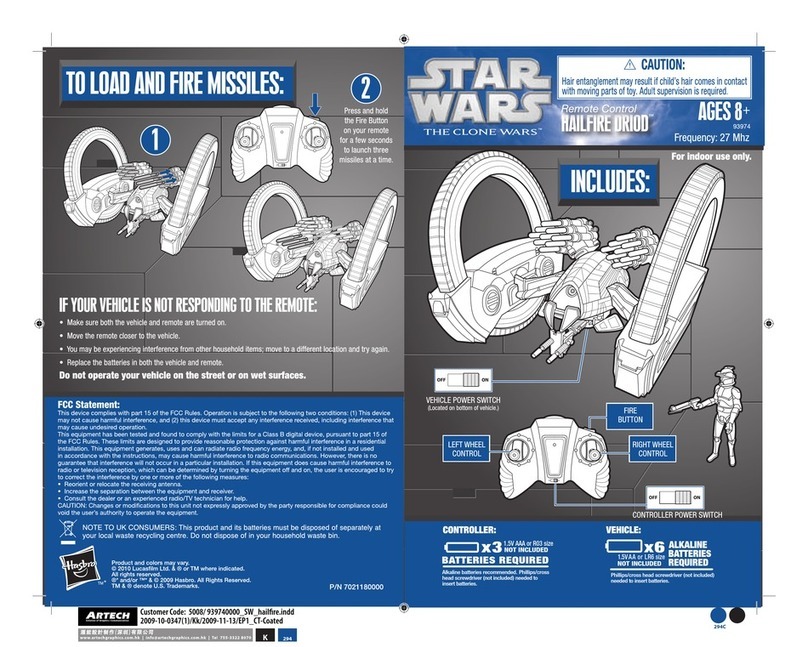
  9. Hasbro The Clone Wars 6779630000 User manual

Hasbro The Clone Wars 6779630000 User manual

This manual suits for next models

4

Other Hasbro Toy manuals

Hasbro Play-Doh Mega Fun Factory 24375 User manual

Hasbro

Hasbro Play-Doh Mega Fun Factory 24375 User manual

Hasbro Transformers Cyberverse Jetfire Sky Surge User manual

Hasbro

Hasbro Transformers Cyberverse Jetfire Sky Surge User manual

Hasbro Minecraft Ender Dragon NERF User manual

Hasbro

Hasbro Minecraft Ender Dragon NERF User manual

Hasbro MARVEL Monster Hunters MECH STRIKE F4378 User manual

Hasbro

Hasbro MARVEL Monster Hunters MECH STRIKE F4378 User manual

Hasbro Play-Doh DreamWorks Trolls User manual

Hasbro

Hasbro Play-Doh DreamWorks Trolls User manual

Hasbro My Little Pony F3883 User manual

Hasbro

Hasbro My Little Pony F3883 User manual

Hasbro 79057/79037 User manual

Hasbro

Hasbro 79057/79037 User manual

Hasbro Battle Jazz 83459 User manual

Hasbro

Hasbro Battle Jazz 83459 User manual

Hasbro Tiger Electronics Harry Potter Magic Spell... User manual

Hasbro

Hasbro Tiger Electronics Harry Potter Magic Spell... User manual

Hasbro Baby Alive Dressed for School User manual

Hasbro

Hasbro Baby Alive Dressed for School User manual

Hasbro Furby Furblings Dimensions

Hasbro

Hasbro Furby Furblings Dimensions

Hasbro Star Wars Revenge of the Sith Obi Wan Jedi Starfighter... User manual

Hasbro

Hasbro Star Wars Revenge of the Sith Obi Wan Jedi Starfighter... User manual

Hasbro my little Pony Sing and Dance Pinkie Pie... User manual

Hasbro

Hasbro my little Pony Sing and Dance Pinkie Pie... User manual

Hasbro FURREAL F2539 User manual

Hasbro

Hasbro FURREAL F2539 User manual

Hasbro TRANS FORMERS ANIMATED User manual

Hasbro

Hasbro TRANS FORMERS ANIMATED User manual

Hasbro Transformers Animated Autobot Jazz... User manual

Hasbro

Hasbro Transformers Animated Autobot Jazz... User manual

Hasbro Shrek 2 Far, Far Away Castle User manual

Hasbro

Hasbro Shrek 2 Far, Far Away Castle User manual

Hasbro Funky Furby 62169.102 User manual

Hasbro

Hasbro Funky Furby 62169.102 User manual

Hasbro Transformers 83612 User manual

Hasbro

Hasbro Transformers 83612 User manual

Hasbro Starscream 7054 User manual

Hasbro

Hasbro Starscream 7054 User manual

Hasbro Brother Bear Super Switchin Kenai 34927 User manual

Hasbro

Hasbro Brother Bear Super Switchin Kenai 34927 User manual

Hasbro Tiger Electronics Electronic Furby User manual

Hasbro

Hasbro Tiger Electronics Electronic Furby User manual

Hasbro Toilet Trouble Flushdown User manual

Hasbro

Hasbro Toilet Trouble Flushdown User manual

Hasbro TRANSFORMERS CYBERVERSE MEGATRON User manual

Hasbro

Hasbro TRANSFORMERS CYBERVERSE MEGATRON User manual

Popular Toy manuals by other brands

FUTABA GY470 instruction manual

FUTABA

FUTABA GY470 instruction manual

LEGO 41116 manual

LEGO

LEGO 41116 manual

Fisher-Price ColorMe Flowerz Bouquet Maker P9692 instruction sheet

Fisher-Price

Fisher-Price ColorMe Flowerz Bouquet Maker P9692 instruction sheet

Little Tikes LITTLE HANDIWORKER 0920 Assembly instructions

Little Tikes

Little Tikes LITTLE HANDIWORKER 0920 Assembly instructions

Eduard EF-2000 Two-seater exterior Assembly instructions

Eduard

Eduard EF-2000 Two-seater exterior Assembly instructions

USA Trains EXTENDED VISION CABOOSE instructions

USA Trains

USA Trains EXTENDED VISION CABOOSE instructions

Modellbau Laffont Z1601 Assembly instructions

Modellbau Laffont

Modellbau Laffont Z1601 Assembly instructions

NOCH 12905 instruction manual

NOCH

NOCH 12905 instruction manual

Eduard Ki-61-Id quick start guide

Eduard

Eduard Ki-61-Id quick start guide

Viessmann Vollmer 45616 Mounting instruction

Viessmann

Viessmann Vollmer 45616 Mounting instruction

Vollmer 42004 Mounting instruction

Vollmer

Vollmer 42004 Mounting instruction

Phoenix Model CLASSIC-EP instruction manual

Phoenix Model

Phoenix Model CLASSIC-EP instruction manual

H-KING Sopwith Camel British WW1 Fighter instruction manual

H-KING

H-KING Sopwith Camel British WW1 Fighter instruction manual

MODSTER Predator 4x4 Crawler user manual

MODSTER

MODSTER Predator 4x4 Crawler user manual

DHK Hobby 8136 User instruction manual

DHK Hobby

DHK Hobby 8136 User instruction manual

THUNDER TIGER Raptor 50 V2 kit manual

THUNDER TIGER

THUNDER TIGER Raptor 50 V2 kit manual

Timberkits Skateboarder instructions

Timberkits

Timberkits Skateboarder instructions

Hangar 9 Funtana 125 Assembly manual

Hangar 9

Hangar 9 Funtana 125 Assembly manual

manuals.online logo
manuals.online logoBrands
  • About & Mission
  • Contact us
  • Privacy Policy
  • Terms and Conditions

Copyright 2025 Manuals.Online. All Rights Reserved.

Product and colors may vary.
© 2007 Lucasfilm Ltd. & ® or TM where indicated. All rights reserved.
®* and/or ™* & © 2007 Hasbro. All Rights Reserved.
™ & ® denote U.S. Trademarks. P/N 6779630000
*
x3
BATTERIES INCLUDED
1.5V A A/R6 size
Replace with 3 x 1.5V “AA” or R6 size
batteries. Alkaline batteries recommended.
Phillips/cross head screwdriver (not included)
needed to replace batteries.
x3
BATTERIES INCLUDED
1.5V A A/R6 size
Replace with 3 x 1.5V “AA” or R6 size
batteries. Alkaline batteries recommended.
Phillips/cross head screwdriver (not included)
needed to replace batteries.
AGES 5+
87627/87628 Asst.
IMPORTANT! PLEASE READ INSTRUCTIONS
COMPLETELY BEFORE WEARING TOY.

ASSEMBLY & STRAP ADJUSTMENT
1
2
Attach straps to helmet
front: Insert tabs into holes
on inside of helmet and slide
up towards top of helmet.
Make sure all four mounting
points are secure.
Attach upper and lower
halves of helmet back.
Attach crest to
helmet back.
Attach helmet back
to helmet front.
1
3 4
2
Adjust straps to fit child’s head. Straps can be
readjusted once they are attached to helmet.
To adjust, lift straps off posts, slide straps to
desired position, and press straps onto posts.
1
Place helmet straight down on
head. Make sure the straps are
adjusted to keep it steady on
the child’s head so your child
can see through the eyes.
WEARING HELMET
BUTTONS
When helmet is not in use, slide switch
to “Off” to help conserve battery life.
Power
Radio Static Button/Voice Amplifier
Clone Trooper Phrases Button
Clone Trooper Commands Button
The helmet comes packaged in a “try me”
mode. Move switch from “Try Me” position to
“On” position for full activation of features.
2
5
BUTTONS (CONTINUED)
3
Clone Trooper Commands Button: Wearing the
helmet, press the button to hear clone trooper
commands from
Star Wars
entertainment.
The commands are:
Green light! Go! Go! Go!
All forward positions are advancing.
Come on, hurry, hurry!
Get ready to turn those clankers into scrap metal.
Cover me.
All units, fire at will!
We’ve got you outnumbered.
Clone Trooper Phrases Button: Wearing the
helmet, press the button to hear clone trooper
phrases from
Star Wars
entertainment.
The phrases are:
Roger that, sir.
I’m on my way.
I’ve got a bad feeling about this, sir.
The mission always comes first, sir.
Gunships are holding at a safe distance.
The droid army is in full retreat.
All clear, General.
Sir, we’re taking heavy fire.
Radio Static Button: Wearing
the helmet, press the button
to activate radio static sounds
and voice amplification. Speak
your own commands to create
realistic-sounding clone trooper
radio “chatter.”
4
TO REPLACE BATTERIES
Remove crest
section over battery
compartment door.
Loosen screw in battery
compartment door with
a Phillips/cross head
screwdriver (not included).
Remove door. Remove and
discard batteries. Insert
3 x 1.5V “AA” or R6 size
batteries. Alkaline batteries
recommended. Replace
door, and tighten screw.
Re-attach crest to helmet.
1
2
3
6
FCC Statement:
This equipment has been tested and found to comply with the limits for a Class B
digital device, pursuant to part 15 of the FCC Rules. These limits are designed to
provide reasonable protection against harmful interference in a residential installation.
This equipment generates, uses and can radiate radio frequency energy, and, if not
installed and used in accordance with the instructions, may cause harmful interference
to radio communications. However, there is no guarantee that interference will not
occur in a particular installation. If this equipment does cause harmful interference to
radio or television reception, which can be determined by turning the equipment off
and on, the user is encouraged to try to correct the interference by one or more of the
following measures:
• Reorient or relocate the receiving antenna.
• Increase the separation between the equipment and receiver.
• Consult the dealer or an experienced radio/TV technician for help.
CAUTION: Changes or modifications not expressly approved by the party responsible
for compliance could void the user’s authority to operate the equipment.
5
CAUTION:
1. Always follow the instructions carefully. Use only batteries specified and be sure to insert them
correctly by matching the + and – polarity markings.
2. Do not mix old batteries and new batteries, or standard (carbon-zinc) with alkaline batteries.
3. Remove exhausted or dead batteries from the product.
4. Remove batteries if product is not to be played with for a long time.
5. Do not short-circuit the supply terminals.
6. Should this product cause, or be affected by, local electrical interference, move it away from other
electrical equipment. Reset (switching off and back on again or removing and re-inserting batteries)
if necessary.
7. RECHARGEABLE BATTERIES: Do not mix these with any other types of battery. Always remove
from the product before recharging. Recharge batteries under adult supervision. DO NOT
RECHARGE OTHER TYPES OF BATTERIES.
CAUTION: TO AVOID BATTERY LEAKAGE
1. Be sure to insert the batteries correctly and always follow the toy and
battery manufacturers’ instructions;
2. Do not mix old and new batteries or alkaline, standard (carbon-zinc)
or rechargeable (nickel-cadmium) batteries;
3. Always remove weak or dead batteries from the product.
IMPORTANT:BATTERY INFORMATION
Please retain this information for future reference.
Batteries should be replaced by an adult.