6
EN
Operation
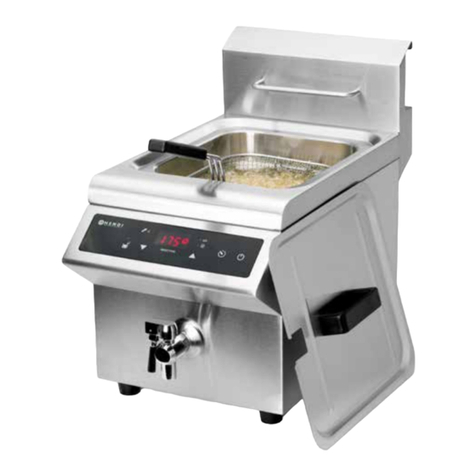
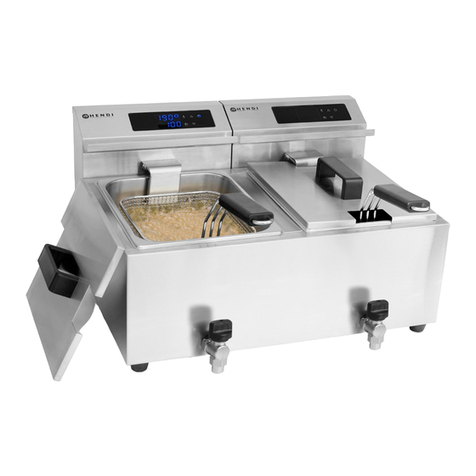
• Press ON / OFF (1) to switch ON the appliance.
FILL OIL (5) indicator flashes and buzzer sound
will be heard to alert the user to fill up the oil
tank container.
• Then, please make sure again the oil level is be-
tween the MIN and MAX marking.
• If the oil tank contains enough oil, press FILL OIL
(5) to cancel the buzzer sound and the indicator
light. The display will show the default tempera-
ture of 140°C.
• After that, press UP (3) or DOWN (4) button to
increase or decrease the temperature. (Range:
60°C ~ 190°C, with 5°C interval).
• When the oil doesn’t reach the set temperature,
“HEATING Indicator” will light up and “KEEP
WARM Indicator” will go out.
• When the oil temperature reaches the set tem-
perature, “HEATING Indicator” will go out and the
“KEEP WARN Indicator” will light up.
Note: During operation, if no temperature is set,
the appliance will maintain to the default temper-
ature 140°C.
Setting Timer
• Timer can be set by pressing the TIMER (2) to
enter TIMER mode.
• Then, press UP (3) or DOWN (4) to increase or
decrease the time. (Range: 0 min ~ 15 mins, with
30 seconds interval). Default setting is 0 min.
• When the timer is set, it will be stored automati-
cally within 5 seconds. Then, timer will be started
to count down from the set time.
• Display (6) will alternate between Time remaining
/ Set temperature.
• When the set time has elapsed, a beeping sound
(long and short) will be heard and “End” will be
shown in the display (6). The appliance will keep
on heating if the set temperature isn’t reached.
• Press and hold the UP (3) or DOWN (4) for fast
adjustment of timer.
Note: 1. Press and hold the increase setting button
(3) or decrease setting button (4) for fast
adjustment.
2. Every time, you press any button on the
panel, a short beep sound will be heard to
alert the user.
3. After an extended period of operation, it is
normal for the cooling fan inside to con-
tinue running in OFF mode for some time.
Before unplug the appliance, wait until the
cooling fan stops running.
4. The appliance’s outer surface is still hot
even after switch to OFF mode. Please
wait the appliance completely cool down
before touching or cleaning.
5. If no any button on the control panel is
pressed during operation for 4 hours, the
appliance will then switch to OFF mode
automatically.
RESET the Hi-limiter (Thermal cut-out)
Attention: Please note that there is a RESET button located at the rear side of the appliance to prevent the
appliance from overheated.
• Unplug the appliance from the electrical power
outlet and allow the appliance to completely cool
down.
• Unscrew the black protective cap of the RESET
button.
• Press the RESET button of the Hi-limiter (Ther-
mal cut-out). You should hear a click sound.
• Screw back the protective cap on the RESET but-
ton.