AN‐1590,Rev.NewHOLTINTEGRATEDCIRCUITS10/10/14
UsingtheBoard
1. Checkallthelinkandswitchpositionscomplywiththetablesabove.Connecta3.3V,1A
supplytothe3V3testpoint.A1Asupplycurrentisrequiredatmaximumamplitude.Verify
the‘PowerOn’LEDislit;theboardshouldtakeabout160mA,whennotsending1553
messages.ConnecttheminiUSBleadtoyourPCandthentotheHI‐1590board.YourPC
shouldautomaticallyinstallthedriver,ifnotthedriverFT231canbeinstalledfromtheHolt
CD.IfyouhaveproblemsinstallingthedriverpleaserefertotheFTDIwebsitebelow:
http://www.ftdichip.com/Documents/InstallGuides.htm
2. AllcontroloftheHI‐1590isdonethroughthe‘ControlConsole’.Thisrequiresuseofa
terminalemulatorforcommunication,suchasHyperTerminalorTeraTerm.TeraTermis
usedwithWindowsversionsofVistaorlaterandissuppliedontheHoltCD.
ToinstallTeraTerm:
UsetheTeraTerminstallerprogramteraterm.exefromtheHoltCD.Acceptthelicense
agreementstatingredistributionispermittedprovidedthatcopyrightnoticeisretained.
ThenoticecanbedisplayedfromtheTeraTermwindowbyclickingHelpthenclicking
AboutTeraTerm.Continuingtoinstall…
AcceptthedefaultinstalldestinationandclickNext.
AttheSelectComponentsscreen,unselectalloptionsexceptAdditionalPlugin=
TTXResizeMenuandclickNext.
Selecttheinstalledlanguage,thenclickNext.
AcceptthedefaultStartMenufolder,thenclickNext.
Selectanydesiredshortcuts,thenclickNext.
AttheReadytoInstallscreen,clickInstall.
RuntheTeraTermprogram.AttheNewConnectionscreen,selectSerialandchoosethe
selectedUSBserialCOMport,youcanfindthecorrectCOMportusingDeviceManager.
3. ClickSetupthenSerialPorttoopentheserialportsetupwindow.
ChoosetheCOMportforthemini‐USBconnectionandthenselectthefollowingsettings:
BaudRate:115200,Data:8bits,Parity:none,Stop:1bit,FlowControl:none
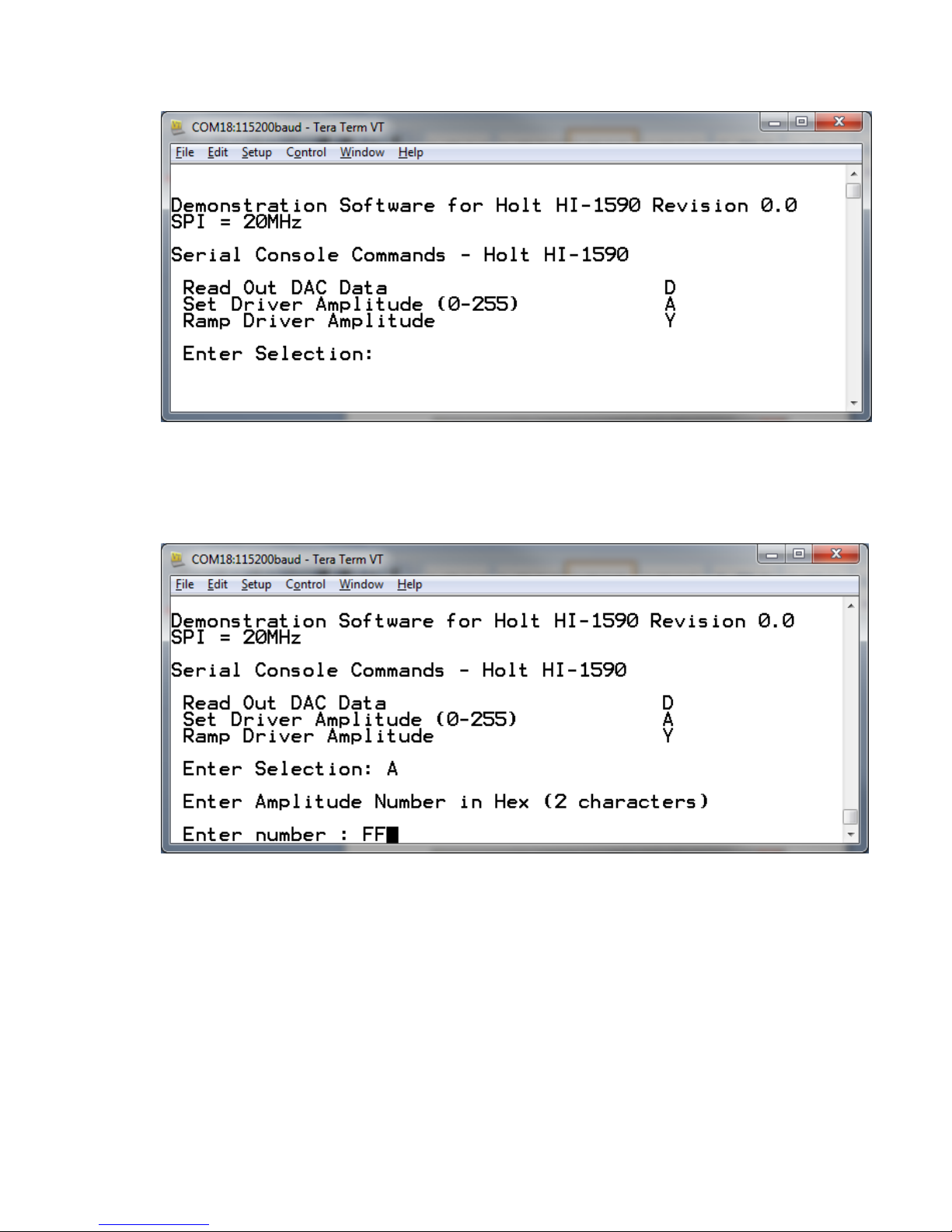
4. Theevaluationsoftwareispreprogrammedintothemicrocontrollerandwasloadedatthe
HoltApplicationsSupportCenter.Onpressingthe‘RESETMICRO’buttonontheboard,the
softwaredisplaysamessageonthemonitor,asshownbelow.