QSG‐8428‐RRev.AHOLTINTEGRATEDCIRCUITSOct2014
8
SoftwareControl
1. ConnecttheminiUSBleadtoyourPCandthentotheHI‐8428‐Rboard;yourPCshould
automaticallyinstallthedriver.IfnotthedriverFT231canbeinstalledfromtheHoltCD.If
youhaveproblemsinstallingthedriverpleaserefertotheFTDIwebsitebelow:
2. http://www.ftdichip.com/Documents/InstallGuides.htm
3. Fordemopurposes,allcontroloftheHI‐8428‐Risdonethroughthe‘ControlConsole’.This
requiresuseofaterminalemulatorforcommunication,suchasHyperTerminalorTeraTerm.
TeraTermisusedwithWindowsversionsofVistaorlaterandissuppliedontheHoltCD.
ToinstallTeraTerm:
UsetheTeraTerminstaller,suppliedontheHoltCD;runtheteraterm‐x.xx.exeinstaller
program.Acceptthelicenseagreementstatingredistributionispermittedprovidedthat
copyrightnoticeisretained.ThenoticecanbedisplayedfromtheTeraTermwindowby
clickingHelpthenclickingAboutTeraTerm.
oAcceptthedefaultinstalldestinationandclickNext.
oAttheSelectComponentsscreen,unselectalloptionsexceptAdditionalPlugin=
TTXResizeMenuandclickNext.
oSelecttheinstalledlanguage,thenclickNext.
oAcceptthedefaultStartMenufolder,thenclickNext.
oSelectanydesiredshortcuts,thenclickNext.
oAttheReadytoInstallscreen,clickInstall.
RuntheinstalledTeraTermprogram.AttheNewConnectionscreen,select(x)Serialand
choosetheselectedCOMport,findthecorrectCOMportusingDeviceManager.
4. ClickSetupthenSerialPorttoopentheserialportsetupwindow.
ChoosetheCOMportforthemini‐USBconnectionandthenselectthefollowingsettings:
BaudRate:115200,Data:8bits,Parity:none,Stop:1bit,FlowControl:none
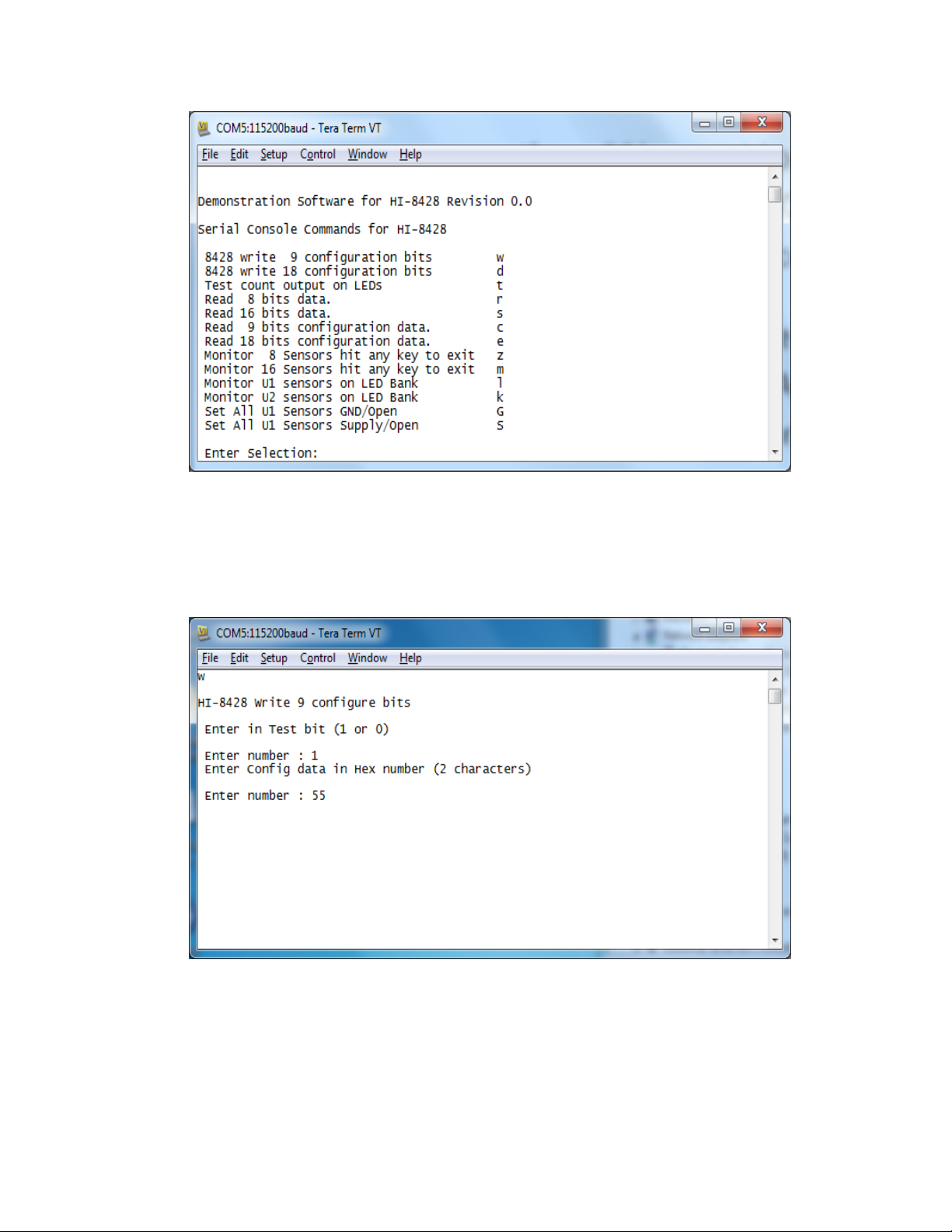
5. Theevaluationsoftwareispre‐programmedintotheMCUattheHoltApplicationsSupport
Center.EnsureallSW3switchesare‘ON’,pressthe‘RESETMCU’buttonontheboard,the
softwaredisplaysamessageonthemonitor,similartothescreenshotshownbelow.