manuals.online logo
Brands
  1. Home
  2. •
  3. Brands
  4. •
  5. HP
  6. •
  7. Measuring Instrument
  8. •
  9. HP 4155A User manual

HP 4155A User manual

Other manuals for 4155A

3

This manual suits for next models

1

Other HP Measuring Instrument manuals

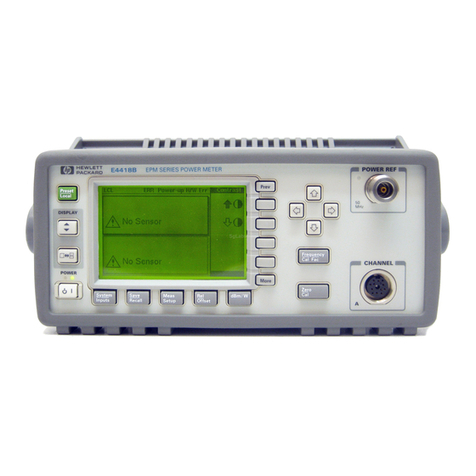
HP E4418B Operating instructions

HP

HP E4418B Operating instructions

HP 1652B Owner's manual

HP

HP 1652B Owner's manual

HP 68302 User manual

HP

HP 68302 User manual

HP 421A Service manual

HP

HP 421A Service manual

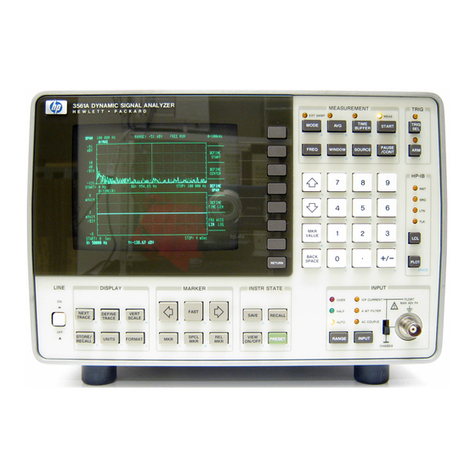
HP 3562A User manual

HP

HP 3562A User manual

HP 16500A User manual

HP

HP 16500A User manual

HP 1660E Series User manual

HP

HP 1660E Series User manual

HP 70310A User manual

HP

HP 70310A User manual

HP HP 1660CP Series User manual

HP

HP HP 1660CP Series User manual

HP 8757C User manual

HP

HP 8757C User manual

HP HP 8753E User manual

HP

HP HP 8753E User manual

HP 8756A User manual

HP

HP 8756A User manual

HP 83480A User manual

HP

HP 83480A User manual

HP 3580A Service manual

HP

HP 3580A Service manual

HP E1725C User manual

HP

HP E1725C User manual

HP 64700 series User manual

HP

HP 64700 series User manual

HP E1725C User manual

HP

HP E1725C User manual

HP 5340A Manual

HP

HP 5340A Manual

HP EPM-441A User manual

HP

HP EPM-441A User manual

HP 71600B Series User manual

HP

HP 71600B Series User manual

HP 10811A Instruction and safety manual

HP

HP 10811A Instruction and safety manual

HP 8590 EM Series User manual

HP

HP 8590 EM Series User manual

HP 333A Service manual

HP

HP 333A Service manual

HP 4328A Service manual

HP

HP 4328A Service manual

Popular Measuring Instrument manuals by other brands

Suaoki D40 user manual

Suaoki

Suaoki D40 user manual

Elster BK-G1.6 operating instructions

Elster

Elster BK-G1.6 operating instructions

Endress+Hauser Deltabar FMD71 technical information

Endress+Hauser

Endress+Hauser Deltabar FMD71 technical information

Duratool D03128 manual

Duratool

Duratool D03128 manual

Vega VEGAPULS 65 Quick setup guide

Vega

Vega VEGAPULS 65 Quick setup guide

Tonghui TH2618B Operation manual

Tonghui

Tonghui TH2618B Operation manual

Tenmars TM-801 user manual

Tenmars

Tenmars TM-801 user manual

MSR 145 user manual

MSR

MSR 145 user manual

TPS WP-82 manual

TPS

TPS WP-82 manual

PCB Piezotronics 003C30 Installation and operating manual

PCB Piezotronics

PCB Piezotronics 003C30 Installation and operating manual

Tenma 72-10465 manual

Tenma

Tenma 72-10465 manual

Endress+Hauser Proline Promag 50 Brief operating instructions

Endress+Hauser

Endress+Hauser Proline Promag 50 Brief operating instructions

Siemens SITRANS F Coriolis FCT030 Function manual

Siemens

Siemens SITRANS F Coriolis FCT030 Function manual

KLINGER CMF V Series instruction manual

KLINGER

KLINGER CMF V Series instruction manual

Keysight M8290A Getting started guide

Keysight

Keysight M8290A Getting started guide

Acterna MS1400 Operation manual

Acterna

Acterna MS1400 Operation manual

R&S ZPH manual

R&S

R&S ZPH manual

Datacolor ColorReader DC10-2 user guide

Datacolor

Datacolor ColorReader DC10-2 user guide

manuals.online logo
manuals.online logoBrands
  • About & Mission
  • Contact us
  • Privacy Policy
  • Terms and Conditions

Copyright 2025 Manuals.Online. All Rights Reserved.

About this Manual
We’ve added this manual to the Agilent website in an effort to help you support
your product. This manual is the best copy we could find; it may be incomplete
or contain dated information. If we find a more recent copy in the future, we will
add it to the Agilent website.
Support for Your Product
Agilent no longer sells this product. Our service centers may be able
to perform calibration and repair if necessary, but no other support from
Agilent is available. You will find any other available product information on the
Agilent Test & Measurement website, www.tm.agilent.com.
HP References in this Manual
This manual may contain references to HP or Hewlett-Packard. Please note that
Hewlett-Packard's former test and measurement, semiconductor products and
chemical analysis businesses are now part of Agilent Technologies. We have
made no changes to this manual copy. In other documentation, to reduce
potential confusion, the only change to product numbers and names has been in
the company name prefix: where a product number/name was HP XXXX the
current name/number is now Agilent XXXX. For example, model number
HP8648A is now model number Agilent 8648A.
Semiconductor Parameter Analyzer
User's Task Guide
c

Copyright Hewlett-Packard
Company 1993 - 1995
All Rights Reserved.
Reproduction, adaptation, or
translation without prior written
permission is prohibited, except as
allowed under the copyright laws.
HP Part Number
04155-90010
Printing History
First edition, February 1994
Second edition, December 1994
Third edition, November 1995
Printed in Japan
MS-DOS
R

is U.S. registered
trademark of Microsoft
Corporation.
Lotus 1-2-3 is U.S. registered
trademark of Lotus Development
Corporation.
PageMaker is a trademark of
Aldus Corporation.
Product Warranty
This Hewlett-Packard product is warranted against
defects in material and workmanship for a period of
one year from date of shipment. During the warranty
period, Hewlett-Packard will, at its option, either repair
or replace products which prove to be defective.
For warranty service or repair, this product must be
returned to a service facility designated by
Hewlett-Packard. Buyer shall prepay shipping charges
to Hewlett-Packard and Hewlett-Packard shall pay
shipping charges to return the product to Buyer
.
However, Buyer shall pay all shipping charges, duties,
and taxes for products returned to Hewlett-Packard
from another country.
Hewlett-Packard warrants that its software and
rmware designated by Hewlett-Packard for use with
an instrument will execute its programming
instructions when properly installed on that instrument.
Hewlett-Packard does not warrant that the operation
of the instrument, or software, or rmware will be
uninterrupted or error free.
Limitation of Warranty
The foregoing warranty shall not apply to defects
resulting from improper or inadequate maintenance by
Buyer, Buyer-supplied software or interfacing,
unauthorized modications or misuse, operation outside
of the environment specications for the products, or
improper site preparation or maintenance.
No other warranty is expressed or implied.
Hewlett-Packard specically disclaims the implied
warranties of merchantability and tness for a
particular purpose.
Exclusive Remedies
The remedies provided herein are the Buyer's sole and
exclusive remedies. Hewlett-Packard shall not be liable
for any direct, indirect, special, incidental, or
consequential damages, whether based on contract,
tort, or any other legal theory.
Assistance
Product maintenance agreements and other customer
assistance agreements are available for
Hewlett-Packard products.
For any assistance, contact your nearest
Hewlett-Packard Sales Oce.
Certication
Hewlett-Packard Company certies that this product
met its published specications at the time of shipment
[from the factory]. Hewlett-Packard further certies
that its calibration measurements are traceable to the
National Institute of Standards and Technology
(
NIST
), to the extent allowed by the Institute's
calibration facility, and to the calibration facilities of
other International Standards Organization members.
Yokogawa-Hewlett-Packard, Ltd.
9-1, Takakura-Cho, Hachioji-Shi,
Tokyo, 192 Japan

Safety Summary
The following general safety precautions must be observed during all
phases of operation, service, and repair of this instrument. Failure to
comply with these precautions or with specic warnings elsewhere in
this manual may impair the protection provided by the equipment. In
addition it violates safety standards of design, manufacture, and intended
use of the instrument. Hewlett-Packard Company assumes no liability for
customer's failure to comply with these requirements.
NOTE
HP 4155A/4156A comply with INSTALLATION CATEGORY II and
POLLUTION DEGREE 2 dened in IEC 1010-1.
HP 4155A/4156A are INDOOR USE products.

GROUND THE INSTRUMENT
To minimize shock hazard, the instrument chassis and cabinet must
be connected to an electrical ground. The power terminal and the
power cable must meet International Electrotechnical Commission

(IEC) safety standards.

DO NOT OPERATE IN AN EXPLOSIVE ATMOSPHERE
Do not operate the instrument in the presence of ammable gases
or fumes. Operation of any electrical instrument in such an
environment constitutes a denite safety hazard.

KEEP AWAY FROM LIVE CIRCUITS
Operation personnel must not remove instrument covers. Component
replacement and internal adjustments must be made b
y qualied
maintenance personnel. Do not replace components with power cable
connected. Under certain conditions, dangerous voltages may exist
even with the power cable removed. To avoid injuries, always
disconnect power and discharge circuits before touching them.

DO NOT SERVICE OR ADJUSTALONE
Do not attempt internal service or adjustment unless another person,
capable of rendering rst aid and resuscitation, is present.

DO NOT SUBSTITUTE PARTS OR MODIFY INSTRUMENT
Because of the danger of introducing additional hazards, do not
install substitute parts or perform any unauthorized modication to
the instrument. Return the instrument to a Hewlett-Packard Sales
and Service Oce for services and repair to ensure that safety
features are maintained.

DANGEROUS PROCEDURE WARNINGS
Warnings, such as example below, precede potentially dangerous
procedures throughout this manual. Instructions contained in the
warnings must be followed.
WARNING
Dangerous voltages, capable of causing death, are present in this
instrument. Use extreme caution when handling, testing, and adjusting.
Safety Symbols
The general denitions of safety symbols used on equipment or in
manuals are listed below.
L
Instruction manual symbol: the product will be marked
with this symbol when it is necessary for the user to
refer to the instruction manual in order to protect
against damage to the instrument.
Indicates dangerous voltage (terminals fed from the
interior by voltage exceeding 1000 volts must be so
marked).
K
Indicates earth (ground) terminal.
Frame or chassis terminal. A connection to the frame
(chassis) of the equipment which normally includes all
exposed metal structures.
A
Alternating current.
F
Direct current.
ON (Supply).
OFF (Supply).
WARNING
The warning sign denotes a hazard. It calls attention to
a procedure, practice, condition or the like, which, if
not correctly performed or adhered to, could result in
injury or death to personnel.
CAUTION
The caution sign denotes a hazard. It calls attention to
an operating procedure, practice, condition or the like,
which, if not correctly performed or adhered to, could
result in damage to or destruction of part or all of the
product.
Herstellerbescheinigung
GE

AUSCHEMISSION
Lpa
<
70 dB
am Arbeitsplatz
normaler Betrieb
nach DIN 45635 T.19
Manufacturer's Declaration
ACOUSTIC NOISE EMISSION
Lpa
<
70 dB
operator position
normal operation
per ISO 7779
Introduction
HP 4155A/4156A is an electronic instrument for measuring and analyzing the
characteristics of semiconductor devices. This one instrument allows you to
perform
both
measurement
and
analysis of measurement results.
highly accurate measurements.
HP 4155A/4156A has four highly accurate source/monitor units (SMUs), two
voltage source units (VSUs), and two voltage measurement units (VMUs).
The HP 4156A is designed for Kelvin connections and has high-resolution
SMUs (HRSMUs), so HP 4156A is especially suited for low resistance and low
current measurements.You can measure voltage values with a resolution of
0.2

V by using the dierential measurement mode of VMUs.
reliability testing.
HP 4155A/4156A can perform
stress
testing. That is, can force a specied dc
voltage or current for the specied duration.
Also, you can force ac stress by using pulse generator units (PGUs), which are
installed in HP 41501A SMU/Pulse Generator Expander. The HP 41501A is
attached to HP 4155A or HP 4156A, and can be equipped with a ground unit
(GNDU), high power SMU (HPSMU), two medium power SMUs (MPSMUs), or
two PGUs.
data storing and printing.
HP 4155A/4156A can print and store, in addition to performing measurement
and analysis.You can store measurement setup information, measurement
data, and instrument setting information on a 3.5-inch diskette inserted into
the disk drive of HP 4155A/4156A. And you can print the setting information
and measurement results on a plotter or printer that is connected to
HP 4155A/4156A.
remote control.
HP 4155A/4156A can be controlled by an external controller via HP-IB by
using remote control commands. These commands are based on Standard
Commands for Programmable Instruments (SCPI), so you can easily develop
measurement programs.
HP 4155A/4156A has internal HP Instrument BASIC, so you can develop and
execute measurement programs by using the HP 4155A/4156A only, without
using an external controller.
ix