Keyboard
KeyboardKeyboard
Keyboard
Keyboard not included. PS/2 or USB supported.
NOTE:
NOTE:NOTE:
NOTE:
A keyboard is required to unbundle the software image.
Pointing Device
Pointing DevicePointing Device
Pointing Device
Pointing Device not included. USB supported. Pointing devices include a mouse, trackball, touch pad,
etc.
Multi Track (3) Magnetic
Multi Track (3) MagneticMulti Track (3) Magnetic
Multi Track (3) Magnetic
stripe reader (MSR)
stripe reader (MSR)stripe reader (MSR)
stripe reader (MSR)
Integrated MSR available on some select models. Conforms to ANSI/ISO 7810, 7811 1/5, 7812, and
7813;
Supports OPOS and JPOS drivers layer; 3 tracks: IATA, ABA, THRIFT; bi-directional swipe, LED indicates
status of reader.
NOTE:
NOTE:NOTE:
NOTE:
The MSR is standard on some models and optional on others
Vacuum Fluorescent
Vacuum FluorescentVacuum Fluorescent
Vacuum Fluorescent
Display (VFD)
Display (VFD)Display (VFD)
Display (VFD)
(2 x 20 Customer Facing
(2 x 20 Customer Facing(2 x 20 Customer Facing
(2 x 20 Customer Facing
Display)
Display)Display)
Display)
2 line x 20 character display (40 characters total), RS-232 interface, DC5V (COM 2 port set to 5 Volts at
factory in BIOS setup). Supports complex character set, control commands, user-defined fonts and
international fonts. Display pitch adjustment 80 degrees (10 degrees to 90 degrees), no height
adjustment.
WARNING
WARNINGWARNING
WARNING
: VFD (2 x 20 customer display) must be plugged into COM 1 or COM 2 (not COM3 since
COM 3 does not support DC5V. Plugging the VFD into COM 3 may damage the VFD. COM 1 may be
used for the VFD but 5 Volts will need to be selected in BIOS Setup for COM 1.
NOTE:
NOTE:NOTE:
NOTE:
The VFD occupies COM 2 from the factory. Although three COM ports are present on ap5000,
COM 2 is occupied by the VFD; therefore, only two COM ports are available to the end user when the
VFD is installed.
Advertisement panel
Advertisement panelAdvertisement panel
Advertisement panel
This non-electrical panel features a clear cover. It may be removed so that print material/advertisements
can be displayed. HP provides a template for the advertisement panel.
Storage
StorageStorage
Storage
Hard Drive or Solid State
Hard Drive or Solid StateHard Drive or Solid State
Hard Drive or Solid State
Drive
DriveDrive
Drive
(2) 2.5" internal storage bays: 160 GB or 250GB 2.5" Hard Disk Drive
(HDD) (select models), 64 GB or 80GB 2.5" Solid State Drive (SSD) (select
models)
NOTE:
NOTE:NOTE:
NOTE:
The ap5000 can be configured with a combination of the 160 GB,
250 GB HDD or 64 GB, 80 GB SSD; however, if RAID 1 is requested from
the HP Factory, both storage bays must contain the same size drive.
Optical Drive
Optical DriveOptical Drive
Optical Drive
External USB only (not included).
NOTE:
NOTE:NOTE:
NOTE:
an optical drive is required to restore the software image.
QuickSpecs
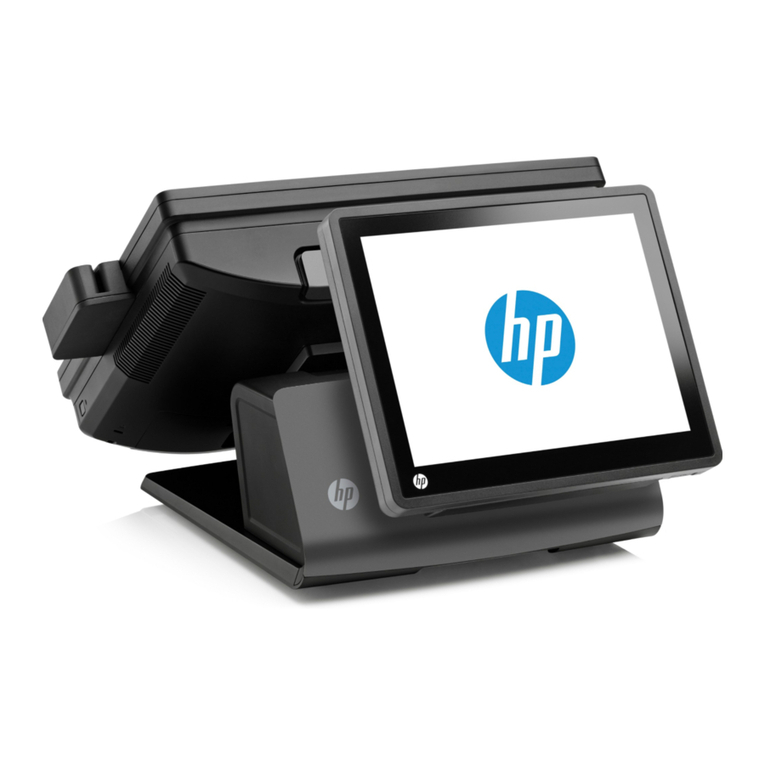
HP ap5000 All-in-One (AiO) Point of Sale (POS) System
HP ap5000 All-in-One (AiO) Point of Sale (POS) SystemHP ap5000 All-in-One (AiO) Point of Sale (POS) System
HP ap5000 All-in-One (AiO) Point of Sale (POS) System
Standard Features
DA - 13540 North America — Version 13 — January 30, 2012
Page 4