10 English
Placement of the lter media
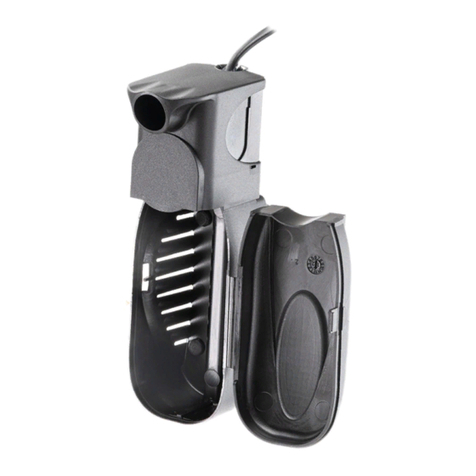
• Rotate the clips unlocking the pump assembly and open the lter by levering on the special slots
using your ngers -Fig. 8-.
• Remove the lter media container and open it by unscrewing the cover in an anticlockwise
direction-Fig.9-.Iftheproductissuppliedwithltermedia, itwill belocatedinside thecontainer.
• Remove the media from their plastic bags, rinse under water, and pour them in the net bags. If
the product is supplied without lter media,ll the container with the choosen materials. Rinse
the lter media before using them.
• Close the container very carefully screwing the cover in a clockwise direction and replace it in
the lter.
• Reassemble the pump assembly, paying attention to the correct position of the reference marks
-Fig. 10-, ensure the clips are in open position since forcing the unit in with these closed will split
the canister. Make sure the pump assembly is properly seated in the lter unit and close the clips
until they click into position. Check that the inlet and outlet systems, the valves and nuts are all
locked tightly. Open the valve taps by rotating the levers.
Starting the lter
PRIME is a self-priming lter: it is simply necessary to ll up the priming chamber with water
and to plug into the mains supply, as follows:
Bypressing theredbutton inthedirection of the“arrow”engravedon it,unscrew the priming
tap and remove it -Fig. 11-.
Fill up the priming chamber -Fig. 12-.
Replace the tap and carefully twist it clockwise, until the red button relocates into position.
ConnectPRIME to mains supply,itwillstart automatically andalltheair inside the lter body
andthe tubes will be dischargedthroughtheimpeller chamber.It is normal acertain amount
of noise due to the presence of air in the ducts until all the air is discharged. It may take a
short time for the lter to fully prime. Once the lter is running, the noise will disappear and
PRIME will work quietly and at its best.
Setting up the ow indicator
PRIME’s intake tube is equipped with an indicator system which allows you to monitor the
need for cleaning.
• With the PRIME running, check the level reached by the water in the indicator tube -Fig. 13a-.
• Disconnect the electricity supply and any other electrical equipment and place the red coloured
mark in the mid point between the level ascertained above and that of the aquarium water -Fig.
13b-.
• As the lter becomesclogged, thelevelof the waterin the indicator tubewill get closerand closer
to the red mark -Fig. 13c-. It is recommended that the lter is cleaned as soon as the water level
reaches or goes past the red mark.
Maintenance
Attention: always disconnect all electrical equipment from the electricity supply, installed
both inside and outside your aquarium, before putting your hands in the water.
• Shuto both valves,unscrewthemandremovethem fromthe lterby pulling themo the lter.
Attention: the valve taps must remain attached to the exible tubes.
• It is normal for a very small amount of water inside the valves to be discharged, this does not
indicate faulty functioning of the valve taps. Place the lter body in a bowl to allow you to open
up the unit without fear of spillage.
• Open the clips until they click out of the locking position and take apart the pump assembly from
the lter by levering on the special slots -Fig. 8-.
• Pull out the lter media container by its handle and open by unscrewing the cover -Fig. 9-.
• To avoid destroying the colonies of bacteria in the substrate of the lter,it is recommended to
wash or to replace only one part of the lter media at one time.
• Close the container very carefully screwing the cover in a clockwise direcion and replace it in the
lter. Everytime the lter media is cleaned it is recommended that the rotor impeller assembly is
cleaned together with its chamber, priming chamber and all the water ducts.
• Remove the priming chamber from the pump by unscrewing it -Fig. 14-.
• By pressing the red button in the direction of the“arrow”engraved on it, unscrew the priming
tap -Fig. 11-.
• Removethe pump chamberpulling it from itstop -Fig. 15-. Removethe impeller from itsseating.
Use a sti brush clean carefully to remove all deposits and wash well under running water.
Attention: do not use solvents or detergents of any kind.
• Reassemble the whole unit in reverse order.