manuals.online logo
Brands
  1. Home
  2. •
  3. Brands
  4. •
  5. IBM
  6. •
  7. Switch
  8. •
  9. IBM Nways 8260 User manual

IBM Nways 8260 User manual

Other manuals for Nways 8260

3

Other IBM Switch manuals

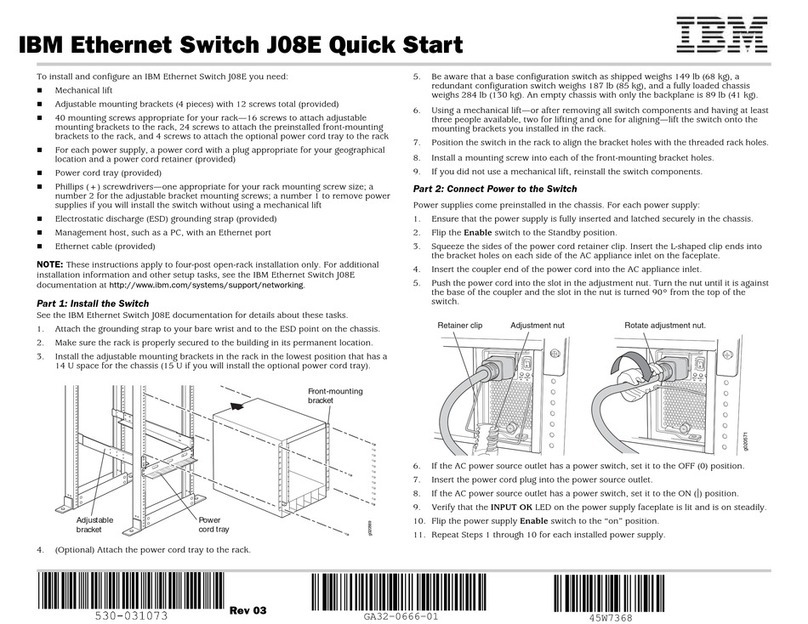
IBM J08E User manual

IBM

IBM J08E User manual

IBM 4002-Y2A User manual

IBM

IBM 4002-Y2A User manual

IBM J48E User manual

IBM

IBM J48E User manual

IBM RackSwitch G8264T User manual

IBM

IBM RackSwitch G8264T User manual

IBM 17353LX - 1x8 Console Switch User manual

IBM

IBM 17353LX - 1x8 Console Switch User manual

IBM RedBooks SAN24B-5 User manual

IBM

IBM RedBooks SAN24B-5 User manual

IBM E12 User manual

IBM

IBM E12 User manual

IBM 86495BX User guide

IBM

IBM 86495BX User guide

IBM 8275 User manual

IBM

IBM 8275 User manual

IBM xSeries 300 User manual

IBM

IBM xSeries 300 User manual

IBM RackSwitch G8000 User manual

IBM

IBM RackSwitch G8000 User manual

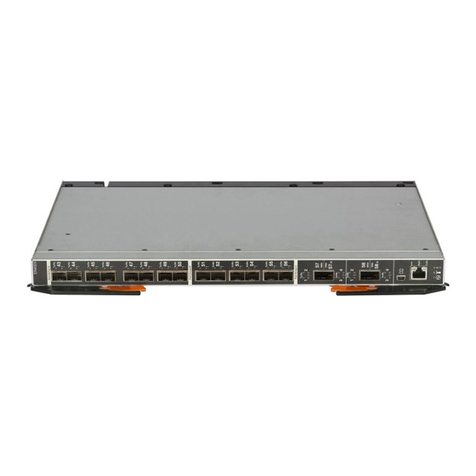
IBM Flex System EN4023 User manual

IBM

IBM Flex System EN4023 User manual

IBM 8265 Nways ATM Switch Technical specifications

IBM

IBM 8265 Nways ATM Switch Technical specifications

IBM RackSwitch G8264CS User manual

IBM

IBM RackSwitch G8264CS User manual

IBM SAN40B-4 - System Storage Switch Troubleshooting guide

IBM

IBM SAN40B-4 - System Storage Switch Troubleshooting guide

IBM 8275 217 User manual

IBM

IBM 8275 217 User manual

IBM 8271 F12 User manual

IBM

IBM 8271 F12 User manual

IBM RedBooks SAN24B-5 Manual

IBM

IBM RedBooks SAN24B-5 Manual

IBM 3110X - Cisco Catalyst Switch Manual

IBM

IBM 3110X - Cisco Catalyst Switch Manual

IBM T860 User manual

IBM

IBM T860 User manual

IBM 6 MPLS User manual

IBM

IBM 6 MPLS User manual

IBM CN4093 User manual

IBM

IBM CN4093 User manual

IBM TotalStorage L10 User manual

IBM

IBM TotalStorage L10 User manual

IBM Multi-Port USB Hub User manual

IBM

IBM Multi-Port USB Hub User manual

Popular Switch manuals by other brands

SMC Networks SMC6224M Technical specifications

SMC Networks

SMC Networks SMC6224M Technical specifications

Aeotec ZWA003-S operating manual

Aeotec

Aeotec ZWA003-S operating manual

TRENDnet TK-209i Quick installation guide

TRENDnet

TRENDnet TK-209i Quick installation guide

Planet FGSW-2022VHP user manual

Planet

Planet FGSW-2022VHP user manual

Avocent AutoView 2000  AV2000BC AV2000BC Installer/user guide

Avocent

Avocent AutoView 2000 AV2000BC AV2000BC Installer/user guide

Moxa Technologies PT-7728 Series user manual

Moxa Technologies

Moxa Technologies PT-7728 Series user manual

Intos Electronic inLine 35392I operating instructions

Intos Electronic

Intos Electronic inLine 35392I operating instructions

Cisco Catalyst 3560-X-24T Technical specifications

Cisco

Cisco Catalyst 3560-X-24T Technical specifications

Asante IntraCore IC3648 Specifications

Asante

Asante IntraCore IC3648 Specifications

Siemens SIRIUS 3SE7310-1AE Series Original operating instructions

Siemens

Siemens SIRIUS 3SE7310-1AE Series Original operating instructions

Edge-Core DCS520 quick start guide

Edge-Core

Edge-Core DCS520 quick start guide

RGBLE S00203 user manual

RGBLE

RGBLE S00203 user manual

Thrustmaster FLIGHT SIMULATOR X quick guide

Thrustmaster

Thrustmaster FLIGHT SIMULATOR X quick guide

Southwire SURGE GUARD 41390 RVC troubleshooting guide

Southwire

Southwire SURGE GUARD 41390 RVC troubleshooting guide

Buhler Nivotemp NT 61 Brief instructions

Buhler

Buhler Nivotemp NT 61 Brief instructions

Kramer VS-41HDCP user manual

Kramer

Kramer VS-41HDCP user manual

Techly IDATA AU-270 user manual

Techly

Techly IDATA AU-270 user manual

Belkin F1U109 user manual

Belkin

Belkin F1U109 user manual

manuals.online logo
manuals.online logoBrands
  • About & Mission
  • Contact us
  • Privacy Policy
  • Terms and Conditions

Copyright 2025 Manuals.Online. All Rights Reserved.

IBM INSTALLATION INSTRUCTIONS
8260 Nways(*) Multiprotocol Switching Hub
Installation Instructions
for
Microcode Upgrade Field B/M of
DMM and EC-DMM Modules (Boot v1.03, Operational v5.25),
Advanced DMM/Controller Module (Boot v1.03/v1.04, Op. v5.25/v1.15),
Fault-Tolerant Controller Module (Boot v1.03, Operational v1.15),
E-MAC Module (Boot v1.01, Operational v3.00),
HEMAC Module (Boot v1.00, Operational v2.10),
T-MAC Module (Boot v2.00, Operational v4.00, TRchipset v4.00)
and
HTMAC Module (Boot v1.01, Operational v2.10, TRchipset v1.00)
8260 P/N 42L2521 EC F55974 1 of 54
Install Inst February 3, 1999
IBM INSTALLATION INSTRUCTIONS
8260 P/N 42L2521 EC F55974 2 of 54
Install Inst February 3, 1999
IBM INSTALLATION INSTRUCTIONS
Contents
Read This First ........................................................ 5
Trademarks and Service Marks .............................................. 7
Before Installation . . . . . . . . . . . . . . . . . . . . . . . . . . . . . . . . . . . . . . . . . . . . . . . . . . . . . . 9
Purpose . . . . . . . . . . . . . . . . . . . . . . . . . . . . . . . . . . . . . . . . . . . . . . . . . . . . . . . . . . . . . 9
Machines Affected . . . . . . . . . . . . . . . . . . . . . . . . . . . . . . . . . . . . . . . . . . . . . . . . . . . . . . . 9
Requirements . . . . . . . . . . . . . . . . . . . . . . . . . . . . . . . . . . . . . . . . . . . . . . . . . . . . . . . . . 9
For download Out-of-Band method. .......................................... 10
For download In-Band method. ............................................. 11
Installation . . . . . . . . . . . . . . . . . . . . . . . . . . . . . . . . . . . . . . . . . . . . . . . . . . . . . . . . . 13
Distribution Diskettes . . . . . . . . . . . . . . . . . . . . . . . . . . . . . . . . . . . . . . . . . . . . . . . . . . . . 13
Distribution Diskette P/N 42L2522 ........................................... 13
Distribution Diskette P/N 42L2523 ........................................... 14
Distribution Diskette P/N 42L2524 ........................................... 14
Safety . . . . . . . . . . . . . . . . . . . . . . . . . . . . . . . . . . . . . . . . . . . . . . . . . . . . . . . . . . . . . 15
References . . . . . . . . . . . . . . . . . . . . . . . . . . . . . . . . . . . . . . . . . . . . . . . . . . . . . . . . . . 16
Upgrading the E-MAC and/or T-MAC Boot and/or Operational Codes ...................... 17
Creating the Software on a DOS or OS/2 Workstation .................................. 17
Creating the Software on an AIX Workstation ...................................... 18
Download Out-of-Band . . . . . . . . . . . . . . . . . . . . . . . . . . . . . . . . . . . . . . . . . . . . . . . . . . . 20
General Scenario . . . . . . . . . . . . . . . . . . . . . . . . . . . . . . . . . . . . . . . . . . . . . . . . . . . . . 20
Scenario for UCDK Users ................................................ 20
Download In-Band . . . . . . . . . . . . . . . . . . . . . . . . . . . . . . . . . . . . . . . . . . . . . . . . . . . . . 22
Upgrading the 8000-RCTL Boot and/or Operational Codes ............................. 23
Creating the Software on a DOS or OS/2 Workstation .................................. 23
Creating the Software on an AIX Workstation ...................................... 24
Download Out-of-Band . . . . . . . . . . . . . . . . . . . . . . . . . . . . . . . . . . . . . . . . . . . . . . . . . . . 25
General Scenario . . . . . . . . . . . . . . . . . . . . . . . . . . . . . . . . . . . . . . . . . . . . . . . . . . . . . 25
Scenario for UCDK Users ................................................ 25
Download In-Band . . . . . . . . . . . . . . . . . . . . . . . . . . . . . . . . . . . . . . . . . . . . . . . . . . . . . 26
Upgrading the DMM-CTLR (Controller part) Boot and/or Operational Codes .................. 27
Creating the Software on a DOS or OS/2 Workstation .................................. 27
Creating the Software on an AIX Workstation ...................................... 28
Download Out-of-Band . . . . . . . . . . . . . . . . . . . . . . . . . . . . . . . . . . . . . . . . . . . . . . . . . . . 29
General Scenario . . . . . . . . . . . . . . . . . . . . . . . . . . . . . . . . . . . . . . . . . . . . . . . . . . . . . 29
Scenario for UCDK Users ................................................ 29
Download In-Band . . . . . . . . . . . . . . . . . . . . . . . . . . . . . . . . . . . . . . . . . . . . . . . . . . . . . 30
Upgrading the DMM and EC-DMM Boot and/or Operational Codes ....................... 31
8260 P/N 42L2521 EC F55974 3 of 54
Install Inst February 3, 1999

IBM INSTALLATION INSTRUCTIONS
Creating the Software on a DOS or OS/2 Workstation .................................. 31
Creating the Software on an AIX Workstation ...................................... 32
Download Out-of-Band . . . . . . . . . . . . . . . . . . . . . . . . . . . . . . . . . . . . . . . . . . . . . . . . . . . 33
General Scenario . . . . . . . . . . . . . . . . . . . . . . . . . . . . . . . . . . . . . . . . . . . . . . . . . . . . . 33
Scenario for UCDK Users ................................................ 33
Download In-Band . . . . . . . . . . . . . . . . . . . . . . . . . . . . . . . . . . . . . . . . . . . . . . . . . . . . . 34
Upgrading the DMM-CTLR (DMM part) Boot and/or Operational Codes .................... 35
Creating the Software on a DOS or OS/2 Workstation .................................. 35
Creating the Software on an AIX Workstation ...................................... 36
Download Out-of-Band . . . . . . . . . . . . . . . . . . . . . . . . . . . . . . . . . . . . . . . . . . . . . . . . . . . 37
General Scenario . . . . . . . . . . . . . . . . . . . . . . . . . . . . . . . . . . . . . . . . . . . . . . . . . . . . . 37
Scenario for UCDK Users ................................................ 37
Download In-Band . . . . . . . . . . . . . . . . . . . . . . . . . . . . . . . . . . . . . . . . . . . . . . . . . . . . . 38
Upgrading the HEMAC and/or HTMAC Boot and/or Operational Codes ..................... 39
Creating the Software on a DOS or OS/2 Workstation .................................. 39
Creating the Software on an AIX Workstation ...................................... 40
Download Out-of-Band . . . . . . . . . . . . . . . . . . . . . . . . . . . . . . . . . . . . . . . . . . . . . . . . . . . 42
General Scenario . . . . . . . . . . . . . . . . . . . . . . . . . . . . . . . . . . . . . . . . . . . . . . . . . . . . . 42
Scenario for UCDK Users ................................................ 42
Download In-Band . . . . . . . . . . . . . . . . . . . . . . . . . . . . . . . . . . . . . . . . . . . . . . . . . . . . . 44
Upgrading the T-MAC and/or HTMAC Token Ring Chipset Codes ........................ 45
Creating the Software on a DOS or OS/2 Workstation .................................. 45
Creating the Software on an AIX Workstation ...................................... 47
Download Out-of-Band . . . . . . . . . . . . . . . . . . . . . . . . . . . . . . . . . . . . . . . . . . . . . . . . . . . 49
General Scenario . . . . . . . . . . . . . . . . . . . . . . . . . . . . . . . . . . . . . . . . . . . . . . . . . . . . . 49
Scenario for UCDK Users ................................................ 49
Download In-Band . . . . . . . . . . . . . . . . . . . . . . . . . . . . . . . . . . . . . . . . . . . . . . . . . . . . . 51
After Installation . . . . . . . . . . . . . . . . . . . . . . . . . . . . . . . . . . . . . . . . . . . . . . . . . . . . . . 53
Publication Update . . . . . . . . . . . . . . . . . . . . . . . . . . . . . . . . . . . . . . . . . . . . . . . . . . . . . 53
Parts disposition . . . . . . . . . . . . . . . . . . . . . . . . . . . . . . . . . . . . . . . . . . . . . . . . . . . . . . . 53
8260 P/N 42L2521 EC F55974 4 of 54
Install Inst February 3, 1999
IBM INSTALLATION INSTRUCTIONS
Read This First
Read this carefully
Before starting the installation, please check that your DMM(s) or EC-DMM(s) has(have) the requested memory.
For that, issue, for each DMM or EC-DMM, the following command:
show module x.all verbose
where x is the slot where your DMM resides.
This show command should return: CPU RAM Size (Mb): 5
FLASH Memory (Mb): 3
If you have: CPU RAM Size (Mb): 5
FLASH Memory (Mb): 2
that is valid for DMM v3.01, but that is not enough for DMM v4.11 or later. If you try to load DMM v4.11 or later
on a DMM v3.01 that has sufficient RAM, but not enough FLASH, it will refuse to start the download, asking for
memory upgrade.
If you have: CPU RAM Size (Mb): 3
FLASH Memory (Mb): 2
then you may only run 2.x levels of DMM Operational code.
If you have one of the last two cases, the DMM Memory upgrade MES (FC 8932), that provides both extra RAM
and FLASH memory, should be installed. If you have it, read Distributed Management Module Memory Upgrade,
part number 29H4293, and/or contact your IBM representative for further needs.
8260 P/N 42L2521 EC F55974 5 of 54
Install Inst February 3, 1999
IBM INSTALLATION INSTRUCTIONS
Note related to High-End Token-Ring Medium Access Control Card
Before starting the installation, please carefully read the following:
To exercise the High-End Token Ring Medium Access Control Card (HTMAC) facilities, it is mandatory that
the Management Module(s) (DMM, EC-DMM or Advanced DMM/Controller) of your 8260 Nways(*) Multi-
protocol Switching Hub be at least at level v4.11 or later. It is recommanded to work with the latest released
Operational Code levels, that are v5.25 for the Management Module and v1.15 for the Controller (parts of that
same EC).
The 8260 HTMAC Operational Code supports, since v2.00, Enterprise Communication Analysis Module
(ECAM). ECAM is an advanced embedded application which provides RMON extensions to IBM Nways(*)
Campus Manager - Remote Monitor, version 2 or later.
HTMAC Operational Code v2.10 also contains some fixes for problems that were in Operational Code v1.xx or
v2.0x. It is recommended to upgrade all HTMACs to v2.10, even if ECAM will not be used.
When upgrading HTMAC Operational Code to v2.10, any RMON configured parameters (e. g. alarms, filters)
will be lost. These parameters will need to be reconfigured after HTMAC Operational Code v2.10 is down-
loaded.
The 8260 HTMAC Boot Code v1.01 contains a fix for using HTMAC with 16 MB of memory (FC 8996).
HTMAC Boot Code v1.01 must be loaded on the card prior to using the 16 MB memory modules. If not
possible, please contact your IBM representative.
For additional informations about the High-End Token Ring Medium Access Control Card (HTMAC) and its
embedded Enterprise Communication Analysis Module (ECAM), please refer to the Release Note, part number P/N
42L2467.
8260 P/N 42L2521 EC F55974 6 of 54
Install Inst February 3, 1999
IBM INSTALLATION INSTRUCTIONS
Trademarks and Service Marks
The following terms, denoted by an asterisk (*), used in these Installation Instructions, are Trademarks or Service
Marks of the IBM Corporation in the United States or other countries:
AIX IBM
Nways OS/2
The following terms, denoted by a double asterisk (**), used in these Installation Instructions, are Trademarks of other
companies:
ProComm Data Storm Technologies Corporation
Windows Microsoft Corporation
Softerm Custom Softronics, Inc.
8260 P/N 42L2521 EC F55974 7 of 54
Install Inst February 3, 1999
IBM INSTALLATION INSTRUCTIONS
8260 P/N 42L2521 EC F55974 8 of 54
Install Inst February 3, 1999
IBM INSTALLATION INSTRUCTIONS
Before Installation
Purpose
The purpose of this document is to provide the instructions to update the software microcode (flash EEPROM) of the
8260 Nways(*) Multiprotocol Switching Hub:
Distributed Management Module (DMM, EC-DMM),
Ethernet Carrier Distributed Management Module (EC-DMM),
Advanced DMM / Controller Module (DMM Part and/or Controller Part),
Fault-Tolerant Controller Module (8000-RCTL),
Ethernet Medium Access Control Card (E-MAC),
High-End Ethernet Medium Access Control Card (HEMAC),
Token Ring Medium Access Control Card (T-MAC) with associated T-MAC Token Ring Chipset,
High-End Token Ring Medium Access Control Card (HTMAC) with associated HTMAC Token Ring Chipset,
using material provided with package P/N 42L2521.
Machines Affected
These Installation Instructions, part number P/N 42L2521, EC level EC F55974, apply to 8260 Nways(*) Multiprotocol
Switching Hub:
Feature code 1200 (Stand Alone DMM),
Feature code 1300 (EC-DMM),
Feature code 1700 (Advanced DMM / Controller),
Feature code 8000 (Fault-Tolerant Controller),
Feature code 8918 (E-MAC),
Feature code 8924 (HEMAC),
Feature code 8913 (T-MAC),
Feature code 8925 (HTMAC).
Requirements
8260 P/N 42L2521 EC F55974 9 of 54
Install Inst February 3, 1999
IBM INSTALLATION INSTRUCTIONS
Important Notice
When upgrading DMMs and MACs cards from earlier versions, you must download modules in the following
order:
Download E-MAC adapter code (boot v1.01, then operational v3.00) and/or T-MAC adapter code (boot v2.00,
then operational v4.00), when applicable.
Download RCTL (Fault-Tolerant Controller Module (8000-RCTL) and/or Advanced DMM / Controller Module
(Controller part)) adapter code (boot v1.03 and/or v1.04, then operational v1.15), when applicable.
Download DMM (Distributed Management Module (DMM, EC-DMM), Ethernet Carrier Distributed Manage-
ment Module (EC-DMM) and/or Advanced DMM / Controller Module (DMM part)) adapter code (boot v1.03,
then operational v5.25).
Download HEMAC adapter code (boot v1.00, then operational v2.10) and/or HTMAC adapter code (boot
v1.00, then operational v2.10), when applicable.
Download Version 4.00 Token Ring Chipset (T-MAC adapter code) and/or Version 1.00 Token Ring Chipset
(HTMAC adapter code), when applicable.
Refer to the Release Note (P/N 42L2467) for more on this.
For download Out-of-Band method.
Updating software microcode using the download Out-of-Band method requires a Workstation with emulated ASCII
terminal and the support of XMODEM protocol for file transfer. The Workstation is connected to the console port of
the Management Module either locally, using a null modem, or remotely.
ASCII terminal emulation and XMODEM protocol are offered by many products such as:
DOS platform
– FTTERM
– ProComm Plus for DOS
– ProComm(**) for DOS
Note: This product is the one IBM provides in its Universal Code Download Kit (UCDK), part number
58G3150. Refer to Installation Instructions for IBM Universal Code Download Kit, part number 80G3152.
Windows(**) Platform
– ProComm Plus for Windows
– Windows Terminal function
OS/2(*) Platform
– Softerm Custom(**)
AIX(*) Platform
– Asynchronous Terminal Emulation (ATE)
8260 P/N 42L2521 EC F55974 10 of 54
Install Inst February 3, 1999