manuals.online logo
Brands
  1. Home
  2. •
  3. Brands
  4. •
  5. Insignia
  6. •
  7. Indoor Furnishing
  8. •
  9. Insignia NS-PCGV30 User manual

Insignia NS-PCGV30 User manual

Other Insignia Indoor Furnishing manuals

Insignia NS-ODS3 User manual

Insignia

Insignia NS-ODS3 User manual

Insignia NS-HWMG1663 User manual

Insignia

Insignia NS-HWMG1663 User manual

Insignia NS-HF2007 User manual

Insignia

Insignia NS-HF2007 User manual

Insignia NS-HFMS80 User manual

Insignia

Insignia NS-HFMS80 User manual

Insignia NS-HFTVS3N175 User manual

Insignia

Insignia NS-HFTVS3N175 User manual

Insignia NS-FCBN3 User manual

Insignia

Insignia NS-FCBN3 User manual

Insignia NS-HFMOC101 User manual

Insignia

Insignia NS-HFMOC101 User manual

Insignia NS-HWMC1848 User manual

Insignia

Insignia NS-HWMC1848 User manual

Insignia NS-HWMG1754G User manual

Insignia

Insignia NS-HWMG1754G User manual

Insignia NS-HWD1636 User manual

Insignia

Insignia NS-HWD1636 User manual

Insignia NS-HWMG1844 User manual

Insignia

Insignia NS-HWMG1844 User manual

Insignia NS-3IN1MT50C User manual

Insignia

Insignia NS-3IN1MT50C User manual

Insignia NS-MG302FMS User manual

Insignia

Insignia NS-MG302FMS User manual

Insignia NS-ODL3 User manual

Insignia

Insignia NS-ODL3 User manual

Insignia NS-HW1764G User manual

Insignia

Insignia NS-HW1764G User manual

Insignia NS-GGCH19 User manual

Insignia

Insignia NS-GGCH19 User manual

Insignia NS-ODD3 User manual

Insignia

Insignia NS-ODD3 User manual

Insignia NS-FPAMC23 User manual

Insignia

Insignia NS-FPAMC23 User manual

Insignia NS-HWD1848 User manual

Insignia

Insignia NS-HWD1848 User manual

Insignia NS-SDSK-BL User manual

Insignia

Insignia NS-SDSK-BL User manual

Insignia NS-HWMG1754G User manual

Insignia

Insignia NS-HWMG1754G User manual

Insignia NS-HWG1865 User manual

Insignia

Insignia NS-HWG1865 User manual

Insignia NS-MG1344 User manual

Insignia

Insignia NS-MG1344 User manual

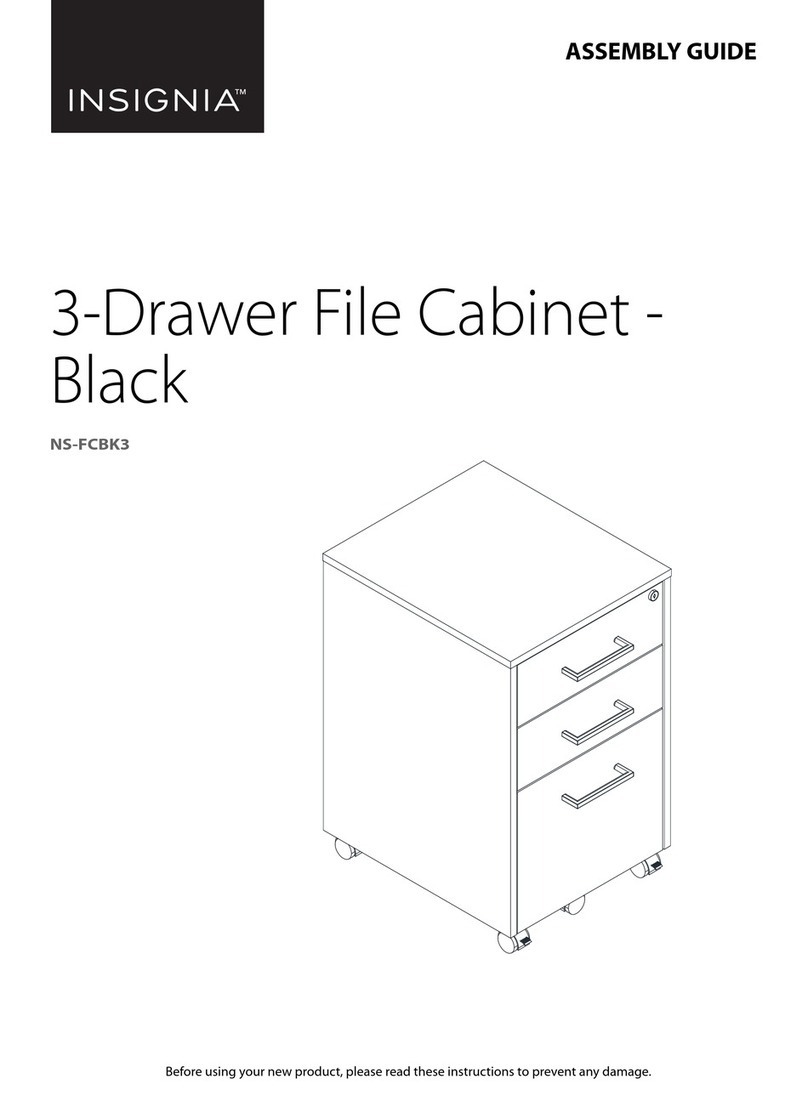
Insignia NS-FCBK3 User manual

Insignia

Insignia NS-FCBK3 User manual

Popular Indoor Furnishing manuals by other brands

Regency LWMS3015 Assembly instructions

Regency

Regency LWMS3015 Assembly instructions

Furniture of America CM7751C Assembly instructions

Furniture of America

Furniture of America CM7751C Assembly instructions

Safavieh Furniture Estella CNS5731 manual

Safavieh Furniture

Safavieh Furniture Estella CNS5731 manual

PLACES OF STYLE Ovalfuss Assembly instruction

PLACES OF STYLE

PLACES OF STYLE Ovalfuss Assembly instruction

Trasman 1138 Bo1 Assembly manual

Trasman

Trasman 1138 Bo1 Assembly manual

Costway JV10856 manual

Costway

Costway JV10856 manual

moss DESIGN Caisson Credenza Assembly instructions

moss DESIGN

moss DESIGN Caisson Credenza Assembly instructions

Aquaglide FULL DECK 15.0 owner's manual

Aquaglide

Aquaglide FULL DECK 15.0 owner's manual

AREBOS AR-HE-SW30 user manual

AREBOS

AREBOS AR-HE-SW30 user manual

Till-Hilft Fulda 87005.330 Assembly instructions

Till-Hilft

Till-Hilft Fulda 87005.330 Assembly instructions

Twoey Outside 2010 quick start guide

Twoey Outside

Twoey Outside 2010 quick start guide

Hettich Easys 200 operating instructions

Hettich

Hettich Easys 200 operating instructions

The bedboss RELAX 404 Series owner's manual

The bedboss

The bedboss RELAX 404 Series owner's manual

Oeseder Möbelindustrie Bern 991 720 Assembly instructions

Oeseder Möbelindustrie

Oeseder Möbelindustrie Bern 991 720 Assembly instructions

Costway HW68469 user manual

Costway

Costway HW68469 user manual

Next ALIX A27743 Assembly instructions

Next

Next ALIX A27743 Assembly instructions

BROSA Hans Assembly guide

BROSA

BROSA Hans Assembly guide

Prodigg MINIKA PBA015T-FUR installation manual

Prodigg

Prodigg MINIKA PBA015T-FUR installation manual

manuals.online logo
manuals.online logoBrands
  • About & Mission
  • Contact us
  • Privacy Policy
  • Terms and Conditions

Copyright 2025 Manuals.Online. All Rights Reserved.

PACKAGE CONTENTS
ASSEMBLING YOUR CHAIR
1Turn the star base (B) upside down on carpet or a soft towel.
2Insert the wheel (A) posts into the holes at the ends of the star base arms until they click into place.
3Turn the base right side up, then insert the bottom of the center support post (C) into the hole in the center
of the star base (B). Put the center post cover (D) on the center support post (C).
4Turn the seat bottom (F) upside down and place it on a padded box or small stool to support it.
5Align the riser mechanism (E) on the bottom of the seat (F) and attach it to the seat with four 5/16" × 3/4"
screws (K). Tighten the screws with the Allen wrench (J).
6Lift the seat bottom (F) and turn it right side up, then align the hole in the riser mechanism (E) with the
center support post (C) and press the seat down until it clicks into place.
7Attach the left arm (H) and right arm (G) to the seat bottom (F) by using four 1/4" × 1" screws (L) and
tighten the screws fully using the Allen wrench (J).
FEATURES
• Seat height adjusts to t your body
• Swivel and tilt mechanism lets you customize the chair to your preferred position
• Sturdy, 5-pointed star base with wheels makes it easy to move around
• Black design with white trim grants a modern, sleek look
• Made with quality materials for dependable stability
QUICK SETUP GUIDE
Essential PC
Gaming Chair
NS-PCGV30
Before using your new product, please read these instructions to prevent any damage.
Quick Setup
Guide
Allen
wrench
Wheels (5) Star base Center
support post
Seat bottom
5/16" × 3/4"
screw (4)
Center
post cover
Riser mechanism
Right arm Left arm
Seat back
1/4" × 1"
screw (8)
Arm caps (8)
FRONT
FRONT
Spare parts:
5/16" × 3/4" screw
1/4" × 1" screw
Arm cap
V1 ENGLISH 22-0672
SPECIFICATIONS
• Dimensions (H×W×D): 41.34 × 24.02 × 26.38 in. (105 × 61 × 67 cm)
• Net weight: 27.34 lbs (12.4 kg)
• Maximum weight allowed: 275 lbs. (124.7 kg)
• Adjustable height range: 45.08 × 24.02 × 26.38 in. (114.5 × 61 × 67 cm)
ONEYEAR LIMITED WARRANTY
Visit www.insigniaproducts.com for details.
CONTACT INSIGNIA:
For customer service, call 1-877-467-4289 (U.S. and Canada)
www.insigniaproducts.com
INSIGNIA is a trademark of Best Buy and its aliated companies.
Distributed by Best Buy Purchasing, LLC
7601 Penn Ave South, Richeld, MN 55423 U.S.A.
©2022 Best Buy. All rights reserved.
8Attach the arms to the seat back (I) with four 1/4" × 1" screws (L) and tighten the screws fully using the
Allen wrench (J).
9After tightening all screws, cover the screw holes with the arm caps (M).
CAUTION: Make sure that the chair back/seat assembly and chair base are securely connected and that all
bolts are tightened before sitting in the chair.
USING YOUR CHAIR
• To raise the height of the chair, lift the lever on the right side while not sitting in the chair. To lower the
height of the chair, lift the same lever while sitting in the chair.
• To lock the back of the chair, push the lift lever backward. To unlock the chair, pull the lift lever forward.
IMPORTANT SAFETY INFORMATION
Warnings:
• Fall hazard - Do not stand on the chair or attempt to use the chair as a ladder.
• Choking hazard - Be sure to properly dispose of all plastic packing bags.
• Fall hazard - Be careful not to lean the chair back so far that is causes the chair to fall backward or slip out from under you, or put all of your weight
on the front of the chair, causing it to fall forward.
Caution:
• Make sure that the casters/wheels are fully inserted into the base of the chair.
• Always keep the base of the chair completely on the oor.
• Periodically make sure that the bolts holding the base and back of the chair in place are securely tightened.
Safety information
• Maximum weight capacity: 275 lbs. (124.7 kg).
• Read the Quick Setup Guide completely before assembly.
• Remove all parts from the carton and make sure that all parts are included prior to assembly.
• Assemble the chair on carpet or a soft towel to prevent scratching the chair.
• This chair is designed for sitting on the seat only and nothing else.
• Do not stand on or use as a step ladder.
• Do not sit on the armrests.
• This chair is designed for seating one person at a time.
• Tighten all screws, knobs, bolts, and parts rmly, otherwise do not use.
• If any parts are missing, damaged, or worn, stop using immediately.
• Do not use power tools.
Lift lever
18.9 in. (48 cm)
19.09 in. (48.5 cm)

24.02 in. (61 cm)

17.52 - 21.26 in.
(44.5 - 54 cm)

41.34 - 45.08 in.
(105 - 114.5 cm)