manuals.online logo
Brands
  1. Home
  2. •
  3. Brands
  4. •
  5. JVC
  6. •
  7. Remote Control
  8. •
  9. JVC KS-RC108 Guide

JVC KS-RC108 Guide

Other JVC Remote Control manuals

JVC RM-RE9000 User manual

JVC

JVC RM-RE9000 User manual

JVC RM-LP57 User manual

JVC

JVC RM-LP57 User manual

JVC AV-21PM Use and maintenance manual

JVC

JVC AV-21PM Use and maintenance manual

JVC RM-P210 User manual

JVC

JVC RM-P210 User manual

JVC RM-P210U User manual

JVC

JVC RM-P210U User manual

JVC RX-ES1SL User manual

JVC

JVC RX-ES1SL User manual

JVC RM-P210 User manual

JVC

JVC RM-P210 User manual

JVC RMP-2580U - Remote Controller For Color... Installation guide

JVC

JVC RMP-2580U - Remote Controller For Color... Installation guide

JVC RMP-2580U - Remote Controller For Color... User manual

JVC

JVC RMP-2580U - Remote Controller For Color... User manual

JVC KS-RC107 Guide

JVC

JVC KS-RC107 Guide

JVC RM-SRX7020J User manual

JVC

JVC RM-SRX7020J User manual

JVC KS-RC111EU Guide

JVC

JVC KS-RC111EU Guide

JVC KS-RC100 Guide

JVC

JVC KS-RC100 Guide

JVC AV-21F8 Use and maintenance manual

JVC

JVC AV-21F8 Use and maintenance manual

JVC RM-RK31P User manual

JVC

JVC RM-RK31P User manual

JVC KS-RC105 Guide

JVC

JVC KS-RC105 Guide

JVC RM-LP25U User manual

JVC

JVC RM-LP25U User manual

JVC AV-28GH1BUF User manual

JVC

JVC AV-28GH1BUF User manual

JVC KS-RC103 Guide

JVC

JVC KS-RC103 Guide

JVC RM-P210U Installation guide

JVC

JVC RM-P210U Installation guide

JVC KS-RC110 Guide

JVC

JVC KS-RC110 Guide

JVC RM-P210E User manual

JVC

JVC RM-P210E User manual

JVC KS-RC109 Guide

JVC

JVC KS-RC109 Guide

JVC RM-C3253 Operating instructions

JVC

JVC RM-C3253 Operating instructions

Popular Remote Control manuals by other brands

Bircher Reglomat RC Duo 2 user guide

Bircher Reglomat

Bircher Reglomat RC Duo 2 user guide

Emerson RCBT100 owner's manual

Emerson

Emerson RCBT100 owner's manual

BILDA Element-6 user manual

BILDA

BILDA Element-6 user manual

Absima CR7P manual

Absima

Absima CR7P manual

Mitsubishi Electric PAR-32MAAG Instruction book

Mitsubishi Electric

Mitsubishi Electric PAR-32MAAG Instruction book

RCA RCRTBL08BE1 quick start guide

RCA

RCA RCRTBL08BE1 quick start guide

US Electronics NOVARI user guide

US Electronics

US Electronics NOVARI user guide

Panasonic EUR7622KB0 Operation guide

Panasonic

Panasonic EUR7622KB0 Operation guide

Bang & Olufsen Beo4 user manual

Bang & Olufsen

Bang & Olufsen Beo4 user manual

Marantz RC101 user guide

Marantz

Marantz RC101 user guide

FUTABA 9ZAP - PART2 manual

FUTABA

FUTABA 9ZAP - PART2 manual

HR Matic HR MULTI 3 quick start guide

HR Matic

HR Matic HR MULTI 3 quick start guide

Anritsu MP1777A Operation manual

Anritsu

Anritsu MP1777A Operation manual

Niles WVC100 Installation & operating guide

Niles

Niles WVC100 Installation & operating guide

Bang & Olufsen BEO6 Getting started

Bang & Olufsen

Bang & Olufsen BEO6 Getting started

GE 94901 instruction manual

GE

GE 94901 instruction manual

FUTABA R7108SB Full manual

FUTABA

FUTABA R7108SB Full manual

Invacare G91S user manual

Invacare

Invacare G91S user manual

manuals.online logo
manuals.online logoBrands
  • About & Mission
  • Contact us
  • Privacy Policy
  • Terms and Conditions

Copyright 2025 Manuals.Online. All Rights Reserved.

LVT1098-009A 1
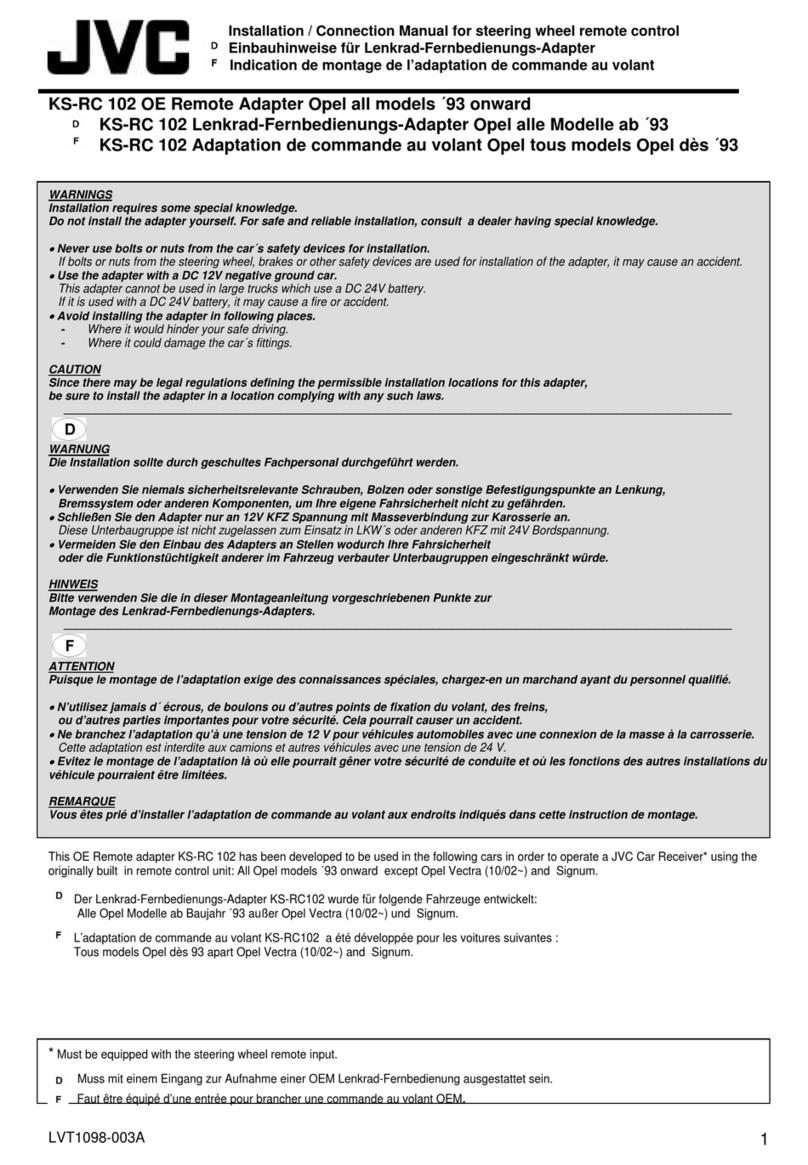
Installation / Connection Manual for steering wheel remote control
Einbauhinweise für Lenkrad-Fernbedienungs-Adapter
Indication de montage de l’adaptation de commande au volant
KS-RC108 OE Remote Adapter Renault with mini ISO
KS-RC108 OE Lenkrad-Fernbedienungs-Adapter Renault mit mini ISO
KS-RC108 OE adaptation de commande au volant Renault avec mini ISO
WARNINGS
Installation requires some special knowledge.
Do not install the adapter yourself. For safe and reliable installation, consult a dealer having special knowledge.
•
Never use bolts or nuts from the car´s safety devices for installation.
If bolts or nuts from the steering wheel, brakes or other safety devices are used for installation of the adapter, it may cause an accident.
•
Use the adapter with a DC 12V negative ground car.
This adapter cannot be used in large trucks which use a DC 24V battery.
If it is used with a DC 24V battery, it may cause a fire or accident.
•
Avoid installing the adapter in following places.
- Where it would hinder your safe driving.
- Where it could damage the car´s fittings.
CAUTION
Since there may be legal regulations defining the permissible installation locations for this adapter,
be sure to install the adapter in a location complying with any such laws.
_________________________________________________________________________________________________________
WARNUNG
Die Installation sollte durch geschultes Fachpersonal durchgeführt werden.
•
Verwenden Sie niemals sicherheitsrelevante Schrauben, Bolzen oder sonstige Befestigungspunkte an Lenkung,
Bremssystem oder anderen Komponenten, um Ihre eigene Fahrsicherheit nicht zu gefährden.
•
Schließen Sie den Adapter nur an 12V KFZ Spannung mit Masseverbindung zur Karosserie an.
Diese Unterbaugruppe ist nicht zugelassen zum Einsatz in LKW´s oder anderen KFZ mit 24V Bordspannung.
•
Vermeiden Sie den Einbau des Adapters an Stellen wodurch Ihre Fahrsicherheit
oder die Funktionstüchtigkeit anderer im Fahrzeug verbauter Unterbaugruppen eingeschränkt würde.
HINWEIS
Bitte verwenden Sie die in dieser Montageanleitung vorgeschriebenen Punkte zur
Montage des Lenkrad-Fernbedienungs-Adapters.
_________________________________________________________________________________________________________
ATTENTION
Puisque le montage de l’adaptation exige des connaissances spéciales, chargez-en un marchand ayant du personnel qualifié.
•
N’utilisez jamais d´ écrous, de boulons ou d’autres points de fixation du volant, des freins,
ou d’autres parties importantes pour votre sécurité. Cela pourrait causer un accident.
•
Ne branchez l’adaptation qu’à une tension de 12 V pour véhicules automobiles avec une connexion de la masse à la carrosserie.
Cette adaptation est interdite aux camions et autres véhicules avec une tension de 24 V.
•
Evitez le montage de l’adaptation là où elle pourrait gêner votre sécurité de conduite et où les fonctions des autres installations du
véhicule pourraient être limitées.
REMARQUE
Vous êtes prié d’installer l’adaptation de commande au volant aux endroits indiqués dans cette instruction de montage.
This OE Remote adapter KS-RC 108 has been developed to be used in the following cars in order to operate a JVC Car Receiver* using the
originally built in remote control unit **
Der Lenkrad-Fernbedienungs-Adapter KS-RC108 wurde für folgende Fahrzeuge entwickelt **
L’adaptation de commande au volant KS-RC108 a été développée pour les voitures suivantes **
** Scenic without external Display up to 12/96, Twingo 08/00 onward, Laguna up to 03/97
*Must be equipped with the steering wheel remote input.
Muss mit einem Eingang zur Aufnahme einer OEM Lenkrad-Fernbedienung ausgestattet sein.
Faut être équipé d’une entrée pour brancher une commande au volant OEM.

LVT1098-009A 2
Possible remote controls:
Geeignete Lenkradfernbedienungen:
Commande au volant compatible:
Kangoo, Clio, Megane, Scenic Laguna, Laguna II
Installation:
Einbauanleitung:
Procédure d´installation:
1. Remove and disconnect the car receiver previously built in your car.

Das Originalradio ausbauen.
Démontez la radio d’origine.
2. Connect the mini ISO plug from KS-RC108 to the car harness.
Mini ISO Stecker vom KS-RC108 auf das Gegenstück im Radioschacht stecken.
Liez la fiche mini ISO de la KS-RC108 au pendant dans l’ouverture d’emplacement de la radio.
3. Put the mono plug from KS-RC108 into the JVC car receiver.
Den Klinkenstecker des KS-RC108 mit der Kupplung am JVC Radio verbinden.
Liez la fiche à jack du KS-RC108 à la radio JVC.
4. Connect the red wire from KS-RC108 to Ignition (KL.15), and the ISO connector to the JVC car
receiver.
Einzelne rote Leitung des KS-RC108 mit der Zündung (Klemme 15) verbinden, ISO Stecker in
das JVC Radio stecken.
Liez le câble rouge de la KS-RC108 à l’allumage (borne 15),
branchez la fiche ISO dans la radio JVC.
5. Switch on the JVC car receiver and check the steering wheel control.
JVC Radio einschalten, Steuerfunktionen überprüfen.
Allumez la radio JVC, vérifiez les fonctions de contrôle.
6. Put back the JVC car receiver into the dashboard or its dedicated location.
JVC Radio einbauen.
Montez la radio JVC.
LVT1098-009A 3
Function table:
Original Button Short Press Long Press
Source
Radio: next Preset
DAB: next Preset
Cassette: ------
CD: ------
CD-Changer: previous CD
------
------
------
------
Source: Radio, Cassette/CD, CD-Changer *
* specific to used equipment ------
VOL. + Volume step up volume up
VOL. - volume step down volume down
VOL. + and VOL. - ------ ATT, or volume down *
* car specific
ATT Power ON, OFF
Source
Radio: select Band
DAB: select Band
Cassette:direction
CD:------
CD-Changer : next CD
------
------
------
------
------
Wheel Radio: seek, right: up; left: down
DAB: turn right: service up,
turn left: service down
Cassette: turn right: MMS +1,
turn left: MMS -1
CD: turn right: next track ,
turn left: previous track
CD-Changer: turn right: next track,
turn left: previous track
------
------
------
------
------
The functions and controls of the buttons vary according to the JVC car receiver. Please check the
installation / connection manual of the JVC car receiver to understand the supported functions and
controlls.
Funktionsweise:
Original Taste Kurzer Tastendruck langer Tastendruck
Source
Radio: nächster Sender
DAB: nächster Sender
Cassette: ------
CD: ------
CD-Wechsler: letzte CD
------
------
------
------
Quellenwahl: Radio, DAB, Cassette/CD,
CD-Wechsler*
* Geräte abhängig
------
VOL. + Lautstärke einen Schritt höher Lautstärke lauter
VOL. - Lautstärke einen Schritt niedriger Lautstärke leiser
VOL. + und VOL. -
------ ATT, oder Lautstärke minus:
KFZ abhängig
ATT Radio EIN, AUS
Radio: Bandwahl
DAB: Bandwahl
Cassette: Seitenwechsel
------
------
------
LVT1098-009A 4
Source CD: ------
CD-Wechsler : nächste CD ------
------
Drehknopf
Radio: Suchlauf: rechts´: hoch; links: runter
DAB: rechts: nächster Sender,
links: letzter Sender
Cassette: rechts MMS +1, links MMS -1
CD: rechts: nächster Titel, links: letzter Titel
CD-Wechsler : rechts: nächster Titel, links:
letzter Titel
------
------
------
------
------
Die Funktionen der Tasten der Lenkradfernbedienung hängen von der Ausstattung des JVC Radios ab.
Die unterstützten Funktionen ihres JVC Radios entnehmen sie der Bedienungsanleitung.
Tableau des fonctions:
Touche pression rapide de la touche maintien de la touche
Source
Radio: prochaine station
DAB: prochaine station
Cassette: ------
CD: ------
CD-Changer: CD précedent
------
------
------
------
------
Source: selection de source ------
VOL. + augmenter le volume augmenter le volume
VOL. - baisser le volume baisser le volume
VOL. + and VOL. - ------ ATT *
*dépendant spec. voiture
ATT éteindre / allumer
Source
Radio: reception FM
DAB: reception FM
Cassette:direction
CD:------
CD-Changer : prochain CD
------
------
------
------
------
Wheel Radio: recherche droit: avance ;
gauché: précedent
DAB: droit: station pro., gauche: station préc.
Cassette: droit: titre pro., gauche: titre préc.
CD:droit: titre pro., gauche: titre préc.
CD-Changer: droit: titre pro., gauche: titre
préc.
------
------
------
------
------
Les functions des touches de la command au volant peuve être different, dependant les accessoires
furni avec la radio JVC. Pour savoir le fonction supporté, referez au mode d´emploi de votre radio JVC,
S.V.P.