manuals.online logo
Brands
  1. Home
  2. •
  3. Brands
  4. •
  5. Kleenmaid
  6. •
  7. Oven
  8. •
  9. Kleenmaid OMF6021 Installation guide

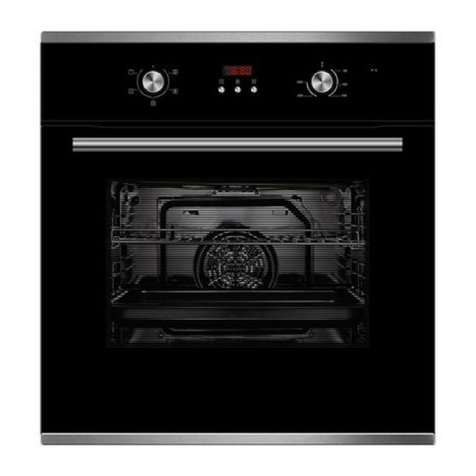
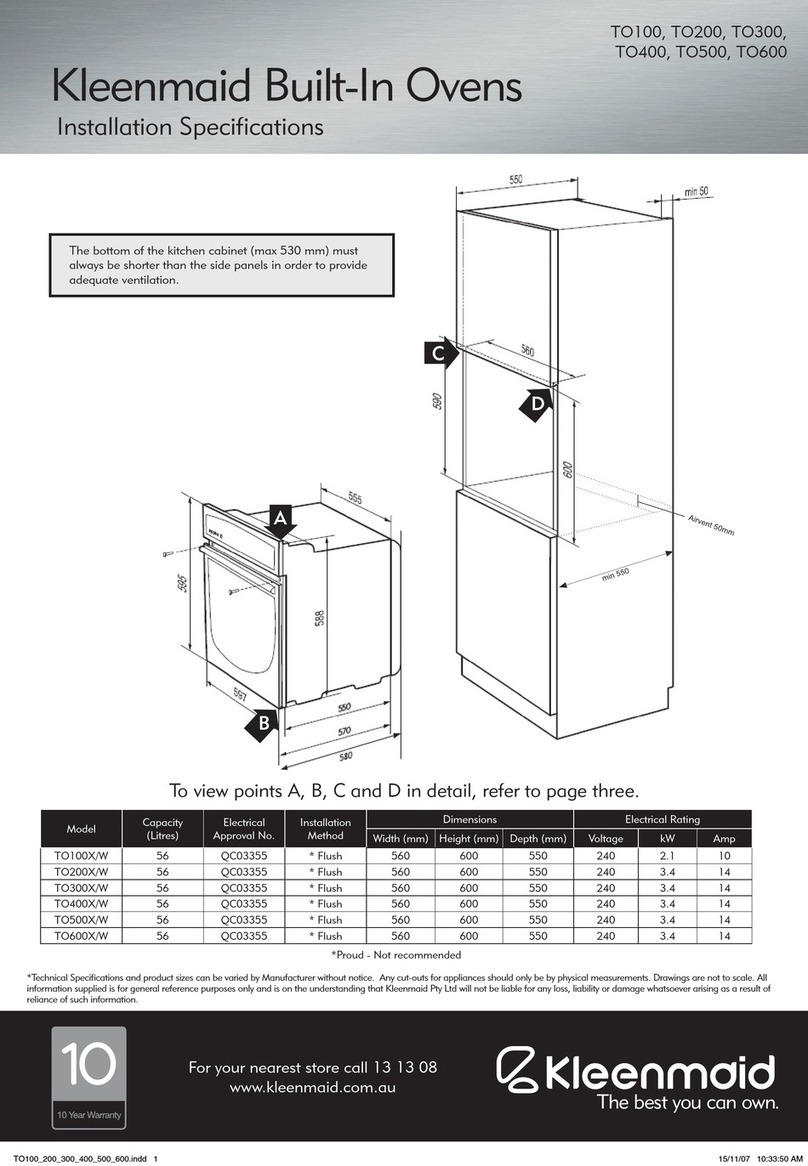
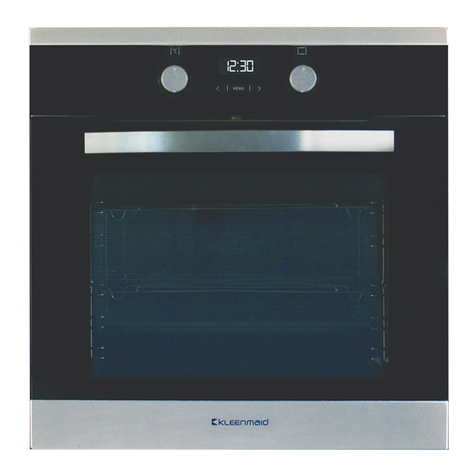
Kleenmaid OMF6021 Installation guide

Other Kleenmaid Oven manuals

Kleenmaid OMF6031 Installation guide

Kleenmaid

Kleenmaid OMF6031 Installation guide

Kleenmaid MW4520 User manual

Kleenmaid

Kleenmaid MW4520 User manual

Kleenmaid OMFH6010 Installation guide

Kleenmaid

Kleenmaid OMFH6010 Installation guide

Kleenmaid TO70X/1 User manual

Kleenmaid

Kleenmaid TO70X/1 User manual

Kleenmaid SOE102X User manual

Kleenmaid

Kleenmaid SOE102X User manual

Kleenmaid OMFFS9010 User manual

Kleenmaid

Kleenmaid OMFFS9010 User manual

Kleenmaid KCOMF6010 Installation guide

Kleenmaid

Kleenmaid KCOMF6010 Installation guide

Kleenmaid TO550X User manual

Kleenmaid

Kleenmaid TO550X User manual

Kleenmaid OMFE6010 Installation guide

Kleenmaid

Kleenmaid OMFE6010 Installation guide

Kleenmaid TO850X Installation guide

Kleenmaid

Kleenmaid TO850X Installation guide

Kleenmaid KCOMF6010 Installation guide

Kleenmaid

Kleenmaid KCOMF6010 Installation guide

Kleenmaid TO600X User manual

Kleenmaid

Kleenmaid TO600X User manual

Kleenmaid OMF6041K User manual

Kleenmaid

Kleenmaid OMF6041K User manual

Kleenmaid SO4510 Installation guide

Kleenmaid

Kleenmaid SO4510 Installation guide

Kleenmaid TO70X User manual

Kleenmaid

Kleenmaid TO70X User manual

Kleenmaid TO900X User manual

Kleenmaid

Kleenmaid TO900X User manual

Kleenmaid TO901X User manual

Kleenmaid

Kleenmaid TO901X User manual

Kleenmaid TO100X User manual

Kleenmaid

Kleenmaid TO100X User manual

Kleenmaid KCOMF6012K Installation guide

Kleenmaid

Kleenmaid KCOMF6012K Installation guide

Kleenmaid OMFP7510 User manual

Kleenmaid

Kleenmaid OMFP7510 User manual

Kleenmaid SOE100X Installation guide

Kleenmaid

Kleenmaid SOE100X Installation guide

Kleenmaid Professional TO851X User manual

Kleenmaid

Kleenmaid Professional TO851X User manual

Kleenmaid OMFP6011 User manual

Kleenmaid

Kleenmaid OMFP6011 User manual

Kleenmaid TO100X User manual

Kleenmaid

Kleenmaid TO100X User manual

Popular Oven manuals by other brands

Brandt FC 222 user manual

Brandt

Brandt FC 222 user manual

aumate TOA20M04N-1E instruction manual

aumate

aumate TOA20M04N-1E instruction manual

Maytag CWE4100AC - 24" Single Electric Wall Oven Dimension Guide

Maytag

Maytag CWE4100AC - 24" Single Electric Wall Oven Dimension Guide

Kernau KBO 1076 S PT B instruction manual

Kernau

Kernau KBO 1076 S PT B instruction manual

Bosch HB 37 N Series User manual and installation instructions

Bosch

Bosch HB 37 N Series User manual and installation instructions

Electrolux EOD5420AA user manual

Electrolux

Electrolux EOD5420AA user manual

Mx Onda MX-HC2183 instruction manual

Mx Onda

Mx Onda MX-HC2183 instruction manual

Daewoo F6EV19SM2 Service manual

Daewoo

Daewoo F6EV19SM2 Service manual

Blodgett MT3870 Specifications

Blodgett

Blodgett MT3870 Specifications

GE ZET2F owner's manual

GE

GE ZET2F owner's manual

GE JK3000DF3WW owner's manual

GE

GE JK3000DF3WW owner's manual

eka EKF 523 NT Operating and instruction manual

eka

eka EKF 523 NT Operating and instruction manual

AEG Electrolux E3191-5 user manual

AEG Electrolux

AEG Electrolux E3191-5 user manual

Pratica Rocket Express quick start guide

Pratica

Pratica Rocket Express quick start guide

Viking Professional VGSO260T user guide

Viking

Viking Professional VGSO260T user guide

FM RX203 instruction manual

FM

FM RX203 instruction manual

Bosch HBN331 9B Series instruction manual

Bosch

Bosch HBN331 9B Series instruction manual

NEFF B95M42N0MK Instructions for use

NEFF

NEFF B95M42N0MK Instructions for use

manuals.online logo
manuals.online logoBrands
  • About & Mission
  • Contact us
  • Privacy Policy
  • Terms and Conditions

Copyright 2025 Manuals.Online. All Rights Reserved.

cooking collection
Instructions for use and warranty details
Built In Oven
Model No.: OMF6021
2
Dear Customer,
Thank you and congratulations for choosing
Kleenmaid.
Your new appliance has been designed
and meticulously tested to ensure that it
meets all your culinary requirements, and
has been carefully manufactured using top
quality materials to give you years of reliable
performance.
For best results, carefully read the instructions
on how your new appliance is to be installed.
Correct installation will avoid delays and
unnecessary service call costs.
Once installation is complete, please read this
instruction manual carefully and get to know
the controls and the features of your new
Kleenmaid appliance. These simple instructions
will enable you to achieve excellent results from
the very first time you use it.
Again, congratulations and thank you for
choosing The Best You Can Own.
KLEENMAID
3
This product is in compliance with the EU 2002/96/
EEC Directive.
The crossed out “wheeled bin” symbol on the appliance
indicates that at the end of its life-span, the product, as it
has to be separately treated from domestic waste, must
be conferred to a differential collection centre for electric
and electronic appliances or redelivered to the dealer at
the time of purchasing a new equivalent appliance.
The user is responsible, at the time of disposal, for taking
the device to the appropriate collection point. Failure to
do so shall result in punishment in accordance with the
current legislation on waste disposal.
Proper differentiated collection is necessary so that the
obsolete device can be sent on for environmentally friendly
recycling, treatment and dismantling, in order to avoid any
possible negative environmental impact or health risk and
to permit re-use of the constituent materials.
More detailed information about available systems
for collection may be obtained from the local waste
disposal services, or from the shop where the device was
purchased.
The manufacturer declines all civil or criminal
liability in the event of poor or improper installation
of the device.
The manufacturer also reserves the right to make any
necessary and useful amendments to its products without
prior notice.
Dispose of the various packaging materials in compliance
with the applicable local Standards.
Carefully read this instruction manual prior to installing
or using this device, in order to have all the necessary
information for correct installation, maintenance and use
of the same.
It is essential for this instruction manual to be kept
together with the device for its entire life-span, also in case
of transfer to other persons.
This appliance has been designed for domestic use
and only for the cooking and heating of food. Any other
use, different to that indicated in this manual must be
considered improper and consequently dangerous.
The product is in compliance with the 89/109/EEC
European Directive as it is destined to come into contact
with food products.
This household appliance is compliant with the
provisions of the European Community Directives
– LOW VOLTAGE DIRECTIVE – 2006/95/EC
– ELECTROMAGNETIC COMPATIBILITY DIRECTIVE
– 2004/108/EC
The product identification data is stated on the relevant
plate applied on the front of the oven. The plate must
never be removed.
Installation must only be carried out by qualified
staff in compliance with the local regulations in force
and following the indications in this manual.
Important: do not lift or pull the oven with your
hands.
In case of malfunctioning, disconnect the appliance from
the electric mains (do not pull the power supply cable to
disconnect the plug) and contact the authorised original
spare parts technical after-sales centre.
Do not, in any case, attempt to repair the device.
Correct use of the oven
– This appliance is not intended for use by persons
(including children) with reduced physical, sensory
or mental capabilities, or lack of experience and
knowledge, unless they have been given supervision or
instruction concerning use of the appliance by a person
responsible for their safety.
– Children should be supervised to ensure they do not
play with the appliance. - The use of the device is only
intended for adults, keep children out of reach
– The appliance produces heat both in the functioning
phase and due to inertia, even when just turned off.
Do not touch parts inside the oven during these
phases and limit contact with the external parts. Keep
children away from the appliance when operating. The
accessible parts can become very hot.
– To insert or extract containers or accessories from the
oven, always use suitable protective gloves.
– Use only containers able to resist to high temperatures
– Do not leave the appliance unattended during cooking
operations that may release greases or oils that may
catch fire.
– Never cover the walls or lower part of the oven with
sheets of aluminium foil or other objects such as pans
or trays. This could damage the oven.
– Do not use the oven to store objects when it is not in
use, otherwise damage could be caused to both the
oven and the objects when the appliance is switched
on.
– Do not sit on or place weight on the open door and
do not hang weights on the handle as to do so could
damage the product and cause malfunctions.
– Before maintenance or cleaning, isolate the power
supply from the oven and, if just used, wait for it to cool.
– Pay attention to the flow of air that leaves the oven
when the door is opened when the same is hot.
– Do not use jets of steam for cleaning, which could
reach and damage electrical parts.
– If the supply cord is damaged, it must be replaced by
the manufacturer, its service agent or similarly qualified
persons in order to avoid a hazard. Attention, this
appliance must be earthed in compliance with the
standards in force.
GENERAL WARNINGS

4
For installation of the oven see the “installation
instructions” chapter
Correct use of the oven
– Pre-heat the oven for the strictly necessary time only
– Open the door only when necessary to avoid
unnecessary heat losses
– Keep the gaskets clean and efficient to avoid heat
dispersion which can cause damage
– Always turn off the oven when no longer in use
– To reduce the formation of condensate owing to the
humidity in food, it is always necessary to pre-heat
the oven before introducing the foodstuffs. However
formation of condensate on the door glass or on the
walls of the oven does not compromise its functioning
and will tend to disappear with the cooking.
Prior to oven commissioning:
Disconnect the power from the appliance.
Remove all internal packaging and accessories from the
oven, including protective blue film. Clean the internal
surfaces with hot water or neutral detergent (see
“maintenance and cleaning”). Rinse thoroughly with a
damp cloth. Wash all oven accessories in the same way
and dry everything thoroughly.
Attention:
– Never use this device to warm the premises
– Do not obstruct the passage of cooling air by blocking
the ventilation holes of the room and ducts on the
appliance.
– Before installation, check that the local power supply
is compatible with the data indicated on the product
label.
– During use, do not touch the heating elements inside
the oven.
– The accessible parts can become very hot during use,
it is recommended to keep children out of reach.
5
5
Contents
User instructions, 6
First use, 6
Control panel, 7
Instructions for use:
- conventional cooking, 7
- fan cooking, 7
- defrosting, 7
- grill cooking, 8
Thermostat, 8
Cooling fan, 8
Timer touch control, 9
Setting the clock, 9
Minute counter,9
Cooking time, 9
End of cooking time, 9
Programming automatic cooking, 10
Adjusting beep volume, 10
Light replacement, 11
Removing the oven door, 11
Installation instructions, 12
Flush fitting, 12
Electrical connections, 13
IMPORTANT
The oven’s data plate is accessible even
with the oven fully installed. The plate is
visible simply by opening the door. Always
quote the details from it to identify the
appliance when ordering spare parts.
Contents
User instructions, 6
First use, 6
Control panel, 7
Instructions for use:
– conventional cooking, 7
– fan cooking, 7
– defrosting, 7
– grill cooking, 8
Timer touch control, 9
Setting the clock, 9
Minute counter, 9
Cooking time, 9
End of cooking time, 9
Programming automatic cooking, 10
Adjusting beep volume, 10
Light replacement, 11
Removing the oven door, 12
Installation instructions, 15
Flush fitting, 15
Electrical connections, 16
6
Important:
Before using the oven for the first time, allow it to operate
empty and at maximum temperature for about 1 hour.
Ventilate the room well, possibly by opening the windows.
This will allow evacuation of the combustion fumes of
manufacturing residues such as grease, oil and resin.
Power indicator LED (Red light)
When on, it indicates that the oven is live and on.
Oven operating LED (Yellow light)
When this LED turns on it means the oven is in the pre-
heating phase. When it turns off it means the oven has
reached the set temperature. When it blinks intermittently
it means that the temperature inside the oven is maintained
constantly at the value set on the thermostat.
Oven temperature thermostat:
The oven thermostat controls the desired cooking
temperature for all oven functions including grilling. Turn
the knob clockwise until the mark aligns with the desired
setting between 50° and 270°C.
Function switch or selector
This switch activates the desired cooking function.
D = Clock / Programmer
E = Red Power Indicator LED
B= Thermostat
A= Function selector
F= Yellow operating LED
User instructions
Control panel
AD B
EF
7
+C



CLEAN
H20
Auto Boost
Ezy
Kleen
Assisted
Cleaning
Flame Safe Hydrolytic
Cleaning
Auto re-ignition EzyKleen Enamel
Non-toxic, Nickel-Free
Oven light.
Intensive cooking.
Upper + lower heating elements + fan.
Circular heating element with fan.
Thermostat setting from 50°C to MAX.
Oven is Off.
Top and bottom heating elements.
Thermostat setting from 50°C to MAX.
Also used for CLEAN function.
Top heating element.
Thermostat setting from 50°C to MAX.
Bottom heating element.
Thermostat setting from 50°C to MAX.
Grill element with fan (GRATIN).
Thermostat setting from 50°C to MAX.
Grill element.
Thermostat setting from 50°C to MAX.
Defrosting fan.
(See page 8)
Assisted cleaning.
See ‘Using the CLEAN function’.
(See page 11)
Control panel functions
Function symbols on the selector
Other functions
Instructions for use
The oven light can be turned on independently at
any time in the case of models with this symbol. The
light stays on also with other functions.
Traditional static cooking + CLEAN FUNCTION
With the simultaneous heat distribution coming
from above and below, this function is for baking
food that requires slow cooking with the constant
addition of liquids. Ideal for any type of roast, bread,
cakes and biscuits in general. Use only one shelf for
this type of cooking. Otherwise the temperature will
not be distributed properly.
Upper cooking
This function activates the heat element at the top.
The intense heat diffused from above is excellent
for finishing off the baking of food that is cooked on
the inside but not entirely on the surface.
Lower cooking
In this case the bottom heating element starts
working. Unlike cooking with the upper cooking
method, this function is recommended for
perfecting the cooking of dishes that are already
cooked on the surface but require further cooking in
the centre. The intense heat from below is excellent
for roasting meat which is not so tender.
Intensive cooking
The activation of the top and bottom heat elements
together with the fan ensures even distribution of
the intense heat produced. The hot air circulating
inside the oven evenly cooks and browns different
dishes, on one or more levels, that require similar
temperatures. In meat roasts the optimised heat
distribution allows cooking at lower temperatures
which reduces the loss of juices. This helps to keep
the meat tender and minimises any decrease in
weight.
Please note that quick heating requires the oven
to work at the maximum power declared for this
model (see table page 17)
Ventilated cooking
This cooking function allows differing types of foods
to be placed on several levels without mixing their
flavours, and the evenly circulated hot air allows
even baking.
0
8
POSITION OF THE INTERNAL GRILLS FOR SPECIFIC

COOKING
Frozen cakes, Long roasts, Turkey, Cakes, Meat Steak
well done: Position n. 1 and 2 from bottom
Cakes, Sandwich Load, Toast, Casserole, Wholemeal
bread, Meat: Position n. 2 from bottom.
Biscuits, Fine cut meat: Position n. 2 and 3 from bottom.
For Browning with Grill: Position n. 3 from bottom.
These cooking positions are indicative and can be
interpreted on the basis of your own experience.
USE OF THE GRILL
To optimise Grill cooking, switch on the grill oven and pre-
heat for at least 10 minutes. Introduce the dish inside the
oven in the nearest position to the Grill, depending on the
type of food to cook. The grill should only be used on each
dish for a maximum of 15 minutes at a time.
With the grill it is possible to cook fish, vegetables, small
spits and various types of meat, with the exception of
lean game meat. Finely cut meat and fish must always be
grilled very quickly greasing them slightly with oil using a
suitable brush and always placed on the grill. In turn, the
grill must be placed nearest to the upper heating element,
proportionally to the thickness of the dish, to avoid burning
it on the surface and not cooking it enough inside. Only
salt the meat after cooking or it will be less juicy. Never
prick food during cooking, not even to turn them. Their
juice would run making the grilled food dry.
Meat can be arranged in suitable containers or cooked
directly on the grill. In the latter case, always pour some
water in the drip pan then insert it in the guides under the
grill. This prevents the grease in the dripping pan from
burning and creating bad odours.
Attention: during use of the Grill, the accessible parts can
overheat. It is therefore advisable to keep children at a safe
distance.
Never prick food during cooking, not even to turn
it. The juice would be released, making the grilled
food dry.
Electric grill
Use the grill to brown foods.
Ventilated electric grill
This function permits grilling in a softer manner
thanks to the use of forced air. Forced circulation
of air inside the oven increases heat penetration in
food and prevents burning on the surface. Consult
the “Use of the Grill” paragraph.
Defrost
Only the fan is functioning without any heating
element. This function can be used to defrost and/or
dry the food to be cooked, only with the movement
of air circulating at ambient temperature. This
permits the defrosting of dishes without altering
their taste or appearance.
It is recommended that food to be cooked is
placed in the oven after the oven has been
pre-heated.
This appliance is provided with a tangential fan for cooling the
control panel and the oven door handle. This fan starts working
a few minutes after the start of cooking, when the oven reaches
a certain temperature (the time varies according to ambient
conditions and oven settings) and also avoids the overheating
of the cabinet housing. Hot air will continue to be expelled
below the control panel after the oven is switched off, and until
the temperature of the oven falls to a normal level.
9
Symbols
Timer touch control
Clock
Timer
Oven active
Cooking time
Cooking end time
Number decrease
Number increase
Automatic
Manual
Safety lock
This programmer has touch sensors which are used by pressing lightly in the area
indicated by the ,and OK symbols
Setting the clock
Once the power is connected, the symbol and the flashing 12:00 numbers
appear on the display. The fixed h:min symbol also appears, which indicates
the time in hours and minutes. By touching any of the OK symbols, all
indicators stop flashing, except the symbol. It is now possible to adjust the time. If
no action is taken after a few seconds, this symbol will also stop flashing.
While the symbol flashes, it is possible to adjust the time by pressing the
symbols. Adjustment is possible from 0&24h in h:min format. By holding the
or , the change continues and increases in speed. After a few seconds
of not pressing the buttons the time is set. Any adjusting of the time while an
automatic program is active will cause the program to be cancelled.
Program select/cancel
A program is selected by touching the OK symbol lightly and then scrolling the
menu. The illuminated symbol indicates that the oven is ready for use in
manual mode. To display or change a program, press OK and scroll this data to
modify it, if desired. To cancel a program, set the time value to 0:00. If power is
removed from the oven for more than 5 seconds, any programs previously set will
be cancelled.
Manual cooking
For manual cooking, do not use the programmer (the symbol is illuminated)
but only using the temperature and oven function selector knobs. The TIMER
function can be used while the programmer is in either manual or automatic mode.
Semi-automatic cooking (with cooking end time set)
Touch the OK symbol lightly until the appears. Set the desired cooking time
end by pressing the symbols. After a few seconds the symbol switches
off, the time re-appears and the and symbols re-appear. Now turn the
two knobs to the desired temperature and cooking function. When the end time is
reached, the acoustic signal indicates the end of cooking, the symbols starts
to flash and the oven switches off. Turn both knobs to the off position. Press any
symbol to cancel the acoustic signal. Touch OK again to exit programming mode.
If no action is taken, the acoustic signal is cancelled automatically after about 6
min. A program can be modified at any time be varying the set times. Programming
can be cancelled by setting the cooking duration to 0:00
10
Automatic functioning (with delayed cooking start)
Press the OK symbol until the flashing appears, set the desired cooking time
(with ). Using OK again, go to the flashing symbol and set the desired
cooking end time. The symbol switches off after a few seconds, the time
will re-appear and the symbol switches on. Now turn the two knobs to the
desired temperature and cooking function. The oven remains off and will activate
automatically, the symbol lights up to show that a program is set.
When the cooking end time is reached the symbols starts to flash, the oven
switches off and the acoustic signal warns that cooking has ended. Turn both
knobs to the off position. Touch any symbol to cancel the acoustic signal. Press
OK again to exit programming mode. If no action is taken, the acoustic signal is
cancelled automatically after about 6 min. A program can be modified at any time
be varying the set times. Programming can be cancelled by taking the cooking end
time to 0:00 Example: it is 11:30, the cooking time necessary is 30 minutes and
cooking is set to end at 13:00. The oven will switch on at 12:30 and switch off at
13:00.
Timer function (minute minder)
Press repeatedly on the OK symbol until the flashing symbol appears with
0:00 (min:sec). By pressing the or symbols, set the desired time (up to a
maximum of 99 min). After a few seconds the programmer will start to count down
on the display. The time set can be modified directly at all times by pressing the
symbols. When the set time is reached the symbol starts to flash and
the acoustic signal begins. Touch any button to stop the acoustic signal. After a
few seconds the clock will re-appear and the symbol switches off. Set the
timer to 0:00 to cancel this function. This function can be used during manual
cooking.
Acoustic signal (beeper)
The acoustic signal continues at the end of a program for about 6 minutes. To
interrupt it touch any one of the buttons OK . The loudness of the signal
can be set to three different sound levels in the following way: press OK until the
letter Lappears followed by the level currently set (from L1 to L3). Touch the
or ] symbols to set the desired level. The previous screen returns after a few
seconds.
Deleting the program
To delete a program, take the duration of this program to 0:00. The programmer
will return to the manual setting ready for manual cooking or setting a new
program.
Safety for children or against accidental operation
It is an additional function that allows to block access to the functionality of the
electronic programmer keys both when the oven is running and as prevention with
the oven is off. To activate this function, press the button for about 5 seconds,
(the symbol is activated). This prevents children or others from accidentally
operating the programmer or starting the oven. De-activate the lock in the same
way. Acoustic signals can still be cancelled in the normal way even while the lock
is active. If attempts are made to otherwise use the programmer with the lock
activated, two warning beeps are emitted and the lock symbol flashes several
times to warn that the lock is activated.
ATTENTION: in manual cooking mode ( ) activation of the lock does not
allow the oven or the timer functions to be used. The lock must be deactivated tio
change an active program. It remains active even after a power-cut during which
programmer is powered off. When power is restored, de-activate the lock before
attempting to use the programmer.
Symbols
Clock
Timer
Oven active
Cooking time
Cooking end time
Number decrease
Number increase
Automatic
Manual
Safety lock