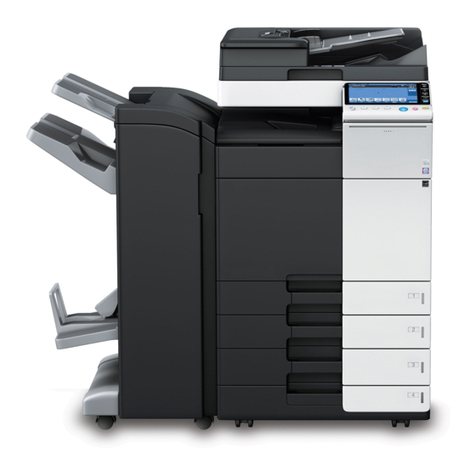
bizhub PRO C6500 Contents-5
11.17 Printing Additional Information: Stamp/Image Overlay ............ 11-65
11.17.1 Printing Stamp onto Copies: Built-in Stamp .............................. 11-67
11.17.2 Printing Distribution Number: Set Numbering ........................... 11-69
11.17.3 Printing Page Number: Page No. ............................................... 11-71
11.17.4 Printing Date/Time: Date/Time ................................................... 11-73
11.17.5 Printing Watermark onto Copies: Watermark ............................ 11-75
11.17.6 Printing Distribution Number as Watermark: Set Numbering .... 11-77
11.17.7 Detailed Setting in Stamp/Watermark ....................................... 11-79
11.18 Overlaying Image onto Printed Pages: Image Overlay ............. 11-83
11.19 Storing Overlay Image in HDD/ Overlaying Image Stored in HDD:
Program Overlay ........................................................................... 11-85
11.20 Copy Conditions Incompatible with Application Functions ..... 11-90
12 Output Applications
12.1 Selecting an Output Tray ............................................................... 12-3
12.2 Setting Binding Direction for Duplex Copies ............................... 12-7
12.3 Sorting/ Stapling Copies (Finisher FS-503) .................................. 12-9
12.3.1 Non-sort/ Collate/ Uncollate Output to the Primary (Main) Tray 12-11
12.3.2 Stapling Output to the Primary (Main) Tray ................................ 12-13
12.3.3 Collate/ Uncollate Output to the Secondary (Sub) Tray ............. 12-16
12.4 Output Modes Using Folding Unit FD-501 .................................. 12-18
12.4.1 Punching File Holes in Copies ................................................... 12-18
12.4.2 Folding Copies ........................................................................... 12-21
12.4.3 Attaching Cover Sheet (Post Inserter on FD-501) ...................... 12-23
12.5 Output Modes Using Saddle Stitcher SD-501 ............................ 12-25
12.5.1 Making Folded Booklet .............................................................. 12-25
12.5.2 Folding Copies ........................................................................... 12-27
12.6 Using Folder/Finisher Functions Manually ................................. 12-30
12.7 Using Finisher FS-607 .................................................................. 12-33
12.7.1 Non-sort/ Collate/ Uncollate Output to the Primary (Main) Tray 12-35
12.7.2 Stapling Output to the Primary (Main) Tray ................................ 12-37
12.7.3 Collate/ Uncollate Output to the Secondary (Sub) Tray ............. 12-40
12.7.4 Making Folded Booklet (Multi Half Fold / Fold&Staple) ............. 12-42
12.7.5 Folding Copies in Three (Multi Tri-Fold) ..................................... 12-44
12.7.6 Punching File Holes in Copies (Punch) ...................................... 12-46
Pre.fm Page 5 Monday, September 11, 2006 2:55 PM