manuals.online logo
Brands
  1. Home
  2. •
  3. Brands
  4. •
  5. LEGRAND
  6. •
  7. Control Panel
  8. •
  9. LEGRAND bticino FL4653 User manual

LEGRAND bticino FL4653 User manual

This manual suits for next models

3

Other LEGRAND Control Panel manuals

LEGRAND 4 226 86 User manual

LEGRAND

LEGRAND 4 226 86 User manual

LEGRAND 5 735 04 Instruction manual

LEGRAND

LEGRAND 5 735 04 Instruction manual

LEGRAND Wattstopper LP8 User manual

LEGRAND

LEGRAND Wattstopper LP8 User manual

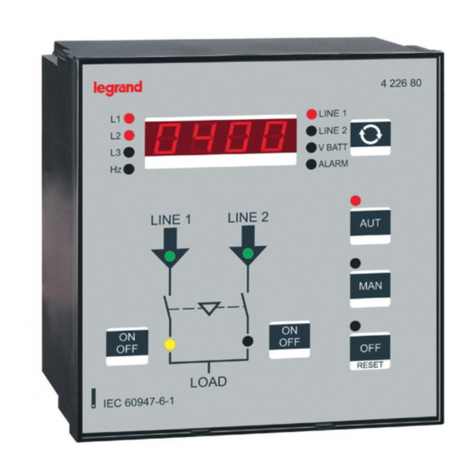
LEGRAND 4 226 80 User manual

LEGRAND

LEGRAND 4 226 80 User manual

LEGRAND Celiane 673 23 User manual

LEGRAND

LEGRAND Celiane 673 23 User manual

LEGRAND 67206 User manual

LEGRAND

LEGRAND 67206 User manual

LEGRAND Wattstopper User manual

LEGRAND

LEGRAND Wattstopper User manual

LEGRAND Valena 7700 66 User manual

LEGRAND

LEGRAND Valena 7700 66 User manual

LEGRAND WattStopper LP Series Installation and operating manual

LEGRAND

LEGRAND WattStopper LP Series Installation and operating manual

LEGRAND Valena 7700 66 User manual

LEGRAND

LEGRAND Valena 7700 66 User manual

LEGRAND Wattstopper LC8-120/277 User manual

LEGRAND

LEGRAND Wattstopper LC8-120/277 User manual

LEGRAND Wattstopper LP8 User manual

LEGRAND

LEGRAND Wattstopper LP8 User manual

Popular Control Panel manuals by other brands

GENEVO PRiMA 6 installation manual

GENEVO

GENEVO PRiMA 6 installation manual

NAPCO X 255 - Programming instructions

NAPCO

NAPCO X 255 - Programming instructions

Next Systems UNIR1 230 instruction manual

Next Systems

Next Systems UNIR1 230 instruction manual

HORNER HE-XPW1E0 user manual

HORNER

HORNER HE-XPW1E0 user manual

DSC CLASSIC PC1555 instruction manual

DSC

DSC CLASSIC PC1555 instruction manual

Bosch Solution 2000 installation guide

Bosch

Bosch Solution 2000 installation guide

VRinsight MS Panel user manual

VRinsight

VRinsight MS Panel user manual

Zeiss SYCOP 3 Quick reference guide

Zeiss

Zeiss SYCOP 3 Quick reference guide

HULTSTEINS ECOFRIDGE DISPLAY user manual

HULTSTEINS

HULTSTEINS ECOFRIDGE DISPLAY user manual

Elkron C420 Programming manual

Elkron

Elkron C420 Programming manual

GST GST200-2 Installation and operation manual

GST

GST GST200-2 Installation and operation manual

Efka Variocontrol V810 instruction manual

Efka

Efka Variocontrol V810 instruction manual

RDZ PC-HRX user manual

RDZ

RDZ PC-HRX user manual

STG-BEIKIRCH MZ3 operation instruction

STG-BEIKIRCH

STG-BEIKIRCH MZ3 operation instruction

AMX AutoPatch CP-15 instruction manual

AMX

AMX AutoPatch CP-15 instruction manual

Cebora 208-10 instruction manual

Cebora

Cebora 208-10 instruction manual

Satel CA-6 KLED-S user manual

Satel

Satel CA-6 KLED-S user manual

Evolution IQ plus 800 installation manual

Evolution

Evolution IQ plus 800 installation manual

manuals.online logo
manuals.online logoBrands
  • About & Mission
  • Contact us
  • Privacy Policy
  • Terms and Conditions

Copyright 2025 Manuals.Online. All Rights Reserved.

Cat. No(s): 0 487 72/82
FL4653/53W/63
Technical data sheet: S000102895EN-1 Updated: 31/05/2018 Created: 24/04/2018
1/3
Bedside panel
BUS-SCS
128, av. du Maréchal-de-Lattre-de-Tassigny - 87045 LIMOGES Cedex
Tel: +33(0)5 55 06 87 87 Fax: +33(0)5 55 06 88 88
www.legrand.com
The bedside panel is dedicated to hotels. It has a thermostat function
which can be used on heating and/or air conditioning installations, 5
scenario control units and a “Do not disturb” housekeeping function. It
is possible to display and set the reference temperature, fan speed, and
switch ON with thermal overload protection.
The screen displays the measured ambient temperature or the reference
temperature.
It indicates and can be used to activate the housekeeping information:
- Do Not Disturb
- Make up room: only available on congured version.
It has a proximity sensor which can be disabled by conguration: when
the device detects an approach, it switches from standby state to active
state. The LED brightness level (on standby or active) and the time delay
before returning to standby state can also be set by conguration.
The control & management software is used to view and control the
thermostat. Conguration is possible with the MyHotel_Suite software
on SCS installations which include the MH201 device, or with the Hotel
Room Controller Software on IP installations which include the 0 484 08
or 0 484 12 device.
1. DESCRIPTION
Front view Rear view
CONTENTS Page
1. Description ..............................1
2. Technical characteristics ..................1
3. Standards, certifications and markings ...1
4. Dimensions . . . . . . . . . . . . . . . . . . . . . . . . . . . . . .1
5. Connection diagrams ....................2
6. Installation...............................2
7. Configured version
Cat. No. 0 487 82/FL4663 .................3
2. TECHNICAL CHARACTERISTICS
BUS/SCS power supply: 18 - 27 VDC
Consumption with screen o: 8 mA
Consumption with ultra-bright screen: 30 mA
Operating temperature: 0°C to +40°C
Storage temperature: -20°C to +70°C
Unit of measurement: °C or °F
Loads controllable by an actuator: On/O
Open/closed
Fan coil unit with 2 tubes and
On/O valve
IP gateway (centralised HVAC
package)
Fan coil unit with 2 tubes and
proportional valve
Fan coil unit with 4 tubes and
On/O valve
Fan coil unit with 4 tubes and
proportional valve
Proportional valve
Fan coil unit with 2 tubes and
proportional speed control
Fan coil unit with 4 tubes and
proportional speed control
Protection index: IP 20, IK 04
Plate and surround colour (standard): Black Cat. No. 0 487 72/FL4653 or
White Cat. No. FL4653W
Key
1. Scenario buttons
2. Heating enabled indicator
(red) Air conditioning enabled
indicator (blue)
3. MODE button: pressing briey
changes from normal mode (ON)
to protection mode (frost guard
or thermal overload).
A longer press changes
the function (heating/air
conditioning/automatic)
according to the conguration.
4. Measured temperature (SET o)
or reference temperature (SET on)
indicator
5. + button: increases the reference
value
6. – button: decreases the reference
value
7. FAN button: sets the fan speed
(3levels + automatic)
8. Fan speed indicator (3 levels) +
automatic
9. DND indicator (red LED on: DO
NOT DISTURB)
10. Local contact
11. Connection to the BUS
DEFAULT VALUES
Heating Air conditioning
Setting interval 3-40°C 3-40°C
Comfort 21°C 25°C
Economy 18°C 28°C
Frost guard 7°C
Thermal overload 35°C
3. STANDARDS, CERTIFICATIONS AND MARKINGS
EN 60669-2-5
CE marked
2
4
89
5
6
1
7
3
10 11
4. DIMENSIONS
129 42.4
11.5
93
2/3
Bedside panel
BUS-SCS
Technical data sheet: S000102895EN-1 Updated: 31/05/2018 Created: 24/04/2018
CONTENTS
Cat. No(s): 0 487 72/82
FL4653/53W/63
5. CONNECTION DIAGRAMS
Example of installation for hotel room (SCS installation)
Example of installation for hotel room (Bacnet installation)
PRI
SCS
E49
PRI: 220 – 240 V~
185 – 175 mA
50/60 Hz
SCS: 27 Vdc
600 mA
C1 C2
ART. F430/2
1
1234
243
BUS power supply
HVAC
actuator
MH201
BUS power supply
0 484 08/12 0 634 42 HVAC actuator
Bedside panel
BUS-SCS
Technical data sheet: S000102895EN-1 Updated: 31/05/2018 Created: 24/04/2018
3/3
CONTENTS
Cat. No(s): 0 487 72/82
FL4653/53W/63
6. INSTALLATION
Surface-mounted with ush-mounting boxes Flush-mounted with accessory Cat. Nos. 0 487 88/89
Choice of
surround colour
Options (predened position):
- Hotel logo
- Flush-mounted version
The congurator is available on the following website: www.uxforupscalehotel.legrand.com.
The list of pictogram and colour options (plate and surround) can be accessed via the congurator.
7. CONFIGURED VERSION CAT. NO. 0 487 82/FL4663
6 890 07
0 800 41
503E
0 487 79






136
(+/- 2 mm)
99
(+/- 2 mm
)
Choice of plate
colour
- Make up room
- Scenario
- Empty
- Do not disturb
- Scenario
- Empty
- Scenario
- Empty
- Scenario
- Empty
- Scenario
- Empty
- Scenario
- Empty