manuals.online logo
Brands
  1. Home
  2. •
  3. Brands
  4. •
  5. Leviton
  6. •
  7. Measuring Instrument
  8. •
  9. Leviton 4000-K Series User manual

Leviton 4000-K Series User manual

This manual suits for next models

1

Other Leviton Measuring Instrument manuals

Leviton 2R208-21 User manual

Leviton

Leviton 2R208-21 User manual

Leviton mini meter MMU User manual

Leviton

Leviton mini meter MMU User manual

Leviton VerifEye 71D48 User manual

Leviton

Leviton VerifEye 71D48 User manual

Leviton 3300 series User manual

Leviton

Leviton 3300 series User manual

Leviton VerifEye 72D48 User manual

Leviton

Leviton VerifEye 72D48 User manual

Leviton VerifEye MDTFW User manual

Leviton

Leviton VerifEye MDTFW User manual

Leviton LP8 Series User manual

Leviton

Leviton LP8 Series User manual

Leviton VerifEye S8112 User manual

Leviton

Leviton VerifEye S8112 User manual

Leviton VerifEye User manual

Leviton

Leviton VerifEye User manual

Leviton VerifEye Series 4100 Operating and maintenance instructions

Leviton

Leviton VerifEye Series 4100 Operating and maintenance instructions

Leviton VerifEye 71D12 User manual

Leviton

Leviton VerifEye 71D12 User manual

Leviton Verifeye 8000 Series User manual

Leviton

Leviton Verifeye 8000 Series User manual

Leviton VerifEye 6000 Series User manual

Leviton

Leviton VerifEye 6000 Series User manual

Leviton VerifEye 3300 Series User manual

Leviton

Leviton VerifEye 3300 Series User manual

Leviton Series 1000 User manual

Leviton

Leviton Series 1000 User manual

Leviton 6M Series Technical specifications

Leviton

Leviton 6M Series Technical specifications

Leviton VerifEye 7000 Series User manual

Leviton

Leviton VerifEye 7000 Series User manual

Leviton VerifEye 6000 Series User manual

Leviton

Leviton VerifEye 6000 Series User manual

Leviton 70D03 User manual

Leviton

Leviton 70D03 User manual

Leviton Series 1000 Instruction Manual

Leviton

Leviton Series 1000 Instruction Manual

Leviton 6PSMT-C02 User manual

Leviton

Leviton 6PSMT-C02 User manual

Leviton 4000-R series User manual

Leviton

Leviton 4000-R series User manual

Leviton VerifEye Series 4100 User manual

Leviton

Leviton VerifEye Series 4100 User manual

Leviton Verifeye 8000 Series User manual

Leviton

Leviton Verifeye 8000 Series User manual

Popular Measuring Instrument manuals by other brands

Powerfix Profi 278296 Operation and safety notes

Powerfix Profi

Powerfix Profi 278296 Operation and safety notes

Test Equipment Depot GVT-427B user manual

Test Equipment Depot

Test Equipment Depot GVT-427B user manual

Fieldpiece ACH Operator's manual

Fieldpiece

Fieldpiece ACH Operator's manual

FLYSURFER VIRON3 user manual

FLYSURFER

FLYSURFER VIRON3 user manual

GMW TG uni 1 operating manual

GMW

GMW TG uni 1 operating manual

Downeaster Wind & Weather Medallion Series instruction manual

Downeaster

Downeaster Wind & Weather Medallion Series instruction manual

Hanna Instruments HI96725C instruction manual

Hanna Instruments

Hanna Instruments HI96725C instruction manual

Nokeval KMR260 quick guide

Nokeval

Nokeval KMR260 quick guide

HOKUYO AUTOMATIC UBG-05LN instruction manual

HOKUYO AUTOMATIC

HOKUYO AUTOMATIC UBG-05LN instruction manual

Fluke 96000 Series Operator's manual

Fluke

Fluke 96000 Series Operator's manual

Test Products International SP565 user manual

Test Products International

Test Products International SP565 user manual

General Sleep Zmachine Insight+ DT-200 Service manual

General Sleep

General Sleep Zmachine Insight+ DT-200 Service manual

Sensa Core Lacto Spark user manual

Sensa Core

Sensa Core Lacto Spark user manual

VOLTCRAFT UTS-1980 operating instructions

VOLTCRAFT

VOLTCRAFT UTS-1980 operating instructions

EBCHQ 94915 Operation manual

EBCHQ

EBCHQ 94915 Operation manual

Balluff BIP LD2-T017-01-EP-S4 Series user guide

Balluff

Balluff BIP LD2-T017-01-EP-S4 Series user guide

Pulsar IMP Lite Series instruction manual

Pulsar

Pulsar IMP Lite Series instruction manual

ETCR 6800 user manual

ETCR

ETCR 6800 user manual

manuals.online logo
manuals.online logoBrands
  • About & Mission
  • Contact us
  • Privacy Policy
  • Terms and Conditions

Copyright 2025 Manuals.Online. All Rights Reserved.

Installation Guide
Power Monitoring
ZL0138-0A Page 1 of 24 05145
For use in a Pollution Degree 2 or better environment only. A Pollution Degree 2 environment
must control conductive pollution and the possibility of condensation or high humidity.
Consider the enclosure, the correct use of ventilation, thermal properties of the equipment,
and the relationship with the environment. Installation category: CAT II or CAT III. Provide
a disconnect device to disconnect the meter from the supply source. Place this device in
close proximity to the equipment and within easy reach of the operator, and mark it as the
disconnecting device. The disconnecting device shall meet the relevant requirements of IEC
60947-1 and IEC 60947-3 and shall be suitable for the application. In the US and Canada,
disconnecting fuse holders can be used. Provide overcurrent protection and disconecting
device for supply conductors with approved current limiting devices suitable for protecting
the wiring. If the equipment is used in a manner not specied by the manufacturer, the
protection provided by the device may be impaired.
CAUTION
• This product is not intended for life or safety applications.
• Do not install this product in hazardous or classied locations.
• The installer is responsible for conformance to all applicable codes.
• Mount this product inside a suitable re and electrical enclosure.
FCC PART 15 INFORMATION
NOTE: This equipment has been tested by the manufacturer and found to
comply with the limits for a class B digital device, pursuant to part 15 of
the FCC Rules. These limits are designed to provide reasonable protection
against harmful interference when the equipment is operated in a
residential environment. This equipment generates, uses, and can radiate
radio frequency energy and, if not installed and used in accordance with
the instruction manual, may cause harmful interference to radio
communications. This device complies with part 15 of the FCC Rules.
Operation is subject to the following two conditions:
(1) This device may not cause harmful interference, and
(2) this device must accept any interference received, including
interference that may cause undesired operation.
Modifications to this product without the express authorization of the
manufacturer nullify this statement.
WARNING
LOSS OF CONTROL
∙ Assure that the system will reach a safe state during and after a control path failure.
∙ Separate or redundant control paths must be provided for critical control functions.
∙ Test the eect of transmission delays or failures of communication links.1
∙ Each implementation of equipment using communication links must be individually
and thoroughly tested for proper operation before placing it in service.
Failure to follow these instructions may cause injury, death or equipment damage.
1For additional information about anticipated transmission delays or failures of the link, refer to
NEMA ICS 1.1 (latest edition). Safety Guidelins for the Application, Installation, and Maintenance
of Solid-State Control or its equivalent in your specic country, language, and/or location.
Control system design must consider the potential failure modes of control paths and, for
certain critical control functions, provide a means to acheive a safe state during and after a
path failure. Examples of critical control functions are emergency stop and over-travel stop.
HAZARD OF ELECTRIC SHOCK, EXPLOSION, OR ARC FLASH
• Turn off all power supplying equipment before working on or inside the equipment.
• Follow safe electrical work practices. See NFPA 70E in the USA, or applicable local codes.
• This equipment must only be installed and serviced by qualified electrical personnel.
• Read, understand and follow the instructions before installing this product.
• Product may use multiple voltage/power sources. Be sure all sources of power
have been disconnected before servicing.
• Use a properly rated voltage sensing device to confirm power is off.
DO NOT DEPEND ON THIS PRODUCT FOR VOLTAGE INDICATION
• Only install this product on insulated conductors.
Failure to follow these instructions will result in death or serious injury.
A qualied person is one who has skills and knowledge related to the construction and
operation of this electrical equipment and the installation, and has received safety
training to recognize and avoid the hazards involved. NEC2011 Article 100
No responsibility is assumed by Leviton for any consequences arising out of the use of
this material.
DANGER
Product Overview
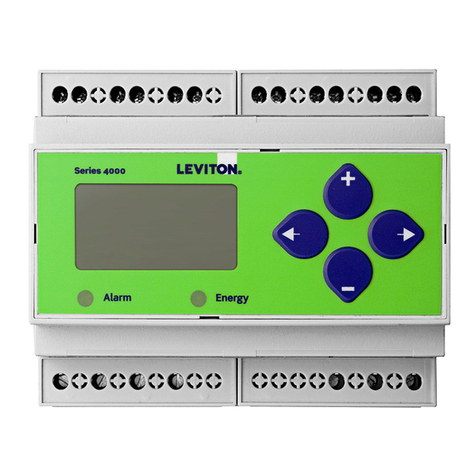
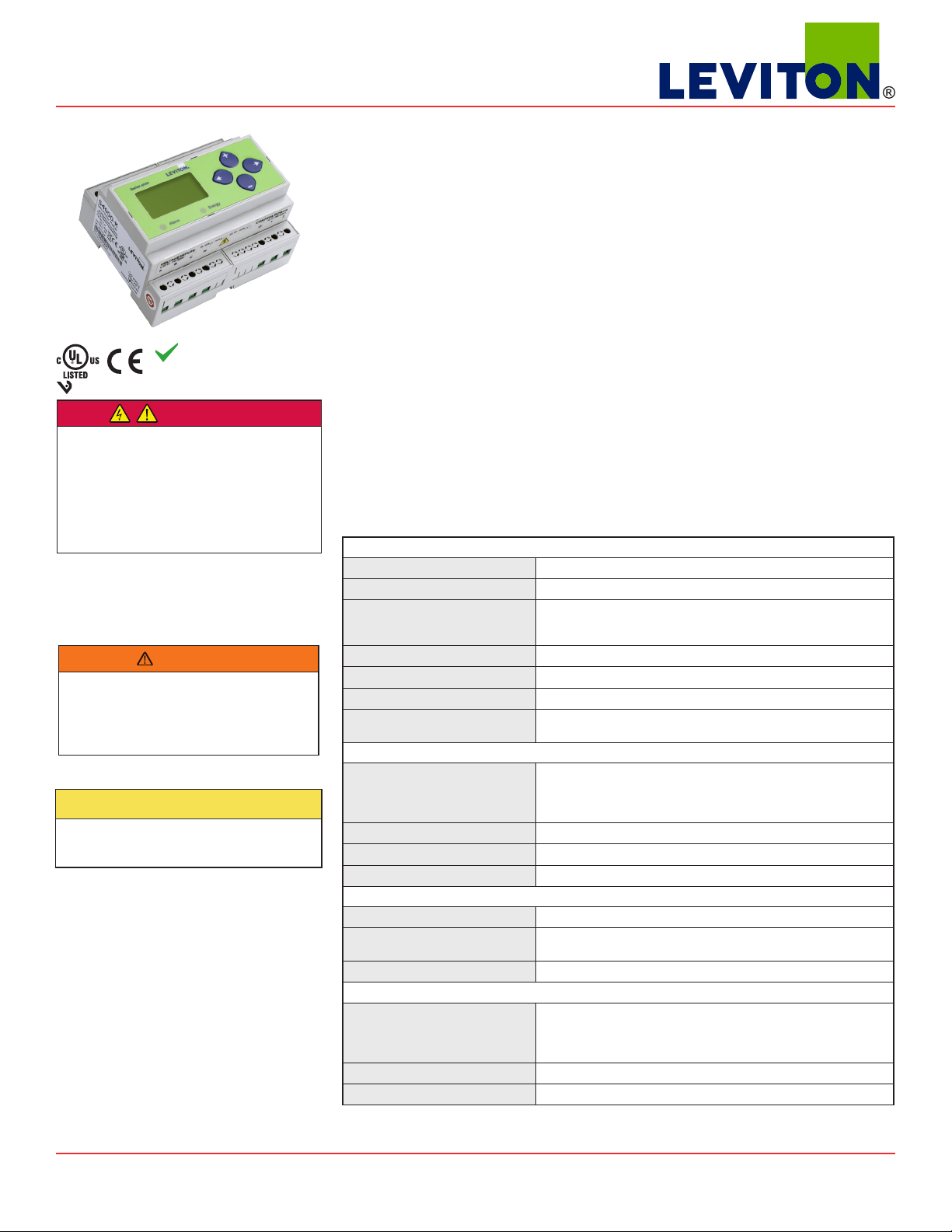
The Series 4000-K DIN rail meter provides a solution for measuring energy data with a single device. Inputs include
control power, CT, and 3-phase voltage. The Series 4000-K supports multiple output options, including solid state
relay contacts, Modbus, and pulse. The LCD screen on the faceplate allows instant output viewing.
The meter is housed in a plastic enclosure suitable for installation on T35 DIN rail according to EN50022. The Series
4000-K can be mounted with any orientation over the entire ambient temperature range, either on a DIN rail or in a
panel. The meter is not sensitive to CT orientation to reduce installation errors.
Series 4000-K
Compact Modbus Power and Energy Meter
RoHS
Compliant
Specifications
MEASUREMENT ACCURACY
Real Power and Energy IEC 62053-22 Class 0.5S, ANSI C12.20 0.5%
Reactive Power and Energy IEC 62053-23 Class 2, 2%
Current 0.4% (+0.015% per °C deviation from 25°C) from 5% to 100% of
range; 0.8% (+0.015% per °C deviation from 25°C) from 1% to 5% of
range
Voltage 0.4% (+0.015% per °C deviation from 25°C) from 90VL- N to 600VACL- L
Sample Rate 2520 samples per second
Data Update Rate 1 sec
Type of Measurement True RMS up to the 21st harmonic 60 Hz; One to three phase AC
system
INPUT VOLTAGE CHARACTERISTICS
Measured AC Voltage Minimum 90VL- N (156VL- L ) for stated accuracy;
UL Maximums: 600VL- L (347VL- N )
CE Maximum: 300VL- N
Metering Over-Range +20%
Impedance 2.5 MΩL- N /5 MΩL- L
Frequency Range 45 to 65 Hz
INPUT CURRENT CHARACTERISTICS
CT Scaling Primary: Adjustable from 5 A to 32,000 A
Measurement Input Range 0 to 0.333 VAC or 0 to 1.0 VAC (+20% over-range), rated for use with
Class 1 voltage inputs
Impedance 10.6 kΩ(1/3 V mode) or 32.1 kΩ(1 V mode)
CONTROL POWER
AC 5VA max.; 90V min.
UL Maximums: 600VL- L (347 VL- N )
CE Maximum: 300VL- N
DC* 3 W max.; UL and CE: 125 to 300VDC
Ride Through Time 100 msec at 120VAC
Product Identification
Series 4000-K Unidirectional metering, Modbus full data set, pulse and alarm outputs.
E50C2
Shop for Power Metering products online at: 1.888.610.7664
www.PowerMeterStore.com

ZL0138-0A Page 2 of 24 05145
Installation Guide
Power Monitoring
Series 4000-K
OUTPUT
Alarm Contacts N.C., static output (30VAC/DC, 100mA max. @ 25°C, derate 0.56mA
per °C above 25°C)
Real Energy Pulse Contacts N.O., static output (30VAC/DC, 100mA max. @ 25°C, derate 0.56mA
per °C above 25°C)
RS-485 Port 2-wire, 1200 to 38400 baud, Modbus RTU
MECHANICAL CHARACTERISTICS
Weight 0.62 lb (0.28 kg)
IP Degree of Protection
(IEC 60529)
IP40 front display; IP20 Meter
Display Characteristics Back-lit blue LCD
Terminal Block Screw Torque 0.37 to 0.44 ft-lb (0.5 to 0.6 N·m)
Terminal Block Wire Size 24 to 14 AWG (0.2 to 2.1 mm2)
Rail T35 (35mm) DIN Rail per EN50022
OPERATING CONDITIONS
Operating Temperature Range -30° to 70°C (-22° to 158°F)
Storage Temperature Range -40° to 85°C (-40° to 185°F)
Humidity Range <95% RH noncondensing
Altitude of Operation 3000 m
COMPLIANCE INFORMATION
US and Canada CAT III, Pollution degree 2;
for distribution systems up to 347VL- N /600VACL- L
CE CAT III, Pollution degree 2;
for distribution systems up to 300VL- N
Dielectric Withstand Per UL 508, EN61010
Conducted and Radiated
Emissions
FCC part 15 Class B, EN55011/EN61000 Class B (residential and light
industrial)
Conducted and Radiated
Immunity
EN61000 Class A (heavy industrial)
US and Canada (cULus) UL508 (open type device)/CSA 22.2 No. 14-05
Europe (CE) EN61010 -1
* External DC current limiting is required, see fuse recommendations.
Specifications (cont.)
Shop for Power Metering products online at: 1.888.610.7664
www.PowerMeterStore.com

ZL0138-0A Page 3 of 24 05145
Installation Guide
Power Monitoring
Series 4000-K
Table of Contents Dimensions 4
Data Outputs 4
Product Diagram 5
Display Screen Diagram 5
Installation 6
Supported System Types 7
Wiring Symbols 7
Wiring 8
Control Power 9
Quick Setup Instructions 10
Solid State Output 11
User Interface Menu Abbreviations Dened 11
User Interface for Data Conguration 12
Alert/Reset Information 13
User Interface for Setup 14
RS-485 Communications 16
Standard Modbus Default Settings 17
Modbus Point Map Overview 18
Modbus Point Map 19
Troubleshooting 24
China RoHS Compliance Information (EFUPTable) 24
Shop for Power Metering products online at: 1.888.610.7664
www.PowerMeterStore.com
ZL0138-0A Page 4 of 24 05145
Installation Guide
Power Monitoring
Series 4000-K
Dimensions
4.2”
(107mm)
3.6”
(91mm)
1.5”
(39mm)
2.3”
(59mm)
1.9”
(48mm)
1.8”
(45mm)
3.6“
(91 mm)
4.2“
(107 mm)
0.2“
(4 mm)
3.9“
(99 mm)
2.4“
(61 mm)
++
+
4.3“
(109 mm)
1.2“
(31 mm) 0.3“
(8 mm)
0.4“
(10 mm)
Bottom View (DIN Mount Option) Bottom View (Screw Mount Option)
Full Data Set (FDS):
Power (kW)
Energy (kWh)
Congurable for CT & PT ratios, system type, and passwords
Diagnostic alerts
Current: 3-phase average
Volts: 3-phase average
Current: by phase
Volts: by phase Line-Line and Line-Neutral
Power: Real, Reactive, and Apparent 3-phase total and per phase
Power Factor: 3-phase average and per phase
Frequency
Power Demand: Most Recent and Peak
Demand Conguration: Fixed, Rolling Block, and External Sync
Data Outputs
Shop for Power Metering products online at: 1.888.610.7664
www.PowerMeterStore.com
ZL0138-0A Page 5 of 24 05145
Installation Guide
Power Monitoring
Series 4000-K
Product Diagram
Display Screen
Diagram
Alarm Energy


Two 5-character rows
of display text.
Top row alphanumeric;
Bottom row numeric only
The red alarm LED lights when
any of the 3 phase voltages drop
below the selected threshold:
The green Energy LED lights when
the energy pulse output contacts
are closed.
CONTROL POWER
0.1A 50/60 Hz
A B C N 1 2
Alarm Energy
NC NO + - S
OUTPUT
CT Inputs 1 or 0.333 VAC
VA
VB
VC
Neutral
Earth
Control
Power
UL: 90V L-N - 600V L-L CE: 90V L-N - 300V L-N
VOLTAGE INPUTS
CAT III 50/60 Hz
+
–
(X2) A(X1) (X2) B(X1) (X2) C(X1)
IA
IB
IC
X2 X1 X2 X1 X2 X1
Pulse Loss
Alarm Output
Pulse Output
Modbus
Shield

 Tx
Rx
ERR
♥
Screen Name or Units
Diagnostic
Alert
Numeric
Data
Alive Indicator
Transmit Data
Receive Data
Receive Data Error
LCD Screen: Buttons:
+
–
(Up)
Select
(Right)
Next
(Down)
Select
(Left)
Back
Shop for Power Metering products online at: 1.888.610.7664
www.PowerMeterStore.com
ZL0138-0A Page 6 of 24 05145
Installation Guide
Power Monitoring
Series 4000-K
Installation WARNING: TO AVOID FIRE, SHOCK, OR DEATH, disconnect power prior to installation.
Reinstall any covers that are displaced during the installation before powering the unit.
Mount the meter in an appropriate electrical enclosure near equipment to be monitored.
Do not install on the load side of a Variable Frequency Drive (VFD), aka Variable Speed Drive (VSD)
or Adjustable Frequency Drive (AFD).
The meter can be mounted in two ways: on standard 35 mm DIN rail or screw-mounted to the interior surface of the enclosure.
A. DIN Rail Mounting
1. Attach the mounting clips to the underside of the housing by sliding them into the slots from the inside. The stopping pegs
must face the housing, and the outside edge of the clip must be ush with the outside edge of the housing.
2. Snap the clips onto the DIN rail. See the diagram of the underside of the housing (below).
Clip flush with
outside edge
Snap onto
DIN rail
Insert clips from inside
3. To reduce horizontal shifting across the DIN rail, use two end stop clips.
B. Screw Mounting
1. Attach the mounting clips to the underside of the housing by sliding them into the slots from the outside. The stopping pegs
must face the housing, and the screw hole must be exposed on the outside of the housing.
2. Use three #8 screws (not supplied) to mount the meter to the inside of the enclosure. See the diagram of the underside of the
housing (below).
Screw holes
exposed for
mounting
Insert clips from outside
Shop for Power Metering products online at: 1.888.610.7664
www.PowerMeterStore.com
ZL0138-0A Page 7 of 24 05145
Installation Guide
Power Monitoring
Series 4000-K
The meter has a number of dierent possible system wiring congurations (see Wiring section). To congure the meter, set the
System Type via the User Interface or Modbus register 130. The System Type tells the meter which of its current and voltage
inputs are valid, which are to be ignored, and if neutral is connected. Setting the correct System Type prevents unwanted energy
accumulation on unused inputs, selects the formula to calculate the Theoretical Maximum System Power, and determines which
phase loss algorithm is to be used. The phase loss algorithm is congured as a percent of the Line-to-Line System Voltage (except
when in System Type 10) and also calculates the expected Line to Neutral voltages for system types that have Neutral (12 & 40).
Values that are not valid in a particular System Type display as “----” on the User Interface or as QNAN in the Modbus registers.
CTs Voltage Connections System Type Phase Loss Measurements Wiring
Diagram
Number
of wires
Qty ID Qty ID Type Modbus
Register 130
User Interface:
SETUP>S SYS
VLL VLN Balance Diagram
number
Single-Phase Wiring
2 1 A 2 A, N L-N 10 1L + 1n AN 1
2 1 A 2 A, B L-L 11 2L AB 2
3 2 A, B 3 A, B, N L-L with N 12 2L + 1n AB AN, BN AN-BN 3
Three-Phase Wiring
3 3 A, B, C 3 A, B, C Delta 31 3L AB, BC, CA AB-BC-CA 4
4 3 A, B, C 4 A, B, C, N Grounded
Wye
40 3L + 1n AB, BC, CA AN, BN, CN AN-BN-CN &
AB-BC-CA
5, 6
Supported System
Types
To avoid distortion, use parallel wires for control power and voltage inputs.
The following symbols are used in the wiring diagrams on the following pages.
Symbol Description
Voltage Disconnect Switch
Fuse (installer is responsible for ensuring compliance with local requirements. No
fuses are included with the meter.)
Earth ground
X2
X1 Current Transducer
Potential Transformer
Protection containing a voltage disconnect switch with a fuse or disconnect circuit
breaker. The protection device must be rated for the available short-circuit current at
the connection point.
CAUTION
RISK OF EQUIPMENT DAMAGE
• This product is designed only for use with 1V or 0.33V current
transducers (CTs).
• DO NOT USE CURRENT OUTPUT (e.g. 5A) CTs ON THIS PRODUCT.
• Failure to follow these instructions can result in overheating and
permanent equipment damage.
Wiring Symbols
Shop for Power Metering products online at: 1.888.610.7664
www.PowerMeterStore.com
ZL0138-0A Page 8 of 24 05145
Installation Guide
Power Monitoring
Series 4000-K
RISK OF ELECTRIC SHOCK OR PERMANENT EQUIPMENT DAMAGE
CT negative terminals are referenced to the meter’s neutral and may be at elevated voltages
· Do not contact meter terminals while the unit is connected
· Do not connect or short other circuits to the CT terminals
Failure to follow these instructions may cause injury, death or equipment damage.
WARNING
Wiring
N L1
X2
X1 White
Black
A
B
C
N
X1
X2
X1
X2
X1
X2
A
B
C
Diagram 1: 1-Phase Line-to-Neutral 2- Wire
System 1 CT
Diagram 2: 1-Phase Line-to-Line 2-Wire
System 1 CT
L1 L2
X2
X1
X2
X1
A
B
C
N
A
B
C
N
White
Black
White
Black
X1
X2
X1
X2
X1
X2
L1 L2
X2
X1
A
B
C
N
A
B
C
White
Black X1
X2
X1
X2
X1
X2
Diagram 3: 1-Phase Direct Voltage Connection 2 CT
L1 L2 L3
X2
X1
A
B
C
N
A
B
C
X2
X1
X2
X1
White
Black
White
Black
White
Black
X1
X2
X1
X2
X1
X2
Diagram 4: 3-Phase 3-Wire 3 CT no PT
Use System Type 11 (2L)
Use System Type 12 (2L + 1n) Use System Type 31 (3L)
Use System Type 10 (1L + 1n)
L1N L2 L3
X2
X1
A
B
C
N
A
B
C
X2
X1
X2
X1
White
Black
White
Black
White
Black
X1
X2
X1
X2
X1
X2
Diagram 5: 3-Phase 4-Wire Wye Direct Voltage Input
Connection 3 CT
Use System Type 40 (3L + 1n)
White
Black
White
Black
White
Black
L1N L2 L3
X2
X1
A
B
C
N
A
B
C
X2
X1
X2
X1
X1
X2
X1
X2
X1
X2
Diagram 6: 3-Phase 4-Wire Wye Connection 3 CT
3 PT
Use System Type 40 (3L + 1n)
Shop for Power Metering products online at: 1.888.610.7664
www.PowerMeterStore.com
ZL0138-0A Page 9 of 24 05145
Installation Guide
Power Monitoring
Series 4000-K
Control Power
Direct Connect Control Power (DC Control Power)
L1N L2 L3 1 2G
L1N L2 L3
1 2G
L1
1 2G
L2 L3
Direct Connect Control Power (Line to Neutral)
Line to Neutral from 90 VAC to 347 VAC (UL) or 300 VAC (CE)
1 2G
Control Power Transformer (CPT) Connection
Direct Connect Control Power (Line to Line)
Line to Line from 90 VAC to 600 VAC (UL). In UL installations the
lines may be oating (such as a delta). If any lines are tied to an
earth (such as a corner grounded delta), see the Line to Neutral
installation limits. In CE compliant installations, the lines must
be neutral (earth) referenced at less than 300 VACL-N
The Control Power Transformer may be wired L-N or L-L. Output to
meet meter input requirements
DC Control Power from 125 VDC to 300 VDC
(UL and CE max.)
Fuse Recommendations
Keep the fuses close to the power source (obey local and national code requirements).
For selecting fuses and circuit breakers, use the following criteria:
• Select current interrupt capacity based on the installation category and fault current capability.
• Select over-current protection with a time delay.
• Select a voltage rating sucient for the input voltage applied.
• Provide overcurrent protection and disconnecting means to protect the wiring. For DC installations, provide external
circuit protection. Suggested: 0.5 A, time delay fuses.
• The earth connection (G) is required for electromagnetic compatibility (EMC) and is not a protective earth ground.
Shop for Power Metering products online at: 1.888.610.7664
www.PowerMeterStore.com
ZL0138-0A Page 10 of 24 05145
Installation Guide
Power Monitoring
Series 4000-K
Quick Setup
Instructions
These instructions assume the meter is set to factory defaults. If it has been previously congured, all optional values should be
checked.
1. Press the +
+or
–
button repeatedly until SETUP screen appears.
2. to the PASWD screen.
3. through the digits. Use the +
+or
–
buttons to select the password (the default is 00000). Exit the screen to the right.
4. Use the +
+or
–
buttons to select the parameter to congure.
5. The rst Setup screen is S COM (set communications).
a. to the ADDR screen and through the address digits. Use the +
+or
–
buttons to select the Modbus address.
b. to the BAUD screen. Use the +
+or
–
buttons to select the baud rate.
c. to the PAR screen. Use the +
+or
–
buttons to select the parity.
d. back to the S COM screen.
6.
–
to the S CT (Set Current Transducer) screen.
a. to the CT V screen. Use the +
+or
–
buttons to select the voltage mode Current Transducer output voltage.
b. to the CT SZ screen and through the digits. Use the +
+or
–
buttons to select the CT size in amps.
c. back to the S CT screen.
7.
–
to the S SYS (Set System) screen.
a. to the SYSTM screen. Use the +
+or
–
buttons to select the System Type (see wiring diagrams).

b. back to the S SYS screen.
8. (Optional)
–
to the S PT (Set Potential Transformer) screen. If PTs are not used, then skip this step.
a. to the RATIO screen and through the digits. Use the +
+or
–
buttons to select the Potential Transformer step down
ratio.
b. back to the S PT screen.
9.
–
to the S V (Set System Voltage) screen.
a. to the VLL (or VLN if system is 1L-1n) screen and through the digits. Use the +
+or
–
buttons to select the Line to Line
System Voltage.
b. back to the S V screen.
10. Use the to exit the setup screen and then SETU P.
11. Check that the wrench is not displayed on the LCD.
a. If the wrench is displayed, use the +
+or
–
buttons to nd the ALERT screen.
b. through the screens to see which alert is on.
For full setup instructions, see the conguration instructions on the following pages.
Shop for Power Metering products online at: 1.888.610.7664
www.PowerMeterStore.com