manuals.online logo
Brands
  1. Home
  2. •
  3. Brands
  4. •
  5. LG
  6. •
  7. Portable Speakers
  8. •
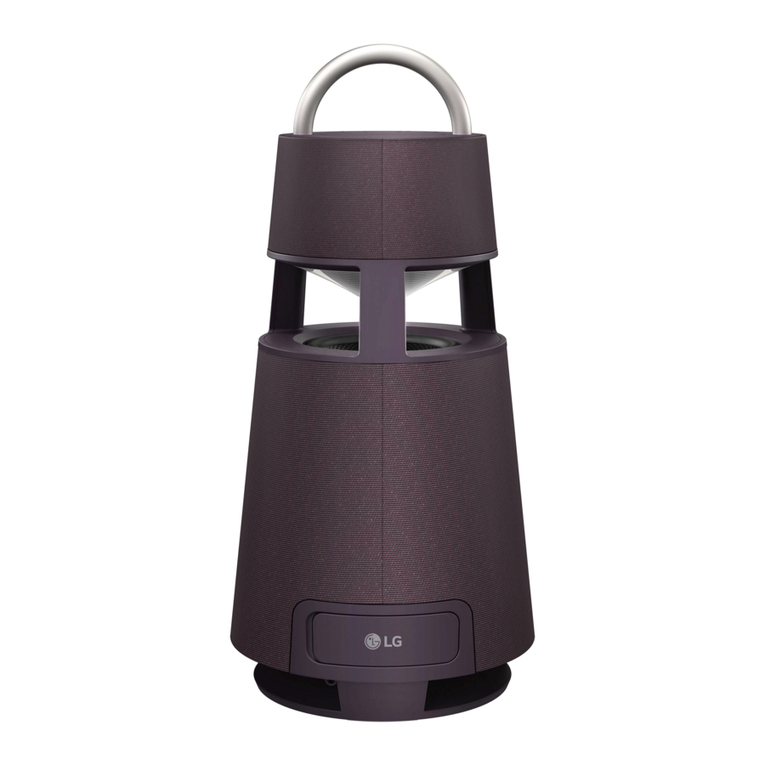
  9. LG DRP4 Specification sheet

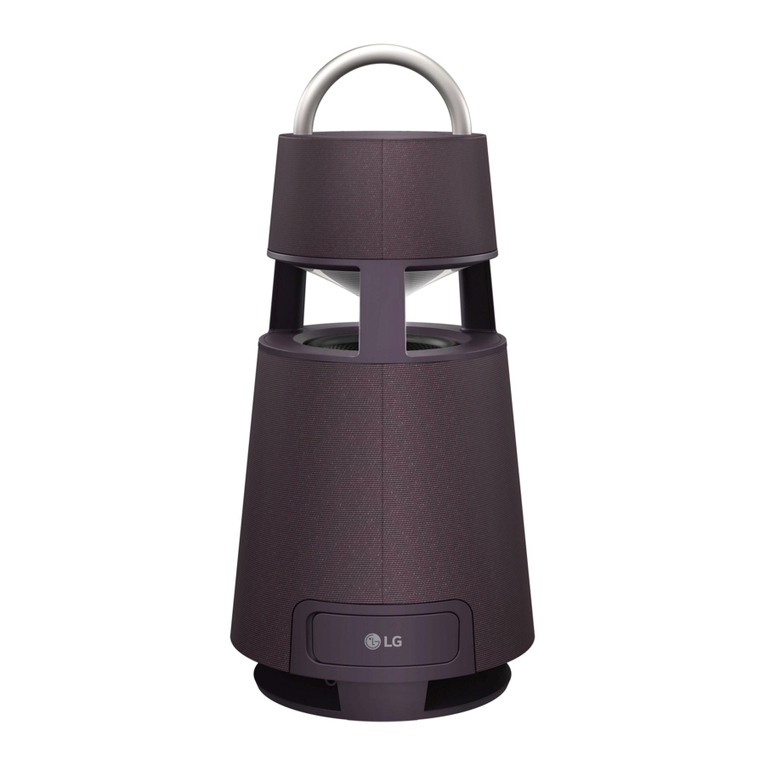
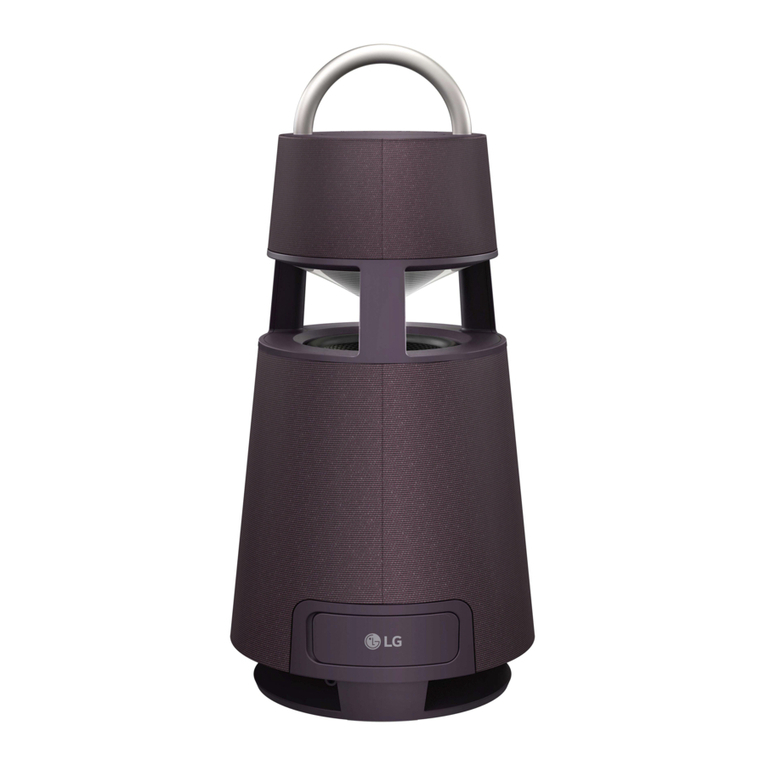
LG DRP4 Specification sheet

This manual suits for next models

3

Other LG Portable Speakers manuals

LG XO3QBK Specification sheet

LG

LG XO3QBK Specification sheet

LG NP5550WO Specification sheet

LG

LG NP5550WO Specification sheet

LG RP4B User manual

LG

LG RP4B User manual

LG RP4 User manual

LG

LG RP4 User manual

LG RP4 Specification sheet

LG

LG RP4 Specification sheet

LG MusicFlow P5 NP5550W Specification sheet

LG

LG MusicFlow P5 NP5550W Specification sheet

LG RP4 Specification sheet

LG

LG RP4 Specification sheet

LG RP4 User manual

LG

LG RP4 User manual

LG DXO3QPK User manual

LG

LG DXO3QPK User manual

LG XBOOM Go PN5M User manual

LG

LG XBOOM Go PN5M User manual

LG OM7550K User manual

LG

LG OM7550K User manual

LG XBOOM 360 User manual

LG

LG XBOOM 360 User manual

LG PL2W Specification sheet

LG

LG PL2W Specification sheet

LG PL2 Specification sheet

LG

LG PL2 Specification sheet

LG RP4 User manual

LG

LG RP4 User manual

LG PJ9 Specification sheet

LG

LG PJ9 Specification sheet

LG NP3530 User manual

LG

LG NP3530 User manual

LG PH3O Specification sheet

LG

LG PH3O Specification sheet

LG XL5S Specification sheet

LG

LG XL5S Specification sheet

LG XBOOM Go PN1 User manual

LG

LG XBOOM Go PN1 User manual

LG XO3QBK User manual

LG

LG XO3QBK User manual

LG XG5QBK User manual

LG

LG XG5QBK User manual

LG RP4 User manual

LG

LG RP4 User manual

LG XO3QBK User manual

LG

LG XO3QBK User manual

Popular Portable Speakers manuals by other brands

Innovative Technology ITSB-300 user manual

Innovative Technology

Innovative Technology ITSB-300 user manual

Blueant BLUESONIC user manual

Blueant

Blueant BLUESONIC user manual

Altec 730C Specifications

Altec

Altec 730C Specifications

Aiwa BST-330 user manual

Aiwa

Aiwa BST-330 user manual

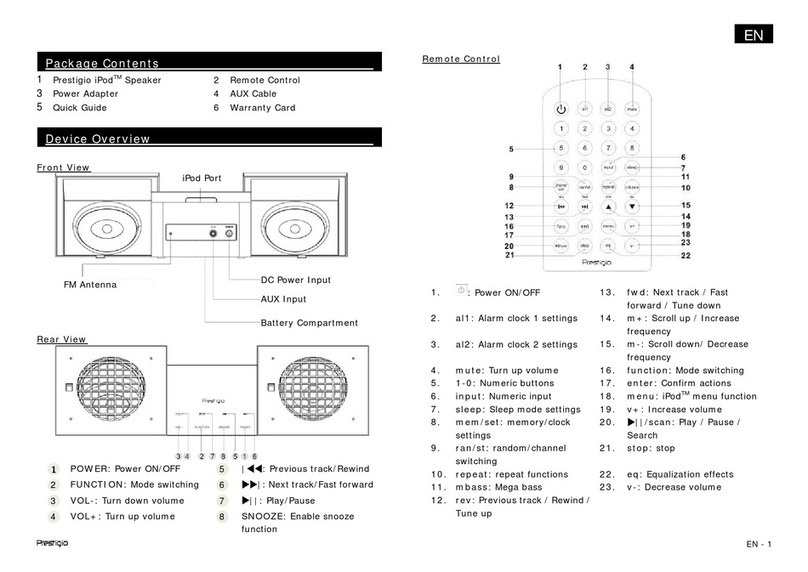
Prestigio PIS1 instruction manual

Prestigio

Prestigio PIS1 instruction manual

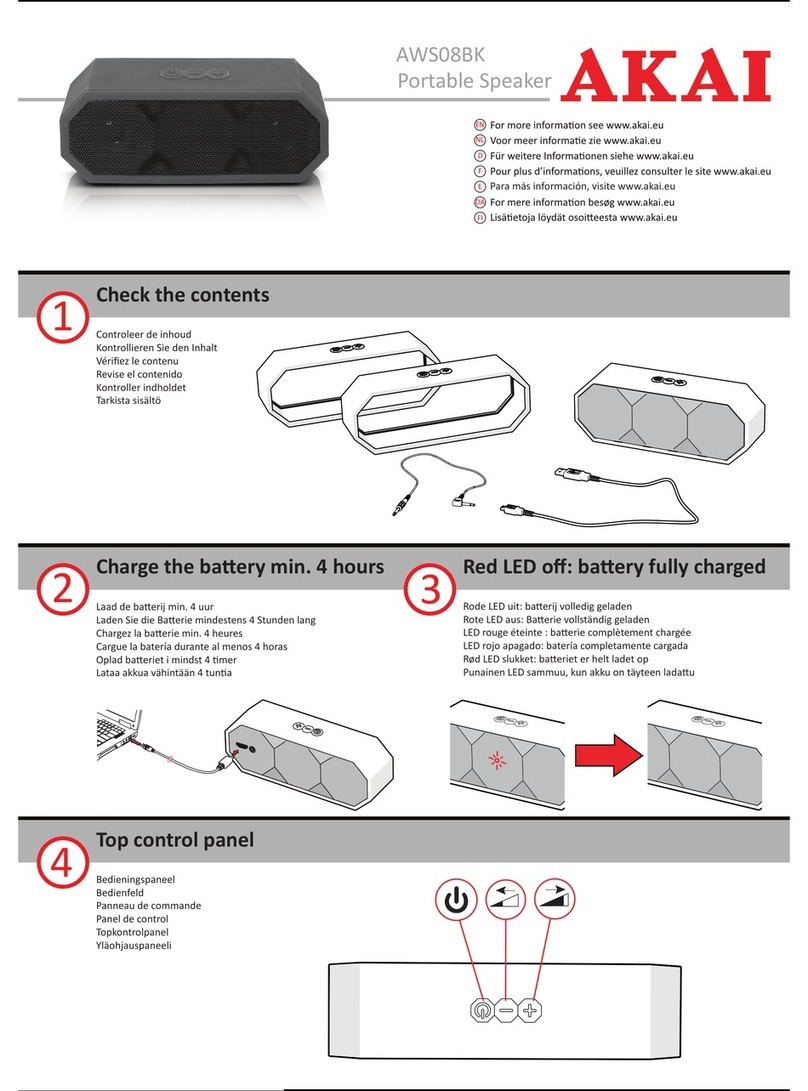
Akai AWS08BK manual

Akai

Akai AWS08BK manual

Philips BT6700 user manual

Philips

Philips BT6700 user manual

Wren V5BT Setup guide

Wren

Wren V5BT Setup guide

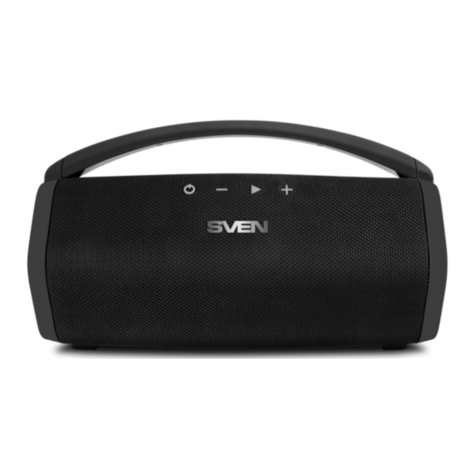
Sven PS-320 user manual

Sven

Sven PS-320 user manual

Urban revolt Streetbox Quick installation guide

Urban revolt

Urban revolt Streetbox Quick installation guide

Philips BT4000 Short user manual

Philips

Philips BT4000 Short user manual

Monster Rockin Roller 2 user manual

Monster

Monster Rockin Roller 2 user manual

Panacom monsoon user manual

Panacom

Panacom monsoon user manual

Lenovo speaker M0520 user guide

Lenovo

Lenovo speaker M0520 user guide

Mackie THUMP GO quick start guide

Mackie

Mackie THUMP GO quick start guide

Trevi XR 400 APP user guide

Trevi

Trevi XR 400 APP user guide

Philips sbm130 user manual

Philips

Philips sbm130 user manual

Trevi XF 4200 DJ user guide

Trevi

Trevi XF 4200 DJ user guide

manuals.online logo
manuals.online logoBrands
  • About & Mission
  • Contact us
  • Privacy Policy
  • Terms and Conditions

Copyright 2025 Manuals.Online. All Rights Reserved.

www.lg.com
Copyright © 2021 LG Electronics Inc. All Rights Reserved.2109_Rev01
DRP4 / DRP4B / DRP4BE / DRP4G
SIMPLE MANUAL
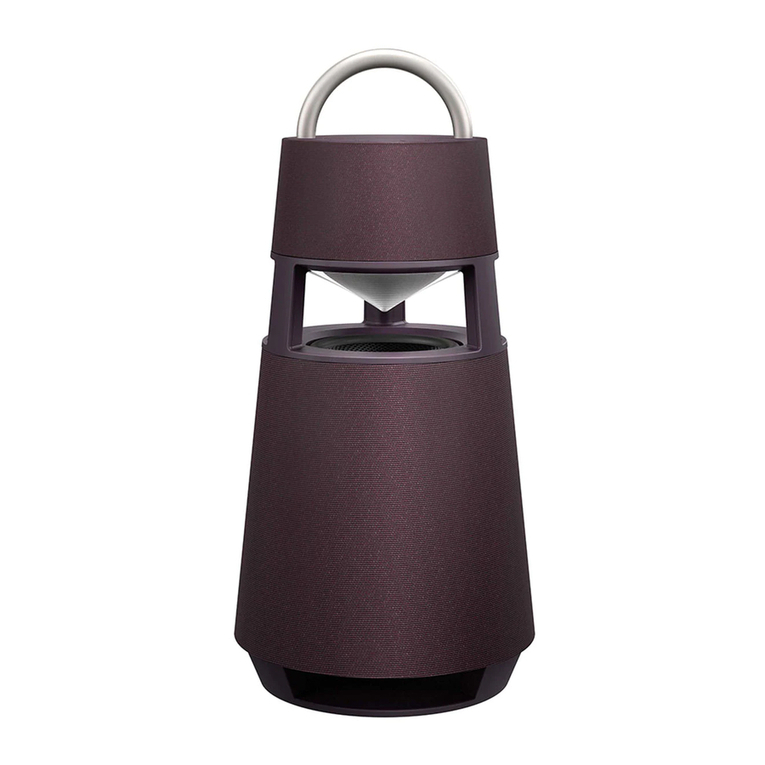
Omnidirectional portable
speaker
Omnidirektionaler tragbarer Lautsprecher
Enceinte portable omnidirectionnelle
Omnidirectionele draagbare luidspreker
Altoparlante portatile omnidirezionale
MFL71841398
RP4.DDEULLK_SIMPLE_MFL71841398.indd 1 2021-10-28  7:25:59
AUX
USB
BT
a
b
c
d
TWIN
MAIN
OTHER
RESET
AUX. IN
e
<Android> <iOS>
A
B
E
D
C
C
RP4.DDEULLK_SIMPLE_MFL71841398.indd 2 2021-10-28  7:26:00
ENGLISH
Installing and Using the Product
Please read this manual carefully before operating your set and retain it for future reference.
To view the instructions of advanced features, visit http://www.lg.com or scan QR code and then download
Owner’s Manual. Some of the content in this manual may differ from your product.
A Handle
B Controls
C Speaker
D Mood lighting
E Woofer
aConnectthepowercordtotheproductandchargeitbeforeuse.Youcanndthepowersocketatthebottomofthe
product.
bConnectingtheSpeakertoaSmartphoneUsingBluetooth
APress the Power button to turn on the product.
BPress and hold the Function button on the product until you hear a notication sound. Bluetooth LED blinks for 60
seconds.
CTap the Settings button on your smartphone and select Bluetooth. Turn on the Bluetooth function. ( Off >
On)
D From the list of smartphone devices, nd and tap on “LG-DRP4(XX).”
EOnce the smartphone is connected to the product via Bluetooth, the Bluetooth LED will turn on. Play a desired track in the
music app on your smartphone.
cPlayingMusicfromtheUSB
A Open the back cover of the product and plug the USB storage device into the USB terminal.
BPress the Power button to turn on the product.
CPress the Function button on the product repeatedly to select the USB function. The USB LED will turn on.
DPress the Play/Pause button to enjoy the music.
dConnectingtoanExternalDevice
A Open the back cover of the product and connect the external device to the AUX. IN terminal via a 3.5 mm stereo cable.
BPress the Power button to turn on the product.
CPress the Function button on the product repeatedly to select AUX. The AUX LED will turn on. If you play music on the
connected external device, you can start listening on this product.
eConnectingtotheLGXBOOMApp
AFind the LGXBOOM app on the Google Play or App Store and install it on your smartphone.
BRun the LGXBOOM app and use its functions.
fPowerSaving
If there is no playback or button input for 15 minutes, the product turns off automatically. On the LGXBOOMapp, you can enable or
disable [Auto Power Management].
yDesign and specications are subject to change without notice.
RP4.DDEULLK_SIMPLE_MFL71841398.indd 3 2021-10-28  7:26:00
DEUTSCH
Produkt installieren und benutzen
Bitte lesen Sie diese Betriebsanleitung vor Gebrauch des Gerätes sorgfältig durch und bewahren Sie sie zum
späteren Nachschlagen auf.
Anleitungen zu erweiterten Funktionen nden Sie unter http://www.lg.com, oder scannen Sie den QR-
Code, um dann die Betriebsanleitung herunterzuladen. Möglicherweise gelten bestimmte Inhalte in dieser
Betriebsanleitung nicht für Ihr Produkt.
A Handgriff
B Regler
C Lautsprecher
D Stimmungsbeleuchtung
E Woofer
aDasNetzkabelamProduktanschließenunddasProduktauaden,bevoresbenutztwird.DenNetzanschlussndenSie
untenamProdukt.
bDenLautsprecherperBluetoothmitdemSmartphoneverbinden
AAuf die Ein/Aus -Taste drücken, um das Produkt einzuschalten.
BAuf dem Produkt die Funktion -Taste so lange gedrückt halten, bis Sie einen Signalton hören. Die Bluetooth-LED blinkt 60
Sekunden lang.
CBeim Smartphone auf die Taste Einstellungen tippen und Bluetooth auswählen. Die Bluetooth-Funktion einschalten.
( Aus > Ein)
D In der angezeigten Liste der Smartphone-Modelle auf „LG-DRP4(XX)” tippen.
ESobald das Smartphone per Bluetooth mit dem Produkt verbunden ist, leuchtet die Bluetooth-LED. Auf Ihrem Smartphone
ein Musikstück Ihrer Wahl abspielen.
cMusikvonUSB-Speichergerätabspielen
A Die hintere Abdeckung des Produkts öffnen und das USB-Speichergerät an den USB-Anschluss anschließen.
BAuf die Ein/Aus -Taste drücken, um das Produkt einzuschalten.
C Um die USB-Funktion auszuwählen, auf dem Produkt wiederholt auf die Funktion -Taste drücken. Die USB-LED leuchtet.
D Um die Musik zu hören, auf die Taste Wiedergabe/Pause drücken.
dEinExternesGerätanschließen
A Die hintere Abdeckung des Produkts öffnen und das externe Gerät mit einem 3,5 mm Stereokabel an den AUX. IN-Anschluss
anschließen.
BAuf die Ein/Aus -Taste drücken, um das Produkt einzuschalten.
C Um AUX auszuwählen, auf dem Produkt wiederholt auf die Funktion -Taste drücken. Die AUX-LED leuchtet. Wird jetzt auf
dem externen Gerät Musik wiedergegeben, hören Sie diese über das Produkt.
eMitderAppLGXBOOMverbinden
A Unter Google Play oder im App Store die App LGXBOOM nden und diese auf dem Smartphone installieren.
BDie LGXBOOM-App ausführen und deren Funktionen verwenden.
fStromsparen
Wenn über 15 Minuten keine Signale zur Wiedergabe empfangen werden, schaltet sich das Produkt automatisch aus. In der LG
XBOOM-App können Sie die Funktion [Automatische Energieverwaltung] aktivieren oder deaktivieren.
yKonstruktion und Spezikationen können ohne Vorankündigung geändert werden.
RP4.DDEULLK_SIMPLE_MFL71841398.indd 4 2021-10-28  7:26:01
FRANÇAIS
Installation et utilisation du produit
Veuillez lire attentivement ce manuel avant d’utiliser votre appareil et conservez-le pour référence ultérieure.
Pour afcher les instructions des fonctionnalités avancées, rendez-vous sur http://www.lg.com ou scannez
le code QR puis téléchargez le manuel de l’utilisateur. Certaines parties de ce manuel peuvent ne pas
correspondre à votre produit.
A Poignée
B Commandes
C Haut-parleur
D Éclairage d’ambiance
E Haut-parleur de graves
aRaccorderlecordond’alimentationauproduitetlechargeravanttouteutilisation.Laprised’alimentationsesitueenbas
du produit.
bConnecterl’enceinteàunsmartphoneàl’aideduBluetooth
AAppuyer sur le bouton Marche-Arrêt pour allumer le produit.
B Maintenir enfoncé le bouton Fonction du produit jusqu’à entendre un son de notication. Le voyant LED Bluetooth clignote
pendant 60 secondes.
CAppuyer sur le bouton Paramètres de votre smartphone et sélectionner Bluetooth. Activer la fonction Bluetooth.
( Arrêt > Marche)
D Dans la liste des appareils disponibles, rechercher et appuyer sur « LG-DRP4(XX). »
E Une fois le smartphone connecté au produit via Bluetooth, la LED Bluetooth s’allume. Choisir la piste de votre choix dans
l’application de musique de votre smartphone.
cEcouterlamusiqueenregistréesurunecléUSB
A Ouvrir le cache arrière du produit et brancher la clé USB dans la borne USB.
BAppuyer sur le bouton Marche-Arrêt pour allumer le produit.
CAppuyer plusieurs fois sur le bouton de Fonction du produit pour sélectionner la fonction USB. La LED USB s’allumera.
DAppuyer sur le bouton Lecture/Pause pour proter de votre musique.
dConnecterunpériphériqueexterne
A Ouvrir le cache arrière du produit et brancher le périphérique externe à la prise AUX. IN à l’aide d’un câble stéréo Jack de
3.5 mm.
BAppuyer sur le bouton Marche-Arrêt pour allumer le produit.
CAppuyer plusieurs fois sur le bouton de Fonction du produit pour sélectionner AUX. La LED AUX s’allumera. Si vous mettez
de la musique sur le périphérique externe connecté, vous pourrez l’entendre sur votre enceinte.
eSeconnecteràl’applicationLGXBOOM
ARechercher l’application LGXBOOM dans Google Play ou l’App Store puis l’installer sur le smartphone.
B Exécuter l’application LGXBOOM et utiliser ses fonctionnalités.
fÉconomied’énergie
En cas de non lecture de musique ou d’appui sur un bouton pendant 15 minutes, le produit s’éteindra automatiquement. Dans
l’application LGXBOOM, vous pouvez activer ou désactiver cette fonction [Gestion automatique de l’alimentation].
yLa conception et les caractéristiques peuvent être sujettes à modication sans préavis.
RP4.DDEULLK_SIMPLE_MFL71841398.indd 5 2021-10-28  7:26:01
NEDERLANDS
Het product installeren en gebruiken
Lees deze handleiding zorgvuldig door voordat u uw set in gebruik neemt en bewaar het voor toekomstige
naslag.
Ga voor aanwijzingen over de geavanceerde functies naar http://www.lg.com of scan de QR-code en download
de gebruikershandleiding. Delen van de inhoud in deze handleiding kunnen verschillen van uw toestel.
A Handgreep
B Bedieningen
C Luidspreker
D Sfeerverlichting
E Woofer
aSluithetnetsnoeraanophetproductenlaadhetopvóórgebruik.Devoedingsaansluitingbevindtzichonderaanhet
product.
bDeluidsprekermeteensmartphoneverbindenviaBluetooth
ADruk op de knop Aan/uit om het product aan te zetten.
BHoud de knop Functie op het product ingedrukt tot u een melding hoort. De Bluetooth-LED knippert gedurende 60
seconden.
CTik op de knop Instellingen op uw smartphone en selecteer Bluetooth. Schakel de functie Bluetooth aan. ( Uit >
Aan)
D Zoek de lijst met smartphones en tik op “LG-DRP4(XX).”
EZodra de smartphone met het product is verbonden via Bluetooth, gaat de Bluetooth LED branden. Speel een nummer naar
keuze af via de muziektoepassing op uw smartphone.
cMuziekvandeUSBafspelen
A Open de achterklep van het product en sluit het USB-opslagapparaat aan via de USB-aansluiting.
BDruk op de knop Aan/uit om het product aan te zetten.
CDruk herhaaldelijk op de knop Functie op het product om de USB-functie te selecteren. De USB LED gaat branden.
DDruk op de knop Afspelen/Pauzeren om van de muziek te genieten.
dAansluitenopeenexternapparaat
A Open de achterklep van het product en sluit het extern apparaat aan via AUX. IN met een 3,5 mm stereokabel.
BDruk op de knop Aan/uit om het product aan te zetten.
CDruk herhaaldelijk op de knop Functie op het product om AUX te selecteren. De AUX LED gaat branden. Als u muziek op
het verbonden extern apparaat afspeelt, kunt u beginnen luisteren op dit product.
eVerbindingmakenmetdeLGXBOOM-app
A Vind de LGXBOOM-app op Google Play of de App Store en installeer het op uw smartphone.
BOpen de LGXBOOM-app en gebruik de functies.
fEnergiebesparing
Als er gedurende 15 minuten niet wordt afgespeeld of niet op een knop wordt gedrukt, schakelt het product automatisch uit.
Op de LGXBOOM-app, kunt u [Auto Power Management] in- of uitschakelen.
yOntwerp en specicaties kunnen zonder voorafgaande kennisgeving worden gewijzigd.
RP4.DDEULLK_SIMPLE_MFL71841398.indd 6 2021-10-28  7:26:01
ITALIANO
Installazione e uso del prodotto
Leggere attentamente questo manuale prima di utilizzare l’apparecchio e conservarlo per riferimenti futuri.
Per visualizzare le istruzioni relative alle funzionalità avanzate, visitare http://www.lg.com o scansionare il
codice QR e scaricare il Manuale dell’utente. Parte del contenuto del presente manuale potrebbe differire dal
prodotto in proprio possesso.
A Impugnatura
B Comandi
C Altoparlante
D Illuminazione d’atmosfera
E Woofer
aCollegareilcavodialimentazionealprodottoecaricarloprimadell’uso.Lapresadialimentazionesitrovasullaparte
inferioredelprodotto.
bConnessionedell’altoparlanteaunosmartphonetramiteBluetooth
APremere il pulsante di Accensione per accendere il prodotto.
BPremere e tenere premuto il pulsante Funzione del prodotto no a quando non si sente un suono di notica. Il LED
Bluetooth lampeggia per 60 secondi.
CToccare il pulsante Impostazioni dello smartphone e selezionare Bluetooth. Attivare la funzione Bluetooth. (
Disattivata > Attiva)
D Nell’elenco di dispositivi sullo smartphone, trovare e toccare “LG-DRP4(XX).”
EUna volta che lo smartphone è connesso al prodotto tramite Bluetooth, il LED Bluetooth si accende. Riprodurre il brano
desiderato nell’app musicale dello smartphone.
cRiproduzionedimusicadaUSB
A Aprire il coperchio posteriore del prodotto e collegare il dispositivo di archiviazione USB al terminale USB.
BPremere il pulsante di Accensione per accendere il prodotto.
CPremere ripetutamente il pulsante Funzione sul prodotto per selezionare la funzione USB. Si accende il LED USB.
DPremere il pulsante Riproduzione/Pausa per ascoltare la musica.
dConnessioneaundispositivoesterno
A Aprire il coperchio posteriore del prodotto e collegare il dispositivo esterno al terminale AUX. IN tramite un cavo stereo da 3,5
mm.
BPremere il pulsante di Accensione per accendere il prodotto.
CPremere ripetutamente il pulsante Funzione sul prodotto per selezionare AUX. Si accende il LED AUX. Riproducendo musica
sul dispositivo esterno collegato, è possibile ascoltarla dal prodotto.
eConnessioneall’appLGXBOOM
ATrovare l’app LGXBOOM in Google Play o App Store e installarla nello smartphone.
BAprire l’app LGXBOOM e utilizzarne le funzioni.
fRisparmioenergetico
In assenza di riproduzione o pressione di pulsanti per 15 minuti, il prodotto si spegne automaticamente. Nell’app LGXBOOM è possibile
attivare o disattivare [Gestione automatica dell’alimentazione].
yIl design e le speciche del prodotto sono soggetti a cambiamenti senza preavviso.
RP4.DDEULLK_SIMPLE_MFL71841398.indd 7 2021-10-28  7:26:02
ENGLISH
Specication
Power requirements
yRefer to the main label.
Power consumption
yRefer to the main label.
yNetworked standby: 0.5 W (If all network ports are activated.)
Dimensions (W x H x D): Approx. 247.5 mm x 514.0 mm x 247.5
mm
Bus Power Supply (USB): 5 V 0 500 mA
Amplier (Total RMS Output power): 120 W RMS
Howtodeactivatethewirelessnetworkconnection(s).
Set up the [Auto power-on.] to off on LGXBOOM app and turn
off the product by pressing the Power button.
Battery Life: Approx. 10 hours (Varies by volume level and audio
content.)
yThis unit contains magnets which can be harmful to some
kind of object (Ex: Magnetic card, Pacemaker etc.).
yInternal lithium battery in the unit should not be replaced by
user because of danger of explosion if battery is incorrectly
replaced, and must be replaced with the same type battery
by expert.
yDo not leave the unit on an unstable place such as high
shelves. It may fall down because of the vibration of the sound.
CAUTION when using this product in environments of low
humidity.
-It may cause static electricity in environments of low
humidity.
-It is recommended to use this product after touching any
metal object which conducts electricity.
DEUTSCH
TechnischeDaten
Stromversorgung
ySiehe Hauptetikett.
Leistungs-Aufnahme
ySiehe Hauptetikett.
yNetzwerk-Bereitschaftsbetrieb: 0,5 W (Wenn sämtliche
Netzwerkanschlüsse aktiviert sind.)
Abmessungen (B x H x T): Ca. 247,5 mm x 514,0 mm x 247,5
mm
Stromversorgung über Bus (USB): 5 V 0 500 mA
Verstärker (Mittlere Gesamt-Ausgangsleistung): 120 W RMS
SodeaktivierenSiedieDrahtlos-Verbindung(en)insWLAN.
Bei der App LGXBOOM die Funktion [Auto. Einschalten] auf Aus
stellen und das Produkt ausschalten, indem Sie auf die Taste Ein/
Aus drücken.
Akkulaufzeit: Ca. 10 Stunden (Variiert je nach Lautstärke und
Audioinhalten)
yDieses Gerät enthält magnetische Komponenten, die für
bestimmte Geräte und Gegenstände schädigend sein können
(z. B.: Magnetkarten, Herzschrittmacher usw.).
yBei unsachgemäß eingesetzter Lithium-Batterie besteht
Explosionsgefahr. Die Batterie sollte ausschließlich von einem
Experten gegen eine Batterie gleichen Typs ausgetauscht
werden.
yDarauf achten, dass die Einheit immer stabil steht, also zum
Beispiel in einem stabil stehendem Regal. Sonst könnte das
Gerät herunterfallen, möglicherweise aufgrund von durch
Töne ausgelösten Vibrationen.
VORSICHT wenn Sie dieses Produkt in Umgebungen mit
niedriger Luftfeuchtigkeit verwenden.
-In einer Umgebungen mit geringer Luftfeuchtigkeit kann
statische Elektrizität entstehen.
-Es wird empfohlen, vor Verwendung des Produkts einen
Metallgegenstand zu berühren, um statische Elektrizität
abzuleiten.
FRANÇAIS
Caractéristiques
Alimentation
yRéférez-vous à l’étiquette principale
Consommation électrique
yRéférez-vous à l’étiquette principale
yVeille en réseau : 0,5 W (Si tous les ports réseau sont activés.)
Dimensions (L x H x P) : Env. 247,5 mm x 514,0 mm x 247,5 mm
Alimentation électrique par Bus (USB) : 5 V 0 500 mA
Amplicateur (puissance de sortie RMS totale) : 120 W RMS
Commentdésactiverla(les)connexion(s)duréseausansl.
Mettre [Mise sous tension automatique.] sur off dans
l’application LGXBOOM et éteindre le produit en appuyant sur le
bouton Marche-Arrêt .
Autonomie de la batterie : environ 10 heures. (Varie selon le
niveau de volume et le contenu audio)
yCette unité contient des aimants pouvant être nuisibles pour
certains types d’objets (carte magnétique, pacemaker, etc.).
yLa batterie interne au lithium ne doit pas être remplacée
par l’utilisateur en raison d’un risque d’explosion en cas de
remplacement incorrect. Elle doit être remplacée par un
expert par une batterie de même type.
yNe pas laisser l’unité à un emplacement instable comme sur
une étagère en hauteur. Elle pourrait chuter en raison de la
vibration des sons.
FAIREATTENTIONlors de l’utilisation de ce produit dans des
environnements légèrement humides.
-Il peut être à l’origine d’électricité statique dans les
environnements légèrement humides.
-Il est recommandé de toucher un objet métallique
conducteur d’électricité avant d’utiliser ce produit.
NEDERLANDS
Specicatie
Stroomvereisten
yRaadpleeg het hoofdlabel.
Stroomverbruik
yRaadpleeg het hoofdlabel.
yNetwerk standby : 0,5 W (als alle netwerkpoorten zijn
geactiveerd.)
Afmetingen (B x H x D): Ongeveer 247,5 mm x 514,0 mm x
247,5 mm
USB-busvoeding: 5 V 0 500 mA
Versterker (Totale Vermogen RMS Uitgang): 120 W RMS
Hoededraadlozenetwerkverbinding(en)deactiveren.
Stel de [Auto power-on.] in op uit op de LGXBOOM-app en
schakel het product uit door op de knop Aan/uit te drukken.
Levensduur van de batterij: Ong. 10 uur (afhankelijk van
volumeniveau en geluidsinhoud.)
yDeze unit bevat magneten die schadelijk kunnen zijn voor
bepaalde voorwerpen (Bijv.: kaarten met magneetstrip,
pacemaker enz.).
yDe interne lithium batterij in de speler mag niet door de
gebruiker vervangen worden, omwille van explosiegevaar
RP4.DDEULLK_SIMPLE_MFL71841398.indd 8 2021-10-28  7:26:02
wanneer de batterij verkeerd wordt aangebracht, en moet
door een expert worden vervangen door batterij van hetzelfde
type.
yZet de unit niet op een onstabiele plaats, zoals hoge schappen.
Deze kan vallen als gevolg van de trilling van het geluid.
WEESVOORZICHTIG bij het gebruik van dit product in een
omgeving met een lage luchtvochtigheid.
-In omgevingen met lage luchtvochtigheid kan er statische
elektriciteit aanwezig zijn.
-Het is aanbevolen om dit product te gebruiken na het
aanraken van een metalen voorwerp dat elektriciteit geleidt.
ITALIANO
SpecicheTecniche
Requisiti di potenza
yVedere l’etichetta principale.
Consumo energetico
yVedere l’etichetta principale.
yCollegato alla rete in stand-by : 0,5 W (Se sono attivate tutte
le porte di rete.)
Dimensioni (L x A x P):
Appross.
247,5 mm x 514,0 mm x 247,5
mm
Alimentazione energia Bus (USB): 5 V 0 500 mA
Amplicatore (potenza in uscita RMS totale): 120 W RMS
Comedisattivareleconnessionidiretemobile.
Disattivare l’opzione [Accensione automatica.] nell’app LG
XBOOM e spegnere il prodotto premendo il pulsante di
Accensione .
Durata della batteria: Circa 10 ore (varia in base al livello del
volume e al contenuto audio).
yQuesta unità contiene magneti che possono risultare
pericolosi per alcuni tipi di oggetti (ad esempio schede
magnetiche, pacemaker ecc.).
yLa batteria al litio interna all’unità non dovrebbe essere
sostituita dall’utente in quanto, se non sostituita
correttamente, sussiste un pericolo di esplosione. La batteria
deve essere cambiata con lo stesso tipo di batteria da
personale tecnico qualicato.
yNon lasciare l’unità su luoghi instabili come scaffali alti. Le
vibrazioni del suono potrebbero farla cadere.
ATTENZIONE se si utilizza questo prodotto in ambienti con
bassa umidità
-Può causare elettricità statica in ambienti con bassa umidità.
-Si raccomanda di utilizzare il prodotto dopo aver toccato un
oggetto metallico che conduce elettricità.
ENGLISH Declaration of Conformity
Hereby, LG Electronics declares that the radio equipment type
PORTABLE BLUETOOTH SPEAKER is in compliance with Directive
2014/53/EU. The full text of the EU declaration of conformity is
available at the following internet address:
http://www.lg.com/global/support/cedoc/cedoc#
For consideration of the user, this device should be installed and
operated with a minimum distance of 20 cm between the device
and the body.
Frequency range Output power (Max.)
2402 to 2480 MHz 10 dBm
DEUTSCH Konformitätserklärung
Hiermit erklärt LG Electronics, dass der Funkgerät Typ Portable
Bluetooth-Lautsprecher der Richtlinie 2014/53/EU entspricht.
Der vollständige Wortlaut der EU-Konformitätserklärung steht
unter folgender Internetadresse zur Verfügung:
http://www.lg.com/global/support/cedoc/cedoc#
Bitte beachten Sie: Dieses Gerät sollte mit einem Mindestabstand
von 20 cm zwischen dem Gerät und dem Körper installiert und
betrieben werden.
Frequenzbereich Ausgangsleistung (max.)
2402 bis 2480 MHz 10 dBm
FRANÇAIS Déclaration de conformité
LG Electronics déclare que l’Enceinte Bluetooth Portable de type
équipement radio est conforme à la Directive 2014/53/UE. Le
texte intégral de la déclaration de conformité UE est disponible à
l’adresse Internet suivante:
http://www.lg.com/global/support/cedoc/cedoc#
Cet appareil doit être installé et utilisé à une distance minimale
de 20 cm entre l’appareil et le corps, an d’éviter des blessures à
l’utilisateur.
Bandes de fréquences Puissance de sortie (Max.)
2402 à 2480 MHz 10 dBm
NEDERLANDS Conformiteitsverklaring
Hierbij verklaart LG Electronics dat dit radioapparaat van
het type Portable Bluetooth Luidspreker voldoet aan EU
Richtlijn 2014/53/EU. De volledige tekst van de EU Richtlijn is
beschikbaar op het volgende internet adres:
http://www.lg.com/global/support/cedoc/cedoc#
Ter overweging van de gebruiker, moet dit apparaat worden
geïnstalleerd en bediend met een minimale afstand van 20 cm
tussen het apparaat en het lichaam.
Frequentiebereik Uitgangsvermogen (Max.)
2402 tot 2480 MHz 10 dBm
RP4.DDEULLK_SIMPLE_MFL71841398.indd 9 2021-10-28  7:26:02
ITALIANO Dichiarazione di Conformità
Con la presente, LG Electronics dichiara che il tipo di apparecchio
radio altoparlante Bluetooth portatile è conforme alla Direttiva
2014/53/UE. Il testo completo della Dichiarazione di Conformità
UE è disponibile al seguente indirizzo internet:
http://www.lg.com/global/support/cedoc/cedoc#
In considerazione dell’utente, l’apparecchio deve essere installato
e utilizzato rispettando una distanza minima di 20 cm tra il corpo
e il dispositivo.
Intervallo di frequenza Potenza in uscita (massima)
2402 - 2480 MHz 10 dBm
ENGLISH
Removalofwastebatteriesandaccumulators
(Product with embedded battery ONLY)
In case this product contains a battery incorporated within
the product which cannot be readily removed by endusers, LG
recommends that only qualied professionals remove the battery,
either for replacement or for recycling at the end of this product’s
working life. To prevent damage to the product, and for their
own safety, users should not attempt to remove the battery and
should contact LG Service Helpline, or other independent service
providers for advice.
Removal of the battery will involve dismantling of the product
case, disconnection of the electrical cables/ contacts, and careful
extraction of the battery cell using specialized tools. If you need
the instructions for qualied professionals on how to remove
the battery safely, please visit http://www.lge.com/global/
sustainability/environment/take-back-recycling.
DEUTSCH
EntfernenvonAbfallbatterienund-Akkus
(Nur für Produkte mit integrierter Batterie)
Falls dieses Produkt eine im Produkt eingearbeitete Batterie/
Akku enthält, die nicht ohne weiteres durch den Endbenutzer
entfernt werden kann, empehlt LG, dass nur qualizierte
Fachkräfte Batterie oder Akku entfernen, die/der entweder
wegen einer Ersatzlieferung oder für ein Recycling am Ende
der Lebensdauer dieses Produkts ausgetauscht werden muss.
Um Schäden am Produkt zu vermeiden, und für ihre eigene
Sicherheit, sollten Benutzer nicht versuchen, Batterie oder Akku
zu entfernen und diesbezüglich die LG-Beratungsstelle oder
einen anderen unabhängigen Dienstleister zwecks Beratung
kontaktieren.
Das Entfernen von Batterie oder Akku erfordert ein Zerlegen
des Produkts, die Trennung der elektrischen Leitungen/
Kontakte und eine sorgfältige Entnahme der Batterie-/Akkuzelle
mit Spezialwerkzeugen. Wenn Sie die Anweisungen für
qualizierte Fachkräfte benötigen, wie man Batterie/Akku sicher
entfernen kann, besuchen Sie bitte http://www.lge.com/global/
sustainability/environment/take-back-recycling.
FRANÇAIS
Retraitdebatteriesetd’accumulateursàmettreaurebut
(Produit avec batterie intégrée UNIQUEMENT)
Dans le cas où ce produit contiendrait une batterie intégrée
impossible à retirer facilement par les utilisateurs naux, LG
recommande de coner exclusivement à des professionnels
qualiés le soin de retirer la batterie, que ce soit pour la
remplacer ou pour la recycler lorsque le produit est arrivée en
n de vie. Pour éviter d’endommager le produit et pour leur
propre sécurité, les utilisateurs ne doivent pas tenter de retirer
la batterie et ils doivent demander conseil à l’aide en ligne de LG
Service ou à d’autres prestataires de services indépendants.
Le retrait de la batterie implique de démonter le boîtier du
produit, de débrancher les câbles/contacts électriques et
d’extraire avec précaution la cellule de la batterie en s’aidant
d’outils spécialisés. En allant sur http://www.lge.com/global/
sustainability/environment/take-back-recycling, vous trouverez
des instructions destinées aux professionnels qualiés sur les
procédures à employer pour retirer la batterie en toute sécurité.
RP4.DDEULLK_SIMPLE_MFL71841398.indd 10 2021-10-28  7:26:02